






 Back
Back

At Experion, we bring capabilities across mobility, product engineering, IoT, integrations, UX, and quality engineering that can support organizations looking to improve how field operations are planned, connected, and managed.
Why Managing a Field Workforce is Getting Harder?
How do you know which field worker is available, where they are, what job they are handling, and whether they can reach the next customer on time?
That sounds like a simple scheduling question. In practice, it rarely is.
Field teams work in an environment where the plan changes throughout the day. A customer cancels. Traffic slows a technician down. An emergency request comes in. Someone finishes a job much earlier than expected. Another assignment requires a skill or certification that only a few workers have.
For a small operation, experienced dispatchers may manage much of this through phone calls, spreadsheets, and local knowledge. As the team grows across cities, shifts, territories, or service categories, those methods become harder to rely on.
Manual timesheets arrive late. Dispatchers spend time asking for status updates. Managers know how many jobs were scheduled but may not know why some technicians completed six while others completed three. Customers, meanwhile, expect narrower appointment windows and better communication.
This is the problem field workforce management software is designed to address: bringing workers, jobs, schedules, location, communication, and operational information into a more connected workflow.
Key Takeaways
- Field workforce management connects people, jobs, schedules, locations, and operational data.
- Mobile access is central because the work takes place away from the office.
- Scheduling and route optimization solve related but different problems.
- Real-time information reduces dependence on calls, spreadsheets, and delayed paperwork.
- Integration matters as much as individual features.
- AI can assist dispatch and scheduling, but operational judgment still matters.
- The right platform depends on how the field organization actually works.
What is Field Workforce Management Software?
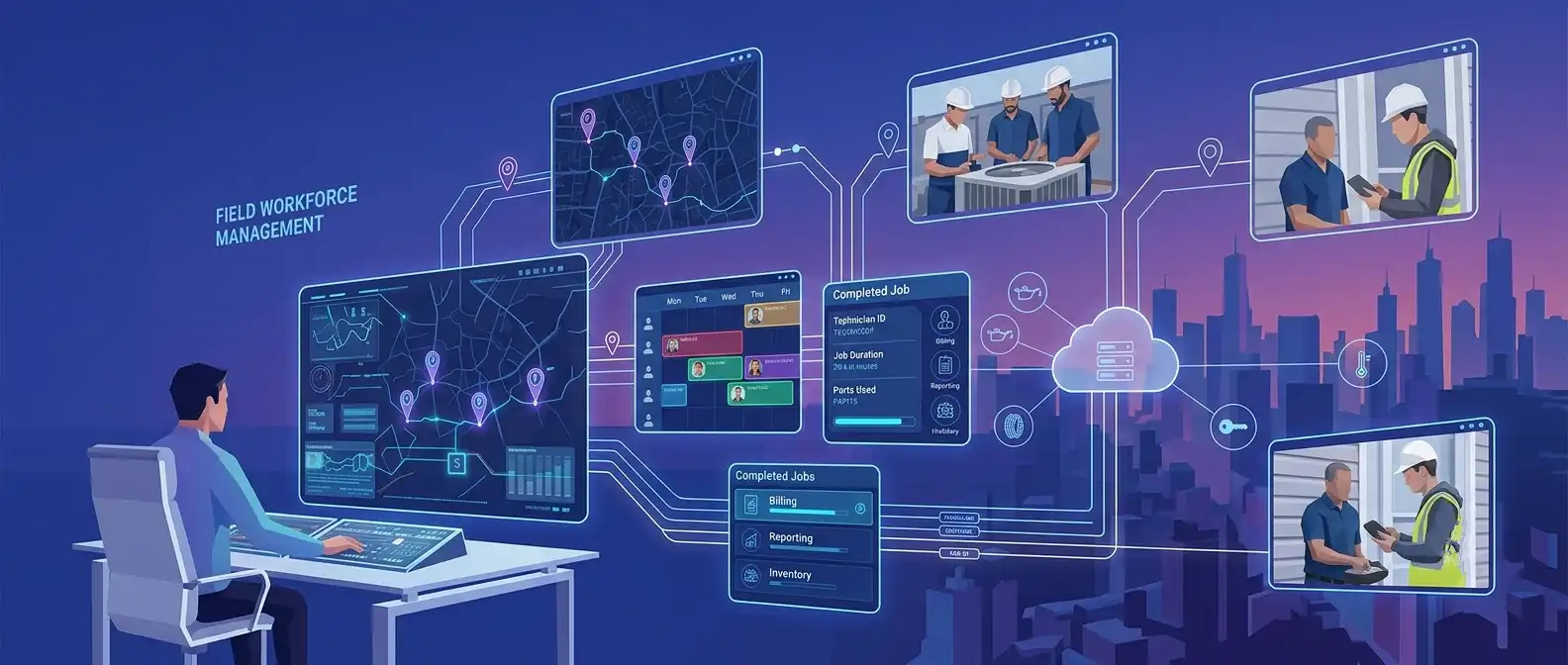
Field workforce management software is used to organize and support employees or contractors who carry out work away from a fixed workplace.
That may include technicians repairing equipment, healthcare workers visiting patients, utility crews inspecting infrastructure, engineers working at customer sites, or service professionals travelling between homes and businesses.
A traditional workforce management software platform may concentrate on staffing, attendance, shifts, and capacity. Field operations introduce another set of variables: location, travel, job priority, customer appointments, skills, equipment, and changes happening during the working day.
That is where field workforce software becomes more specialized.
Mobile devices connect field employees with the office. Location intelligence helps determine who is nearby. Scheduling and dispatch tools connect available capacity with incoming work. Completed-job information can then move back into billing, reporting, inventory, or other enterprise systems.
What does field workforce management software do?
A field workforce management system helps answer the questions that dispatchers and managers deal with every day.
Who is available? Which employee has the right skill? Where is that person now? How long will the current job take? Can an urgent request be added without disrupting several other appointments?
The software does not eliminate those decisions. It gives people a better operational picture from which to make them.
How Does Field Workforce Management Software Work?
Step 1: Work request is created
A request may come from a customer, employee, connected asset, call center, portal, or another enterprise system.
Step 2: Job requirements are identified
The system captures information such as location, priority, skills, expected duration, SLA, equipment, and appointment preferences.
Step 3: Available field workers are evaluated
Workers can be evaluated according to availability, current workload, location, qualifications, shifts, leave, and existing assignments.
Step 4: Best worker is selected
The most appropriate employee is identified based on the rules of the business. The closest person is not always the right person.
Step 5: Job is scheduled and dispatched
The assignment is added to the schedule and made visible to dispatch and field teams.
Step 6: Worker receives job details through mobile app
The employee receives relevant customer information, instructions, forms, asset history, documents, and location details.
Step 7: Worker travels to location
Navigation and route information help the employee plan the journey.
Step 8: Work is completed and information is captured
Notes, photographs, signatures, parts used, time spent, and completion details can be captured digitally.
Step 9: Manager receives real-time status
Managers can follow progress without repeatedly calling workers for updates.
Step 10: Data feeds reporting, billing, analytics and optimization
Completed information can update billing, inventory, CRM, payroll, analytics, or future workforce planning.
What are the Core Features of Field Workforce Management Software?
- Workforce Scheduling: Scheduling brings together jobs, workers, shifts, availability, leave, and appointment windows.
- Intelligent Job Assignment: Assignment can consider skill, location, priority, qualification, customer requirement, and workload instead of relying on one factor.
- Dispatch Management: Dispatchers need a live view of what has been assigned, what is delayed, and what can be moved when plans change.
- GPS and Real-Time Location Tracking: Location data can help managers understand worker proximity and job progress where its use is operationally justified and handled with appropriate privacy controls.
- Route Optimization: Route optimization focuses on travel between jobs. Workforce scheduling looks across the wider team and decides who should perform which work. They are connected capabilities, but they are not the same thing.
- Mobile Workforce App: Field employees need an easy way to see assignments, receive updates, access information, and complete work without returning to the office.
- Work Order Management: A work order keeps the job history together, from request and assignment through to completion.
- Time and Attendance Tracking: Time spent on work, travel, and shifts can be recorded where required.
- Field Communication: Messages and operational alerts help keep office and field teams working from the same information.
- Digital Forms and Checklists: Inspections, safety checks, completion reports, and other documents can be captured digitally rather than on paper.
- Asset and Equipment Management: Jobs can be connected to the equipment or asset being inspected, installed, repaired, or maintained.
- Customer Management: Workers can access relevant customer, location, service-history, and appointment information.
- Analytics and Reporting: Managers can examine utilization, response time, SLA performance, travel, and job completion.
- AI-Powered Workforce Optimization: AI can help recommend assignments, forecast workload, or identify scheduling conflicts.
- Inventory and Asset Management: Field workers can see available parts or equipment and record what they consume during a job.
Types of Field Workforce Management Solutions
There are several ways to approach field technology.
Standalone field workforce management solutions concentrate specifically on scheduling, dispatch, mobility, and workforce visibility. They can be useful when field operations require deeper functionality than a general business system provides.
ERP platforms sometimes offer field-service modules alongside finance, supply chain, and inventory. Integration may be easier, although the field features may not be as specialized.
Industry-specific solutions build workflows around areas such as utilities, healthcare, construction, or home services.
The other option is custom field workforce management software, created around an organization’s own scheduling rules, user roles, systems, and operating model.
Buying usually makes sense when established workflows are sufficient. Custom development becomes more relevant when the way field work is delivered is itself distinctive.
What are the Benefits of Field Workforce Management Software?
The immediate benefit is not necessarily automation. It is clarity.
Dispatchers can see what work exists and what capacity is available. Technicians have better access to information before arriving at a job. Managers can understand whether a delay is caused by travel, workload, job complexity, or poor scheduling.
Smarter routing can reduce avoidable travel. Better job matching can improve technician utilization and, in some situations, first-time-fix performance.
Customers benefit when appointment information is clearer and changes can be communicated sooner.
Digital forms reduce the amount of information that has to be re-entered later.
Over time, the data produced by field management software also becomes useful for workforce planning, service-demand analysis, territory design, and process improvement.
Who Needs Field Workforce Software?
Any organization managing people who regularly travel to perform work can potentially benefit.
Utilities coordinate crews across infrastructure. Telecom companies manage installations and repairs. Healthcare organizations send professionals to patient locations. Construction companies move workers and specialists between sites.
Facilities providers, manufacturers, logistics companies, insurers, public agencies, home-service businesses, and equipment providers face similar coordination problems in different forms.
The need usually becomes clearer when managers can no longer understand the day’s operation without talking to several people first.
How Does Field Workforce Management Software Help Different Industries?
Field Workforce Management for Utilities
Utility teams deal with inspections, meter work, repairs, maintenance, outages, and infrastructure spread across large areas. Safety, qualification, location, and urgency can all affect assignment.
Field Workforce Management for Healthcare
Homecare and community healthcare require careful coordination of professionals, appointments, travel, qualifications, patient information, and privacy.
Field Workforce Management for Construction
Construction businesses can coordinate inspections, field engineers, trades, timesheets, site activities, and equipment across changing projects.
Field Workforce Management for Telecommunications
Telecom providers manage technicians handling installations, repairs, network work, and customer appointments across broad territories.
Field Workforce Management for Logistics
Mobile workforce capabilities can support drivers, collections, deliveries, field operations, route activity, and status updates.
Field Workforce Management for Facilities Management
Facilities providers need to manage scheduled and reactive maintenance across multiple buildings while keeping track of technicians, priorities, assets, and service commitments.
Field Workforce Management for HVAC & Home Services
Home-service operations are highly sensitive to travel time, customer availability, technician skill, spare parts, and last-minute schedule changes.
Experion’s broader mobility portfolio includes mobile field service, mobile asset management & logistics, IoT, mobile applications, and digital platform engineering.
Field Workforce Management Software vs. Field Service Management Software: What’s the Difference?
| Area | Field Workforce Management | Field Service Management |
|---|---|---|
| Primary focus | People and workforce | End-to-end service operations |
| Scheduling | Core | Core |
| Dispatch | Core | Core |
| GPS tracking | Common | Common |
| Employee management | Strong | Varies |
| Work orders | Usually supported | Core |
| Customer management | May be included | Core |
| Asset management | Limited/varies | Often core |
| Inventory | May be integrated | Often included |
| Billing/invoicing | Usually integrated | Often supported |
| Mobile workforce | Core | Core |
| Service lifecycle | Partial/full | Comprehensive |
A field service management software platform generally covers a wider service lifecycle, including customers, work orders, equipment, inventory, contracts, and sometimes billing.
Field workforce management places more attention on how people are scheduled, deployed, and supported.
The boundaries are not rigid. Vendors use the terminology differently, so buyers comparing field services management software should look at actual workflows rather than labels.
Field Workforce Management Software vs. Mobile Workforce Management Software
Is field workforce management the same as mobile workforce management?
The terms overlap, but they are not always identical.
Mobile workforce management software can describe technology used by any workforce operating away from a fixed office. That may include drivers, sales teams, inspectors, community workers, and technicians.
Field workforce management is more commonly associated with location-based jobs, dispatch, scheduling, and service execution.
Organizations managing field service and mobile workforce management often need elements of both.
Manual Field Workforce Management vs. Automated Workforce Management
| Manual approach | Software-driven approach |
|---|---|
| Phone calls | Real-time communication |
| Spreadsheets | Centralized dashboard |
| Manual scheduling | Automated scheduling |
| Static routes | Dynamic routing |
| Paper forms | Digital forms |
| Delayed updates | Real-time status |
| Manual reporting | Automated analytics |
| Limited visibility | GPS/location visibility |
Automation should not be confused with removing people from decision-making.
Experienced dispatchers understand customers, technicians, territories, and exceptions that may not exist neatly in a database. Software is most useful when it removes repetitive coordination and gives those people better information.
What Problems Does Field Workforce Management Software Solve?
Scheduling conflicts become easier to spot when availability, shifts, skills, and existing work are visible together.
Travel time can be considered while assigning jobs instead of after the schedule has already been created.
Managers gain a clearer picture of field status. A customer cancellation can create a new available slot. An urgent request can be inserted without manually rebuilding an entire spreadsheet.
Digital communication reduces the gap between what dispatch believes is happening and what is actually happening.
Electronic forms also remove the familiar problem of completed paperwork arriving at the office hours or days after the work itself.
How Can AI Improve Field Workforce Management?
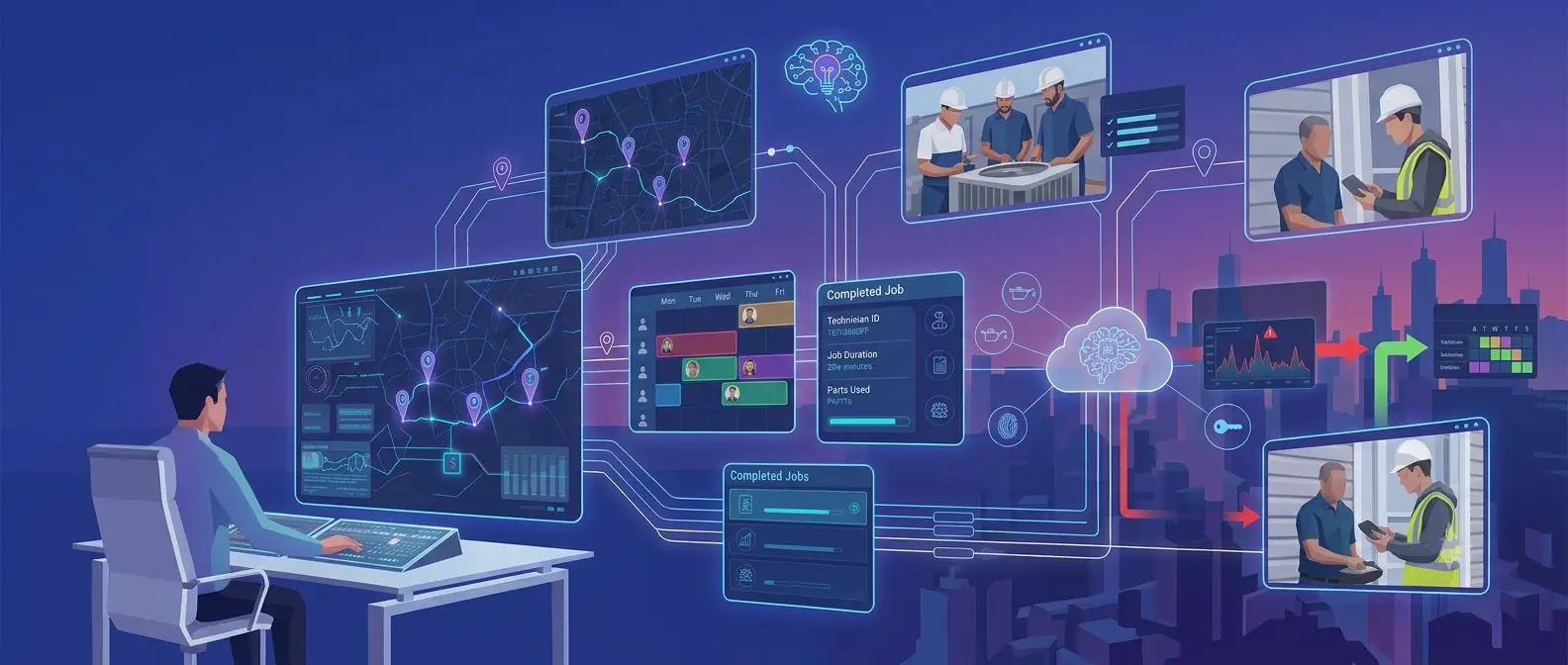
AI is particularly useful where field scheduling contains too many variables for simple fixed rules.
It can support intelligent scheduling, predictive workload forecasting, automated dispatch, dynamic route optimization, technician-job matching, predictive maintenance, demand forecasting, customer communication, field-worker assistance, performance analysis, anomaly detection, and generative AI work-order summaries.
Imagine that a customer cancels a two-hour appointment in the middle of the day.
Instead of leaving the gap unused, an AI-assisted scheduling engine can check nearby pending work, technician skills, travel time, customer appointment windows, and priority. It can then recommend another assignment.
That recommendation still needs context. A dispatcher may know that a customer cannot accept an earlier visit or that a technician is carrying specialized equipment for the next job.
AI works best here when it supports operational judgment rather than pretending that field work contains no exceptions.
What Integrations Should Workforce Management Software Support?
Field operations touch many other parts of the business.
CRM can provide customer information. ERP can connect finance, procurement, and wider operations. HR and payroll systems maintain workforce information. Inventory platforms track parts and equipment.
GIS and mapping services support location. Billing platforms receive completed-work information. IoT platforms can create maintenance events. Asset-management systems maintain equipment history.
A workforce management software implementation should establish which system owns each type of information. Connecting several systems without that clarity can simply spread inconsistent data more efficiently.
What is the Role of Mobile Workforce Management Software?
A desktop-first product makes little sense for someone who spends most of the day away from a desk.
Field employees should be able to view assigned jobs, access customer information, navigate to a location, change job status, capture photographs, complete forms, collect signatures, record time, and communicate with dispatch.
Offline working also matters.
Basements, rural areas, industrial sites, construction locations, and large facilities do not always provide reliable connectivity. A well-designed mobile experience should allow appropriate work to continue and synchronize safely later.
How Does Real-Time Tracking Work in Field Workforce Management?
Real-time tracking generally combines authorized location information from a device or vehicle with mapping and current job status.
Managers may use it to understand proximity, route progress, estimated arrival, or available capacity.
There is an important boundary here.
Operational visibility should not become continuous employee surveillance simply because the technology makes it possible. Organizations need clear policies around when tracking operates, what information is collected, who can see it, and how long it is retained.
How Much Does Field Workforce Management Software Cost?
There is no meaningful universal price.
Commercial platforms may charge per technician, user, module, month, or enterprise license. Advanced scheduling, mapping, AI, integrations, implementation, and support can increase the overall cost.
Custom development is different again. It may include discovery, UX, architecture, mobile and backend engineering, integrations, testing, cloud infrastructure, security, and ongoing support.
The better comparison is total cost of ownership rather than licence price alone.
A low-cost system that creates heavy manual work around integration may eventually prove more expensive than a better-connected option.
How Do You Choose the Right and Best Field Workforce Management Software?
Searching for the best field workforce management software, best workforce management software, or best field service management software is useful for building a shortlist. It cannot tell you which platform fits the way your organization operates.
Step 1: Define business requirements
Identify the problems worth solving before comparing features.
Step 2: Map the current field workflow
Follow a real job from request through scheduling, field work, completion, and billing.
Step 3: Identify workforce size
Think beyond today’s headcount and consider future territories and teams.
Step 4: Identify scheduling complexity
Understand skills, qualifications, appointment windows, priorities, shifts, and emergency work.
Step 5: Evaluate mobile capabilities
Give the mobile application to actual field users and see how it feels.
Step 6: Check GPS and route optimization
Understand the practical value as well as privacy implications.
Step 7: Evaluate integration capabilities
Check the systems that really need to exchange data.
Step 8: Check scalability
Look at users, jobs, locations, and transaction volumes.
Step 9: Review security and compliance
Assess identity, permissions, encryption, APIs, auditability, and data privacy.
Step 10: Evaluate analytics
Managers should be able to answer operational questions without rebuilding reports manually.
Step 11: Test usability
A technically capable system can still fail if people dislike using it.
Step 12: Calculate total cost of ownership
Include licensing, implementation, integration, training, customization, and support.
Step 13: Run a proof of concept
Test the difficult cases, not only the clean demonstration workflow.
Step 14: Check vendor support
Understand ownership after implementation and what happens when the product itself causes a problem.
How Do You Implement Field Workforce Management Software Successfully?
Phase 1: Discovery: Clarify business goals, operational constraints, users, and measures of success.
Phase 2: Process mapping: Document what really happens today, including exceptions.
Phase 3: Solution selection: Choose between commercial, custom, and hybrid approaches.
Phase 4: Integration: Connect the required enterprise platforms and establish data ownership.
Phase 5: Pilot implementation: Start where the operational scope is manageable enough to learn.
Phase 6: Training: Training should reflect different roles rather than giving everyone the same generic session.
Phase 7: Rollout: Expand gradually and address problems before they become organization-wide habits.
Phase 8: Measure performance: Compare results with the baseline established before implementation.
Phase 9: Optimize: Adjust workflows, rules, interfaces, and reports after seeing how people actually use the system.
What are the Challenges of Implementing Field Workforce Management Software Solution?
The software may be new, but the biggest problems are often old.
Employees may resist it because previous tools created additional administration. GPS can create understandable privacy concerns. Existing CRM or ERP data may be incomplete. Legacy integrations can be difficult. Some field locations have unreliable connectivity.
Business processes may also contain dozens of exceptions that nobody documented because experienced employees simply knew what to do.
Implementation therefore needs change management as much as configuration.
If dispatchers continue using shadow spreadsheets after launch, that is usually a sign that the new workflow has not solved something important.
Why Businesses Build Custom Field Workforce Management Software?
Off-the-shelf software makes sense when the operating model is reasonably common.
Custom field workforce management software becomes more relevant when an organization has specialized scheduling rules, distinctive mobile workflows, complex integrations, unusual compliance requirements, or field operations that directly differentiate its service.
Customization does not automatically make the result better.
Building software also means taking responsibility for its maintenance, security, upgrades, and future evolution. The business case should justify that responsibility.
What is the ROI of Field Workforce Management Software?
ROI should begin with the problem that justified the project.
If travel is excessive, measure travel. If dispatchers spend hours scheduling manually, measure scheduling effort. If customers complain about missed appointments, track missed appointments and response times.
Other useful indicators include technician utilization, jobs completed, first-time-fix rate, SLA compliance, overtime, paperwork, and customer satisfaction.
Software installation itself produces no meaningful return.
The return appears when people use the information to operate differently.
What Are the Future Trends in Field Workforce Management?
Field operations are moving from basic digitization towards more responsive decision-making.
AI-native scheduling can adapt plans as conditions change. Autonomous dispatch may eventually handle straightforward assignments while people concentrate on exceptions.
Predictive workforce planning can identify likely capacity shortages. Generative AI assistants may help technicians understand previous work, locate information, or summarize completed tasks.
IoT-connected equipment can create work requests directly. Predictive maintenance may help teams intervene before an asset fails.
Computer vision can support inspections. Augmented reality may give technicians contextual instructions while they work. Digital twins can provide richer information about complex assets.
At the same time, privacy-aware location intelligence will become more important. More sophisticated technology should not mean less thoughtful treatment of employees.
Offline-first mobile applications will remain relevant, and workforce analytics will increasingly move from describing yesterday’s performance towards helping teams decide what to do today.
Conclusion
Field work does not become complicated because companies fail to make schedules.
It becomes complicated because reality refuses to follow them.
A technician runs late. A repair needs another part. A customer changes the appointment. An emergency appears. Someone with the required expertise is already working on the opposite side of the city.
Field workforce management software provides a way to respond to those changes without rebuilding the operation manually each time.
Scheduling, dispatch, mobility, location intelligence, communication, digital forms, integrations, and analytics bring the office and the field closer to the same picture.
The best system will not necessarily be the one with the longest list of features. It will be the one that field employees can use without fighting it and that managers can rely on when the day stops going according to plan.
Experion can support organizations exploring field-oriented digital platforms through relevant capabilities in mobility, product engineering, IoT, integration, UX, and quality engineering, with the technology shaped around the organization's actual operating environment rather than a generic field-service model.
Frequently Asked Questions (FAQs)
How does field workforce management software work?
It connects incoming work with employee availability, skills, location, scheduling, dispatch, mobile execution, and reporting.
Can field workforce management software work offline?
Yes. A mobile application can allow selected activities to continue without connectivity and synchronize information when the network becomes available again.
Can field workforce management software integrate with CRM and ERP systems?
Yes. CRM, ERP, HR, payroll, billing, inventory, asset-management, mapping, and other integrations are common.
How does AI improve field workforce management?
AI can assist scheduling, workload forecasting, assignment, routing, anomaly detection, predictive maintenance, and work-order summarization.
Is field workforce management software suitable for small businesses?
It can be, particularly when scheduling, travel, paperwork, or customer coordination is already consuming significant time.
What is the difference between Work Force Management (WFM) and Field Service Management (FSM)?
WFM focuses more strongly on workforce planning, schedules, availability, and utilization. FSM generally covers a broader service lifecycle involving customers, assets, work orders, inventory, and related processes.
What is the difference between workforce management and employee monitoring?
Workforce management is about coordinating work and capacity. Employee monitoring focuses on observing employee activity. The two should not be treated as interchangeable.
How secure is field workforce management platform?
Security depends on the product and implementation. Authentication, permissions, encryption, secure APIs, audit trails, device controls, and sensible treatment of location data are important considerations.
How long does implementation take?
There is no standard timeline. Workforce size, integrations, data quality, customization, workflow complexity, training, and rollout strategy all affect it.
What KPIs should businesses track?
Common measures include technician utilization, travel time, response time, jobs completed, first-time-fix rate, SLA performance, overtime, missed appointments, scheduling effort, and customer satisfaction.