






 Back
Back
We can help businesses modernize their legacy web applications with PWAs designed for speed, engagement, and long-term scalability.
With the rise of mobile apps, users’ expectations for effortless digital experiences are higher than ever. Businesses face immense pressure to provide accessible solutions across all platforms. This demand has resulted in the rise of Progressive Web Apps (PWAs). A PWA can load fast, work offline, be installed from the browser without an app store, and still show up in Google search results. In fact, Statista recorded a 47% year-over-year jump in PWA adoption across commerce and media.
Key Takeaways
- A progressive web app is a website built using HTTPS, a service worker, and a web app manifest. Together, these features allow it to be installed and behave like a native app.
- PWAs let users experience the reach of the web and the experience of a native app. All of this is achieved using one codebase, instant updates, and no App Store approval process.
- The core capabilities include offline functionality, home-screen installation, push notifications, background sync, and access to some device hardware.
- Businesses build progressive web apps for faster load times, lower cost than maintaining two native codebases, better SEO, and better engagement in markets with poor connectivity.
- The right progressive web app development company comes down to a real, working PWA portfolio, depth in your specific framework, and a track record on Core Web Vitals.
- Some of the challenges that cause issues for developers building their first PWA include Safari browser’s limitations, poor app discoverability, and improper caching strategies.
What is a Progressive Web App (PWA)?
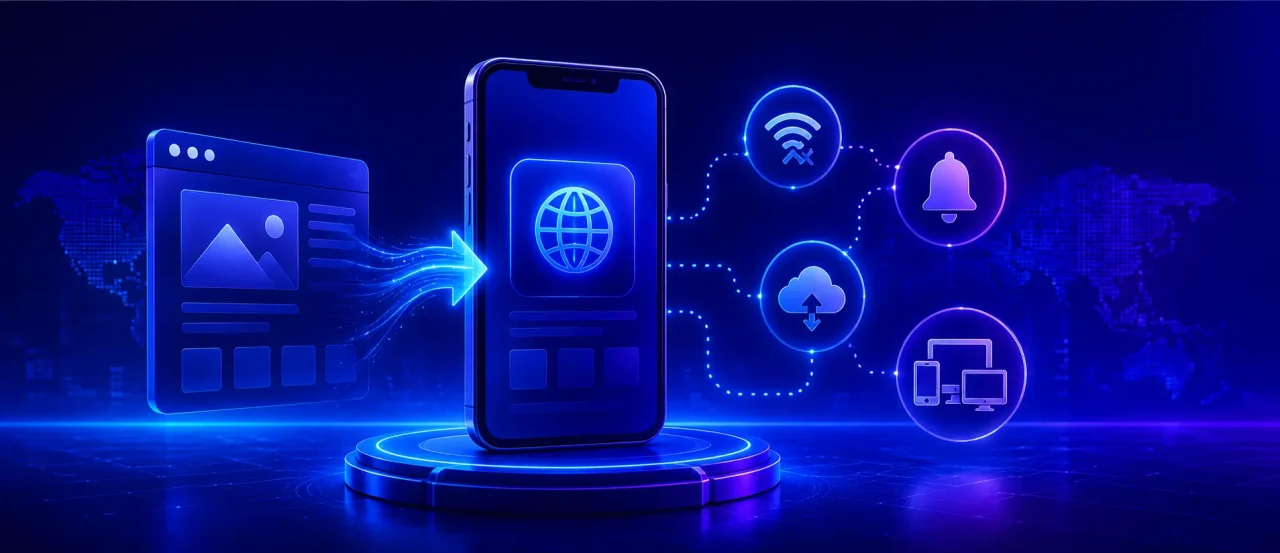
A PWA is a website engineered to behave like an installed app. A PWA can be added to your home screen, and when you click the icon, it launches in its own app-like window. These applications can work offline and even send push notifications. There’s no separate app-store binary to maintain. The same URL that serves the browser version also powers the installed one.
In short, it is a set of web capabilities layered onto a site, unlocking app-like behavior with standards every modern browser already supports.
The Three Non-Negotiables
The primary factors behind a Progressive Web App:
- HTTPS: HTTPS is a fundamental requirement since it ensures a secure connection. Browsers only enable PWA features on secure origins.
- A service worker: This is a background script that handles network requests. It works in the background to enable all PWA features, such as offline caching, push notifications, and background sync.
- A Web app manifest: A JSON file that contains all the details of the app’s appearance and how it behaves when installed, including its name, icons, theme color, etc.
What makes progressive apps different from a regular responsive site? Despite being able to adapt its layout according to the screen size, a responsive site still needs a live connection. It lives inside a browser tab. A PWA adds an installable, resilient shell on top of the same responsive foundation. The two aren’t competitors. One builds on the other.
How Progressive Web Apps Work?
A PWA runs on browser APIs that have quietly matured over the last decade, to the point where a browser can now do a lot of what used to require a native operating system underneath it.
Service workers and offline caching strategies
The service worker is the engine. It runs in its own thread, separate from the page, and can intercept every network request the app makes. That’s where offline support gets built, usually with one of three caching strategies.
Cache-first serves from the cache immediately and only touches the network if nothing’s cached. This is good for static assets like fonts and icons. Network-first tries the network first and falls back to cache only if the request fails, which suits content that changes often, like a news feed. Stale-while-revalidate serves the cached version instantly while quietly fetching a fresh copy for next time. It’s a reasonable default for most app shells.
Most production PWAs don’t pick just one. They mix all three depending on what’s being requested.
Web app manifest and add-to-home-screen behavior
The manifest is what turns a website into something installable. Once a browser sees a valid manifest alongside a registered service worker, it can offer to install the app. On Android, that usually shows up as an “Add to Home Screen” banner. Once installed, the app opens in its own window, without the browser’s address bar, sitting in the app drawer next to everything else.
Push notifications, background sync, and hardware API access
Service workers also unlock push notifications, even when the app isn’t open, and background sync, which queues actions like a form submission or message when a user goes offline and sends them once they’re back on. Hardware access varies by browser. Some PWAs can already access camera, location, Bluetooth, and file-system APIs, and that list keeps growing with every browser release.
App shell architecture
Most PWAs are built around an “app shell,” a minimal, cached skeleton of navigation and layout that loads almost instantly, with the actual content streamed in after. It’s why a well-built PWA feels fast even on a bad connection. The shell was already sitting in the cache before the user tapped the icon.
How Can Progressive Web Applications Drive Success?
Progressive Web Apps enable businesses to deliver app-like experiences all without the hassle of maintaining separate web and mobile applications. As seen in numerous cases, these applications have proven their ability to improve accessibility, expand reach, increase user engagement, and accelerate feature delivery.
Spotify is a great example. Its installable web player lets users launch the application directly from their browser or desktop without downloading a separate desktop app. The result is a consistent experience across supported platforms.
Essential Features Every PWA Website Should Have
- Offline functionality: Core content and features still work off cached resources, even with no connection.
- Push notifications: Timely, targeted messages that bring people back instead of letting the app go quiet.
- Responsive UI: Holds up across phone, tablet, and desktop without feeling like a different product on each.
- App-like navigation: No full-page reloads for every tap, closer to how a native app actually feels.
- Fast page loading: Good caching and resource management, so first load and repeat visits both feel quick.
- Secure HTTPS: Non-negotiable at this point; it’s also what lets service workers register in the first place.
- Background synchronization: Actions taken offline queue up and complete automatically once the connection’s back.
- Home screen installation: Installs straight from the browser, no app store step in between.
- Automatic updates: The latest version rolls out on its own, no manual updating required.
- Device integration: Camera, location, file system, biometrics, whatever the browser will safely expose.
- Search engine friendliness: Still fully crawlable and indexable, which is the one thing native app content can’t claim.
PWA vs. Native App vs. Responsive Website
No single one is better. Organizations can choose the criteria or trade-offs that best match their product. The comparison table below shows a quick snapshot of the three.
| Criteria | PWA | Native App | Responsive Site |
| Distribution | URL / optional store | App stores only | URL |
| Offline support | Yes (service worker) | Yes | No |
| Install friction | None | High | N/A |
| Dev cost | One codebase | Per-platform | One codebase |
| Device API depth | Good, improving | Full | Limited |
| Update cycle | Instant | Store review | Instant |
We transformed a legacy MVC platform for a leading UK-based learning technology provider, migrating legacy features to a Progressive Web Application (PWA) built on a modern stack.
Learn how we delivered this transformation
Business Benefits of Progressive Web Apps Development
The business case for progressive web apps doesn’t need much hand-waving anymore. It shows up in the numbers.
Faster load times translate directly into conversion, and that relationship is one of the better-documented ones in web performance. Lower total cost of ownership follows naturally from having one codebase instead of separate iOS and Android teams.
There’s a solid SEO angle too, since PWA pages are crawlable and indexable in a way that native app content simply isn’t. In markets with unreliable connectivity, offline caching and lighter payloads can be the difference between people using the product and giving up on it. And push notifications plus a home-screen icon give you a way back into someone’s day without depending on an app-store listing.
Pinterest’s PWA rebuild is one of the more widely cited examples here: the company reported around a 60% increase in core engagement metrics after the switch, according to its own case study. Alibaba saw something similar on its mobile site, where users who installed via the “Add to Home Screen” prompt came back and converted more often than typical mobile visitors.
What Progressive Web Application Development Services Include?
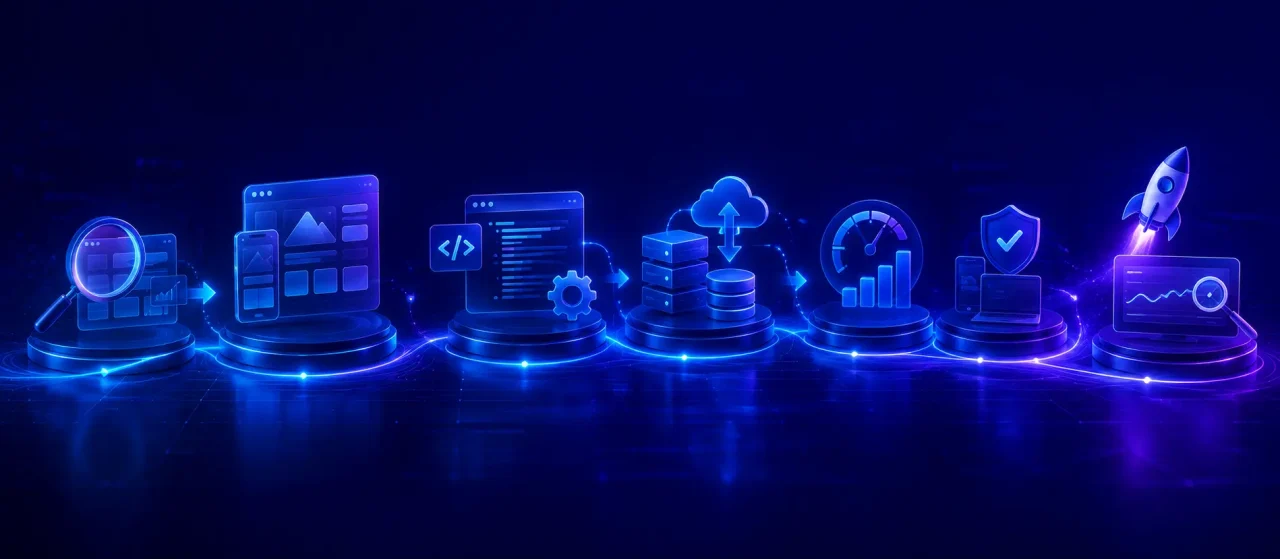
Discovery, feasibility, and PWA-readiness audit
Not all websites can migrate instantly. This phase involves evaluating your current website, tech stack, and business objectives. The result is the determination of the best migration strategy for your business.
UX and design system for cross-device parity
The essence of a PWA is the consistent experience it can deliver across all devices-be it a smartphone, a tablet, or even a desktop. The UX phase focuses on creating reusable design components and app-like interactions.
Front-end engineering and service worker implementation
The application’s front end is built using modern frameworks. Service workers, Web App manifests, and efficient caching strategies enable home screen installation and faster load times.
Backend, API, and offline data-sync layer
Backend integration ensures that the business communicates with third-party services and business systems. Offline synchronization is done intelligently so that users can work continuously, and data is automatically synced once the device reconnects.
Lighthouse and Core Web Vitals optimization
Developers need to keep improving their websites and applications constantly. Page speed and visual stability can be optimized by utilizing performance auditing tools. Google Lighthouse is an open-source auditing tool developed by Google. It can be used to evaluate the performance of web applications. By improving Core Web Vitals, one can deliver a faster user experience.
QA across browsers, plus store submission
Quality Assurance allows the PWA to be tested thoroughly across major browsers and devices. Testing is crucial to ensure the application’s reliability and other core PWA features. If needed, the Progressive Web App can also be packaged for distribution through Google Play using Trusted Web Activity (TWA). Thus, the PWA can also be published on the app store just like a native Android app.
Post-launch monitoring and iteration
Development does not simply end at launch. Regular updates ensure the PWA remains secure and compatible with evolving standards. Continuous monitoring of application performance, cache efficiency, and Core Web Vitals helps identify optimization opportunities.
From architecture to post-launch optimization, Experion can deliver Progressive Web Apps built for measurable business outcomes.
How to Choose a Progressive Web App Development Company?
Proven PWA portfolio
Enquire for a live, installable application that the pwa app development company actually shipped. Test them yourself to evaluate performance, offline functionality, responsiveness, and overall user experience.
Depth in your target framework and backend stack
Identify a development partner with proven expertise in the technologies your project needs. Some prominent ones include React, Next.js, Angular, Vue, or another modern stack. Strong backend capabilities are important to ensure seamless API integrations, scalability, and long-term maintainability.
Domain experience in your industry
Prior domain expertise and industry knowledge can greatly reduce development time. A company with experience in sectors such as healthcare, fintech, retail, logistics, or SaaS is more likely to understand your regulatory requirements and business workflows.
Custom Progressive Web App Development Capability vs. Template-driven delivery
The best Progressive Web App Development Companies are focused on delivering solutions tailored to your business needs. They rarely rely on generic templates. Custom development ensures that all user experiences align with business objectives.
Performance engineering and Core Web Vitals discipline
Ask how they actually measure and improve performance during a build, not just what they say they do in theory. If they can’t point to specific Core Web Vitals numbers from past projects, that’s worth noting.
Security, compliance, and data-residency posture
Ask directly how offline-cached data gets encrypted and where it’s stored, especially if the app will handle anything sensitive. Security bolted on at the end tends to leave gaps that a proper build wouldn’t have.
Engineering process transparency
Look for a real CI/CD pipeline, actual code review, and documentation that isn’t an afterthought. None of this guarantees quality on its own, but its absence is a decent early warning sign.
Post-launch support and browser-update maintenance
Ensure that post-launch support is also included. Progressive Web App Features and browser APIs often evolve as the tech ecosystem grows. It is only through regular maintenance that PWA remains compatible with new browser updates and performs consistently across different devices over time.
Communication cadence and time-zone overlap
Worth confirming upfront, especially with a distributed team: how often you’ll hear from them, who your actual point of contact is, and whether working hours overlap enough to keep things moving.
Red flags to walk away from
Some red flags include: Vague answers about caching strategy. No working PWA they can show you. Pricing based purely on screen count with no real discussion of what the project needs. Any of these on their own isn’t necessarily disqualifying, but together they’re a pattern worth taking seriously.
Top Progressive Web App Frameworks
The progressive app frameworks you use shape future SEO performance, website load time, and maintainability. The right choice depends on your business goals.
React + Workbox
This is one of the most popular combinations. The ecosystem and hiring pool are much bigger than the alternatives. Workbox handles the tedious part, wiring up service workers for offline caching, so teams aren’t writing that logic from scratch.
Next.js (SSR/SSG advantages for SEO)
React with server-side rendering and static generation bolted on. If SEO actually matters for the project, this is usually where teams land, since content gets indexed properly instead of waiting on client-side JavaScript to render it.
Angular
Comes with PWA tooling built in and forces more structure than the others. That is an advantage once an application gets big and messy, less so for a small project that doesn’t need the ceremony.
Vue + Nuxt
Vue stays lightweight and easier to onboard new developers into, and Nuxt adds the SSR layer Vue doesn’t have natively.
Ionic (hybrid + PWA from one codebase)
Worth a look specifically when a business needs both a PWA and an actual app store listing, since one codebase covers both.
Svelte / SvelteKit
Compiles most of the work away at build time instead of shipping a framework runtime to the browser. Less JavaScript sent down usually just means the app loads faster, without much else changing.
Choosing a framework
| Framework | Learning curve | SEO readiness | Best-fit project type |
| React + Workbox | Moderate | Good with SSR add-ons | General-purpose apps, large ecosystems |
| Next.js | Moderate | Excellent | Content-heavy, SEO-critical sites |
| Angular | Steep | Good | Large enterprise applications |
| Vue + Nuxt | Low to moderate | Excellent | Mid-size apps, faster onboarding |
| Ionic | Moderate | Fair | Apps needing a native app-store presence too |
| Svelte/SvelteKit | Low | Good | Performance-critical, lightweight apps |
Facing a dilemma on which framework to choose?
Our PWA experts to recommend the best one for your project
Common PWA Pitfalls and Limitations
No honest progressive web app development company will tell you PWAs fit every use case, or that they come free of constraints.
iOS/Safari constraints on push, storage eviction, and install prompts
Support for progressive web apps has improved over the years. However, iOS and Safari still have some limitations compared to other browsers. Certain features such as background sync and push notifications behave differently. It often requires platform-specific implementation. Only an experienced development team can design around these differences. Ultimately, they need to ensure consistent performance across both Apple and Android devices.
Discoverability
Discoverability is its own limitation. There’s no app store curating and surfacing PWAs, so discovery depends entirely on your own SEO and install prompts, with no algorithm doing part of that job for you.
Over-caching and stale-content bugs
Over-caching is probably the pitfall that shows up most often once something’s live. Without a proper invalidation strategy, users end up seeing stale content, or worse, a broken app shell right after a deploy.
Treating PWA as a retrofit instead of an architectural decision
Plenty of teams try to bolt PWA features onto a site that was never built for them. A manifest and a service worker can technically be added after the fact. Offline support that actually holds up, and load times that feel fast rather than just adequate, are a different story. Those come from decisions made early. Treat PWA as part of the architecture from day one, and the app tends to hold up better as it grows, instead of accumulating workarounds every time something needs to change.
Emerging Trends in Progressive Web App Development
Web technologies continue to evolve, and progressive web application development is becoming more powerful. To deliver more engaging user experiences, businesses are leveraging key trends today.
- AI-powered PWAs: AI is enabling personalized user experiences through predictive content and on-device recommendations.
- Offline-first architecture: Developers are designing PWAs to work offline. This is being done by default to ensure uninterrupted access and seamless performance, even in low-connectivity environments.
- Edge computing: Data is processed closer to users. Effectively, this reduces latency and enhances the user’s overall experience.
- Voice-enabled PWAs: With the voice-enabled functionality, PWAs are becoming more accessible. Hands-free navigation and user interactions across supported devices are some of the most differentiating features.
- WebAssembly (Wasm): This technology lets browsers execute performance-intensive activities like games, scientific simulations, etc., at near-native speed. It complements JavaScript to handle such complex tasks.
- Advanced push notifications: Modern PWAs leverage contextual triggers to provide timely notifications to improve user engagement.
- Device APIs: Modern browsers can expose more device capabilities like file systems, Bluetooth, NFC, geolocation, and biometric authentication. This lets PWAs deliver more interactive experiences that were possible only with native mobile apps.
- Headless commerce PWAs: More businesses are pairing PWAs with headless commerce platforms to get a storefront that isn’t locked to one channel; the same experience holds up whether someone’s shopping on the site or on their phone. Splitting the frontend from the backend is really what makes this work.
- PWAs for enterprise applications: Organizations have now adopted PWAs for their internal business applications. As a result, field teams and remote workers alike are empowered with offline tools.
- Progressive enhancement strategies: The intent behind this trend is to build a PWA with a strong foundation that can work across all browsers and devices. Later on, advanced features such as device integrations can be added if the need arises.
Why Partner with a Custom PWA Development Company?
The difference between a template build and a custom one usually comes down to a handful of things: whether the app mirrors how your teams and customers actually work, Whether the architecture can absorb growth without a rewrite two years in. How cleanly it integrates with your existing CRM or ERP. Whether the security posture matches what your industry actually requires. And whether the code is documented well enough that a future team can extend it without a treasure hunt through undocumented decisions.
Transform Your Business with Experion’s PWA Development Services
We build cross-platform, offline-first PWAs meant to hold up under production load, integrate with existing enterprise systems, and hit the Core Web Vitals thresholds that increasingly affect search visibility. Whether you’re retrofitting an existing platform or starting PWA-first from day one, the process is built around avoiding the specific pitfalls covered above, not a generic checklist.
Combine the reach of the web with the speed of native apps.
Start your PWA journey with us
Conclusion
A good PWA gives you the reach and searchability of the open web along with the speed and reliability people expect from an installed app. The result is an application that can load fast, work offline, and stay fully indexable.
The gap between a PWA that checks the boxes on paper and one that actually moves engagement numbers comes down to decisions made early, real performance engineering, and maintenance that keeps up as browsers keep changing what’s possible. A development partner that treats PWA as an architectural commitment, not a feature bolted on late, is what makes that gap close.
Leverage Experion’s web development expertise to create installable, offline PWAs that can accelerate your enterprise digital transformation.
Frequently Asked Questions (FAQs)
What is PWA?
A Progressive Web App is a web application built with standard web technologies such as HTTPS, service workers, and a web app manifest. By delivering an app-like experience with offline access, home screen installation, and fast, responsive performance across devices, PWA is a game changer.
How is a PWA different from a native mobile app?
A PWA usually uses a single codebase delivered over the web. It updates instantly and can be installed without an app store. On the other hand, a native app is built separately for each platform and can be distributed only through app stores. Native apps have deeper access to device hardware.
Can a PWA work without an internet connection?
A PWA can continue to work without an internet connection by using service workers and intelligent caching strategies. Previously loaded content can be locally stored, and key features can be accessed offline. Offline actions can then be synchronized automatically when the internet connection is restored.
Are progressive web apps SEO-friendly?
They are more SEO-friendly, and this is one of their clearest advantages over native. PWAs usually work on standard URLs and HTML; hence, they are fully crawlable and indexable. Frameworks such as Next.js and Nuxt can improve SEO further via server-side rendering.
How do I choose the top progressive web app development company?
Try to identify an installable PWA portfolio that you can test. Research the specific frameworks and backend stacks used. The development company should have a track record of improving Core Web Vitals and a transparent engineering process. In addition, it should have committed post-launch support.
Which technologies are used in progressive web app development?
The most common front-end choices include React, Next.js, Angular, Vue/Nuxt, Ionic, and Svelte/SvelteKit.
How long does it take to build a progressive web app?
It depends on scope, but a focused MVP-style PWA usually takes around 8 to 14 weeks. A full enterprise build with complex offline sync and integrations can run several months longer.
How much does progressive web app development cost?
Cost depends on the complexity of integration, depth of design, and scope of features. A simple PWA project with essential functionalities costs less than an enterprise-grade solution. Conducting a readiness assessment is the best way to estimate development costs.
Can an existing website be converted into a PWA?
In most cases, yes. The process begins with a readiness assessment to evaluate the website’s architecture. The most common changes include enabling HTTPS, implementing a service worker, and adding a web app manifest.
Why should I hire a progressive web apps development company?
An experienced progressive web app development company provides you with the expertise to build a high-performing PWA. Experienced developers handle the parts that are easy to get wrong: caching strategy, offline functionality, Core Web Vitals, cross-browser quirks. That experience is what keeps a PWA out of the usual traps- over-caching, shaky iOS behavior, weak discoverability- that tend to catch first-time builds off guard.