






 Back
Back

Experion works with businesses to build custom Android applications that connect mobile experiences with the systems, data, and workflows behind them.
With the widespread usage of mobile phones, businesses are searching for new ways to reach users faster. Custom Android app development services help businesses build applications tailored to specific users and goals. This helps leverage mobile technology as a driver of engagement and business expansion.
Key Takeaways
- Custom Android app development builds software around a company’s actual workflows, users, and technical environment, rather than adapting a generic template.
- Android’s reach, device diversity, and enterprise flexibility make it the default platform for most custom mobile projects.
- A structured process, from discovery through maintenance, keeps risk and cost overruns in check.
- Feature priorities should come from business goals, not a generic checklist. Industries such as healthcare, retail, logistics, finance, and education each have different requirements.
- Custom development often costs less over the long run, since it avoids licensing limits, rework, and the technical debt that template-based tools tend to accumulate.
- Choosing the right development partner is just as important as choosing the right technology for your application.
What are Custom Android App Development Services?

Android has approximately 3.8 to 3.9 billion active users worldwide. This makes it one of the most popular mobile platforms used globally. Reports indicate that Android’s user base is 2.5 to 3 times larger than the global iOS user base.
Custom Android app development services cover designing, building, testing, and maintaining an Android app built specifically for one company.
Rather than adapting existing software to fit predefined workflows, a custom Android app development company usually starts from the business itself. This involves analyzing the custom workflows, data structures, compliance rules, how a warehouse worker works, or how a claims adjuster moves through their day. The application is then designed to support those requirements.
Ready-made apps are faster to get running and cheaper on day one. However, you inherit someone else’s assumptions about how your business should work, and eventually those assumptions will start costing you. This might include workarounds, manual exports, or features you’re paying for and never touch. Custom Android app development costs more at the start and less over time. That trade-off is really the whole decision.
Why Android Remains the Leading Mobile Platform?
A few reasons Android keeps winning the default-platform argument.
- One of the primary reasons is market share. Android runs the majority of smartphones on earth, including regions where it has a significantly larger share than other mobile platforms. If reach matters to your business, Android is where the reach is.
- Then there’s the hardware spread. A $150 phone in Lagos and a foldable in Seoul are both running Android. That’s a strength and a headache at the same time, since it means real testing across real devices.
- Android is also more open. Development teams get more access to background processes, hardware, and system-level behavior than they’d get on more locked-down platforms. That flexibility is why so much enterprise mobility work—logistics apps, point-of-sale systems, ruggedized field devices—ends up on Android rather than fighting a more restrictive OS.
When should a Business Build a Custom Android Application?
- Your team is duct-taping a generic tool to fit a process it wasn’t built for. Everyone on the team already knows this is happening.
- You need real integration with CRM, ERP, or internal systems that a template app can’t touch.
- The app itself is part of how customers judge you, not just a convenience layer.
- You are heading into scale or into a regulated space where security can’t be an afterthought.
- You are building something genuinely new. There’s no template for a product that doesn’t exist yet.
Have an Android app idea in mind?
Let’s discuss what it would take to build it
Android App Development Services Offered
A real android app development company covers more than writing code. Here’s the full range.
Native Android App Development
“Native” refers to applications built specifically for Android, which is where the performance and device access come from.
Kotlin is where most new native work happens now. Older codebases are often still in Java, and much of the work involves modernizing those rather than starting fresh. Native apps can interact with a wide range of Android capabilities. This includes cameras, sensors, biometrics, and background processing. They can also be developed for different device categories, including smartphones, tablets, TVs, and wearables, with the implementation adapted to each device’s capabilities and requirements.
Custom Android Mobile App Design and Development
Mobile app design and development involve translating user requirements and business processes into an interface that is practical. It starts with research: real conversations with real users, not assumptions. From there: information architecture, wireframes, UI design that reflects your brand instead of a generic template, prototypes stakeholders can click through before a single screen gets coded, Material Design implementation, and testing that includes accessibility, not as an afterthought but as part of the review.
Android MVP Development
If you’re not sure the product idea works yet, there’s little value in building the entire application upfront. A better approach can be to start with the smallest version that can test the idea and provide meaningful feedback. That means product discovery first, then figuring out the minimum feature set that actually delivers value (not the minimum that just barely functions), rapid prototyping, a build-and-test cycle, and then iterating on real usage data instead of guesses.
Android Backend and API Development
The backend is what makes an app reliable, secure, and able to grow. Depending on the requirements, backend development includes:
- Cloud-based backend systems, typically on AWS or Google Cloud
- REST and GraphQL APIs for flexible data exchange
- Database architecture built for both performance and future growth
- Admin dashboards for internal teams
- Authentication and authorization to control access
- Real-time data synchronization for features like live tracking or messaging
Android App UI/UX Development
Good UI/UX is about whether someone can actually finish the task they opened the app to do. Custom design systems, layouts that hold up across foldables, tablets, and regular phones, dark mode (basically expected at this point), gesture navigation, personalization based on how people use the app, and interfaces that work for users with disabilities. Treating accessibility as part of the design process can make an application easier to use for a broader range of users rather than addressing it only after development is complete.
Android App Testing and Quality Assurance
Testing and QA help identify functional and usability issues before an application reaches a user. A typical Android testing process includes:
- Functional testing verifies that the features work as intended.
- Compatibility testing across versions, screens, devices, and various hardware configurations.
- Performance testing under actual load, not a clean demo environment
- Security testing identifies vulnerabilities before and throughout the application lifecycle.
- Usability testing involves gathering feedback from representative users.
- Automated testing to detect regressions as the application evolves.
- Testing on real hardware, alongside emulators to account for manufacturer-specific behavior.
App Deployment and Google Play Store Support
App deployment involves more than making the application available for download. It includes preparing the release, meeting Google Play requirements, and monitoring the application after it becomes available to users.
The deployment process may include release builds, configuring app signing, a store listing that’s actually optimized instead of thrown together, the Play Store review process, staged rollouts so a bug hits 5% of users instead of everyone at once, and crash monitoring from minute one.
Android App Maintenance and Support
Launch is the beginning of an app’s life, not the end of the project.
- Bug fixes as issues come up
- OS and SDK updates to stay compatible with new Android releases
- Security patches for emerging vulnerabilities
- Performance optimization as usage grows
- Feature enhancements based on real feedback
- Analytics and monitoring to track app health
Experion has applied its mobile engineering capabilities to road asset management, developing mobile solutions that help field teams report issues, capture asset information, view GIS-based locations, and manage maintenance activities in real time. Read More.
Benefits of Custom Android App Development

Tailored Functionality
With custom Android app development, you choose the features that support your goals. That keeps the app lighter and faster. In addition, you don’t have to pay for functionality you don’t need.
Better User Experience
Every screen gets built around your actual users, not a generic persona. Navigation is shaped by real research; personalization based on real behavior, accessibility built in, and brand consistency is maintained throughout. Templates can’t do this well because they are built for a thousand different businesses at once.
Scalability and Flexibility
A custom app can grow with the business. As your user base expands, you enter new markets, new devices show up, or requirements shift, a custom-built app can be extended without hitting the structural walls that come with a rigid, one-size-fits-all platform.
Seamless Business Integrations
One of the strongest arguments for custom Android app development is direct integration with the systems your business already runs on:
- CRM and ERP platforms
- Payment gateways
- Cloud services
- APIs and microservices
- IoT devices
- Wearables
- Analytics platforms
- Existing databases
These connections are often difficult, or flat-out impossible, to build cleanly on top of off-the-shelf software.
Improved Security and Compliance
Custom development gives you direct control over security architecture: authentication, encryption in transit and at rest, role-based access, secure API design, audit logs. That level of control matters most in industries with strict compliance requirements, like healthcare, finance, and anything government-adjacent, where security can’t be handled as an afterthought.
Long-Term Cost Efficiency
Custom development usually costs more upfront than a basic template. But that initial cost tends to even out over time, because custom apps avoid the process inefficiencies, the rework that comes from forcing a generic tool to do something it wasn’t built for, the licensing caps that limit growth, and the painful migration costs that show up once a business outgrows a rigid platform.
Common Mistakes to Avoid in Custom Android Mobile App Development
Even experienced teams run into avoidable problems during custom mobile app development. The recurring ones:
- Starting development before validating that there’s real demand for the product.
- Trying to cram every feature into the first release, which delays launch without a proportional payoff.
- Ignoring device fragmentation and screen sizes. Android’s diversity makes cross-device testing a requirement, not an option.
- Treating security as something you bolt on right before launch instead of designing in from the start.
- Underestimating backend and integration work, which is usually more complex than the frontend but gets far less planning attention.
- Skipping real-device testing. Emulators miss things that only show up on actual hardware.
- Choosing a provider on price alone. The cheapest bid often costs more later, once rework and weak architecture catch up with you.
- Not planning for maintenance after launch. Apps that go unmaintained degrade fast as the Android ecosystem keeps moving.
- Leaving source code and data ownership undefined. Settle that in the contract, before development starts, not after.
Features to Include in a Custom Android App
Organize this section by business requirement rather than presenting an unrelated feature list.
Essential Features
- User registration and login
- Intuitive UI/UX
- User profiles
- Push notifications
- Search and filtering
- In-app messaging
- Secure payments
- Social sharing
- Ratings and reviews
- Admin dashboard
- Analytics
Advanced Features
- AI-powered recommendations
- Voice-enabled features
- Geolocation and live tracking
- Biometric authentication
- Offline functionality
- Real-time synchronization
- Augmented reality
- IoT connectivity
- Wearable integration
- Multi-language support
Not sure which features your Android app actually needs?
Let’s map them to your business goals
Industry-Specific Features
Generic features only tell one part of the story. What matters, however, is how those features fit into a specific industry’s workflow and challenges.
Healthcare
- Appointment booking sounds simple until you factor in provider availability across multiple clinics, insurance pre-checks, and reminders that actually cut down no-shows.
- Telemedicine means video consults that hold up on a shaky connection, plus secure messaging so a patient can send a photo of a rash without it turning into an email thread across three systems.
- Remote patient monitoring is often the quietest but highest-stakes piece: a diabetic patient’s glucose readings syncing from a connected device straight into a dashboard a nurse actually checks, with alerts if something’s trending the wrong way.
Retail
For retail, the focus is often on removing friction from discovery, purchase, and post-purchase experiences.
- Real-Time Inventory: Product availability should reflect current stock levels so customers don’t make a trip to a store only to find that an item has already sold out.
- Loyalty Programs: Points, rewards, and offers should be easy to access and redeem, ideally requiring only a quick scan or tap rather than navigating through multiple screens.
- Order Tracking: Customers should be able to see whether an order has been confirmed, packed, shipped, or delivered without having to contact customer support.
Logistics
- Route management gets complicated fast once you’re factoring in traffic, delivery windows, and driver hours, not just point A to point B.
- Barcode scanning needs to work in bad lighting, with gloves on, in a warehouse where the WiFi drops constantly, which is a very different bar than scanning a barcode in a quiet office.
- Proof of delivery, a signature, a photo, a GPS stamp at drop-off are often the single feature that ends the most customer disputes before they start.
Finance
Account dashboards need to load fast and show the right number without a five-second spinner, because people check balances at moments of real anxiety, not idle curiosity. Secure transactions mean encryption and tokenization done right the first time, since there’s no room for errors in payment flows.
Fraud monitoring increasingly runs in the background, flagging a transaction that doesn’t match a user’s normal pattern before it clears, not after someone’s already disputed the charge.
Education
Education apps need to accommodate various devices and levels of access.
- Online Learning: Instead of assuming that every learner has the latest hardware and reliable Wi-Fi, classes and course content should remain accessible on older devices and lower bandwidth connections.
- Assessments: Online quizzes and assessments can provide immediate feedback. This enables students to identify gaps while the material is still fresh.
- Progress Tracking: Dashboards provide students and parents with a clear view of completed modules, areas where a learner is struggling, and topics that need additional attention.
Real estate
Real estate apps need to enable users to move from discovering property to enquiry. This gives agents the tools to manage leads efficiently.
- Property Listings: Listings enable high-quality photos and videos, along with useful filters. This ensures that buyers narrow their search instead of sorting through irrelevant properties.
- Virtual Tours: Interactive tours allow prospective buyers to explore numerous properties remotely. Agents need not visit sites unnecessarily.
- Lead Management: Capturing enquiries is only the first step. Lead routing, notifications, follow-ups, and response tracking help ensure serious prospects don’t sit unanswered for too long.
Custom Android App Development Process
A clearly defined process is a major decision factor when businesses compare Android app development companies or service providers.
1. Discovery and Requirement Analysis
The initial phase focuses on understanding business goals, target users, and technical constraints. This happens before code and not alongside it.
2. Market and Competitor Research
This phase involves evaluating existing solutions and analyzing competitor offerings. The findings help define opportunities for differentiation and ensure the proposed application delivers meaningful value beyond existing alternatives.
3. UI/UX Design and Prototyping
The UI/UX design phase focuses on designing intuitive UI and on validating the user experience through mockups and interactive prototypes.
4. Technology and Architecture Planning
The stack decision follows you for years, so it’s worth getting right early.
| Category | Key Technologies & Tools |
| Languages | Kotlin, Java |
| Frameworks / SDKs | Jetpack Compose, Android SDK, Flutter, React Native |
| Architecture | MVVM, Clean Architecture |
| Database & Cloud | Room, SQLite, Firebase, AWS, Google Cloud |
| Testing & CI/CD | JUnit, Espresso, Fastlane, GitHub Actions |
Kotlin and Java cover the native layer. Jetpack Compose has genuinely changed how fast UI gets built. MVVM and Clean Architecture keep the codebase from turning into spaghetti two years in, and CI/CD tooling like Fastlane and GitHub Actions means releases don’t depend on one person remembering seventeen manual steps.
5. Android App Development
This step involves Environment setup, frontend and backend build-out, API and integration work, moving through it all in Agile sprints with actual demos, not just status update emails.
6. Testing and Optimization
This phase covers every Android version and screen size that matters, performance under load, battery drain, permission handling, and network behavior. Identified issues are resolved. Thorough security and usability assessments follow this before the application proceeds to release.
7. Deployment
Production build, Play Store requirements, analytics and crash reporting wired up, and usually a staged rollout so a bad build hits a small slice of users first instead of everyone.
8. Post-Launch Maintenance
Watch performance and feedback, keep up with new OS versions, add features people actually ask for, and keep the whole application secure and reliable. This step is an ongoing phase.
Future Trends in Android App Development
- AI-powered apps that adjust to individual behavior
- Generative AI added into chat, content, and support flows
- On-device machine learning, less latency, less data leaving the phone
- Foldable optimization, since that hardware category isn’t niche anymore
- Wear OS development
- IoT connectivity between apps and physical devices
- Voice-first and hands-free interaction
- AR/VR for more immersive product experiences
- Predictive personalization from behavioral data
- Privacy-first development, partly regulation, partly users just expecting it now
Cross-Platform Apps vs Custom Android Apps Development
A comparison chart
| Custom Android Apps | Cross-Platform Apps |
| Native performance | Shared codebase |
| Full Android feature access | Limited native optimization |
| Better scalability | Faster initial development |
| Stronger platform-specific UX | Easier multi-platform deployment |
If you need to get onto iOS and Android fast on a tight budget, cross-platform tools make sense. There is nothing wrong with that trade-off for an early-stage product. But once you need deep Android-specific functionality, top-tier performance, or an experience that feels native instead of ported, custom Android app development is the better long-term bet. Most teams figure this out around the time their cross-platform app starts feeling sluggish.
Choosing between native and cross-platform development?
Let’s evaluate the right fit for your application
AI-Native Android App Development
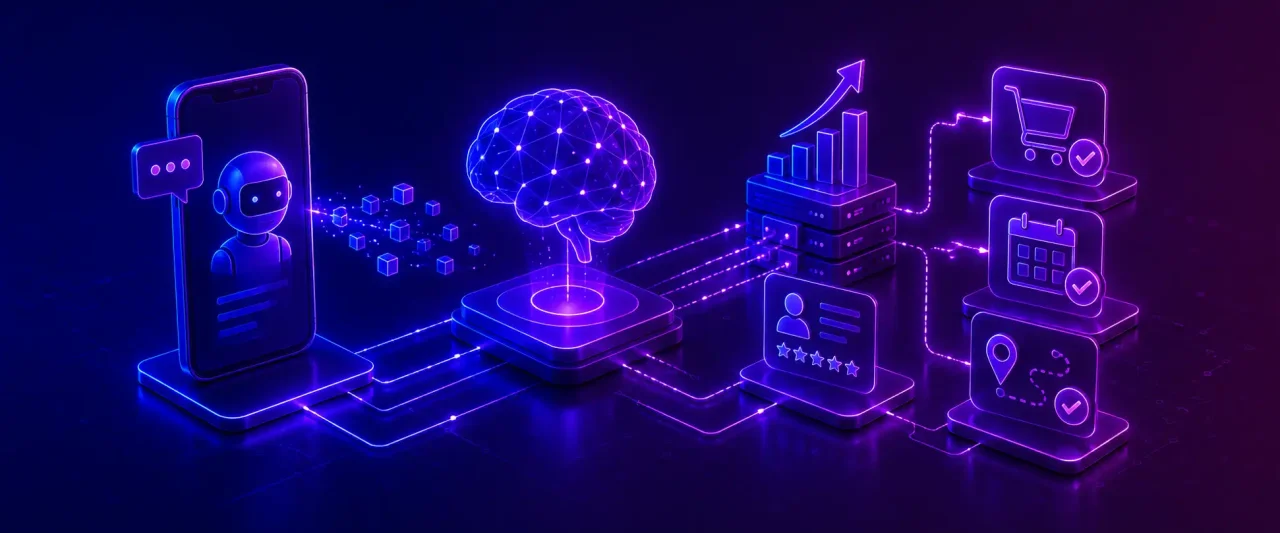
AI native Android app development refers to architecting the app around AI from the start. Intelligence thereby shapes the data model and backend.
- Generative AI integration: Generative AI shows up as in-app copilots, auto-written content, and support flows that actually close the loop instead of handing off to a human. Consider a retail app drafting its own product descriptions or a technician on a job site describing a problem out loud and getting a diagnostic checklist back before they’ve even opened the toolbox. None of that bolts onto an old backend cleanly—the API layer needs to be built for it from the start, or you’re rebuilding it later anyway.
- Predictive and Personalization Engines: AI-native apps utilize behavioral data to predict what a user needs next, reorder a suggestion, or flag fraud. Personalization depends on clean data pipelines and event tracking built into the architecture from the start
- Agentic Features: Apps that can take multi-step actions on a user’s behalf. This involves booking a slot, rebalancing a route, or even flagging an anomaly. All of this happens within user permissions. Getting it right requires careful permission design so the app acts helpfully without overstepping what the user authorized.
Challenges in Android App Development and How to Overcome Them
- Device Fragmentation: This can be handled with real testing across a representative device set, rather than relying on a limited number of test devices.
- Multiple Android versions: A challenge that can be overcome by picking a minimum SDK and verifying backward
- Performance Optimization: Performance problems get caught with profiling tools and architecture decisions made early, not patched in later.
- Security Risks: Security risk drops with secure coding practices, encryption, and audits that happen on a schedule, not when someone remembers.
- App Store compliance: Play Store compliance means staying current on policy changes that shift more often than people expect.
- User Retention: Retention comes down to whether the app is useful, plus a notification strategy that doesn’t annoy people into uninstalling it.
Why Choose Experion as Your Custom Android App Development Company?
Experion has been building custom software and mobile applications for close to two decades, working with enterprises and fast-growing companies across healthcare, retail, transportation, and financial services in dozens of countries. Our teams handle native Android development, backend engineering, UI/UX design, and QA all under one roof.
We typically start with the business problem, focusing on bringing a product engineering approach. This has led to genuinely different kinds of work: a Freight Vehicle Management App, a Pet Healthcare Application, a Mobile Health Monitoring Platform, and a Connected Warehouse Management Solution, among many others.
What clients tend to mention most is responsiveness, the ability to keep projects moving around the clock across time zones, and a habit of flagging problems before they turn into expensive ones. If you’re comparing Android app development companies, that combination of technical depth and staying power after launch is often what actually decides it.
Glossary of Key Android Development Terms
- Android SDK: This includes the toolkit and libraries used to build Android Apps.
- Kotlin: The preferred Android language of Google. It has a cleaner syntax than Java.
- Android Studio: The official IDE for Android Development.
- Jetpack Compose: Android’s modern and declarative toolkit.
- API Integration: Used to connect an app to outside services or systems.
- APK/AAB: Android Package Kit (APK) and Android App Bundle (AAB) are formats used to package and distribute Android applications.
- Material Design: Google’s design system for Android’s look and feel.
- Device Fragmentation: This refers to the challenge of supporting Android’s wide range of devices, screen sizes, hardware configurations, and OS versions.
Conclusion
Custom Android app development is a strategic decision, not just a technical one. Leveraging well-built custom app development services gives a business full control over its functionality, security, and scale in ways off-the-shelf software just doesn’t match. The upfront cost is usually higher, but it tends to pay back in the form of fewer inefficiencies and better user engagement.
Whether you are modernizing a legacy Android app, launching something new, or building out enterprise mobile infrastructure, the difference between an app that simply works and one that moves the business forward often comes down to the Android app development company you partner with.
With experience across healthcare, retail, transportation, and financial services, Experion brings domain context alongside the engineering capabilities needed to build and evolve custom Android applications.
Frequently Asked Questions (FAQs)
How much does it cost to build a custom Android app?
The cost depends on scope, integrations, and design depth. An MVP costs a fraction of a full enterprise build with heavy backend and security work. Get a real discovery phase done before you trust any number you're given.
Why should I partner with an established android app development company?
An established Android app development company brings with it proven development practices, technical expertise, and experience with your industry’s most common challenges. This reduces development risks, improves product quality, and ensures that your app is built for scalability and long-term performance.
How long does the custom android app development process take?
An MVP takes just a few months, whereas a full enterprise app with real integrations can take around 6 months or more.
Do Android apps require ongoing maintenance after launch?
Yes. Android apps need regular maintenance even after launch. This helps ensure they remain secure and reliable as Android versions, APIs, and third-party services evolve. Regular maintenance also involves bug fixes, compatibility testing, and several feature enhancements.
What are custom Android app development services?
Custom Android App Development services include the complete app development lifecycle. This ranges from design and development to testing, deployment, and long-term maintenance. The application would be built specifically around a business’s workflows, users and goals rather than adapting a generic template.
Can an existing Android application be modernized or upgraded?
Yes. Old Java codebases are often refactored, the UI redesigned, and the architecture moved to current tools like Kotlin and Jetpack Compose. This can improve the application’s performance and compatibility.
What's the difference between native and hybrid Android apps?
Native apps are built specifically for Android in Kotlin or Java, with the best performance and full device access. Hybrid apps share a codebase across platforms, making them faster to build, but usually with some trade-off in performance or native feel.
What industries can benefit from custom Android apps?
Most industries do benefit from custom Android apps. Commonly, healthcare, retail, logistics, finance, education, and real estate tend to see the biggest returns because their workflows and compliance needs are quite specific.
Why choose a custom Android app instead of an off-the-shelf solution?
A custom Android App is built around your specific business processes and requirements. This gives you great flexibility and control over user experience, integrations, and future enhancements. Businesses can choose the best custom Android app development services to build scalable and user-focused mobile applications tailored to their specific needs.
Can custom Android apps be scaled as my business grows?
Yes, that is one of the main advantages of building custom applications in the first place. A well-architected app can take on new features, more integrations, and more infrastructure capacity as the business grows.