






 Back
Back

With Experion’s prior experience in the construction industry, we are well positioned to develop construction project management software that addresses the complexities and nuances of modern construction projects.
Managing multiple construction projects involves fragmented information across numerous spreadsheets, emails, reports, and other disconnected systems. Teams managing construction projects often struggle to get a real-time view of progress and documentation. Custom construction project management software connects field and office operations while centralizing critical project information.
Key Takeaways
- In the construction industry, a single project involves around 15-30+ contractors, lenders, owners, etc. Many are coordinated through contracts rather than directly. Weather, subsurface conditions, and material lead times make even well-planned schedules subject to change.
- Build vs. Buy depends on the gap. Off-the-shelf software is the better choice when most requirements can be met through configuration. A custom solution is used for highly differentiated workflows when integration costs make customization viable.
- Critical-path scheduling, cost-code budget tracking, and drawing/RFI/submittal version control are non-negotiable features. Offline-capable mobile access for field crews is, too.
- Generic project management tools cannot be leveraged, as they treat tasks as simple cards. Construction tasks, by contrast, carry crew dependencies and material lead times. A single delay can cascade through multiple trades.
- Fragmented data erodes the end profit margin. Spreadsheets, emails, and paper-based field reports can hide delays and unbilled change orders. In the end, this creates administrative overhead that quietly affects construction margins.
What is Construction Project Management Software?
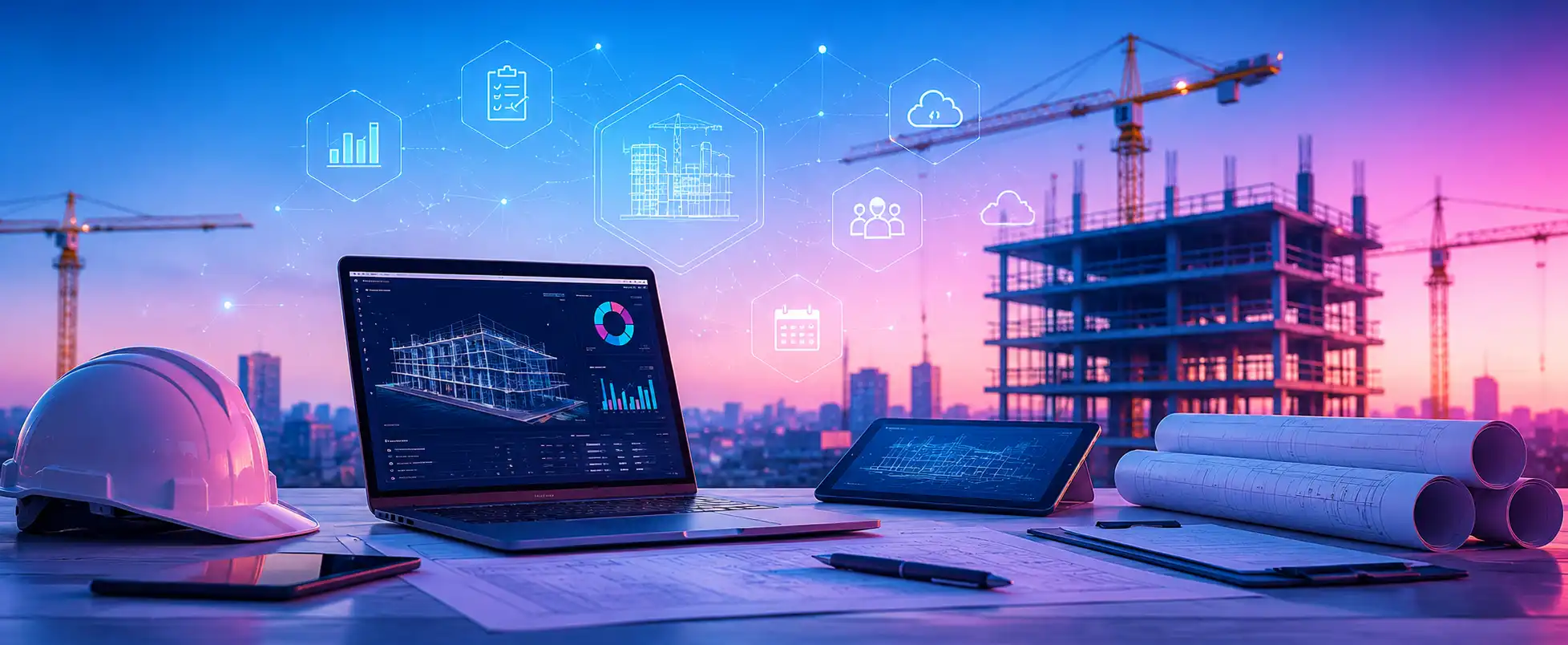
Construction project management software plans, tracks, and documents a project from preconstruction through closeout. It brings scheduling, budgets, drawings, submittals, RFIs, daily logs, subcontractor coordination, and reporting into one system where every record ties to a project, a cost code, and a person accountable for it.
The distinction from generic project management tools like Asana, Trello, and Monday is their ability to address key construction project requirements. A construction task comprises factors such as quantities, a crew size, the material delivery it depends on, an inspection that must pass before the next trade can start, and a contractual consequence. Building construction project management software encodes those relationships natively.
Three differences are worth being concrete about:
- Document control: Generic tools store attachments. Construction and project management software manages drawing revisions, marks superseded sheets, links RFIs to drawing locations, and maintains the audit trail you will need if a dispute becomes a claim.
- Cost structure: Generic tools have no concept of a schedule of values, retainage, committed versus actual cost, or a pending change order. A construction project management system treats these as first-class objects.
- Field reality: Site teams work in gloves, in glare, often with poor connectivity. Construction work management software is built for offline capture, photo-heavy documentation, and interfaces a foreman can use in thirty seconds without training.
Why the Construction Industry Needs Dedicated Project Management Software?
The construction industry faces numerous industry-specific challenges.
- Fragmented stakeholders: A single mid-sized commercial project can involve an owner, developer, architect, engineers, a general contractor, subcontractors, suppliers, inspectors, a lender, and an insurer.
- Compliance and documentation burden: Permits, inspections, safety records, lien waivers, and certified payroll all generate paperwork with legal weight. Missing records delay payment and create liability.
- Conditions that change constantly: Weather, subsurface surprises, late design decisions, and material lead times move independently of your plan.
- Subcontractor dependency: Most work is performed by companies you do not employ, coordinated through contracts rather than management authority. Visibility into their progress is indirect by default.
Poor coordination in construction has a significant impact. McKinsey has reported that large projects typically run around 20 percent longer than scheduled and up to 80 percent over budget, with sector labor productivity growing roughly 1 percent annually over two decades. A 2018 FMI and Autodesk study put the cost of rework driven by poor project data and miscommunication at around $31 billion in the US in a single year.
How software solves what spreadsheets and email cannot?
Spreadsheets and email fail at one specific thing: maintaining a single, current, shared version of the truth across many people. A spreadsheet has no record of who changed what or why; email has no structure, so information lives only in the inboxes of whoever was copied. Neither links schedule to budget, so a delay’s cost implication has to be worked out by hand, usually too late. Construction project management software replaces that with one record set.
Reducing administrative work
The clearest return is time recovered from low-value work. Project engineers typically spend much of the week chasing status, retyping field notes, assembling reports, and hunting for current drawings. Daily reports generate themselves from field entries, submittal logs update when a status changes, and monthly owner reports assemble from live data.
Key Features to Look for in Construction Project Management Software
Feature lists are long and mostly similar. What separates real capability from a checkbox is depth, and the project management software construction teams actually adopt tends to win on depth rather than count.
Scheduling & Gantt Charts
Look for critical path calculation, dependencies with lead and lag, baseline-versus-actual comparison, and resource-loaded activities. Two-week lookahead (short term) planning deserves attention too: master schedules are for the owner and the lender, but lookaheads are what superintendents manage from.
Budget & Cost Tracking
Cost control needs original budget, approved changes, committed costs, actual costs, and forecast to complete, all against the same cost code structure. Check for support for schedules of values, progress billing, and retainage.
Document & Drawing Management (RFIs, submittals)
This is where construction-specific platforms earn their keep:
- Drawing version control with automatic superseding and clear current-set identification
- Sheet-level markup that carries forward across revisions
- RFIs tied to a drawing location, with ball-in-court tracking and response deadlines
- Submittal logs with review cycles, approval status, and lead time tracking
- Searchable, timestamped, exportable records suitable for a dispute
The audit trail is the point: when a claim arrives eighteen months after closeout, showing who knew what and when decides the outcome.
Team Collaboration & Communication
Communication should attach to the work rather than float free: a comment belongs on the task, the RFI, or the drawing it concerns. Role-based permissions matter more than teams expect. An owner should see progress without seeing buyout margins; a subcontractor should see their own scope, not the full cost picture.
Mobile/Field Access
Field usability decides whether the system succeeds. The non-negotiables are offline capture with reliable sync, photos attached directly to tasks or drawing locations, daily logs and timesheets completable in a few taps, drawing markup on a tablet, and an interface a foreman can learn without training.
Reporting & Analytics
Reporting serves three audiences: Supervisors needing daily status, managers needing variance and forecast, and executives that require portfolio health. Look for configurable dashboards, scheduled distribution, and drill-down from any summary figure to the underlying records.
Integrations (accounting, BIM, estimating tools)
The most critical integrations are accounting and ERP for job costing and payroll; estimating so the winning bid becomes the budget without re-entry; BIM for model-based coordination and quantities; and an open API. Confirm whether each integration has genuine bidirectional sync.
Risk and Issue Management
Manage risks and issues through registers that capture ownership, severity, mitigation plans, and review dates. Look for the ability to link a risk to the activities and cost codes it threatens, so you can quantify its impact rather than describe it. Safety incidents, inspections, and non-conformance reports belong in the same system.
Turn your construction workflows into a smarter digital system.
Connect with Experion’s construction technology team to discuss your requirements
Construction Project Management Software for Different Users

The right construction project management solution depends heavily on who uses it and what they are accountable for.
Project Management Software for Builders
- Scenario: Independent/small residential builders managing 1-5 active jobs
The owner is often an estimator, project manager, and client liaison at once, so enterprise platforms with a three-month implementation are the wrong answer. What matters in project management software for builders is fast setup, client-facing photo updates and selection tracking, simple allowance management, subcontractor scheduling that works by text or a light app, job costing tied to accounting, and pricing that scales with jobs rather than seats.
Project Management Software for Construction Companies (mid-large firms)
- Scenario: Companies running multiple concurrent projects across sites/teams
At this scale, the problem shifts from managing a project to managing a portfolio. Leadership needs to know which of twelve active jobs are at risk, where labor is over-committed next month, and whether portfolio cash flow holds. Requirements for project management software for construction companies include portfolio dashboards with cross-project resource visibility, standardized templates, granular permissions across departments and external parties, deep ERP integration, compliance and safety documentation.
Software for General Contractors vs Subcontractors
- Scenario A — General Contractors (GC):
The GC coordinates many trades, holds the master schedule, owns RFI and submittal processes, and answers to the owner. Priorities are multi-trade sequencing, subcontractor performance tracking, RFI and submittal throughput, buyout and commitment management, and owner-facing reporting that is clear without exposing internal cost detail.
- Scenario B — Subcontractors:
A subcontractor needs visibility into the GC’s schedule to staff correctly, plus simple tracking of their own scope: change alerts, crew scheduling across multiple GCs and sites, scope tracking against contract, change order documentation to protect against unbilled extra work, invoicing tied to milestones, and lien waiver management. The specific pain is being pulled into several GC platforms while still needing one internal view of the business.
How to Choose the Right Construction Project Management System?
Factor in this checklist:
- Team size and project complexity: How many concurrent projects, what contract values, how many internal users, how many external collaborators?
- Budget: Account for licensing, implementation, migration, integration development, training, and internal time, then weigh the total against the cost of the status quo.
- Integration needs: List every system that must connect, the data that moves, the direction, and the frequency, then bring that list to every demo.
- Ease of adoption for field crews: Put the real interface in front of a real foreman, on a phone, with gloves on, and ask how long a daily report takes.
- Scalability: Check what happens to pricing at scale and whether workflows can be adjusted without vendor involvement.
At Experion, we build construction project management software around how your crews, contracts, and cost codes actually work, rather than forcing your teams to adapt to a vendor’s product roadmap.
How Does Construction Project Management Software Work?
The stages of Construction Project Management (CPM) and how software can support each stage of CPM
Step 1: Set Up the Project
Define scope, contract value, budget with its cost code structure, the master schedule, and the stakeholder list with roles and permissions. The software’s purpose is to make this reusable: templates carry your cost codes, folder hierarchy, and approval workflows from one project to the next.
Step 2: Create Tasks and Milestones
Decompose work into phases, activities, and tasks small enough to assign and measure. The system calculates the critical path, identifies float, and flags milestones tied to payment applications or liquidated damages.
Step 3: Assign Resources
Crews, equipment, and materials are allocated against activities, which is where over-commitment surfaces: the same crew promised to two activities in one week, or a machine scheduled across two sites.
Step 4: Track Site Progress
Field teams update completion, quantities installed, hours worked, deliveries, and site conditions from mobile devices, with photos attached to the task or location. This step decides whether the implementation succeeds.
Step 5: Manage Issues and Changes
Log delays, design changes, unforeseen conditions, RFIs, and quality non-conformances with the owner, date, impact, and required action. Change orders move through a documented workflow from identified to priced, submitted, approved, and incorporated into budget and schedule.
Step 6: Monitor Costs and Performance
Planned versus actual is compared continuously across schedule and cost, with earned value and forecast-to-complete updating as data arrives. The value lies in the early warning.
Step 7: Generate Reports
Dashboards serve each audience: daily field summaries, weekly variance reports, monthly owner and lender reports, and executive portfolio views. Because data is captured once at source, reports assemble automatically on a schedule.
How Much Does Construction Project Management Software Cost?
There is no single answer, and any vendor giving you one before understanding your operation is guessing. What is useful is knowing the variables:
- Number of users: Most pricing scales with seats. Some platforms charge for subcontractor access, while others include unlimited collaborators; above 100 users, that distinction alone can change the total by a factor of two.
- Number of projects: Pricing per project or by annual construction volume can favor or penalize high-volume, small-job firms, depending on the model.
- Feature set: Tiered editions are standard, with cost management, BIM, analytics, and safety modules above the base tier. One required feature can push you up a level.
- Cloud versus on-premise: Cloud is a subscription with infrastructure and security included; on-premise means upfront licensing plus your own servers, IT staff, and upgrade cycles.
- Customization: Configuration is usually included. Genuine customization is billed as professional services, and each vendor upgrade may require revalidation.
- Integrations: A mainstream accounting connector may be included. A custom integration to a legacy ERP is a development project with its own budget.
- Implementation: Migration, configuration, and training frequently cost between half and twice the first year’s licensing. Under-budgeting is the most common reason rollouts disappoint.
- Support and maintenance: Response guarantees and a named account manager are often paid add-ons priced as a percentage of license value.
Subscription-Based Software
Billed monthly or annually, with infrastructure and updates as the vendor’s responsibility. Lower upfront cost, faster deployment, predictable operating expense. The trade-off is a perpetual cost that never becomes an owned asset, and pricing is controlled by the vendor at renewal.
Per-User Pricing
The most common structure, ranging from modest rates for lightweight tools to substantial pricing for enterprise platforms. Transparent and easy to forecast, but per-seat cost discourages giving access to everyone who would benefit, quietly undermining the single-source-of-truth premise.
Custom Enterprise Solutions
Purpose-built or heavily tailored platforms involving significant development investment. The rationale is fit rather than features: workflows that match your operating model exactly, integrations no vendor supports, ownership of the platform and data, and no per-seat cost growth. You own the maintenance and roadmap.
Open-Source Options
Platforms such as ERPNext and Odoo modules can be adapted for construction use, with minimal license cost and full control of the code. The real costs are hosting, configuration, construction-specific development, and maintenance, with community support rather than a vendor accountable to you.
Not sure whether to buy, configure, or build?
Experion can model the total cost of each path against your requirements before you commit. Book a discovery session
Types of Construction Project Management Software Solutions
Cloud-based / Web-based platforms
Web-based construction project management software is now the default: access from any browser or device, no server infrastructure, automatic updates, and native support for collaboration across companies and locations. Key considerations include internet dependency (largely mitigated by strong offline mobile capability), data residency in regulated jurisdictions, and reliance on the vendor’s uptime.
On-Premise Systems
Software on your own infrastructure gives complete data control, deep customization, and upgrades on your schedule, which suits defense, government, or critical infrastructure work with strict data requirements.
Industry-specific vs General-Purpose Tools
Industry-specific construction software project management platforms include RFIs, submittals, drawing management, cost codes, and progress billing as native concepts. You configure rather than construct, and the vendor understands your domain.
General-purpose tools are affordable and more flexible but lack construction concepts entirely, so every requirement becomes a custom field or a workaround. Once you are managing submittals, drawing revisions, and multi-trade coordination, purpose-built project management construction software pays for itself.
Software for Different Project Sizes
Residential builders need selections and allowance management, client photo sharing, warranty tracking, simple job costing, and light subcontractor scheduling. Projects are shorter, and the client relationship is central, so complexity is the enemy.
Commercial contractors need heavy document control, formal RFI and submittal workflows, certified payroll where applicable, multi-trade critical path scheduling, schedule-of-values billing with retainage, and BIM coordination.
Buying commercial-grade software for residential work produces an unused system. Using residential software on commercial work produces gaps that surface as claims.
Construction Project Management Software: Build vs. Buy
When to Choose Off-the-Shelf Software for Construction Project Management?
- Standardized requirements: If your processes broadly resemble industry norms, established construction project management softwares already encodes practices refined across thousands of projects.
- Faster deployment: Weeks to a few months, against six to eighteen months for a substantial custom build.
- Lower upfront development effort: No engineering team, no product management, no QA cycle. Security patching, compliance certifications, and maintenance remain the vendor’s problem.
For most small and mid-sized firms, this is the right starting answer. The honest test: can you meet 80 percent of your requirements through configuration alone?
When to Choose Custom Software for Construction Projects?
- Unique workflows: If your approach to a core process is genuinely different and commercially advantageous, forcing it into a standard product erodes the advantage.
- Complex integrations: Legacy ERP systems, proprietary equipment telemetry, or in-house estimating tools no vendor supports.
- Enterprise-scale requirements: At several hundred or several thousand users, per-seat subscriptions compound to figures that fund development outright.
- Need for greater control: Over roadmap, data, release schedule, and security model, with no vendor deprecating a feature you depend on.
- Specialized business processes: Firms in unusual delivery models or specific regulatory environments frequently find no adequate product exists.
A middle path is often best: A commercial platform as a system of record, with custom applications around it handling the workflows that make you distinct.
Questions to Ask Before Building a Custom Construction Process Management Software
- What workflows need customization?
Document them as they are, then mark which are genuinely differentiated and which are merely habitual. Build only the first category. - Which systems need integration?
For each system, document the data that must move, the direction, the frequency, and whether an API exists. Undiscovered integration complexity is the most common cause of build overruns. - Who will use the platform?
Every role, their technical comfort, their device, their working conditions. Field users are the hardest and most important audience. - What data needs to be centralized?
The source of truth for each domain, and where existing data lives and in what condition. Data quality problems do not disappear during migration; they get inherited. - What mobile functionality is required?
Which tasks must work offline, on which devices, in what conditions. Mobile requirements drive much of the architecture and cost. - What scalability and security requirements exist?
Projected users and data volume in five years, access control granularity, audit needs, and data residency.
Benefits of Using Project Management Software in Construction
- Improved timeline accuracy: Baselines, critical path visibility, and real-time field updates turn schedules from optimistic documents into managed forecasts. Slippage becomes visible in days rather than at month-end, which is the difference between recovery and explanation.
- Reduced cost overruns: Commitment tracking, live cost-to-complete forecasting, and enforced change order documentation catch problems while intervention is still possible.
- Better subcontractor/vendor coordination: Shared schedules, clear scope, and automated alerts when sequences change reduce the standing-around and rework that come from trades working off different information.
- Real-time visibility for stakeholders: Owners, lenders, and executives get current status through dashboards instead of requesting reports, cutting administrative load and building the trust that wins repeat work.
- Risk & compliance management: Risk registers with owners and mitigation plans, safety and inspection records, and complete audit trails, so when a dispute arises, the documentation already exists in a searchable form.
Future Trends in Construction Project Management Software
- AI-driven scheduling & predictive analytics: Models trained on historical project data are beginning to flag delay risk before it materializes, suggest resequencing, and sharpen duration estimates. The direction is from reporting what happened toward anticipating what will.
- Drone/IoT data integration: Drone surveys now produce progress measurement and quantity verification with far less manual effort, while sensors on equipment and materials feed utilization and condition data straight into project systems.
- Increased mobile-first, web-based adoption: The field is becoming the primary interface, with capture-by-default workflows, voice input, and computer vision that reads progress and safety conditions from site photographs.
- BIM integration deepening: Schedule activities are bound to model elements, quantities flow from the model into cost and procurement, and coordination happens in the model rather than alongside it.
- Digital Twins and Advanced Visualization: Live digital representations updated from site and sensor data extend project management into operations. At the same time, augmented reality for on-site layout verification is moving from pilot to practical use.
Conclusion
Project management software construction involves intricate data and coordination. The right information needs to reach the right person, at the right moment.
When information flows reliably, changes are captured and priced accurately, field teams and office teams work from a single source of truth, and problems become visible when you still have time to act. The right platform brings planning, field execution, communication, cost control, documentation, and reporting into one connected workflow. Information is captured once, at source, by the person closest to it, and everything else updates from that. Reports assemble themselves, meetings shift from establishing status to making decisions, and the audit trail builds itself as a by-product of the work. Whether that means a configured commercial platform, a custom build, or a hybrid depends on your scale, workflows, and integration landscape.
Let’s talk about what fits your operation.
Experion can design construction project management software for builders, contractors, and developers, from platform selection and integration through full custom development. Start the conversation
Experion has partnered with construction, real estate, and infrastructure organizations to build the digital systems their projects depend on. This experience can enable us to help organizations select and integrate the right platforms, while developing custom construction project management solutions aligned with their workflows, processes, and business needs.
Frequently Asked Questions (FAQs)
What is the best construction software project management for small businesses?
There is no universal answer, because it depends on your work type and volume. Small residential builders do better with tools built around selections, client communication, and simple job costing, while small commercial contractors need document control and RFI handling even at low volume.
Is construction project management software worth the investment?
For most firms managing more than one or two concurrent projects, yes. Returns come from reduced rework, fewer unbilled change orders, faster billing, and administrative hours recovered. Compare the annual cost against the value of one avoided dispute or one properly documented change order.
What features should project management software for construction projects have?
At minimum, it should have scheduling with critical path and baseline comparison, cost tracking against cost codes, document and drawing management with version control, RFI and submittal workflows, mobile field access with offline capability, reporting dashboards, and accounting integration.
What's the difference between construction management software and general project management tools?
General tools model work as tasks with assignees and dates. Construction platforms add what they lack: drawing revision control, RFIs and submittals, cost codes and schedule of values, retainage and progress billing, commitment tracking, and field-first mobile capture.
What does construction project management software do?
It centralizes planning, execution, and documentation. Construction-specific processes include maintaining the schedule, tracking progress against a baseline, controlling drawings, running RFI and submittal workflows, and reporting to every stakeholder from one connected data set.
Why is project management software important in construction?
Construction involves many independent parties working from shared but constantly changing information, across multiple locations, under contracts with financial consequences for delay. Coordination failures are the dominant cause of overruns. The core contribution of project management software in construction industry settings is maintaining one documented version.
Can construction project management software integrate with ERP and accounting systems?
Yes, and it should. Most established platforms offer connectors to mainstream accounting and ERP packages. Verify whether the integration is genuinely bidirectional, what data syncs and how often, and whether your specific version is supported.
Is there free construction project management software available?
Some vendors offer free tiers with user or project limits, and open-source platforms can be adapted with development work. Free options can suit a very small builder or a pilot, but they cap users, lack construction-specific document control, and offer no vendor accountability.
Can construction companies build custom project management software?
Yes, construction companies can build custom project management software under specific conditions. This includes differentiated workflows, large user counts, or a need for complete control of a platform and its data. Clear requirements and a competent development partner are required.
Is cloud-based construction project management software better?
For most firms, yes. Cloud platforms deploy faster, require no infrastructure, update automatically, and support the cross-company collaboration construction depends on. On-premise remains justified where data residency rules or regulatory constraints require it, and strong offline mobile capability has largely resolved the connectivity concern.