

Experion helps automotive service businesses design and build purpose-built software platforms turning operational data into measurable shop profitability – from estimate accuracy to multi-location performance reporting.
Most auto repair shops don’t have a quality problem. They have an operations problem.
The technicians know their craft. The service advisors understand the customers. But somewhere between a customer walking in with a warning light on and that same customer driving out with a fixed vehicle and a paid invoice, things fall apart. Estimates sit unapproved for hours. Parts get ordered twice. Technicians wait for job assignments. Follow-up calls never happen. The whiteboard fills up, and nobody really knows which workbay is running behind until it’s already a problem.
Auto repair software was built to close these gaps, not by replacing the people running the shop, but by giving them a system that actually keeps up with the pace of daily operations. This guide breaks down what the right automotive repair software does, how to evaluate your options, and what separates platforms that deliver real ROI from those that look good in a demo and disappoint in practice.
What is Auto Repair Software?
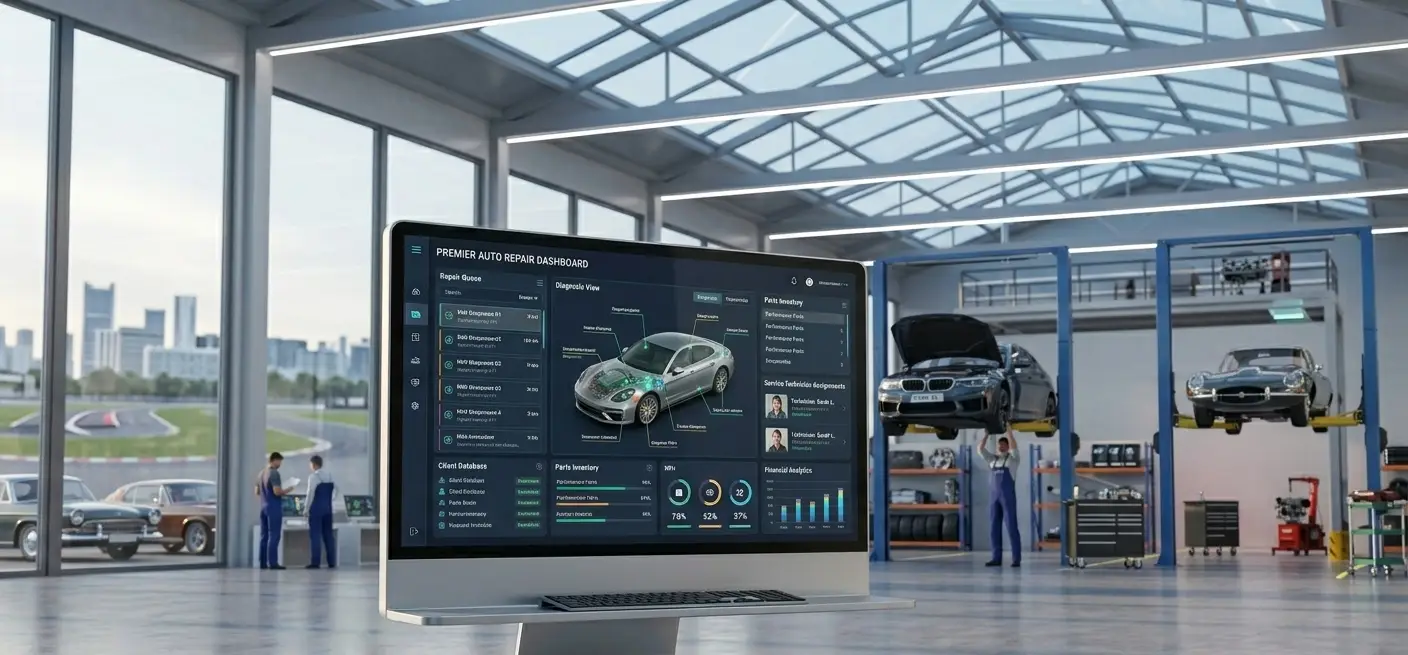
Think of auto repair software as the operating system for your garage. Just as a smartphone coordinates calls, messages, maps, and apps through a single interface, auto repair management software coordinates every aspect of a shop. Customer records, repair orders, technician assignments, parts inventory, billing, and follow-up – all through a single platform.
At its core, auto repair management software handles what generic business tools simply cannot. A standard invoicing tool can generate a PDF receipt.
But it cannot decode a VIN (Vehicle Identification Number), pull the vehicle’s service history, reference OEM-recommended labor times for a specific repair, check parts availability from three suppliers simultaneously, and route the approved job to the next available technician with the right certification.
VIN decoding, labor guide integration, repair order workflows, and parts catalog connectivity are all automotive-specific logic.
This is what makes dedicated auto repair shop software categorically different from QuickBooks or a generic CRM. When shops try to run general-purpose tools, they end up stitching together four or five disconnected systems and still lose data between them.
How Auto Repair Shop Software Works End-to-End
A well-configured auto repair shop management software platform handles the entire job lifecycle without any kind of manual handoffs:
- Step 1: A customer books online or calls in. Their vehicle history automatically pulls up on the platform screen by plate number or VIN.
- Step 2: A service advisor creates a digital repair order and assigns it to an available technician.
- Step 3: The technician performs a digital vehicle inspection, attaches photos of worn parts, and submits findings to the advisor.
- Step 4: The advisor generates an itemized estimate using integrated labor guide data and live parts pricing.
- Step 5: The customer approves via a text link from their phone.
- Step 6: Parts are ordered from a connected supplier.
- Step 7: The job is completed, a branded invoice is generated, and payment is collected digitally.
- Step 8: 30 days before the next recommended service interval, an automated reminder is sent.
Moreover, Cloud-based auto repair service software makes this entire workflow accessible from any device – the front desk, the shop floor, or a regional manager’s laptop at another location. On-premise deployments still exist, primarily in shops with connectivity concerns, but the operational flexibility of cloud platforms has made them the default for most modern operations.
Running your shop on disconnected tools? ⟶
Experion builds automotive repair platforms designed around your workflow. Let’s talk
Types of Auto Repair Software
Standalone Automotive Repair Invoice Software
Standalone tools are apt at covering the basics. Tasks such as generating estimates, creating invoices, and occasionally handling simple appointment bookings can be done using standalone tools.
For a solo operator or a one-bay shop, this gets the job done.
The limitations appear quickly as volume grows. Standalone tools lack CRM, inventory management, multi-user support, and reporting beyond basic sales summaries. Auto repair shop invoice software at this level is a starting point, not a long-term solution for a growing shop.
Full-Suite Auto Repair Shop Management Software
This is where most high-volume shops should be operating.
A full-suite platform handles repair order management, digital vehicle inspections, multi-technician scheduling, parts inventory, CRM automation, accounting integration, and performance dashboards in one place.
For shops with three or more bays and a service advisor on staff, the efficiency gains from consolidating these functions justify the monthly investment many times over.
Cloud-Based vs. Desktop Auto Repair Computer Software
Cloud-based SaaS auto repair computer software has largely displaced desktop installations for a straightforward set of reasons.
Cloud software offers automatic updates, remote access from any device, built-in data backups, and lower upfront costs.
Desktop software still serves shops with unreliable internet, but the gap in feature depth and connectivity is widening. For most shops evaluating options today, cloud-first is the practical default.
Why Auto Repair Businesses Need Dedicated Software?

The financial case for dedicated software for auto repair shops boils down to three problems that show up in nearly every shop that runs without it.
- Revenue leakage from manual estimates: When estimates are written by hand or built in a spreadsheet, service advisors miss recommended services. At times, parts markup values get miscalculated. Staff spends 20 minutes on a task that the software can do in 2. Multiply that across 15 repair orders a day, and the cumulative impact is significant.
- Technician idle time from poor scheduling: Without auto repair scheduling software, bay assignment is a guessing game. Technicians wait for jobs. Two advisors book the same bay for the same time slot. A two-hour job gets assigned to a technician who already has a full board. Smart scheduling prevents overbooking and keeps wrench time ( the metric that actually drives revenue) as high as possible.
- Customer churn from slow communication: Customers don’t leave a shop because of a single bad repair. They left because no one called them back about the estimate, or they didn’t hear anything for three hours while their car sat in the bay.
Auto repair shop software keeps communication moving without requiring a service advisor to follow up on every order manually.
How Auto Repair Shop Estimate Software Improves Customer Trust?
Pricing disputes are one of the most damaging things that can happen to a shop’s reputation. They’re also largely preventable.
Auto repair shop estimate software solves this by making the estimate a transparent, documented record rather than a verbal agreement or a handwritten note the customer can’t read. Digital estimates show itemized parts and labor with no ambiguity. Customers receive them on their phone, review them at their own pace, and approve with a tap. The paper trail eliminates the “I didn’t know it would cost that much” conversation.
Shops that consistently send professional, branded digital estimates see higher approval rates and fewer post-service disputes, because customers make an informed decision rather than a pressured one.
6 Critical Features Your Shop Needs to Compete
Focus on the specific tools that drive revenue:
1. Digital Vehicle Inspections (DVI) & Estimates
Customers of today expect clarity and transparency. Many car owners don’t trust auto repair shops and are skeptical of the repair bills they’re presented with. Digital Vehicle inspections help in eliminating this skepticism.
Auto repair shop estimate software that supports photo and video attachments changes the estimate conversation entirely. A technician photographs a cracked CV boot or a rotor worn past spec and sends it directly to the customer’s phone along with the estimate. The customer sees what the technician sees. Approval rates go up because the recommendation is visual and credible, not just a line item on a quote.
2. Streamlined Billing & Invoicing
Auto repair invoicing software handles more than just generating a receipt. The best auto repair shop invoice software produces branded, professional invoices. It lists itemized parts, labor, taxes, and any applicable warranties clearly displayed. Integration with auto repair billing software adds text-to-pay functionality, so customers can settle the invoice from their phone before they pick up the vehicle.
All of this supports a consistent cash flow model for your business.
3. Smart Scheduling & Bay Management
Before service advisors book an appointment for the technician, the auto repair scheduling software provides them with a real-time view of the technician’s availability, skill set, and current workload.
Drag-and-drop dispatch boards in the software replace the traditional whiteboard.
Automated appointment reminders via SMS and email reduce no-show rates, which is one of the most direct ways scheduling software pays for itself.
4. Inventory & Parts Tracking
Manual parts management is where many shops quietly lose money.
Auto repair shop software with integrated inventory management tracks stock levels, flags reorder points for high-turnover items, and connects directly to supplier catalogs for real-time pricing and availability.
The result is fewer emergency parts runs, fewer jobs delayed by missing parts, and better visibility into parts margin by job type.
5. Customer Relationship Management (CRM)
Auto repair shop CRM software is the feature most shops undervalue during the buying process, but one they appreciate six months after implementation. Automated service reminders sent at the right mileage interval, seasonal maintenance campaigns, oil change alerts, and “we haven’t seen you in a while” messages all run automatically. Customer retention is almost always cheaper than customer acquisition, and a well-configured CRM module is the mechanism that makes retention systematic.
6. Seamless Accounting Integrations
Auto repair business software that syncs repair orders, payments, and parts costs directly with QuickBooks or Xero eliminates double-entry errors and saves service advisors and bookkeepers a combined 10+ hours per week.
It also means the shop’s financials are always up to date. This matters when a shop owner is evaluating cash flow, ordering parts, or preparing for tax season.
Want these features built specifically for your shop? ⟶
See how Experion approaches automotive software.
Benefits of Automotive Repair Software for Shop Owners
- Higher ARO (Average Repair Order): Automotive Repair Software has built-in upsell prompts based on vehicle history and inspection findings. This pushes advisors to present complete recommendations on every visit, not just the ones the customer came in for.
- Fewer administrative hours: Tasks that took 30 minutes by hand take three minutes in software estimates. Eg: Repair Order creation, invoice generation, and follow-up scheduling.
- Faster approval cycles: Digital estimates approved by text typically see 40–60% faster turnaround than phone-based approval processes.
- Fewer parts errors: Connected supplier catalogs and inventory tracking reduce incorrect orders and job delays caused by missing parts.
- Better customer retention: Automated follow-ups keep the shop in front of customers between visits, without requiring any staff member to remember to send them.
- Real-time shop visibility: Performance dashboards give owners and managers a live view of bay utilization, technician efficiency, and daily revenue from any device.
Challenges in Adopting Auto Repair Shop Software
Knowing the common obstacles ahead of time makes implementation significantly smoother.
- Technician resistance is the most common friction point. Technicians who’ve worked with paper job cards for years often view digital workflows as additional complexity rather than a simplification. The best counter to this is a platform with a genuinely intuitive mobile interface. A platform that makes finding job assignments and submitting inspection findings faster than the paper alternative, not slower.
- Data migration from legacy systems is the most technically involved part of any implementation. Customer records, vehicle history, and past repair data need to be migrated cleanly to be useful. Before signing with any vendor, confirm they have a structured migration process with documented timelines.
- Dealer Management System integration creates complexity for shops or dealership service departments that already operate within a dealer management system. Verify the integration depth before committing.
- Training curve for service advisors varies by platform. Business owners need to prioritize vendors that offer structured onboarding. Just a video library and a support email address would be insufficient.
Experion builds auto repair software platforms designed around how shops actually operate. From structured data migration to technician-first mobile interfaces, every implementation is engineered to reduce adoption friction and accelerate time-to-value.
Industry Applications – Where Auto Repair Software Delivers the Highest ROI
Independent Auto Repair Shops
The best auto repair software for small businesses is the kind that removes administrative friction without requiring a dedicated IT person to maintain it. A three-bay independent shop that implements scheduling, estimate building, invoicing, and basic CRM typically recovers 10–20 billable hours per month from reduced administrative overhead and sees ARO increase by 15–25% through recommendation prompts. The shops that consistently outperform their local competitors aren’t necessarily the ones with the best technicians.
Multi-Location Auto Repair Chains
Scale creates complexity that single-location software can’t handle. Multi-location operators need centralized performance reporting across all locations, standardized estimate and invoice templates, and inter-location parts transfers.
Role-based access controls give regional managers visibility without exposing sensitive financial data to every service advisor. Auto repair shop management software at this level functions less like shop software and more like an operational infrastructure platform.
Dealership Service Departments
Dealership service operations sit at a more complex intersection of retail and compliance. Car repair software deployed in this context needs to integrate with OEM warranty claim systems, handle recall campaigns triggered by VIN lookups, and support manufacturer-mandated labor time reporting.
The integration requirements are substantially deeper than for independent shops, and the vendor evaluation process should reflect that.
How to Choose Auto Repair Software for Your Business?
Define Your Shop’s Needs Before Evaluating Vendors
The most common mistake in software selection is starting with vendor demos before documenting internal requirements.
Before taking a single sales call, know your shop’s size, primary pain point, and growth trajectory. Are you solving a billing problem, a scheduling problem, or a customer retention problem? The answer shapes which features matter most and which platforms are actually worth evaluating.
Must-Have Criteria for Auto Repair Business Software
Here are some must-have criteria that separate a good software from one that gets abandoned:
- Mobile-first design that works genuinely well for technicians on the shop floor
- Cloud hosting with automatic backups and a documented uptime SLA
- Confirmed integrations with your actual parts suppliers, accounting platform, and payment processor
- Customer-facing digital inspection reports with photo and video support
Transparent per-location pricing with no per-RO fees that inflate cost at volume
Evaluation Framework: Questions to Ask Every Vendor
Run through these questions with a vendor before signing anything:
- Which labor time guides does the estimate module pull from?
- How is VIN decoding handled, and which vehicle databases are supported?
- What does data migration from our current system look like, and who manages it?
- Is there a native mobile app for technicians, or is it a browser-based responsive site?
What does your onboarding process include, and what’s the average go-live timeline for a shop of our size?
Common Pitfalls When Selecting Software for Auto Repair Shops
Simply judging performance from a polished demo is not enough.
Any platform can look capable in a controlled walkthrough with clean test data. What reveals the real picture is how the system handles edge cases.
This could be a disputed estimate line item, a parts order that arrives wrong or a technician who finishes a job early and needs reassignment. Ask vendors for a trial period using your actual data before committing.
Other consistent pitfalls:
- Choosing the cheapest option without verifying integration depth
- Ignoring the CRM module during evaluation because it feels less urgent than billing. Underestimating mobile usability for technicians who never sit at a desktop during their workday.
Stop configuring software that wasn’t built for you. ⟶
Connect with our team for a customised solution.
Analytics and Optimization: Getting More from Your Auto Repair Software
The reporting layer is what separates auto repair software that tracks what happened from software that tells you what to do about it.
- Technician efficiency rates compare the actual hours billed to the available flat-rate hours. A technician running at 70% efficiency on a consistent basis usually points to a scheduling or parts availability problem.
- Estimate conversion rates show the percentage of submitted estimates that are approved. If that number is below 70%, the bottleneck is usually either approval speed or how estimates are being presented. Both problems are fixable once you have the data.
- Parts gross profit by job type reveals where margin is being left on the table and which repair categories have parts sourcing issues.
- Customer lifetime value derived from CRM data quantifies the actual revenue impact of retention efforts, making the case for investing in follow-up automation concrete rather than theoretical.
- No-show pattern analysis identifies which appointment windows, reminder sequences, or customer segments have the highest no-show rates, enabling scheduling adjustments to minimize lost bay time.
- Consolidated cross-location dashboards give multi-location operators a single view of performance across all sites without requiring manual report aggregation from each location’s system.
Future Trends in Auto Repair Service Software

The next wave of automotive repair software capabilities is worth understanding now, even if most of it isn’t fully deployed yet.
- AI-powered diagnostics increasingly connect OBD-II scan data directly to the estimate workflow, reducing the time between vehicle check-in and a completed repair recommendation.
- Predictive maintenance takes this further, flagging service needs based on usage patterns before a customer ever comes in with a symptom.
- Mobile-first platforms are already the norm for new entrants and will gradually displace desktop-primary tools across the market.
- IoT/Connected vehicle integration will let shops receive telematics data directly from customers’ vehicles, enabling proactive outreach when a component is trending toward failure.
- Advanced analytics dashboards
- Augmented Reality (AR) Repairs for technician support: This concept involves overlaying repair guidance onto a physical engine bay via a tablet or headset. It is moving from concept to early deployment.
- Blockchain for Parts Authenticity is being explored by OEMs and aftermarket suppliers as a solution to counterfeit parts in the supply chain.
- Zero-Touch Payments & Contracts: Makes the entire checkout process paperless and contactless.
Conclusion
Auto repair shops that are growing profitably share one common trait: their operations don’t depend on memory, whiteboards, or manual follow-up. They run on systems that keep information accurate and performance visible. The right auto repair shop removes the friction that’s been quietly costing you hours, ARO value, and customer retention every single week.
As you evaluate your options, focus on integration depth, real technician usability, CRM capability, and total cost of ownership. The platform that wins on paper in a demo comparison isn’t always the one that wins in practice. Prioritize platforms that can demonstrate ROI from deployments similar to yours.
Frequently Asked Questions (FAQs)
- What is auto repair software?
Auto Repair Software is a platform that manages the operational workflow of an auto repair shop. Starting from customer check-in and digital vehicle inspection to estimate approval, technician scheduling, parts ordering, invoicing, payment, and post-service follow-up. - What is the best auto repair software for small businesses?
The best auto repair software for small businesses is one that can combine affordable pricing with core features. The right platform should scale with the shop as volume increases. - How does auto repair estimate software work?
Auto Repair Estimate software incorporates labor times from Automotive Repair guides such as Mitchell 1 or AllData. This data is then connected to live parts pricing to generate accurate estimates. Finally, customers can approve estimates via SMS links. - What should auto repair shop management software include?
The platform should include features such as scheduling, digital vehicle inspections, estimate building, repair order management, parts inventory, invoicing, payment processing, CRM with automated follow-ups, and reporting dashboards. - How is auto repair billing software different from standard invoicing tools?
Auto repair bill software is structured around the specific billing requirements of automotive service. Automotive-specific categories such as flat-rate labor, parts with markup, sublet repairs, and shop supplies. Standard invoicing tools lack these categories and can’t connect to automotive labor guides or parts catalogs. - Can auto repair software integrate with QuickBooks?
Yes. Most full-suite platforms offer direct integration with QuickBooks and similar accounting platforms. It syncs invoices, payments, and parts costs automatically thereby eliminating double-entry. - What is auto repair shop CRM software, and why does it matter?
Auto repair shop CRM software handles all customer-related tasks. Be it tracking customer and vehicle history, automating service reminders and follow-up campaigns, or even generating post-service review requests. Customer retention is the highest-ROI growth available to most shops, and CRM automation makes it systematic. - How long does it take to implement auto repair software?
Cloud-based platforms with structured onboarding go live within two to four weeks. More complex implementations, which involves data migration from legacy systems or deep DMS integration can take eight to twelve weeks. - Is cloud-based auto repair software secure?
Cloud-based auto repair computer software uses encrypted data storage, role-based access controls, and automatic backups. In most cases, cloud-hosted data is better protected than locally stored data that relies on the shop’s own hardware and backup processes. - What’s the difference between auto repair software and a dealer management system (DMS)?
A DMS is built for franchised new-car dealerships. It includes vehicle sales, F&I, and manufacturer compliance modules. Auto repair software is specifically for service operations. For independent shops, quick-lube chains, and standalone service departments, automotive repair software is faster to implement and better aligned to the actual service workflow.
Experion builds the product around you. Whether you’re running a single high-volume shop or managing performance across multiple locations, our team delivers automotive repair platforms that fit your operation precisely and scale as it grows.