





Impact of Continuously Changing IFRS in BFSI Sector

Impact of continuously changing IFRS in BFSI sector

In the fast-paced world of finance, where stability is paramount, the constant evolution of International Financial Reporting Standards (IFRS) poses unique challenges for the Banking and Financial services sector. As regulatory bodies strive to enhance transparency, comparability, and accountability in financial reporting, BFSI organizations must navigate through the turbulent waters of regulatory change. In this blog post, we’ll explore the profound impact of continuously changing IFRS standards on the financial institutions and ways to be resilient.  

The Dynamics of Change in IFRS Standards

The International Accounting Standards Board (IASB) continually updates and refines IFRS standards to address emerging issues, fill gaps, and enhance the quality of financial reporting. These changes reflect evolving market dynamics, technological advancements, and regulatory imperatives, thereby shaping the landscape of financial reporting for BFSI organizations. Key areas of focus include financial instruments, impairment, leasing, revenue recognition, and insurance contracts, each posing unique challenges and opportunities for the sector. 

Adapting to Regulatory Complexity

For financial institutions, compliance with IFRS standards is not optional; it’s a regulatory imperative. The dynamic nature of IFRS standards introduces complexity and uncertainty, requiring FIs to invest significant resources in interpreting, implementing, and operationalizing regulatory changes. Moreover, the interconnectedness of financial markets and regulatory regimes across jurisdictions adds another layer of complexity, as organizations must navigate through divergent regulatory requirements while maintaining global consistency in financial reporting. 

Impacts on Financial Reporting and Disclosures

The continuous evolution of IFRS standards significantly impacts the financial reporting practices and disclosures of FIs. For banks, changes in impairment models (IFRS 9) affect the recognition and measurement of credit losses, influencing provisioning practices and capital adequacy assessments. Similarly, for insurance companies, the implementation of IFRS 17 (Insurance Contracts) introduces a new accounting framework for insurance contracts, requiring changes in measurement, presentation, and disclosures. These shifts in accounting treatments and disclosures have far-reaching implications for investors, regulators, and other stakeholders in assessing the financial health and performance of the institutions. 

Challenges in Risk Management and Governance

Changes in accounting treatments, such as those related to financial instruments and leasing, can impact risk assessment, hedging strategies, and capital allocation decisions. Moreover, the increased complexity and subjectivity inherent in certain accounting standards require enhanced governance mechanisms and internal controls to ensure the integrity and reliability of financial reporting. Failure to effectively manage these risks can expose FIs to compliance breaches, financial losses, and reputational damage. 

Impact on Loan Loss Provisions

The implementation of IFRS 9 introduced a forward-looking expected credit loss (ECL) model for measuring and reporting loan loss provisions. This shift from an incurred loss model to an ECL model requires banks to make more forward-looking assessments of credit risk, resulting in earlier recognition of credit losses. As a result, banks may experience increased volatility in their financial statements, affecting key performance metrics such as profitability, capital adequacy, and risk-adjusted returns. 

Lease Accounting and Asset Management

The implementation of IFRS 16 had significant implications for banks’ lease accounting practices and asset management strategies. Banks often lease a wide range of assets, including premises, equipment, and vehicles, which are now required to be recognized on the balance sheet as right-of-use assets and lease liabilities. This change in accounting treatment impacts banks’ leverage ratios, capital allocation decisions, and financial statement disclosures, necessitating adjustments to lease management practices and contract structuring. 

Valuation and Financial Analysis

Investors and analysts must adjust their valuation models, assumptions, and methodologies to reflect changes in accounting treatments, revenue recognition practices, and financial statement disclosures. This requires a deep understanding of IFRS standards and their implications for financial reporting and analysis. 

Investor Decision-making

Changes in IFRS standards influence investor decision-making processes, risk assessments, and portfolio management strategies. Investors rely on accurate and transparent financial information to evaluate investment opportunities, assess risks, and make informed decisions. Regulatory changes such as IFRS 9 (Financial Instruments) and IFRS 15 (Revenue from Contracts with Customers) may impact the timing and recognition of revenues, impairments, and credit risk assessments, affecting investor perceptions of companies’ financial health and performance. 

Technological Innovation and Automation

In response to the challenges posed by continuously changing IFRS standards, FIs are increasingly leveraging technological innovation and automation to enhance efficiency, accuracy, and agility in financial reporting. Advanced accounting software, data analytics, and AI solutions are being deployed to streamline compliance processes, automate data collection and analysis, and facilitate real-time reporting. By harnessing the power of technology, BFSI entities can reduce the burden of compliance, mitigate risks, and enhance decision-making capabilities in an ever-evolving regulatory environment. 

Spend Impact on Financial institutions to implement IFRS 17

Very often, financial institutions have to spend significantly to implement changes in the IFRS standards. The costs are in the likes of software & system upgrades, Data Analysis & governance, Training the people, and fees paid to external consultants to seek expertise into implementation. To put a perspective on what a typical spend will look like to implement IFRS 17 as an example in this case, that aligns to insurance contracts, larger insurers with more extensive international operations and diverse product portfolios are generally expected to incur higher implementation costs at an average of $30Mn each compared to smaller and more localized insurers. The overall spend size for such implementations is estimated to be over a $25Bn 

Conclusion: Navigating the Path Forward

The impact of continuously changing IFRS standards on the Banking and Financial services sector cannot be overstated. As regulatory requirements evolve, BFSI organizations must adapt, innovate, and collaborate to navigate through the complexities of financial reporting and compliance. By embracing technological innovation, investing in talent development, and fostering collaboration with regulators and industry peers, BFSI entities can position themselves for success in an ever-changing regulatory landscape. While the journey may be challenging, the opportunity for growth, resilience, and value creation awaits those who dare to chart the course forward with confidence and foresight. 

Snowflake Data Warehouse

Snowflake Data Warehouse

Picture a world where data is as fluid and accessible as turning on a tap. Snowflake Data Warehouse has turned this vision into reality, revolutionizing data warehousing with a fresh, cloud-native approach that’s as effective as it is affordable, a boon for Digital Transformation processes. Snowflake breaks free from the constraints of traditional on-premises and outdated cloud solutions. At the heart of Snowflake’s magic is its innovative architecture, designed exclusively for the cloud. Cloud-based data storage is revolutionized by Snowflake Data Warehouse, which offers scalable, efficient, and secure solutions for managing and analyzing large volumes of data. Cloud data warehousing This unique structure combines the formidable power of data warehousing with the flexibility of big data platforms and the limitless scalability of the cloud. The result is a high-performance, low-cost solution that empowers businesses to harness their data potential fully.

Snowflake’s recent financial report is like a glowing beacon in the world of business, showing how people are eagerly embracing its offerings. Analysts highlight Snowflake’s robust financial health, evidenced by strong product revenue growth and impressive margins. In the third fiscal quarter, Snowflake reported revenues of $734.2 million, surpassing estimates with a 33.6% year-over-year increase. The surge in product revenue growth tells us that more and more people are finding value in what Snowflake brings to the table. And let’s not forget those impressive margins.

What is Snowflake Data Warehouse?

It’s a dynamic, scalable solution that grows with your business, ensuring your data is always accessible, secure, and ready to drive insights. Snowflake is more than a data warehouse; it’s a game-changer, turning the complex world of data into a realm of exciting possibilities. With Snowflake, there are no limits to what you can achieve.

The company’s platform facilitates data storage, processing, and analytics, enabling businesses to efficiently harness the power of their data. Snowflake’s services address a wide range of data needs, including data warehousing, data lakes, data engineering, data science, data application development, and collaboration.

Snowflake Data Warehouse – Key features

Architecture: Multi-cluster Shared Data Architecture

Snowflake Data Warehouse

Snowflake employs a groundbreaking architecture called multi-cluster shared data architecture, offering:

  • Shared Storage: Data resides in a secure, central cloud storage layer, eradicating data silos and ensuring universal access to the latest information.
  • Independent Virtual Warehouses: Snowflake creates temporary virtual warehouses (compute clusters) in the cloud for querying data. These warehouses operate independently from the storage layer, allowing for:
  • Elastic Scaling: Easily scale virtual warehouses up or down based on processing needs, ensuring optimal performance and cost efficiency.
  • Massively Parallel Processing (MPP): Queries are distributed across these virtual warehouses, enabling parallel processing and faster results on large datasets.

Scalability

Snowflake’s architecture inherently supports scalability:

  • Independent Scaling of Storage and Compute: Scale compute resources (virtual warehouses) independently of storage to adjust to varying workloads without affecting data availability.
  • Automatic Scaling: Snowflake effortlessly adjusts the scale of virtual warehouses in response to workload demands, guaranteeing peak resource utilization without the need for manual intervention.

Performance

Snowflake delivers impressive performance through:

  • MPP Architecture: Distributing queries across multiple virtual warehouses allows for parallel processing and faster execution.
  • Columnar Storage: Storing data in a columnar format streamlines processing time by accessing only pertinent data columns during queries.
  • Cloud-Native Design: Leveraging cloud infrastructure, Snowflake ensures high-performance data processing.

Security

Snowflake prioritizes security with:

  • Encryption: Industry-standard encryption algorithms are applied to your data to maintain its integrity and confidentiality, whether it’s at rest or on the move.
  • Role-based Access Control (RBAC): Users are assigned roles with specific permissions, ensuring controlled access to sensitive data.
  • Secure Data Sharing: Snowflake enables secure data sharing with other organizations while maintaining granular control over access levels.

Data Sharing

Snowflake facilitates secure and collaborative data sharing:

  • Secure Data Shares: Create secure shares of data with other Snowflake accounts, allowing access to specific datasets without compromising security.
  • Governed Sharing: Granular access controls ensure only authorized users can access shared data.
  • Cloud Data Sharing: Leveraging cloud infrastructure, Snowflake enables seamless and secure data sharing across organizations and locations.

Snowflake Data Warehouse – Benefits

Here are the major benefits of Snowflake:

Benefit


Description

Cost Efficiency  


Flexible Pricing: Snowflake operates on a pay-as-you-go pricing model, eliminating upfront costs and allowing optimization of spending based on actual usage.


Streamlined Management: Snowflake handles infrastructure, maintenance, and updates, reducing the administrative burden on IT teams.
Scalable Resources: Scale compute resources up or down as needed to avoid paying for unused capacity.
Ease of Use Intuitive Interface: User-friendly interface enables effortless data access and analysis for analysts and business users.


Standardized Query Language: Utilizes universally understood SQL, facilitating adoption for users with varying levels of SQL proficiency.


Empowering Analytics: Empowers data analysts to independently explore and analyze data, fostering self-reliance and agility in decision-making.
Data Integration Seamless Data Connectivity: Integrates seamlessly with diverse data sources, including relational databases, cloud storage platforms, NoSQL databases, and data streaming services.


Automated Data Ingestion: Snowpipe automates data ingestion from various sources into Snowflake, streamlining the data loading process.


Open Ecosystem Compatibility: Supports open standards and APIs, facilitating integration with a wide range of third-party data tools and ETL processes.
High Availability and Reliability Redundant Infrastructure: Incorporates redundancy across multiple data centers and availability zones, ensuring uninterrupted service and minimizing downtime.


Automated Backup and Recovery: Performs automatic backups and offers disaster recovery features to safeguard data integrity and ensure business continuity.
Continuous Service Uptime: Strives for uninterrupted service availability and provides robust service level agreements (SLAs) for uninterrupted data warehouse operations.


Snowflake Data Warehouse – Use Cases

Snowflake Data Warehouse offers real-world applications and use cases, showcasing its practicality in various scenarios.

Business Intelligence (BI) and Analytics:

Snowflake Data Warehouse

Centralized Data Hub: Snowflake serves as a single source of truth, consolidating all organizational data into one platform. This centralization facilitates seamless integration with various BI tools and dashboards, eliminating silos and ensuring consistency in data analysis across departments.

Self-service Analytics: Empowering business users with self-service analytics capabilities, Snowflake enables them to explore and analyze data independently without relying on IT or data engineering teams. This fosters a culture of data democratization, where insights are readily accessible to all stakeholders, driving informed decision-making at every level of the organization.

Ad-hoc Analysis: Snowflake’s flexible and scalable architecture allows analysts to perform ad-hoc queries and dive deep into the data to uncover valuable insights on the fly. Whether it’s exploring new trends, investigating anomalies, or answering spontaneous business questions, Snowflake provides the agility and performance needed for iterative and exploratory analysis.

Accelerated Time to Insights: With its high performance and scalability, Snowflake drastically reduces the time to insights, enabling organizations to extract value from their data at unprecedented speed. Whether it’s processing massive datasets or running complex analytical queries, Snowflake ensures that decision-makers have access to real-time or near-real-time insights, empowering agile and data-driven decision-making.

Data Engineering

Streamlined Data Ingestion: Snowflake simplifies the process of ingesting data from diverse sources, whether it’s structured or semi-structured, batch or streaming. Features like Snowpipe enable continuous data loading, automating the ingestion pipeline and ensuring that data is always up-to-date and readily available for analysis.

Efficient Data Transformation: Data engineers leverage Snowflake’s powerful processing capabilities to perform data cleaning, transformation, and preparation tasks directly within the platform. With support for SQL-based transformations and integration with ETL tools like Matillion and Fivetran, Snowflake streamlines the data engineering workflow, enabling teams to focus on deriving value from data rather than managing infrastructure.

Enhanced Data Quality: By providing a centralized platform for data management, Snowflake ensures consistency and integrity across datasets, thereby improving data quality. Features like data sharing and data replication enable seamless collaboration and replication of curated datasets across environments, ensuring that all stakeholders have access to trusted and up-to-date data for analysis and decision-making.

Collaborative Work Environment: Snowflake fosters collaboration among data engineers, data scientists, and analysts within a unified environment. With support for role-based access control (RBAC) and granular permissions, teams can collaborate securely on shared datasets and projects, driving innovation and knowledge sharing across the organization.

Machine Learning

Scalable ML Platform: Snowflake provides a scalable and cost-effective platform for storing, managing, and analyzing large-scale datasets required for training machine learning models. With its separation of storage and compute layers, Snowflake allows data scientists to scale compute resources dynamically based on the demands of their ML workloads, thereby optimizing cost and performance.

Integration with Data Science Tools: Snowflake seamlessly integrates with popular data science tools and libraries such as Python, R, TensorFlow, and sci-kit-learn, enabling data scientists to leverage their existing workflows and tools of choice. Whether it’s building and training ML models in Jupyter notebooks or deploying models using frameworks like TensorFlow Serving, Snowflake provides the flexibility and interoperability needed for end-to-end ML workflows.

Feature Engineering and Model Training: Snowflake accelerates the feature engineering and model training process by providing native support for complex SQL operations and distributed computing. Data scientists can leverage Snowflake’s powerful SQL engine to perform feature engineering at scale and train ML models directly on the platform, eliminating the need to move data between different systems and accelerating time-to-insight.

Model Deployment: Snowflake enables seamless deployment and management of ML models in production environments, whether it’s batch scoring or real-time inference. With its support for user-defined functions (UDFs) and external functions, Snowflake allows data scientists to deploy models directly within SQL queries, enabling real-time scoring and integration with business applications and processes.

Real-time Analytics

Near Real-time Data Processing: Snowflake supports near real-time data ingestion and processing, enabling organizations to analyze streaming data and derive insights in real-time. Whether it’s monitoring IoT devices, analyzing clickstream data, or detecting anomalies in financial transactions, Snowflake provides the scalability and performance needed for real-time analytics at scale.

Real-time Analytics Dashboards: With Snowflake, organizations can build interactive and responsive dashboards that provide real-time visibility into key metrics and KPIs. Whether it’s monitoring sales performance, tracking website traffic, or analyzing social media sentiment, Snowflake enables organizations to make data-driven decisions in real-time and respond quickly to changing market conditions.

Fraud Detection and Anomaly Identification: Snowflake’s capabilities enable organizations to detect fraudulent activities and anomalies in real-time by analyzing streaming data and historical patterns. Whether it’s detecting credit card fraud, identifying network intrusions, or preventing money laundering, Snowflake provides the analytical tools and infrastructure needed to protect against emerging threats and mitigate risks in real-time.

Enhanced Customer Experience: By analyzing streaming data in real-time, organizations can personalize customer experiences and deliver targeted interventions at the moment of interaction. Whether it’s recommending products, personalizing offers, or resolving customer issues, Snowflake enables organizations to deliver seamless and personalized experiences that drive customer satisfaction and loyalty.

Snowflake Data Warehouse vs Other Data Warehouses

When comparing Snowflake Data Warehouse to other data warehouses reveals unique benefits and innovative features that set it apart. Let’s check them out:

Snowflake Advantages:

  • Cloud-based: Snowflake operates entirely in the cloud, eliminating the need for businesses to invest in upfront hardware infrastructure. This cloud-native approach simplifies management and allows for seamless scalability.

By leveraging Snowflake’s cloud-native architecture, Experion empowers businesses to enhance data accessibility and performance, driving operational efficiency and cost-effectiveness.

  • Scalability: One of Snowflake’s key features is its ability to independently scale storage and compute resources based on specific workload requirements. This flexibility ensures optimal performance and cost-effectiveness.
  • Cost-effectiveness: Snowflake follows a pay-as-you-go pricing model, which means businesses only pay for the resources they consume. This can result in significant cost savings compared to traditional fixed infrastructure expenses.
  • Ease of Use: Snowflake offers a user-friendly web-based interface and supports familiar SQL language for data access and analysis. This simplicity streamlines the onboarding process for users and enhances productivity.
  • Automatic Updates: Snowflake handles software patching and upgrades automatically, freeing businesses from the hassle of managing these tasks and ensuring they always have access to the latest features and security enhancements.

Traditional Data Warehouse Advantages:

  • Potential Lower Long-term Costs: For organizations with exceptionally high and constant data volumes, traditional on-premise solutions might offer lower long-term costs due to reduced dependency on cloud service fees.
  • Customization: On-premise solutions provide greater control over hardware and software configurations, allowing businesses to tailor their infrastructure to specific needs and preferences.

Snowflake vs. Cloud Data Warehouses (Redshift, BigQuery, Azure Synapse):

Shared Strengths:

  • All these solutions are cloud-based, offering scalability, flexibility, and the ability to access data from anywhere with an internet connection.
  • They all support standard SQL, making it easier for users familiar with SQL to transition to these platforms for data analysis and querying.

Snowflake’s Distinctions:

  • Unique Architecture: Snowflake’s architecture separates storage and compute, enabling independent scaling of resources. This approach can result in potentially lower costs and improved performance for certain workloads.
  • Ease of Use: Snowflake is often praised for its intuitive interface and user-friendly SQL implementation, making it accessible to a wide range of users.
  • Data Sharing: Snowflake excels in secure data sharing capabilities, allowing organizations to share data easily and securely with external partners or clients.

Other Cloud Warehouses’ Potential Advantages:

  • Integration with Cloud Ecosystem: Redshift seamlessly integrates with other AWS services, BigQuery is native to the Google Cloud Platform (GCP), and Azure Synapse works within the Microsoft Azure ecosystem. This integration can be advantageous for users heavily invested in a specific cloud provider’s suite of tools.
  • Pricing: Pricing structures for cloud data warehouses can vary based on workload and usage patterns. In specific scenarios, other cloud data warehouses might offer lower costs compared to Snowflake.

Choosing the Right Cloud Data Warehouse

Consider factors such as scalability requirements, data sharing needs, cloud platform preference, cost structure, usage patterns, user experience, and technical expertise when selecting the most suitable cloud data warehouse for your organization’s needs and priorities.

Getting Started with Snowflake Data Warehouse

Setting up Snowflake Data Warehouse involves the following:

Account Setup

  • Visit Snowflake’s website and sign up for a free trial.
  • Receive confirmation email with login credentials.
  • Access Snowflake through web interface (Snowflake Web UI) or command-line interface (SnowSQL).

Data Loading

  • Use Snowpipe for continuous data loading from cloud storage (AWS S3, Azure Blob Storage, GCP Cloud Storage).
  • Utilize Snowstage as a temporary storage area for data files before loading into tables.
  • Create External Stages to reference data files in external cloud storage.
  • Connect directly to various data sources like relational databases, NoSQL databases, and data streaming services.

Basic Operations

  • Run queries using standard SQL language in Snowflake Web UI’s query editor.
  • Manage virtual warehouses for query processing: create, start, stop, and resize as needed.
  • View and browse data stored in tables.
  • Manage user access by creating users and assigning roles with specific permissions.
  • Explore security features like role-based access control and data encryption.

Snowflake Data Warehouse – Best Practices

Performance Optimization

Optimize Queries: Write efficient SQL queries to reduce processing time and resource usage.

Choose the Right Warehouse Size: Select virtual warehouses matching workload needs to avoid overprovisioning.

Utilize Clustering Keys: Cluster tables based on frequently used columns to improve query performance.

Materialized Views: Create pre-computed data summaries for frequently accessed data subsets.

Cost Management

Leverage Auto-Scaling: Use Snowflake’s automatic scaling to optimize virtual warehouse usage.

Schedule Warehouses: Run virtual warehouses only when needed, especially for batch processing.

Utilize Credits and Free Trials: Make the most of free trials and credits during setup and learning.

Monitor Usage and Costs: Regularly review Snowflake usage and cost reports for optimization.

Security Practices

Implement RBAC: Assign roles with specific permissions to limit data access.

Enable MFA: Require multi-factor authentication for user logins.

Encrypt Data: Ensure data encryption at rest and in transit.

Monitor User Activity: Keep an eye on user activity logs for security monitoring.

Data Governance

Establish Data Ownership: Clearly define data ownership for accountability.

Implement Data Quality Checks: Enforce data quality checks to address inconsistencies.

Data Lineage Tracking: Track data origin and flow for transparency.

Standardization and Documentation: Standardize data formats and documentation for clarity.

Snowflake Data Warehouse – Future Trends

Snowflake Data Warehouse

Snowflake has shared intriguing insights and forecasts about the future of their data warehouse, highlighting key trends anticipated to shape 2024.

  • Generative AI and Large Language Models (LLMs) are expected to have a transformative impact, enabling innovative applications and enhancing user experiences in data access and manipulation. Snowflake is also exploring how AI and data can be tailored to specific sectors, with particular attention to trends in finance, healthcare, manufacturing, and more.
  • Data democratization and governance are becoming increasingly important. Snowflake’s data indicates a growing utilization of data governance features and a rise in queries against governed data. This trend reflects how companies are achieving a balance between making data widely accessible and ensuring its security.

Conclusion

2024 promises to be a year of significant innovation for Snowflake, with a strong emphasis on leveraging AI and generative technologies to enhance data accessibility and value for businesses further. Looking ahead to 2024, several additional trends are expected to influence Snowflake’s direction. As the fields of data science and AI progress, Snowflake will likely focus on seamless integration with cutting-edge data analysis and visualization tools to enhance its platform’s capabilities. Additionally, with heightened concerns about data breaches and evolving privacy regulations, Snowflake is anticipated to prioritize robust data security measures.

Key Takeaways

  • Snowflake’s Multi-Cluster Shared Data Architecture eliminates data silos, enabling elastic scaling and massively parallel processing (MPP) for high accessibility and performance.
  • Snowflake offers independent scaling of storage and compute resources, with automatic adjustments based on workload demands for optimal resource utilization.
  • Leveraging MPP architecture and columnar storage, Snowflake ensures impressive performance, enabling faster query execution and high-performance data processing.
  • Snowflake prioritizes security with encryption, role-based access control (RBAC), and secure data sharing features, ensuring data integrity and confidentiality.
  • Snowflake facilitates secure and governed data sharing, allowing seamless collaboration across departments, partners, and locations while maintaining granular access controls.
  • With a flexible pricing model and streamlined management, Snowflake optimizes spending based on actual usage, eliminating upfront costs and handling infrastructure maintenance and updates.
  • Snowflake provides an intuitive interface and standardized SQL language, empowering users with varying proficiency levels to access and analyze data effortlessly.
  • Snowflake seamlessly integrates with diverse data sources, supports automated data ingestion, and is compatible with third-party data tools, streamlining data integration processes.
  • Snowflake ensures continuous service uptime with redundant infrastructure, automated backup, recovery features, and robust service level agreements (SLAs), minimizing downtime and safeguarding data integrity.
  • Catering to various use cases including BI, analytics, data engineering, machine learning, and real-time analytics, Snowflake empowers organizations with centralized data management, self-service analytics, efficient data transformation, and real-time insights.

Power BI Integration

In recent years, Business Intelligence (BI) has gained significant traction across industries. Today, the focus has shifted from merely collecting data to extracting actionable insights from it. In response, various solutions have surfaced, with Microsoft Power BI emerging as a standout choice for its robust decision-making capabilities. This blog will tell you there is a better way than just swimming in data- you can dive deep and find treasure that can supercharge your business.

What is Power BI?

Power BI Integration

Power BI, Microsoft’s business analytics service, offers interactive visualizations and intelligence tools. It’s a comprehensive platform integrating software services, apps, and connectors. Users can create detailed reports and dashboards, extracting insights from various data sources and sharing them across their organization. Imagine a vast library overflowing with books in multiple languages and disciplines. BI acts as the librarian, meticulously organizing and cataloging this information. It encompasses a comprehensive set of tools, processes, and methodologies for gathering, storing, analyzing, and interpreting data. BI delves deeper than simply presenting raw numbers; it identifies patterns, trends, and relationships hidden within the data. Power BI integration involves connecting and incorporating data from various sources and systems into Microsoft Power BI.

However, it is crucial to present these insights in a way that resonates with a diverse audience. This is where data visualization becomes significant. Data visualization transforms complex numerical data into visually compelling or appealing narratives. It can be described as a user-friendly interface that allows both technical and non-technical users to access, analyze, and interpret data. Charts, graphs, maps, illustrations, and other visual elements become the language through which data is communicated. Effective data visualization simplifies the understanding of intricate datasets, allowing individuals to grasp key trends and connections at a glance. Simply put, it is the difference between deciphering a dense paragraph and appreciating an interesting infographic. This is the essence of Power BI. Power BI goes beyond traditional BI by offering an accessible platform. Let’s see how!

Power BI : Data analysis and visualization

Power BI Integration

Power BI helps beyond preparing static reports. Its interactive visualizations empower users to delve deeper into the data, slice and dice it based on specific needs, and find nuanced insights that might escape traditional reports. This allows for a more dynamic and engaging exploration of data.

Imagine a culture where employees at all levels base their decisions on real-time, data-backed insights. Power BI fosters this environment by making data readily available and easily understandable in a visual format. This empowers informed decision-making across departments, leading to more strategic and successful outcomes.

Time is a precious commodity in business. Power BI streamlines the data analysis process by automating time-consuming tasks like data cleaning, transformation, and report generation. This enables employees to allocate their resources towards more advanced analysis and strategic endeavors.

Power BI is a strategic investment that unlocks the true potential of your data.

Key Features of Power BI

Power BI Integration

Seamless Data Connectivity and Transformation:

Connectivity: Power BI seamlessly integrates with various data sources, including internal databases, spreadsheets, cloud-based apps, and social media platforms.

Consolidation: It facilitates the consolidation of data from disparate sources, offering a unified view of organizational operations.

Transformation: Robust data transformation tools ensure the accuracy and reliability of insights by addressing inconsistencies and errors.

Intuitive Visualization and Tailored Reporting:

User-Friendly Interface: Power BI offers an intuitive interface, allowing users to create visually appealing reports and dashboards effortlessly.

Drag-and-Drop Functionality: Users can leverage drag-and-drop functionality to create interactive visualizations like charts, graphs, and maps.

Flexibility: Whether utilizing pre-built templates or customizing dashboards, Power BI caters to users of all proficiency levels.

Collaboration, Accessibility, and Mobility:

Secure Sharing: Power BI fosters cooperation by enabling secure sharing of insights within teams and departments.

Consistent Access: Stakeholders have consistent access to data and insights, fostering alignment and informed decision-making.

Mobile Compatibility: Power BI is compatible across devices, including smartphones and tablets, empowering users with on-the-go access to critical data.

Efficiency Through Automation and Integration:

Automated Reporting: Streamlined workflows are achieved through automated report generation, ensuring consistency in data presentation.

Security Measures: Robust security measures and governance protocols safeguard sensitive information, maintaining compliance with regulatory standards.

Integration: Seamless integration with other Microsoft products fosters a unified data analysis ecosystem, maximizing synergy between existing tools.

Embracing Power BI signifies a commitment to leveraging data as a strategic asset, propelling organizations toward excellence and innovation in an ever-evolving business landscape.

Why Integrate Power BI?

By integrating Power BI into their operations, organizations can unlock a door of possibilities. Here’s why integrating Power BI into your business operations is a strategic move:

Improved Data Insights and Decision-Making

From Drowning in Data to Discovering Insights: Organizations are bombarded with information, but extracting actionable insights remains a challenge. Power BI bridges this gap. By integrating data from various sources, Power BI creates a holistic view. Its interactive visualizations allow users to explore data from different angles, uncovering hidden patterns and trends. This empowers data-driven decision-making at all levels, leading to more informed and strategic choices.

Streamlined Data Collection and Management

Fragmented data scattered across spreadsheets and departments creates a data management nightmare. Power BI acts as a central hub, seamlessly connecting to diverse data sources. It streamlines data collection, cleaning, and transformation, eliminating manual tasks and ensuring data accuracy. This saves valuable time and resources, allowing your team to focus on analysis and insights.

Enhanced Collaboration and Data Sharing

Traditionally, data insights often reside in siloed reports, hindering collaboration. Power BI promotes a culture of knowledge sharing. Its interactive dashboards and reports can be shared securely within the organization. This facilitates communication across departments, ensures everyone is on the same page with the latest data, and empowers collaborative decision-making.

Cost-Effective and Scalable Solution

Power BI offers a big return on investment. Its subscription-based model scales with your needs, making it accessible to businesses of all sizes. Additionally, by automating data analysis tasks and improving decision-making, Power BI can generate significant cost savings in the long run.

Power BI: Integration with Various Data Sources

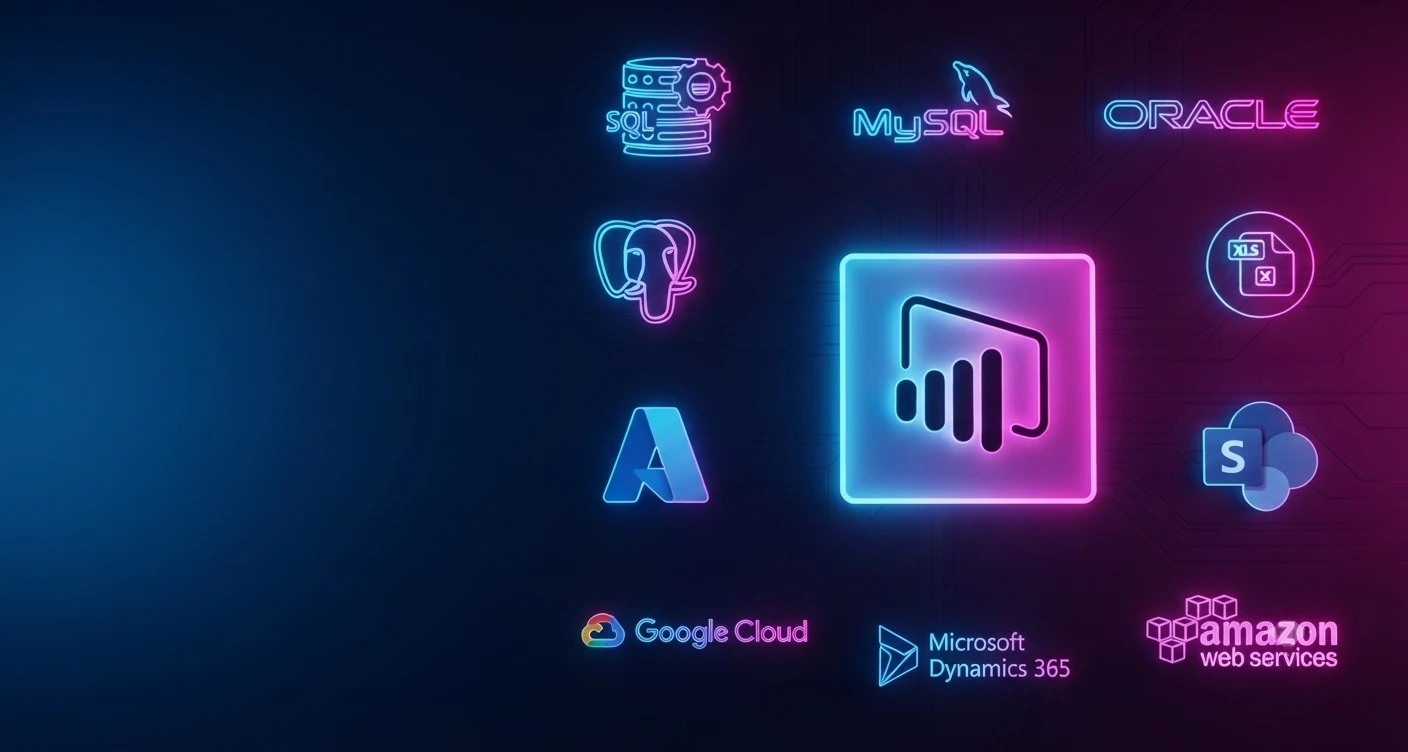
Power BI’s strength lies in its ability to connect to both internal and external. This allows you to create a unified view of your business, regardless of where your data resides. Here’s how Power BI seamlessly integrates with various data sources:

Power BI Integration

Connecting Power BI to Databases

Relational Databases: Power BI connects effortlessly with popular relational databases like SQL Server, MySQL, Oracle, and PostgreSQL. This allows you to directly access and analyze structured data residing in your on-premises databases.

Integrating with Cloud Platforms

Cloud Powerhouses: Power BI integrates seamlessly with major cloud platforms like Microsoft Azure, Google Cloud Platform (GCP), and Amazon Web Services (AWS). This empowers you to leverage data stored in cloud-based data warehouses and data lakes, fostering a truly hybrid data analysis environment.

Connecting to Online Services

Familiar Tools, Enhanced Analysis: Power BI bridges the gap between your existing workflows and data analysis. It connects effortlessly with popular online services like Excel, SharePoint, and Dynamics 365. This allows you to directly analyze data stored in these platforms, enriching your existing business processes with data-driven insights.

Importing Data from APIs and Custom Sources

Beyond the Ordinary: Power BI caters to the need for data diversity. It offers the flexibility to import data from various APIs (Application Programming Interfaces) and even custom data sources. This allows you to integrate data from social media platforms, marketing automation tools, and other specialized applications, creating a truly comprehensive data landscape within Power BI.

By leveraging Power BI’s extensive data connectivity options, you can break down data silos and create a unified view of your organization. This empowers you to make informed decisions based on a complete picture of your business operations.

Power BI Integration Strategies

Embedding Power BI Reports in Applications and Websites

Power BI Integration

Insights at Your Fingertips: Power BI reports can be seamlessly embedded within your existing applications and websites. This allows users to access critical data insights directly within their workflow, improving decision-making efficiency and eliminating the need to switch between different platforms.

Imagine critical data insights readily available within the applications and websites your employees and customers use most.

Power BI empowers this by allowing you to embed reports directly into these platforms seamlessly. This reduces the need for users to switch between different platforms to access data, improving efficiency and empowering informed decision-making right within their workflow.

Automating Data Refresh and Updates

Always Fresh Data, Always Informed Decisions: Keeping your data up-to-date is crucial for accurate insights. Power BI allows you to automate data refresh and updates. This ensures your reports and dashboards always reflect the latest information, empowering data-driven decision making in real-time.

Implementing Role-Based Access Control and Security

Data Security Made Easy: Data security is paramount. Power BI offers robust role-based access control (RBAC) functionalities. You can define specific data access permissions for different user groups, ensuring sensitive information remains secure while relevant data is readily available to authorized personnel.

Customizing Power BI Visuals and Dashboards

Tailored Insights, Enhanced Communication: Power BI empowers customization. You have the capability to design visually captivating reports and dashboards that cater to the unique requirements and goals of different stakeholders. This allows you to present data in a way that resonates with different user groups, fostering better communication and understanding of key data points.

By implementing these integration strategies, you can leverage Power BI’s full potential. You are capable of creating a centralized hub for data insights, which facilitates informed decision-making across all organizational levels and fosters a collaborative ethos rooted in data-driven practices.

Power BI offers exceptional value beyond just data access. It provides a robust set of integration strategies that seamlessly embed data insights within your existing workflows, fostering a data-driven culture across your organization. Here’s a breakdown of some essential strategies:

Power BI Integration: Best Practices

Trusted by a wide range of businesses, Experion’s Power BI solutions turn data into actionable insights, fostering reliable growth and efficiency. Integrating Power BI offers a powerful way to unlock the value of your data. However, to maximize its effectiveness, following best practices is crucial. Here’s an overview of the key areas to concentrate on:

Ensuring Data Quality and Consistency

The reliability of your insights is directly influenced by the quality of your data. Implement data quality checks to identify and address errors, inconsistencies, and missing values in your data sources. Maintain data governance policies to ensure data accuracy and consistency across your organization.

Maintaining Data Security and Privacy

Data security is paramount. Leverage Power BI’s role-based access control (RBAC) to define data access permissions for different user groups. Implement robust security measures to safeguard sensitive data and comply with relevant data privacy regulations.

Optimizing Performance and Efficiency

Power BI offers various ways to optimize performance. Utilize data modeling techniques to structure your data efficiently. Consider implementing incremental refreshes for large datasets to ensure timely updates without sacrificing performance.

Keeping Reports and Dashboards User-Friendly and Intuitive

Design reports and dashboards with user needs in mind. Prioritize clear visuals, concise labels, and intuitive navigation. Avoid overwhelming users with information overload. Focus on presenting actionable insights in a way that is easy to understand and interpret.

Continuously Monitoring and Iterating on Integration Solutions

Data analysis needs to evolve over time. Regularly monitor the effectiveness of your Power BI integration. Collect user feedback, pinpoint areas for enhancement, and iterate on your reports and dashboards to guarantee they remain aligned with the evolving needs of your organization.

By following these best practices, you can lay a solid foundation for a successful Power BI integration. This ensures you’re leveraging data effectively, fostering informed decision-making, and empowering a data-driven culture within your organization.

Power BI Integration Challenges & Solutions

Despite being a potent business intelligence tool, Power BI presents certain challenges that users may encounter. Here’s an overview of these common hurdles and strategies to overcome them:

Power BI Challenges Solutions
Data Integration Challenge Issue: Combining data from diverse sources (spreadsheets, databases) poses complexity.
  Solution: Leverage Power Query’s data transformation tools. Consider establishing a central data warehouse for streamlined access.
Data Quality Concerns Issue: Presence of “dirty data” containing errors or inconsistencies, leading to unreliable insights.


  Solution: Implement data cleaning techniques within Power Query. Establish robust data governance standards.
User Adoption Hurdles Issue: Encouraging users to adopt Power BI dashboards and reports may face resistance.


  Solution: Ensure users receive comprehensive training and ongoing support. Develop intuitive reports with compelling visuals.
Performance Challenges Issue: Slow loading times and sluggish report interaction can impede user experience.


  Solution: Optimize data models. Utilize parameterization and consider hardware upgrades for improved processing speed.
Data Governance Complexity Issue: Managing self-service BI and ensuring data security presents challenges.
  Solution: Establish robust data governance policies. Utilize Power BI’s built-in security features effectively.

By addressing these common challenges proactively, organizations can maximize the effectiveness of Power BI as a powerful business intelligence tool, ensuring accurate insights and user satisfaction.

Power BI Advancements and Upcoming Features

Power BI is constantly evolving, with Microsoft adding new features and functionalities to enhance data analysis capabilities. Here’s a glimpse into recent advancements and upcoming trends:

AI-Powered Insights: Artificial intelligence (AI) is poised to revolutionize data analytics. We can expect BI tools, including Power BI, to incorporate more advanced AI capabilities. This includes features like automated data analysis, anomaly detection, and predictive forecasting, leading to deeper and more actionable insights.

Natural Language Processing (NLP): Imagine interacting with your data using natural language. Advancements in NLP will empower users to ask questions and receive insights from their data in plain English, making data analysis more accessible and intuitive for everyone.

Focus on Augmented Analytics: The future of BI lies in augmented analytics. This refers to tools that use AI and machine learning to augment human decision-making rather than replace it. Power BI can be expected to integrate features that guide users through complex data sets, suggest correlations, and highlight potential areas for exploration.

Enhanced Data Integration: Expect Power BI to expand its data integration capabilities further. This could include seamless connections to new data sources and platforms, making it even easier to consolidate data from a wider range of sources.

Deeper Cloud Integration: The future is cloud-based. We anticipate Power BI will offer even tighter integration with major cloud platforms like Azure, fostering a seamless and scalable data analysis environment.

Citizen Data Scientist Tools: Citizen data scientists are non-technical users who leverage data analytics tools for insights. Power BI is likely to incorporate more user-friendly features and drag-and-drop functionalities, empowering citizen data scientists to contribute more effectively to data-driven decision-making.

The Future of Data Visualization and Decision-making

Interactive and Immersive Visualizations: Data visualization is becoming more interactive and immersive. Imagine exploring data through 3D visualizations or using virtual reality (VR) to interact with complex datasets. Power BI may incorporate such features, allowing for deeper engagement and a more intuitive understanding of data.

Real-Time Decision Making: The future of business thrives on real-time insights. Power BI can be expected to evolve to provide near real-time data analysis, empowering organizations to make data-driven decisions with minimal latency.

Democratization of Data Insights: The future of data analysis is accessible to everyone.Power BI’s advancements will likely focus on making data insights more readily available and understandable for users at all levels within an organization, fostering a truly data-driven culture.

Real-world Examples of Power BI in Action

To solidify your understanding of Power BI integration’s value, here are some real-world use cases from various industries. These showcase how organizations leverage Power BI to solve specific challenges and achieve remarkable results. These are just a few examples, but the possibilities are extensive:

Power BI Integration

Retail: A retail giant uses Power BI to analyze customer purchase history, identify buying trends, and optimize product placement for increased sales. By visualizing data, they gain insights into popular products and seasonal variations. With this information, they optimize product placement in their stores, creating a better shopping experience and boosting sales.

Manufacturing: A manufacturing company utilizes Power BI to monitor production line efficiency, identify potential bottlenecks, and make data-driven decisions to improve operational performance. By analyzing data in real-time, they can make informed decisions to improve overall performance. This approach allows them to make adjustments as needed, ensuring smooth and efficient production processes.

Healthcare: In the healthcare sector, a provider turns to Power BI for valuable insights. They use it to track patient outcomes and analyze the effectiveness of treatments. By visualizing data, they can identify trends and patterns that help improve patient care. With Power BI’s analytics, they gain a deeper understanding of what works best for their patients, ultimately improving the quality of care they provide.

Conclusion

Organizations that leverage data effectively gain a significant competitive advantage. Power BI integration enables you to achieve precisely that objective. It transcends mere data accessibility by furnishing a holistic solution for data analysis, visualization, and collaboration. By adhering to the recommended practices and remaining abreast of emerging trends, you can ensure that your Power BI integration matures in tandem with the evolving requirements of your organization. This paves the way for a data-driven future where insights fuel success and empower you to make informed decisions with confidence.

Key Takeaways

Advantages: Real-time decision-making, automation, seamless connectivity

Key features: Intuitive visualization, collaboration tools

Integration benefits: Improved insights, cost-effectiveness

Strategies: Embedding reports, automating refresh, role-based access control

Best practices: Data quality assurance, security maintenance, performance optimization

Challenges: Data integration, user adoption

Future trends: AI insights, deeper cloud integration

Flutter vs React Native

With the proliferation of smartphones and the ever-increasing demand for intuitive mobile experiences, developers are constantly seeking tools that streamline the development process while ensuring optimal performance and user engagement. Mobile app development frameworks have emerged as indispensable assets, offering a unified approach to building applications across different platforms. These frameworks abstract away the complexities of platform-specific code, enabling developers to write code once and deploy it across multiple operating systems. 

Flutter and React Native are two major contenders in this field. Both have gained widespread recognition for their ability to expedite the app development lifecycle and deliver high-quality applications. Flutter, developed by Google, and React Native, maintained by Meta platforms, have redefined the way developers create mobile apps. Flutter, introduced in 2017, has garnered attention for its robust performance and rich set of features. Built on the Dart programming language, Flutter boasts a reactive framework that facilitates the creation of visually stunning and fluid user interfaces. Its hot reload feature allows developers to make real-time changes to the codebase, significantly reducing iteration time and enhancing productivity. 

React Native, on the other hand, made its debut in 2015 and quickly became a favorite among developers worldwide. Leveraging the power of JavaScript, React Native enables developers to build cross-platform applications with native-like performance. Its declarative programming model and extensive library of pre-built components make it an attractive option for teams looking to expedite development without compromising on quality. 

In this blog, we embark on an in-depth exploration of Flutter and React Native, examining their features, performance, community support, and more. By the end of our journey, you’ll have a comprehensive understanding of these frameworks, empowering you to make informed decisions when choosing the right tool for your next mobile app project. 

Flutter – An Overview

Description and Origin:

Flutter vs React Native1

Flutter, an open-source UI software development kit, was developed by Google in 2017. It is designed to enable developers to create high-quality native interfaces for both iOS and Android platforms from a single codebase. Flutter uses the Dart programming language, which was also developed by Google, to build fast, expressive, and flexible user interfaces. The genesis of Flutter stemmed from the need for a framework that could address the limitations of existing cross-platform solutions while delivering superior performance and native-like experiences. Drawing inspiration from web development frameworks like React and Angular, Flutter adopts a reactive programming model that simplifies the process of building complex UIs and handling user interactions. 

Key Features and Benefits:

Flutter offers a plethora of features that make it a compelling choice for mobile app development: 

  • Hot Reload: One of Flutter’s standout features is its hot reload capability, which allows developers to instantly see the effects of code changes reflected in the app UI. This iterative development process accelerates experimentation and enables rapid iteration, thereby boosting productivity. 
  • Rich Set of Widgets: Flutter comes bundled with an extensive library of customizable widgets that facilitate the creation of visually stunning and responsive user interfaces. From basic elements like buttons and text fields to complex layouts and animations, Flutter provides developers with the building blocks needed to bring their app designs to life. 
  • High Performance: Flutter leverages the Skia graphics engine to render UI elements directly on the canvas, resulting in smooth animations and consistent performance across different devices. By eliminating the need for a bridge to communicate with native components, Flutter achieves near-native performance, ensuring a fluid user experience even on resource-constrained devices. 
  • Platform Agnostic: With Flutter, developers can write code once and deploy it across multiple platforms without sacrificing quality or performance. Whether targeting iOS, Android, or even the web, Flutter provides a unified development experience that streamlines the process of building cross-platform applications. 

Supported Platforms and Use Cases:

Flutter is compatible with a variety of platforms, such as:  

  • iOS 
  • Android 
  • Web 
  • Desktop (experimental support) 

This versatility makes Flutter suitable for a variety of use cases, ranging from mobile apps and web applications to embedded systems and beyond. Whether developing a consumer-facing app, an enterprise solution, or a multimedia experience, Flutter provides the flexibility and scalability needed to meet diverse project requirements. 

Popular Apps Developed with Flutter:

Several high-profile apps have been built using Flutter, showcasing its capabilities and versatility: 


  • Google Ads: Google leveraged Flutter to rebuild its Google Ads app, enabling a seamless user experience across both iOS and Android platforms. 
  • Alibaba: The Alibaba Group, one of the world’s largest e-commerce companies, used Flutter to develop its Xianyu app, a platform for buying and selling second-hand goods. 
  • Reflectly: Reflectly, a popular journaling app, was built entirely with Flutter, demonstrating its suitability for creating intuitive and visually appealing user interfaces. 
  • Hamilton: The official app for the hit Broadway musical “Hamilton” was developed using Flutter, underscoring its ability to handle complex layouts and animations with ease. 

React Native – An Overview

Description and Origin

Flutter vs React Native2

Born out of Meta’s need for a solution that would enable efficient cross-platform development without compromising on performance or user experience, React Native adopts a declarative programming model inspired by React, its web counterpart. 

At its core, React Native leverages JavaScript to create native-like user interfaces, allowing developers to reuse code across different platforms while retaining the ability to access platform-specific APIs and features. By bridging the gap between web and mobile development paradigms, React Native has become a cornerstone of the modern app development landscape. 

Key Features and Benefits

React Native offers a host of features that set it apart as a premier choice for mobile app development: 

  • Declarative UI: React Native’s declarative approach to UI development simplifies the process of building complex user interfaces by abstracting away low-level implementation details. Developers describe the desired UI state, and React Native handles the rest, automatically updating the UI to reflect changes in data. 
  • Cross-Platform Compatibility: With React Native, developers can write code once and deploy it across multiple platforms, including iOS, Android, and the web (via projects like React Native Web). This cross-platform compatibility streamlines the development process and ensures a consistent user experience across different devices and operating systems. 
  • Native Performance: Despite being built with JavaScript, React Native delivers native-like performance by leveraging platform-specific rendering APIs and components. By optimizing performance-critical operations and minimizing the overhead associated with cross-platform development, React Native ensures smooth animations, responsive UIs, and snappy user interactions. 
  • Hot Reloading: Similar to Flutter, React Native supports hot reloading, allowing developers to make changes to the codebase and see the results instantly reflected in the running application. This iterative development workflow accelerates the debugging and testing process, enabling rapid iteration and faster time-to-market. 

Supported Platforms and Use Cases:

React Native supports a wide range of platforms, making it suitable for diverse use cases across various industries: 

  • iOS 
  • Android 
  • Web (via React Native Web) 
  • Windows (experimental support) 

This broad platform support enables developers to target multiple devices and form factors with a single codebase, making React Native an ideal choice for building everything from consumer-facing mobile apps to enterprise solutions and beyond. 

Flutter vs React Native: Comparative Analysis

Flutter’s Rendering Engine and Performance:

Flutter’s performance is underpinned by its rendering engine, which utilizes the Skia graphics library to render UI components directly onto the canvas. This approach bypasses the need for a JavaScript bridge, resulting in faster rendering times and smoother animations compared to traditional cross-platform frameworks. 

One of Flutter’s key performance advantages is its ability to achieve consistent frame rates and minimal latency across different devices and platforms. By compiling Dart code to native machine code ahead of time (AOT compilation), Flutter eliminates the runtime overhead associated with interpreting JavaScript code, resulting in snappy and responsive user interfaces. 

Moreover, Flutter’s hot reload feature enables developers to make real-time changes to the codebase without sacrificing performance. This iterative development workflow accelerates the debugging and testing process, enabling developers to iterate rapidly and fine-tune the app’s performance characteristics. 

React Native’s JavaScript Bridge and Performance:

In contrast, React Native relies on a JavaScript bridge to communicate between the JavaScript runtime and the native platform APIs. While this architecture facilitates cross-platform development and enables access to native device features, it introduces an additional layer of abstraction that can impact performance, especially in scenarios involving complex UI interactions and animations. 

The JavaScript bridge introduces overhead in terms of message serialization/deserialization and context switching between JavaScript and native code. As a result, React Native applications may experience occasional frame drops and increased latency, particularly on lower-end devices or in situations where the UI is highly dynamic. 

However, React Native has made significant strides in optimizing performance, with initiatives such as Hermes (a JavaScript engine optimized for mobile apps) and TurboModules (a revamped architecture for native module communication) aimed at reducing overhead and improving runtime performance. 

Development Experience

Language Choice: Dart (Flutter) vs. JavaScript (React Native)

Flutter vs React Native3

One of the key differences between Flutter and React Native lies in the choice of programming languages. Flutter utilizes Dart, a modern and expressive language developed by Google, while React Native relies on JavaScript, a ubiquitous language widely used in web development. 

Dart offers several advantages for mobile app development, including a concise syntax, strong typing, and built-in support for features like asynchronous programming and null safety. While Dart may have a steeper learning curve for developers accustomed to JavaScript, its robust tooling and ecosystem make it a powerful choice for building complex applications with Flutter. 

On the other hand, JavaScript’s familiarity and ubiquity make it an attractive option for developers transitioning from web development to mobile app development with React Native. JavaScript’s dynamic typing and flexible syntax can lead to faster prototyping and iteration, but it may also introduce challenges related to type safety and code maintainability in larger codebases. 

Ultimately, the choice between Dart and JavaScript boils down to personal preference, team expertise, and project requirements. Both languages are well-suited for mobile app development and offer robust tooling and support within their respective ecosystems. 

Hot Reload and Development Speed

Both Flutter and React Native offer hot reload functionality, allowing developers to make real-time changes to the codebase and see the effects reflected instantly in the running application. This iterative development workflow accelerates the debugging and testing process, enabling developers to iterate rapidly and fine-tune the app’s features and UI. 

Flutter’s hot reload feature is particularly noteworthy for its speed and reliability. By compiling Dart code to native machine code ahead of time (AOT compilation), Flutter can update the UI in milliseconds without losing the app’s state or requiring a full restart. This near-instantaneous feedback loop enhances developer productivity and enables rapid iteration during the development process. 

React Native’s hot reload functionality is powered by the Metro bundler, which rebuilds the JavaScript bundle and pushes updates to the running application. While React Native’s hot reload experience is generally smooth and efficient, it may occasionally encounter issues such as state inconsistency or component re-rendering, especially in larger projects with complex state management logic. 

Overall, both Flutter and React Native provide robust hot reload capabilities that significantly improve development speed and productivity. Developers can leverage these features to experiment with different UI designs, test new features, and iterate quickly based on user feedback, ultimately delivering high-quality mobile apps in less time. 

Flutter vs React Native – Documentation and Community Support

Flutter vs React Native4

Documentation and community support are critical factors that influence the development experience with Flutter and React Native. Both frameworks offer extensive documentation, tutorials, and sample projects to help developers get started and navigate the intricacies of mobile app development. 

Flutter’s documentation is comprehensive and well-organized, covering topics ranging from getting started guides to advanced topics like animation and performance optimization. Additionally, Flutter boasts a vibrant and active community of developers, with dedicated forums, Slack channels, and social media groups where developers can seek help, share insights, and collaborate on projects. 

Similarly, React Native provides thorough documentation and resources for developers, including official guides, API references, and community-contributed libraries and tools. React Native’s community is also highly engaged, with a wealth of online forums, meetups, and conferences where developers can connect with peers, learn best practices, and stay up-to-date with the latest developments in the ecosystem. 

In summary, both Flutter and React Native offer robust documentation and community support, empowering developers to overcome challenges, learn new skills, and build innovative mobile applications. Whether you’re a seasoned developer or a newcomer to mobile app development, you’ll find a wealth of resources and support within the Flutter and React Native communities to help you succeed. 

Flutter vs React Native – User Interface and Design

Native-like UI in Flutter and Customizable Widgets

Flutter prides itself on delivering native-like user interfaces (UIs) across multiple platforms. This is achieved through Flutter’s rich set of customizable widgets, which enable developers to create visually stunning and responsive UIs that adhere to platform-specific design guidelines. Whether it’s Material Design for Android or Cupertino for iOS, Flutter’s widgets seamlessly adapt to the native look and feel of each platform, ensuring a consistent and intuitive user experience. 

Furthermore, Flutter’s flexible layout system and powerful animation support empower developers to create complex UIs with ease. From intricate transitions and gestures to custom animations and effects, Flutter provides the tools and capabilities needed to bring any design vision to life. 

React Native’s Use of Native Components and Flexibility

React Native takes a slightly different approach to UI development, leveraging native components to render UI elements on the screen. By bridging JavaScript code with native APIs, React Native ensures that UI elements behave and feel like their native counterparts, resulting in a familiar and intuitive user experience for end users. 

In addition to native components, React Native offers a high degree of flexibility through its component-based architecture and support for third-party libraries. Developers can easily integrate existing native components or create custom components using JavaScript, enabling a dynamic and extensible UI development process. 

In summary, both Flutter and React Native offer robust solutions for building engaging user interfaces, with Flutter excelling in its native-like UI capabilities and customizable widgets, while React Native provides flexibility and familiarity through its use of native components and JavaScript-based development approach. 

Flutter vs React Native – Ecosystem and Libraries

Flutter’s Growing Ecosystem and Packages

Flutter’s ecosystem has been rapidly expanding since its inception, with a growing number of packages and libraries available to developers. From UI frameworks and state management solutions to Firebase integrations and internationalization tools, Flutter’s ecosystem offers a wealth of resources to streamline the development process and enhance app functionality.

Flutter’s official package repository, Pub, provides access to thousands of packages maintained by the Flutter team and the community. Additionally, Flutter’s compatibility with Dart’s package manager, pub.dev, further enhances the discoverability and usability of third-party packages, making it easy for developers to find and integrate the tools they need for their projects. 

React Native’s Extensive Ecosystem and Third-party Libraries

React Native benefits from a mature and extensive ecosystem, with a vast array of third-party libraries and tools available to developers. From navigation frameworks and state management libraries to animation libraries and testing utilities, React Native’s ecosystem covers a wide range of use cases and development needs. 

One of React Native’s strengths is its compatibility with the wider JavaScript ecosystem, including popular libraries and frameworks like Redux, Axios, and React Navigation. This interoperability enables developers to leverage existing JavaScript skills and libraries when building React Native applications, reducing the learning curve and accelerating development. 

In summary, both Flutter and React Native offer rich ecosystems and extensive libraries to support developers in building high-quality mobile applications. Whether you’re looking for UI components, state management solutions, or integration with third-party services, both frameworks provide a wealth of resources to help you succeed. 

Flutter vs React Native – Platform Integration

Ease of Integrating with Native Code in Flutter

Flutter provides seamless integration with native code through its platform channels mechanism. Developers can easily access platform-specific APIs and functionalities by defining method channels that enable communication between Dart code and native code written in Java, Kotlin, Swift, or Objective-C. 

Flutter’s platform channels allow for bidirectional communication, enabling developers to pass data between Dart and native code and invoke platform-specific methods from within the Flutter application. This capability ensures that developers can leverage native functionality when needed, without sacrificing the benefits of cross-platform development.

React Native’s Ability to Bridge with Native Modules

React Native’s bridge architecture facilitates integration with native modules, enabling developers to incorporate platform-specific functionality into their applications. By exposing native modules as JavaScript modules, React Native allows developers to access native APIs and features directly from their JavaScript code. 

React Native’s bridge mechanism enables seamless interoperability between JavaScript and native code, empowering developers to leverage platform-specific capabilities without leaving the React Native environment. This flexibility makes React Native an ideal choice for projects that require deep integration with native functionality or access to device-specific features. 

In summary, both Flutter and React Native offer robust solutions for integrating with native code and accessing platform-specific functionality. Whether you’re building a cross-platform application that requires seamless integration with native APIs or incorporating advanced platform features into your app, both frameworks provide the tools and capabilities needed to achieve your goals. 

Flutter vs React Native – Learning Curve

Flutter’s Learning Curve for Developers New to Dart

Flutter vs React Native5

For developers new to Dart, Flutter may initially present a learning curve as they familiarize themselves with the language and its syntax. However, Dart’s concise and expressive syntax, combined with Flutter’s comprehensive documentation and learning resources, can help accelerate the learning process and enable developers to become proficient in a relatively short amount of time. 

Additionally, Flutter’s hot reload feature and reactive programming model facilitate rapid experimentation and iteration, allowing developers to learn by doing and see the immediate impact of their code changes on the application’s UI. 

React Native’s Familiarity for JavaScript Developers

React Native’s use of JavaScript makes it a natural choice for developers with experience in web development. JavaScript’s ubiquity and familiarity enable developers to leverage existing skills and knowledge when building React Native applications, reducing the learning curve and enabling a smooth transition to mobile app development. 

Furthermore, React Native’s component-based architecture, inspired by React, allows developers to apply familiar patterns and practices from web development to mobile app development. This familiarity with React’s programming model and ecosystem can further accelerate the learning process and empower developers to build high-quality applications with confidence. 

In summary, while both Flutter and React Native offer distinct programming languages and development paradigms, developers can quickly become proficient in either framework with the help of comprehensive documentation, learning resources, and hands-on experience. Whether you’re new to Dart or JavaScript, both frameworks provide the tools and support needed to succeed in mobile app development. 

Flutter vs React Native – Community and Future Outlook

The community and future outlook of a framework play a crucial role in its long-term viability and adoption. Both Flutter and React Native benefit from vibrant and active communities of developers, contributors, and enthusiasts who contribute to the growth and evolution of the frameworks. 

Flutter’s community has seen rapid growth since its launch, with a diverse and engaged community of developers worldwide. Flutter’s open-source nature and strong backing from Google have fostered a collaborative ecosystem where developers can share knowledge, contribute to open-source projects, and participate in community events and initiatives. 

Similarly, React Native boasts a large and dedicated community of developers, backed by Facebook’s ongoing investment in the framework. React Native’s active community fosters innovation, drives adoption, and provides valuable support and resources to developers at all skill levels. 

Looking ahead, both Flutter and React Native are poised for continued growth and success in the mobile app development space. With ongoing investments in performance, tooling, and ecosystem support, both frameworks are well-positioned to meet the evolving needs of developers and businesses and shape the future of cross-platform development. 

Conclusion

The choice between Flutter and React Native depends on various factors, including project requirements, developer expertise, and ecosystem preferences. Both frameworks offer compelling solutions for building high-quality mobile applications, with unique strengths and trade-offs that cater to different use cases and development scenarios. 

Flutter excels in its native-like UI capabilities, customizable widgets, and robust performance, making it an ideal choice for projects that prioritize visual fidelity, performance, and platform consistency. React Native, on the other hand, offers flexibility, familiarity, and deep integration with native code, making it well-suited for projects that require seamless access to platform-specific functionality and a smooth transition from web to mobile development. 

Ultimately, the decision between Flutter and React Native should be based on a careful evaluation of your project’s requirements, development team’s skill set, and long-term strategic goals. By considering the factors discussed in this comparison, you can make an informed decision that aligns with your objectives and sets your project up for success in the competitive world of mobile app development. 

Fortifying the Financial Fortress: Banks & the Imperative of AML Regulatory Compliance

Fortifying the Financial Fortress: Banks & the Imperative of AML Regulatory Compliance

When we contemplate banks and financial institutions, our minds often meander through the intricate maze of regulatory requirements they navigate. In 2021, North American financial entities shelled out nearly $50 billion to stay compliant. These institutions aren’t just pillars but architects of economic development, their influence stretching from local markets to the global stage. Recognizing their pivotal role, governments and regulators diligently oversee them, aiming to harness their economic clout for collective progress.

According to the announced data, criminals carry out 97% of money laundering activities through financial institutions. These entities find working within the set boundaries a very tough job as non-compliance lead to penalties and reputational risks. Global enforcement fines increased to $5.65 billion in Q3 2023, up by 30% since the start of the year, according to a new report released by Corlytics. The complexity of the rules and regulations comes into the picture as we try to understand overlapping with the jurisdiction.

Regulatory compliance underpins stability for banks and financial institutions, steering their operations according to established conduct standards. These rules and operational procedures are meticulously crafted to uphold the integrity of the financial system, from the local level to the global stage. In the banking and financial services, where trust is the currency, even a whisper of instability can trigger panicked “bank runs,” threatening to dismantle the intricate structure of financial stability like a precarious tower of Legos.

The most critical piece of the puzzle that banks and financial must tackle day in, day out is the AML Compliance. From the moment a customer seeks to open an account to every transaction they undertake, ensuring AML compliance is paramount. It’s the frontline defense against the infiltration of illicit funds into the financial bloodstream, a vital shield in the ongoing battle to safeguard the integrity of the financial landscape.

The Bank and FI implement AML by means of addressing these phases:

Know Your Customer (KYC): This initial phase involves capturing and verifying customer details to establish their identity. It’s a critical step where numerous leads may fall through due to factors like document unavailability or validity issues. Once a lead is successfully converted into a customer, it’s imperative to periodically update their KYC details according to their risk profile.

Customer Due Diligence (CDD): In this phase, customer information undergoes thorough verification against databases containing politically exposed persons (PEPs), government records, watchlists, and sanctions screening details provided by regulatory authorities. This meticulous process ensures compliance with regulatory standards and helps identify any potential risks associated with the customer.

Customer and Transaction Screening: Here, banks continuously monitor customer transactions to ensure they do not involve sanctioned or banned individuals or entities. By staying vigilant and screening each transaction, banks mitigate the risk of inadvertently facilitating illicit activities.

Suspicious Activity Reporting: This phase involves promptly reporting any transactions that raise suspicion of money laundering or other illegal activities to the relevant regulatory authorities. Timely reporting plays a crucial role in combatting financial crime and upholding the integrity of the financial system.

In the sector of financial oversight, various regions have distinct arrays of players under the vigilant gaze of anti-money laundering (AML) measures.

United States:

Regulated financial institutions include banks (except bank credit card systems), brokers or dealers in securities, money services businesses, telegraph companies, casinos, card clubs, and any person subject to supervision by any state or federal bank supervisory authority.

United Kingdom:

AML regulations apply to financial and credit businesses, independent legal professionals, accountants, tax advisers, auditors and insolvency practitioners, trust and company service providers, estate agency businesses, letting agency businesses, casinos, high value dealers, article market participants, crypto asset exchange providers, and custodian wallet providers.

European Union

Obliged entities subject to AML regulation include credit institutions, financial institutions, certain natural or legal persons acting in the exercise of their professional activities (including auditors, external accountants, tax advisers, notaries, and other independent legal professionals engaged in certain activities), trust or company service providers, estate agents (including when acting as intermediaries in the letting of immovable property for transactions for which the monthly rent amounts to €10,000 or more, or the equivalent in the national currency), persons trading in precious metals and stones, providers of gambling services, and crypto asset service providers.

In the past, identifying potential money launderers relied heavily on rule-based AML triggers. These triggers would flag transactions crossing certain thresholds for further investigation. While effective, these rules were complex, considering factors like transaction amounts, whitelisting, and specific exclusion criteria.

Let`s take for example in a saving bank account the total cumulative deposit should not cross $100,000 but the rule excludes the Trusts. The main benefit of such a trigger is that it is easy to roll out. In general, less than 5% of investigations lead to a customer being reported to the regulator. But of course, the remaining 95% still need to be investigated, demanding time and effort from the AML team.

AI-based AML triggers is a game-changer in the fight against financial crime. These triggers operate on multiple fronts:

Anomaly detection– They catch events like customers transacting above their usual limits.

Network analysis – They examine transactions within broader networks, uncovering suspicious patterns.

Risk scoring – By comparing patterns with historical cases, they pinpoint potential money laundering activity.

The adoption of AI triggers has brought about a significant reduction in false positives, empowering AML teams to predict suspicious transactions more accurately. However, challenges remain, particularly regarding the lack of visibility into the system’s inner workings. Unlike rule-based systems with clear guidelines, AI systems lack explicit rules for regulators to scrutinize.

Nonetheless, leveraging data from legacy rule-based systems offers a means to assess the effectiveness of AI-based approaches. In this ever-evolving landscape, AI holds promise for enhancing AML surveillance and enforcement, paving the way for a more secure financial future.