




DevOps Consulting Services

“The DevOps consulting service market is projected to grow, with estimates pointing to an increase of USD 26.28 billion by 2032.”

Modern enterprises need fast, reliable software delivery. However, legacy infrastructure and growing security requirements make DevOps transformation highly challenging. DevOps works by combining development and operations together across the software lifecycle. It effortlessly covers practices such as automation, CI/CD, infrastructure management, monitoring, and continuous improvement.

DevOps consulting services enable organizations to streamline operations through automation, CI/CD, and standardized processes.


Key Takeaways

  • A strategic DevOps approach combines strategy, tooling, automation, and hands-on implementation to accelerate software delivery.
  • Alignment of people, processes, and technology goes beyond configuring pipelines. It involves aligning engineering culture, processes, and technology so speed and stability work together.
  • Cloud expertise brings specialized expertise across AWS, Azure, and multi-cloud environments to support complex infrastructure requirements.
  • Integrated security embeds security into development and deployment pipelines through DevSecOps practices.
  • Continuous optimization often extends beyond initial implementation with ongoing monitoring, improvement, and optimization of DevOps processes and infrastructure.
  • An outcome-driven partnership should involve the right DevOps consulting partner. Evaluate this based on technical depth, relevant industry experience, and measurable outcomes.


What are DevOps Consulting Services?

DevOps Consulting


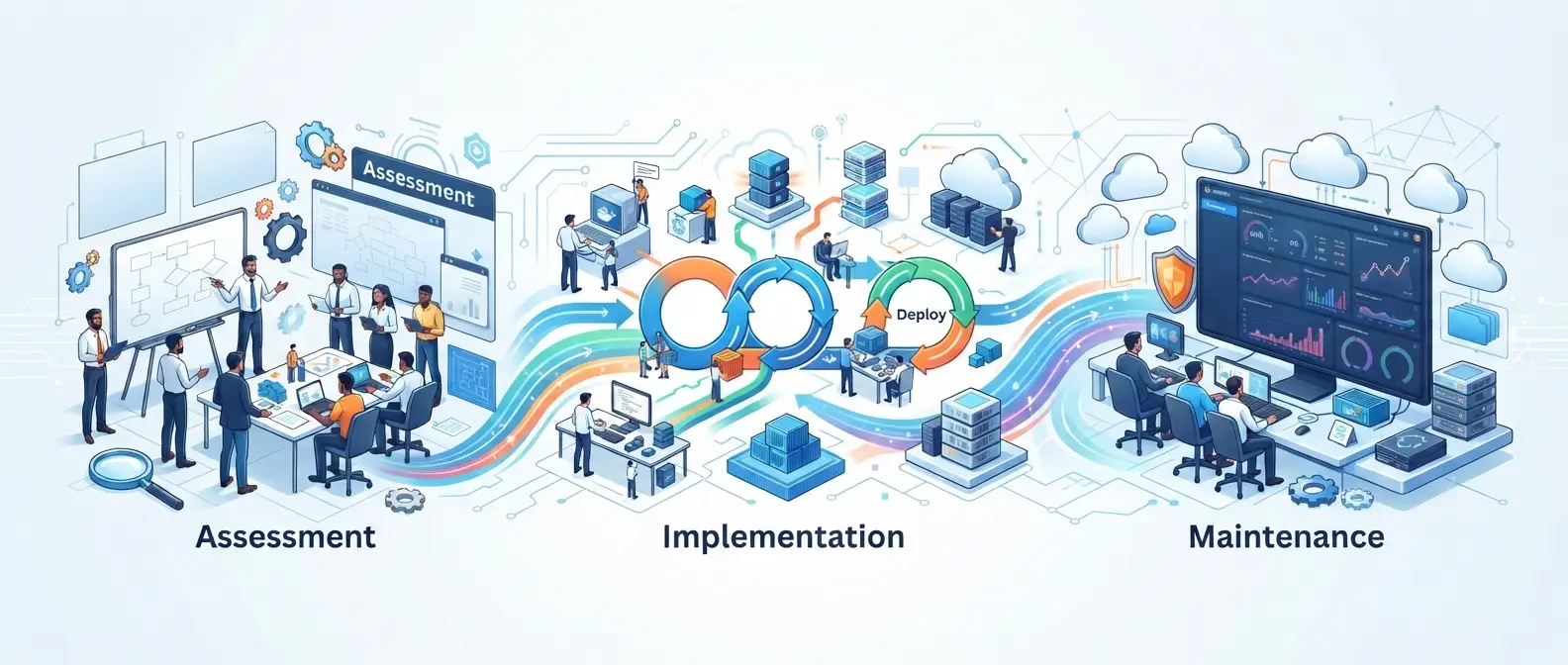
DevOps consulting services, sometimes called DevOps consulting services and solutions or simply DevOps services and consulting, are engagements where an external team helps you design, build, and run the practices, pipelines, and infrastructure needed to ship software continuously and reliably. DevOps as a Service (DaaS) takes this a step further by providing ongoing access to DevOps expertise, tools, automation, and operational support as a managed service. Most engagements run through the same three phases.

  • Assessment: This stage assesses DevOps maturity, identifies gaps, and defines a realistic roadmap based on the org’s actual constraints.
  • Implementation—CI/CD, infrastructure as code, containerization, automated deployment.
  • Maintenance: Monitoring, adjusting security and performance, reliability, and cloud costs indefinitely. DevOps advisory services provide strategic guidance alongside implementation. It includes maturity assessments, tool selection, governance, roadmaps, etc. A company brings in advisory consultants to build the internal case and align everyone before they sign off on the larger implementation budget.


Why Businesses Need a DevOps Consulting Company?

Companies rarely hire a DevOps consulting company because DevOps sounds appealing in the abstract. They call one because a specific, painful symptom has become impossible to ignore.

Common Pain Points

Hours-long deploys turn into days—complex approval chains, undocumented configs, and scripts. Siloed teams make it worse: every handoff between dev, QA, security, and ops adds delay and creates someone new to blame. And the manual processes—hand-run scripts, undocumented changes—are difficult to troubleshoot and scale effectively.

The Value DevOps Service Providers Deliver

Good providers replace manual, error-prone work with pipelines you can actually audit, so dev and ops stop telling different stories about the same outage. Infrastructure gets codified.

ROI and the Business Case

The pitch leans on four numbers—deployment frequency, lead time, change failure rate, and mean time to recovery. Most decent orgs already track them.

A team that cuts lead time from weeks to days isn’t just faster on one project.


Turn DevOps bottlenecks into a faster, more reliable delivery pipeline.
Talk to Experion


Core Offerings of Top DevOps Consulting Firms

The best DevOps consultancy services build their offerings around the full delivery lifecycle, not a single tool or technology. In complex, multi-system environments, that often means bringing in DevOps experts to address specific bottlenecks, slow pipelines, or legacy release processes, on top of the broader engagement.

DevOps Strategy Consulting & Roadmapping

Before any tool changes, DevOps strategy consulting determines where an organization stands today: release cadence, toolchain maturity, and team structure. From there, it builds a phased roadmap toward the target state, sequenced by business priority and risk.

DevOps Implementation & CI/CD Pipeline Setup

This is where strategy turns into working software. Continuous integration pipelines automatically build and test every code change. Continuous delivery pipelines push validated changes toward production with little to no manual intervention.

Infrastructure as Code (IaC) & Automation

Treating infrastructure as versioned code, using tools like Terraform, Pulumi, or CloudFormation, lets teams provision and modify environments predictably and roll back changes safely. It also eliminates the configuration drift behind most “it worked in staging” failures.

Monitoring, Security & Compliance (DevSecOps)

Building security scanning, secrets management, and compliance checks directly into the pipeline, instead of bolting them on right before release, is what DevSecOps actually means. At this point, it’s table stakes, not a premium add-on.

Managed DevOps as a Service Companies vs. Project-Based Engagements

There are two basic delivery models. DevOps-as-a-service companies run pipelines, infrastructure, and monitoring on an ongoing, subscription basis, essentially acting as an extension of your platform team. Project-based engagements work differently: a defined scope—say, a CI/CD overhaul or a cloud migration—then operations are handed back to you.

Containerization and Kubernetes

Most modern application delivery runs on containers now. Consulting teams package applications into containers to ensure consistency across environments. They set up Kubernetes to handle scaling, self-healing, and rolling updates. And they design microservices architectures where independent services can be built, deployed, and scaled on their own.

Monitoring and Observability

Reliable operations depend on seeing what’s happening. That means real-time application and infrastructure monitoring, plus logging, metrics, and tracing to reconstruct what happened during an incident and why. Mature DevOps consulting companies usually layer service-level objectives and error budgets on top of raw metrics too.


Cloud-Specific DevOps Consulting Services

Cloud platforms shape how DevOps practices get implemented, so most engagements are anchored to a specific provider or a multi-cloud strategy.

Cloud DevOps Consulting Services

Cloud DevOps consulting covers the practices and tooling needed to run CI/CD, infrastructure automation, and monitoring natively on cloud infrastructure. It also covers multi-cloud strategy for organizations that want to avoid vendor lock-in or manage data residency requirements across regions.

AWS DevOps Consulting

AWS DevOps consulting typically covers pipeline design with native services like CodePipeline and CodeBuild, infrastructure as code with CloudFormation or Terraform, and cost optimization that right-sizes compute and storage as workloads scale.

Azure DevOps Consulting Services

Azure DevOps consulting usually centers on Azure Pipelines for CI/CD, ARM templates or Bicep for infrastructure provisioning, and hybrid cloud setups for organizations running a mix of on-premises and cloud workloads.

Multi-Cloud and Hybrid DevOps

For organizations running workloads across multiple providers, the work usually centers on standardizing pipelines and tooling so teams aren’t maintaining separate practices for each cloud. In practice, that means writing infrastructure as code that can target multiple providers.


DevOps and Other Modern Operations Practices

  • MLOps: MLOps relates to Machine Learning, and this practice applies DevOps principles to Machine learning. It covers development, deployment, monitoring, and ongoing management of ML models.
  • GitOps: GitOps uses Git as the central source of truth to define how applications and infrastructure should be configured. This enables version-controlled deployments.
  • ModelOps: Manages models across their lifecycle. It is particularly leveraged in enterprise environments where multiple models need to be deployed or monitored.
  • BizOps: Connects business strategy with operational execution. BizOps uses data, processes, and cross-functional collaboration to improve decision-making.


DevOps vs. IT Ops

They are not competing functions. Instead, ITOps focuses on maintaining systems and security, while DevOps brings development and operations together to speed up software delivery. DevOps’ end outcome is reliable software releases. On the other hand, ITOps focuses on secure, available IT environments.


How to Choose the Right DevOps Consulting Company?

Not every DevOps consulting company fits every organization’s needs. A structured evaluation helps separate genuine expertise from a generic services pitch.

Evaluate Technical Expertise

Look for demonstrated depth across cloud platforms, automation tooling, CI/CD pipeline design, containers, infrastructure as code, and security. Not just familiarity with one or two of these areas.

Look for Relevant Industry Experience

Experience in enterprise environments, regulated industries, legacy modernization, and cloud-native development shows a partner has dealt with the constraints you’re facing. Not just greenfield projects.

Assess Their Implementation Approach

A sound implementation approach moves deliberately through strategy, implementation, and optimization, with real documentation and knowledge transfer along the way. It also includes a change management plan that accounts for how the engagement affects your staff.

Review Case Studies and Outcomes

Ask for concrete before-and-after data: deployment frequency, lead time, reliability metrics, cost optimization achieved, and infrastructure efficiency gains. Vague claims of “faster releases” without numbers are a warning sign.

Consider Geographic and Delivery Requirements

Delivery model matters as much as technical skill. Onshore, offshore, or blended teams. Time-zone coverage for support and incident response. How often you’ll actually talk to the people doing the work. If you’re evaluating DevOps consulting services in the USA, it’s worth checking how a partner’s global delivery centers work alongside US-based teams for coverage and cost.


Managing DevOps across thousands of repositories and distributed engineering teams?
Learn how Experion helped a global automotive manufacturer improve software efficiency and accelerate release cycles


Validate Security and Compliance Credentials

Confirm DevSecOps is actually built into the pipeline, not treated as a separate audit step. That includes secrets management and compliance automation for standards like SOC 2, ISO 27001, GDPR, and HIPAA, where relevant. Audit-ready pipelines with proper access controls should be the baseline.


With experience across complex enterprise environments, Experion can help teams address the practical challenges of DevOps adoption—from legacy systems and fragmented toolchains to security, scalability, and governance.


Enterprise DevOps Consulting: What Sets It Apart

Large organizations face limitations that small companies don’t. As a result, Enterprise DevOps consulting services look different from a typical engagement. Enterprises typically run dozens of interdependent applications and infrastructure accumulated over many years. Hence, enterprise DevOps consulting needs to scale across teams, geographies, and legacy systems at once. Governance, compliance, and change management scale up too- approval workflows, audit trails, and security policies that hold across hundreds of engineers instead of a single team.

DevOps for Legacy Application Modernization

Modernizing legacy applications usually starts with deciding which parts of a monolith can be safely broken into microservices and which should stay intact for now. From there, it’s about replacing manual, high-risk release procedures with automated pipelines. Then moving workloads off legacy infrastructure onto platforms that actually support continuous delivery.

DevOps Governance and Compliance

Enterprise-scale governance comes down to a few things: who can change what and where, a paper trail for every deployment, security checks baked into the pipeline instead of bolted on after, and whatever compliance rules the industry throws at you.

Getting that right — role-based approvals that pass an audit without turning every deploy back into a three-week sign-off chain — is honestly where a decent consultancy earns its keep. Anyone can automate a pipeline. Keeping it automated once legal and compliance get involved is the hard part.


DevOps Consulting Services and Solutions for Different Business Needs

The right engagement model depends on organizational size and maturity. That’s why a one-size-fits-all package rarely works across a consulting firm’s full client base.

Startups and Growing Businesses

Startups usually need fast-to-implement pipelines and cloud infrastructure that scales without a big upfront platform investment. The priority is getting automated builds, tests, and deployments in place early. You can add the full governance and compliance layer later.

Mid-Market Organizations

Mid-market companies often need to formalize processes that grow organically, replacing ad hoc scripts and manual deployments with standardized pipelines. This is often the stage where one engineer’s personal deployment scripts have quietly become a single point of failure. It is also where the case for consultancy is easiest to make, because leadership can already see the risk.

Large Enterprises

Enterprises need the governance, scale, and cross-team coordination described above, delivered by a partner capable of running multi-year transformation programs. These engagements typically unfold in waves: a pilot with one business unit, refinement based on lessons learned, then a broader rollout. Rarely a single big-bang cutover across the organization.

Organizations Modernizing Legacy Applications

These organizations need a phased approach that keeps critical systems running while incrementally introducing automation and modern architecture. The goal is rarely a full rewrite. It’s usually about finding the seams where you can wrap, containerize, or gradually decompose legacy systems without disrupting the business processes that depend on them.

Cloud-First Organizations

Cloud-native companies typically need advanced automation, cost optimization, and multi-cloud or hybrid strategy rather than foundational DevOps setup. These organizations often already have strong engineering practices, so the highest-value work tends to be FinOps discipline, advanced observability, and platform engineering that lets internal teams self-serve infrastructure safely.

Highly Regulated Businesses

Financial services, healthcare, and other regulated industries need DevSecOps and compliance automation built into the pipeline from day one. The consulting engagement often must satisfy internal security teams, external auditors, and regulators at once. This puts a premium on documentation and traceability alongside the technical implementation itself.


DevOps Consulting Services & Solutions in the USA

DevOps Consulting Services


Demand for DevOps consulting services USA has grown alongside enterprise cloud adoption. It’s concentrated in financial services, healthcare, retail, and technology, sectors that depend on reliable releases to stay competitive.

Organizations evaluating a US-based DevOps consulting firm usually weigh cost against time-zone alignment and compliance familiarity. US-based teams tend to know domestic regulatory standards, HIPAA, SOC 2, and state-level privacy laws closely. Blended models that pair US-based leads with global delivery teams can bring real cost savings without losing oversight.

Currently, a few trends are shaping demand:

  • The shift toward platform engineering
  • Internal developer platforms that let teams self-serve infrastructure.
  • Growing adoption of FinOps to control cloud spend.
  • Regulatory pressure that’s turning DevSecOps into a baseline requirement.


The DevOps Consulting Engagement Process

A structured engagement process is what separates a DevOps consulting company that delivers lasting change from one that simply installs tools.

Step 1 — Discovery & Assessment

The engagement starts with an audit: current tooling, team structure, release process, and where things actually break down. That gives a baseline. It usually means interviews across dev, ops, and security—not because it’s thoroughness for thoroughness’s sake, but because the roadmap is useless if it doesn’t reflect how the organization really works, not how the org chart says it works.

Step 2 — Define DevOps Goals and KPIs

That assessment yields a short list of concrete targets: deployment frequency, lead time, reliability. Setting these before any implementation starts gives the consulting team and the internal stakeholders the same yardstick, so six months in, nobody’s arguing about whether the engagement worked.

Step 3 — Strategy & Roadmap Design

The roadmap gets phased by business priority and risk — quick wins first, architectural overhauls later. Front-loading changes that reduce risk or unblock other teams matters more than it sounds; it’s how you keep buy-in instead of everyone waiting for a distant milestone to prove the thing is working.

Step 4 — DevOps Implementation & Tooling Setup

Core tooling gets picked and configured — version control workflows, CI/CD platforms, infrastructure as code, container orchestration if it’s relevant. The real constraint here isn’t what’s best in the abstract; it’s what the internal team can actually keep running once the consultants are gone.

Step 5 — Implement CI/CD and Automation

Build and test pipelines, automating the run from commit through build, test, and deploy. This almost always starts with one representative application rather than the whole portfolio at once — prove the pattern works, then roll it out.

Step 6 — Integrate Security and Monitoring

Layer security scanning, secrets management, and observability into the pipeline so problems surface before release or right after, not three weeks later. Alerting thresholds and dashboards get tuned carefully in this phase too—get it wrong and teams start ignoring every notification.

Step 7 — Continuous Optimization & Support

Once pipelines are live, the work shifts to tuning: performance, cost, adapting as the organization changes. This is also when knowledge transfer actually gets finished — documentation, pairing, runbooks — so the organization isn’t stuck needing the consulting partner forever.


Find the gaps slowing down your software delivery.
Get in touch with us for a devops consultation


Benefits of Partnering with a DevOps Consulting Services and Solutions Company

Organizations that commit to a full-time engagement with DevOps consulting services see multiple gains in the following areas:

  • Faster time-to-market: Manual bottlenecks disappear from the release process.
  • Reduced operational costs: Better automation and resource use reduce operational costs.
  • Improved reliability and scalability: Infrastructure becomes consistent and reproducible.
  • Stronger security posture: DevSecOps is built into the pipeline instead of being added on.
  • Lower Operational Costs: These savings compound over time, too, as right-sized infrastructure and automated scaling keep cutting waste long after the initial engagement ends.
  • More Efficient Cloud Operations: Continuous monitoring, infrastructure optimization, and automated scaling improve cloud performance while controlling resource usage.


Common Myths About DevOps Consulting

The common myths around DevOps include the following:

  • “DevOps is just tools“: Tools are important, but adding new tooling onto old workflows rarely delivers much if team structure, ownership, and process don’t change with it. A CI/CD platform layered over siloed teams with unclear ownership will automate the dysfunction just as efficiently as it automates a healthy process. Tooling amplifies whatever already exists.
  • “Only large enterprises need a DevOps solutions provider” Startups and mid-market companies often benefit even more from a DevOps solutions provider, precisely because they don’t have a dedicated platform engineering team to build these practices in-house. Waiting until you’re “big enough” to justify an internal platform team usually just means years of accumulated manual process and technical debt to unwind later, at a much higher cost than doing it right from the start.
  • In-house teams don’t need a DevOps consultant”: Even strong internal teams benefit from an outside perspective on emerging practices, tooling choices, and the blind spots that are hard to see due to day-to-day operations. Internal teams are also invested in defending decisions they already made. DevOps consulting companies have no such attachment and can recommend the right path when needed.


Conclusion: Partner with the Right DevOps Consulting Services and Solutions Company

The end outcome of DevOps consulting is an overall DevOps transformation, and picking the right tools was never the whole story. What matters is a proper strategy, disciplined automation, built-in security, cloud expertise that fits your environment, and a plan for continuous optimization. The organizations that get the most out of DevOps consulting treat it as a long-term shift in how their operational strategy works.

At Experion, that’s how we’ve structured our approach: deep cloud and platform engineering expertise paired with the delivery discipline to carry a DevOps transformation from strategy through implementation and into ongoing optimization, so the gains keep compounding instead of fading after go-live.

Trade Finance Software

Trade finance continues to involve significant friction. A single transaction can require coordination among exporters, importers, banks, logistics providers, insurers, customs authorities, payment networks, and regulators, yet the information that ties them together is often strewn over documents, emails, portals and disconnected systems.

The ICC Digital Standards Initiative notes that global trade can involve more than 40 official and commercial documents, contributing to repeated data entry, slow verification, and greater risk of error. Modern trade finance software reduces that complexity by connecting transactions, documents, workflows, risk controls, financing and payments in a more streamlined digital environment.

Experion brings together product engineering, payments modernization, SWIFT integration, AI-led reconciliation, KYC and risk workflows, cloud modernization, and open banking capabilities to help banks, fintechs, and enterprises improve visibility, reduce operational friction, and scale trade finance more effectively.


Key Takeaways

  • Trade finance modernization is, first and foremost, an information flow and integration problem, not just a digitization problem.
  • Automation creates the most value when documents, compliance, risk, payments, and exception management are connected.
  • AI may lessen the need for manual review, but governance, explainability and monitoring by humans are still required for high-risk judgments.
  • API-first modernization lets institutions improve legacy environments in stages, rather than rip and replace.
  • The right success measures are processing time, straight-through processing, exception rates, cost per transaction, and customer experience.


What is Trade Finance Software?

Trade Finance Software

Trade finance software is the digital layer that helps banks, financial institutions, and enterprises manage the movement of money, documents, risk, and approvals across trade transactions.

At its best, it’s more than just digitizing letters of credit, guaranties, collections or financing procedures. It ties together the numerous elements of a trade transaction into a single coordinated process so that teams can understand what has transpired, what is pending, where risk rests and what action needs to be taken next.

That matters because trade finance is never a single-system process. A transaction may involve commercial documents, customer and counterparty data, compliance checks, credit decisions, payment instructions, settlement, reconciliation, and reporting, spread across a multitude of apps and organizations.

A modern trade finance platform pulls together these moving parts through workflow automation, document intelligence, APIs, risk controls, and real-time visibility. By linking information and processes across the trade lifecycle, organizations can reduce operational gaps, improve transaction visibility, and manage complex trade activity more efficiently at scale.

Core Processes

Typical capabilities include:

  1. Letters of Credit : Manage issuance, document checks, amendments, and settlement.
  2. Bank Guarantees : Handle guarantee requests, approvals, issuance, renewals, and claims.
  3. Documentary Collections : Control the flow of trade paperwork between buyers, sellers and banks.
  4. Import and Export Finance : Help with financing needs related to buying and selling goods across borders.
  5. Supply Chain Finance : Help buyers and suppliers improve cash flow through structured financing.
  6. Invoice Financing : Enable businesses to access funds against approved invoices.
  7. Trade Loans : Provide short-term funding for trade-related working-capital needs.
  8. Receivables and Payables : Monitor incoming and outgoing payments and improve cash-flow visibility.

Difference Between Traditional and Manual Trade Finance Processes and Digital Platforms

Traditional trade finance often distributes information across emails, documents, spreadsheets, banking applications, and specialized systems.

But a digital platform creates a shared workflow. Information entered once can move downstream, validations can happen automatically, exceptions become visible, and users can act without repeatedly searching for the latest document or transaction status.

How Trade Finance Software Works?

A typical trade finance workflow passes through a series of connected steps:

  • Transaction initiation – The buyer, seller, or bank starts the trade finance request.
  • Document collection – Required documents such as invoices, purchase orders, bills of lading, and certificates are collected.
  • Validation – Ensure all documentation and transaction details are complete and accurate.
  • Risk assessment – The bank or financial institution assesses credit, counterparty, country, and transaction related risks.
  • Compliance checks – KYC, AML, sanctions, and other regulatory checks are completed.
  • Approval – Once the transaction meets the required conditions, it proceeds through the necessary approval process.
  • Financing – Funding is provided based on the agreed trade finance arrangement.
  • Settlement – Payments are processed between the relevant parties.
  • Reconciliation – Transactions, payments, and records are matched to identify and resolve any differences.
  • Reporting – The completed transaction is captured for operational, financial, risk, and regulatory reporting.

The goal is not necessarily to remove people from that chain. It is to remove the repetitious tasks so that people can work on exceptions, risk and decisions that really demand human judgment.


Why Businesses Need Trade Finance Software and What Problems Does it Solve?

The challenge is not that trade finance lacks processes. It is that too many of them still depend on disconnected systems, repeated checks, and manual handoffs. As trade grows more complex, those gaps become harder to manage and more expensive to ignore.

Trade finance software helps businesses reduce that friction by improving visibility, strengthening control, and making transactions easier to manage across the trade lifecycle. Here are some of the key challenges it helps address:

Increasing Complexity of Global Trade

Cross-border trade involves multiple jurisdictions, currencies, regulations, counterparties, transport networks, and financial institutions. A delay at any handoff can affect working capital and delivery commitments.

Growing Volume of Trade Documentation

Commercial invoices, bills of lading, certificates of origin, insurance documents, packing lists, guarantees, and financing documents may all need validation.

ICC estimates that wider adoption of electronic bills of lading alone could save approximately $6.5 billion in documentation costs.

Pressure to Reduce Manual Processes

Re-keying information from documents into multiple applications is slow and creates avoidable error. Good trade finance automation software captures information once and reuses validated data across the workflow.

Need for Better Risk and Compliance Management

Trade is particularly challenging because risk can sit across counterparties, goods, jurisdictions, payments, and documents.

FATF continues to identify trade-based money laundering as a significant risk and emphasizes stronger sharing of financial and trade data.

Demand for Real-Time Visibility

Customers increasingly expect to know whether a document has been received, whether an exception is holding up approval, and when financing or settlement will occur.

That visibility should not require five emails and three phone calls


Core Features of Trade Finance Software

A strong trade finance platform offers the tools needed to execute transactions more efficiently end-to-end, including document processing, risk, payments and reporting. Some of the basic capabilities that make this feasible are:

  • Trade Transaction Management – Creates a single view of transactions, parties, documents, milestones, and exceptions.
  • Letter of Credit Management – Supports issuance, amendment, document examination, discrepancies, and settlement workflows.
  • Bank Guarantee Management – Digitizes guarantee requests, issuance, amendments, expiry tracking, and claims.
  • Document Digitization/OCR – Extracts structured information from invoices, bills of lading, certificates, and other documents.
  • Workflow Automation – Routes work according to transaction type, value, risk, geography, and exception.
  • KYC/AML Sanctions Screening  – Connects customer, counterparty, sanctions, and AML controls to transaction workflows.
  • Risk Management – Combines credit, counterparty, transaction, country, and operational risk signals.
  • Supply Chain Finance Modul – Supports buyer-led financing, supplier onboarding, invoice approval, and early-payment programs.
  • API & SWIFT Connectivity – Links connecting trading venues with banks, payment networks, corporates, fintechs, and external systems.
  • Payment and Settlement Management – Links approved transactions with payment instructions, tracking, settlement, and reconciliation.
  • Multi-Currency & Multi-Entity Support – Supports organizations trading across geographies, currencies, and legal entities.
  • Analytics & Reporting Dashboard – Provides visibility on volumes, exposure, delays, revenue and exceptions by turning transaction data into actionable information.
  • Notifications and Alerts – Proactively identifies and intimates document gaps, compliance exceptions, approaching expiries, and delayed approvals.


How Trade Finance Software Benefits Financial Institutions?

When the right capabilities work together, trade finance software can add value far beyond process automation. Here are some of the key benefits financial institutions can reap:

  • Faster Transaction Processing – Automation reduces time spent checking, routing, and re-keying information.
  • Reduced Operational Costs – Straight-through workflows lower manual handling per transaction.
  • Improved Risk Management – Connected data makes exceptions and unusual patterns easier to identify.
  • Stronger Compliance – Controls become part of the workflow rather than a separate downstream task.
  • Better Customer Experience – Customers gain clearer status information and fewer manual interactions.
  • Improved Profitability – Faster processing and lower cost-to-serve can make more transactions economically viable.

This is significant in a market where funding remains tight. ADB’s latest major global survey put the trade finance gap at $2.5 trillion, representing unmet financing demand from importers and exporters.


How Trade Finance Software Benefits Importers and Exporters?

For corporates, the benefits are practical: faster financing, improved cash-flow visibility, fewer document errors, easier bank collaboration, faster payments, less administrative compliance work, and stronger supplier relationships.

A credible corporate trade finance platform should answer three questions quickly: Where is my transaction? What is holding it up? What do I need to do next?


How Trade Finance Platform Supports the Full Transaction Lifecycle?

The greatest value comes when the platform connects the entire lifecycle rather than digitizing one isolated step.

For example, information extracted from a commercial invoice can support document validation, compliance screening, financing decisions, payment initiation, reconciliation, and reporting without the need to re-key the data.


Types of Trade Finance Software Solutions

  1. Trade Finance Software for Banks – Designed around products such as letters of credit, guarantees, collections, financing, compliance, and settlement.
  2. Corporate Trade Finance Software – Helps treasury and finance teams manage bank relationships, trade instruments, cash positions, and transaction visibility.
  3. Trade Finance Management Platforms – Provide broader workflow, data, document, and integration capabilities.
  4. Supply Chain Finance Platforms – Connect buyers, suppliers, financiers, approved invoices, and working-capital programs.
  5. Trade Finance Software as a Service – Cloud-delivered platforms can reduce infrastructure overhead and accelerate deployment where regulatory requirements permit.


Trade Finance Software vs. Traditional Trade Finance Processes

Area Traditional Process Trade Finance Software
Documentation Manual Digital
Data entry Repetitive Automated
Approvals Email/paper Workflow-based
Compliance Manual checks Automated screening
Visibility Limited Real-time
Reporting Manual Automated
Risk monitoring Reactive Continuous
Collaboration Fragmented Centralized
Scalability Difficult Easier

How AI Is Transforming Trade Finance?

Trade Finance Software

AI becomes valuable when it tackles work that actually slows transactions.

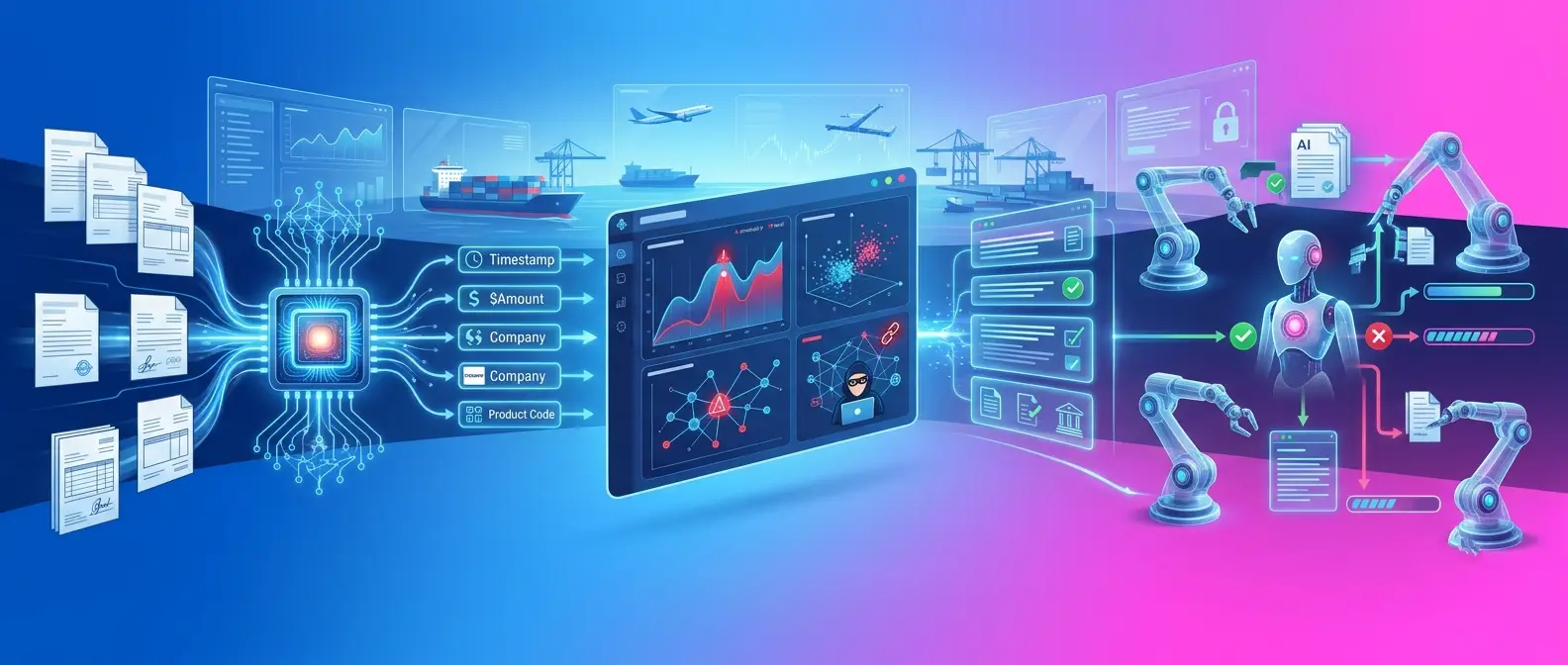
  • Intelligent Document ProcessingAI can extract, classify, compare, and validate information across large document sets.
  • AI-Powered Risk Assessment – Models can surface patterns across customer, transaction, payment, and historical data.
  • Fraud DetectionAnomaly detection can highlight unusual transaction relationships or document inconsistencies.
  • AI-Powered Compliance – AI can support screening, alert prioritization, case summaries, and compliance research.
  • Generative AI for Trade Finance – GenAI can summarize cases, explain discrepancies, search policies, and assist operations teams.
  • AI Agents for Trade Finance Automation – Agents could eventually coordinate multi-step activities such as document collection, validation, status checking, and exception routing.

But autonomy must follow risk. A low-risk document lookup is very different from releasing payment or overriding a sanctions alert.


Experion already applies AI within financial workflows including document extraction, validation, reconciliation, KYC, compliance checks, risk decisioning, and exception handling. Those capabilities create a practical foundation for developing AI-assisted trade finance workflows rather than treating AI as an additional interface layered on top.


Role of Automation in Trade Finance

Automation can take much of the repetitive work out of trade finance by moving routine activities through predefined workflows with less manual intervention. It can help capture data from documents, route approvals, run compliance checks, trigger payments, reconcile transactions, generate reports, and flag exceptions for review. The real value is not simply doing tasks faster. It is reducing delays between steps, improving consistency, and allowing operations teams to focus their attention on the transactions that genuinely need judgment or intervention.

Straight-Through Processing

Straight-through processing allows eligible transactions to progress automatically when predefined conditions are met.

The important word is eligible. High-risk or ambiguous transactions should move to people with the context needed to make the decision.


Cloud-Based Trade Finance Software

Benefits of Cloud Deployment

Cloud-based trade finance software can scale more easily as transaction volumes, users, and geographic operations grow, without requiring the same level of on-premise infrastructure expansion. It also gives authorized teams secure access across locations, supports faster deployment of updates and new features, and improves resilience through distributed infrastructure, backup, and recovery capabilities. For banks and enterprises modernizing legacy environments, cloud deployment can also reduce the effort involved in maintaining physical infrastructure while making it easier to integrate new digital services over time.

Cloud Security Considerations

The benefits of cloud deployment depend on how securely the environment is designed and governed. Sensitive trade, customer, and payment data should be protected through encryption, strong identity and access controls, continuous monitoring, and clearly defined data-storage and residency policies. Backup, disaster recovery, auditability, and regulatory requirements should also be built into the architecture from the outset so that scalability and accessibility do not come at the expense of security, compliance, or operational resilience.


Integrations Required for Trade Finance Software

Trade finance rarely exists in isolation. A modern platform needs to connect with the systems that already manage customers, payments, risk, documents, and financial operations.

  1. Core Banking Systems : Connect trade finance transactions with customer accounts, limits, balances, and core banking workflows.
  2. ERP Systems : Link purchase orders, invoices, receivables, payables, and treasury data with trade finance processes.
  3. Payment Systems : Enable approved transactions to move seamlessly into payment initiation, settlement, and reconciliation.
  4. KYC and AML Platforms : Bring customer verification and anti-money-laundering checks directly into transaction workflows.
  5. Sanctions Screening Systems : Screen customers, counterparties, and transactions against relevant sanctions and watchlists.
  6. Credit Risk Platforms : Provide access to credit limits, exposure data, and risk assessments before financing decisions are made.
  7. Document Management Systems : Store, retrieve, track, and manage the trade documents required across the transaction lifecycle.
  8. APIs and Open Banking Ecosystems : Enable secure data exchange with banks, fintechs, corporate systems, and external financial services.

SWIFT remains central to global financial connectivity, with more than 11,000 financial institutions connected to its network. Its broader push toward standardized, interoperable financial messaging reinforces why modern trade platforms need strong integration architecture rather than closed technology stacks.

Experion has relevant experience here, including payment ecosystems spanning processing, settlement, reconciliation, SWIFT integration, cross-border payments, and integrations across more than 40 banks and 80 countries.


Data Security and Compliance in Trade Finance Software

  • Data Encryption : Protect sensitive information at rest and in transit.
  • Role-Based Access Control : Limit actions and data according to responsibility.
  • Audit Trails : Record who did what, when, and why.
  • Identity and Access Management : Apply strong authentication and controlled privileges.
  • Regulatory Compliance : Translate regulatory obligations into workflows and controls.
  • Data Privacy : Manage jurisdiction-specific requirements around storage and use.
  • Fraud and Cybersecurity Controls : Monitor transactions, users, integrations, and infrastructure for suspicious activity.


How to Choose the Right Trade Finance Solution Provider?

Do not start with the longest feature list. Ask whether a provider understands your workflows, can integrate with existing systems, has experience with secure financial platforms, understands compliance and data architecture, and can explain how the system will evolve.

The best trade finance solution providers should be able to connect engineering choices to operational outcomes.


How Much Does Trade Finance Software Cost?

There is no one-size-fits-all cost for trade finance software. Pricing depends on the platform’s scale, complexity, integrations, customization, deployment model, security requirements, and the capabilities an organization chooses to implement.

Factors Affecting Cost

The cost of trade finance software is shaped by the scale and complexity of the environment it needs to support. Factors such as the number of users, transaction volumes, modules, degree of customization, and the number of integrations all influence implementation effort. Deployment choices, including cloud, on-premise, or hybrid models, can further affect infrastructure and security requirements, while advanced AI capabilities may add complexity around data, governance, and model integration. Geographic coverage also matters, especially when the platform must support multiple currencies, jurisdictions, regulations, and data-residency requirements. Beyond implementation, organizations should also account for ongoing maintenance, upgrades, monitoring, support, and compliance changes when evaluating the total cost of ownership.

Custom Trade Finance Solution vs. Off-the-shelf Software

Factor Build Buy
Customization High Moderate–High
Initial investment Higher Lower
Implementation Longer Faster
Control High Vendor dependent
Maintenance Internal Vendor supported
Scalability Organization dependent Usually built-in

When Should a Business Consider Custom Trade Finance Software?

A custom solution makes sense when standard platforms cannot fully support the way a business actually operates. This is generally the case when workflows are highly specialized, integrations are difficult, transaction volumes are big, risk models are proprietary or the company needs more control over the user experience and how the platform evolves over time.


How to Implement a Trade Finance Platform

The most successful implementations are those that first understand the current operating paradigm, then layer in new technologies. A phased approach helps organizations modernize with minimal disruption while keeping business priorities, compliance, data, and user adoption aligned from the start.

Step 1 – Assess Existing Processes

Map current workflows, systems, pain points, manual handoffs, and bottlenecks to identify where technology can create the most value.

Step 2 – Define Business and Technical Requirements

Translate operational needs into clear requirements around functionality, integrations, security, compliance, scalability, and user experience.

Step 3 – Select the Technology Approach

Decide what should be retained, modernized, integrated, configured, or built based on business priorities and long-term goals.

Step 4 – Design the Architecture

Create a secure, scalable architecture that can support workflows, APIs, data, analytics, and future enhancements without unnecessary complexity.

Step 5 – Integrate Existing Systems

Connect the platform with core banking, ERP, payments, KYC, risk, document, and other critical systems to create a more continuous transaction flow.

Step 6 – Migrate and Validate Data

Move required data carefully, cleanse inconsistencies, and validate accuracy so the new platform starts with reliable information.

Step 7 – Configure Workflows

Set up approvals, business rules, alerts, exception handling, and automated processes based on how transactions actually move through the organization.

Step 8 – Test Security and Compliance

Validate access controls, audit trails, data protection, regulatory requirements, and transaction controls before launch.

Step 9 – Train Employees

Prepare users for new workflows, tools, and responsibilities so adoption does not become a barrier to value.

Step 10 – Launch and Monitor

Roll out the platform, track performance against agreed KPIs, and continuously refine workflows based on user feedback and operational data.


Trade Finance Software Architecture

A trade finance platform consists of multiple technology layers that work together to take a transaction from a user request through processing, validation, integration, and reporting. Separating these responsibilities into layers makes the platform easier to scale, integrate with existing systems, secure, and modernize over time.

The simplified architecture is as follows:

User Interface
Where customers and bank teams initiate transactions, upload documents, review status, and take action.

Trade Finance Application Layer
Where core trade products such as letters of credit, guarantees, collections, and financing are managed.

Workflow & Business Rules Engine
Where approvals, validations, routing rules, exceptions, and transaction-specific requirements are applied.

AI / Analytics Layer
Where document intelligence, risk analysis, anomaly detection, forecasting, and decision support can be embedded.

Integration / API Layer
The connectivity layer that allows the trade platform to exchange information securely with other systems.

Core Banking / ERP / Payment / Compliance Systems
The existing enterprise and banking systems that provide customer, account, payment, risk, compliance, and financial data.

Data & Cloud Infrastructure
The underlying foundation that stores and processes data and provides the computing capacity, resilience, and scalability required by the platform.

Front-End Layer

This is the part users interact with. It provides role-based experiences for corporate customers, relationship managers, trade operations teams, approvers, and other users, allowing them to initiate requests, submit documents, track transactions, and respond to exceptions.

Application Layer

The application layer contains the core trade finance functionality. It manages products and transactions such as letters of credit, guarantees, documentary collections, trade loans, and other financing arrangements across their lifecycle.

Workflow Engine

The workflow engine determines what happens next in each transaction. It applies business rules, routes requests for approval, triggers checks, manages exceptions, sends alerts, and ensures that transactions follow the appropriate process.

AI and Analytics Layer

This layer adds intelligence to the platform. AI can support document extraction and validation, identify anomalies, assist with risk assessment, prioritize exceptions, and surface insights from transaction data. Analytics can provide visibility into volumes, turnaround times, exposures, bottlenecks, and performance.

API/Integration Layer

Trade finance depends on information held in many other systems. APIs and integration services connect the platform with core banking, ERP, payment networks, SWIFT, KYC and AML tools, sanctions screening, credit systems, and external partners, reducing the need for repeated manual data exchange.

Data Layer

The data layer unifies transaction, customer, document, payment, risk, and operational information. A well-designed data foundation also helps generate a consistent view of each transaction and supports reliable reporting, analytics, automation, and AI.

Security Layer

Security should not operate as a standalone component. It must cover the full architecture from the user interface to APIs and data. Identity and access management, encryption, audit trails, monitoring, data privacy, cybersecurity controls, and governance help ensure that sensitive trade and financial information stays protected throughout the transaction lifecycle.


Common Challenges in Implementing Trade Finance Software

  • Legacy System Integration : Avoid turning modernization into an unnecessary core replacement.
  • Data Migration : Poor-quality historical data can undermine even a strong new platform.
  • Regulatory Complexity : Requirements vary across jurisdictions and transaction types.
  • Employee Adoption : Design around actual users, not idealized workflows.
  • Cybersecurity Risks : More connectivity means a larger attack surface.
  • Process Standardization : Automating a broken process only makes the broken process faster.
  • Managing Multiple Stakeholders : Banks, corporates, regulators, operations teams, and technology teams often see the same transaction differently.
  • Maintaining Data Quality : Automation depends on trustworthy information.


Key KPIs to Measure Trade Finance Software Success

Some of the key KPIs include transaction processing time, cost per transaction, straight-through processing rate, document processing time, error rate, compliance exception rate, fraud detection rate, approval turnaround time, reconciliation time, customer satisfaction, trade finance revenue, and operational productivity.

Together, these KPIs indicate the platform’s genuine impact: whether it is speeding up transactions, minimizing manual effort and cost, improving accuracy and compliance, strengthening risk control, enhancing customer experience, and helping the business handle larger volumes more efficiently.


Future Trends in Trade Finance

Trade finance is moving toward more connected, data-driven, and automated operating models that reduce friction while improving speed, visibility, and control across transactions.

  • AI-Powered Trade Operations: AI will increasingly support decision-making, exception handling, risk assessment, and operational workflows.
  • Intelligent Document Processing: Advanced document intelligence will help extract, validate, and compare information faster across complex trade documentation.
  • Generative AI and AI Agents: GenAI and AI agents can assist with case summaries, document review, workflow coordination, and knowledge-intensive tasks.
  • Open Banking and API-Based Finance: APIs will make it easier to connect banks, fintechs, enterprises, and financial services within more seamless trade journeys.
  • Digital Trade Documents: Electronic trade documents will reduce dependence on paper and make information easier to exchange, verify, and process.
  • Real-Time Trade Data: More timely data will help organizations improve transaction visibility, decision-making, and risk monitoring.
  • Embedded Trade Finance: Financing can increasingly be integrated directly into procurement, commerce, and supply-chain workflows.
  • Cloud-Native Platforms: Cloud-native architectures can make trade finance platforms easier to scale, integrate, update, and evolve.
  • Predictive Risk Analytics: Predictive models can help identify emerging credit, transaction, and counterparty risks earlier.
  • Greater Automation and Straight-Through Processing: More routine transactions will move through predefined workflows with minimal manual intervention, helping reduce cost and turnaround time.


Best Trade Finance Software Use Cases

The value of trade finance software becomes clearest when it solves a specific operational problem. Across the following use cases, the opportunity is to remove delays, reduce manual intervention, strengthen control, and give businesses and financial institutions a clearer view of every transaction.

Letter of Credit Processing

Scenario: The bank works with letters of credit, which involve several documentation and parties.
Problem: Manual document reviews and discrepancies handling can delay approvals.
Software intervention: Digital workflows can centralize documents, automate validations, route exceptions, and track approvals.
Outcome: Faster turnaround, fewer errors, and increased visibility throughout the LC lifecycle.

Automated Trade Document Processing

Scenario: Operations teams have to go through vast numbers of invoices, bills of lading, certificates and other trade papers.
Problem: Manual comparison takes too much time and repetitive data entry raises the chance of error.
Software intervention: OCR and intelligent document processing that automatically extracts, classifies and validates information.
Result: Teams may review documents faster, with improved accuracy and have more time to focus on exceptions.

Supply Chain Finance

Scenario: Suppliers may need to wait weeks or months for buyers to settle approved invoices.
Problem: Long payment cycles can place pressure on supplier working capital.
Software intervention: A supply chain finance platform can connect approved invoices with financing options and automate the supporting workflows.
Outcome: Earlier access to cash for suppliers while buyers retain agreed payment terms.

Trade Compliance

Scenario: A cross-border transaction may require multiple KYC, AML, sanctions, and regulatory checks.
Problem: Fragmented screening can create delays and make exceptions difficult to manage consistently.
Software intervention: Integrated compliance workflows can automate checks, consolidate alerts, and route higher-risk cases for review.
Outcome: Faster screening, stronger control, and a clearer audit trail.

Risk Monitoring

Scenario: Credit, counterparty, country, and transaction risks can change while trade activity is underway.
Problem: Periodic or disconnected reviews may identify emerging risks too late.
Software intervention: Connected data and analytics can continuously monitor relevant risk signals and flag unusual activity.
Outcome: Earlier intervention and better-informed risk decisions.

Digital Guarantees

Scenario: Bank guarantees often pass through requests, approvals, issuance, amendments, renewals, and expiry management.
Problem: Manual tracking can lead to delays or missed actions.
Software intervention: Digital guarantee workflows can centralize the lifecycle and automate approvals, notifications, and expiry tracking.
Outcome: Greater control, faster processing, and fewer administrative gaps.

Cross-Border Payments

Scenario: A trade transaction may be approved for payment but still move through separate payment, settlement, and reconciliation processes.
Problem: Disconnected systems can reduce visibility and create additional manual work.
Software intervention: Integrating trade workflows with payment rails, SWIFT connectivity, settlement, and reconciliation can create a more continuous flow.
Outcome: Faster payments, improved transaction visibility, and more efficient reconciliation.

Trade Finance Software for Banks

For banks, trade finance software is increasingly imperative because trade businesses are becoming harder to manage through fragmented legacy processes. Banks are expected to support faster decisions, more complex regulatory requirements, and increasingly digital corporate customers, all while protecting margins in an operations-heavy business.

A modern trade finance platform helps banks make that model more sustainable. It can reduce the cost and complexity of servicing trade transactions, improve the bank’s ability to respond quickly to customers, and create a stronger foundation for launching new digital trade products. Just as importantly, it allows banks to grow trade volumes without allowing operational effort to grow at the same pace, making technology a direct enabler of both customer retention and profitable growth.


Conclusion: Building a Smarter, More Connected Trade Finance Ecosystem

The future of trade finance will not be defined by adding another layer of software. It will be defined by how effectively banks and enterprises can simplify complexity across documents, decisions, risk, payments, and customer interactions.

That is where Experion can add meaningful value. By combining financial services domain understanding with product engineering, payments modernization, SWIFT integration, AI, cloud, API-led architecture, reconciliation, and risk capabilities, Experion can help organizations modernize trade finance around the way their business actually operates.

The opportunity is to build platforms that are not only more digital, but more responsive, easier to scale, and better equipped to adapt as customer expectations, regulations, and trade models evolve.

Field Workforce Management Software

Why Managing a Field Workforce is Getting Harder?

How do you know which field worker is available, where they are, what job they are handling, and whether they can reach the next customer on time?

That sounds like a simple scheduling question. In practice, it rarely is.

Field teams work in an environment where the plan changes throughout the day. A customer cancels. Traffic slows a technician down. An emergency request comes in. Someone finishes a job much earlier than expected. Another assignment requires a skill or certification that only a few workers have.

For a small operation, experienced dispatchers may manage much of this through phone calls, spreadsheets, and local knowledge. As the team grows across cities, shifts, territories, or service categories, those methods become harder to rely on.

Manual timesheets arrive late. Dispatchers spend time asking for status updates. Managers know how many jobs were scheduled but may not know why some technicians completed six while others completed three. Customers, meanwhile, expect narrower appointment windows and better communication.

This is the problem field workforce management software is designed to address: bringing workers, jobs, schedules, location, communication, and operational information into a more connected workflow.


Key Takeaways

  • Field workforce management connects people, jobs, schedules, locations, and operational data.
  • Mobile access is central because the work takes place away from the office.
  • Scheduling and route optimization solve related but different problems.
  • Real-time information reduces dependence on calls, spreadsheets, and delayed paperwork.
  • Integration matters as much as individual features.
  • AI can assist dispatch and scheduling, but operational judgment still matters.
  • The right platform depends on how the field organization actually works.


What is Field Workforce Management Software?

Field Workforce Management

Field workforce management software is used to organize and support employees or contractors who carry out work away from a fixed workplace.

That may include technicians repairing equipment, healthcare workers visiting patients, utility crews inspecting infrastructure, engineers working at customer sites, or service professionals travelling between homes and businesses.

A traditional workforce management software platform may concentrate on staffing, attendance, shifts, and capacity. Field operations introduce another set of variables: location, travel, job priority, customer appointments, skills, equipment, and changes happening during the working day.

That is where field workforce software becomes more specialized.

Mobile devices connect field employees with the office. Location intelligence helps determine who is nearby. Scheduling and dispatch tools connect available capacity with incoming work. Completed-job information can then move back into billing, reporting, inventory, or other enterprise systems.

What does field workforce management software do?

A field workforce management system helps answer the questions that dispatchers and managers deal with every day.

Who is available? Which employee has the right skill? Where is that person now? How long will the current job take? Can an urgent request be added without disrupting several other appointments?

The software does not eliminate those decisions. It gives people a better operational picture from which to make them.


How Does Field Workforce Management Software Work?

Step 1: Work request is created

A request may come from a customer, employee, connected asset, call center, portal, or another enterprise system.

Step 2: Job requirements are identified

The system captures information such as location, priority, skills, expected duration, SLA, equipment, and appointment preferences.

Step 3: Available field workers are evaluated

Workers can be evaluated according to availability, current workload, location, qualifications, shifts, leave, and existing assignments.

Step 4: Best worker is selected

The most appropriate employee is identified based on the rules of the business. The closest person is not always the right person.

Step 5: Job is scheduled and dispatched

The assignment is added to the schedule and made visible to dispatch and field teams.

Step 6: Worker receives job details through mobile app

The employee receives relevant customer information, instructions, forms, asset history, documents, and location details.

Step 7: Worker travels to location

Navigation and route information help the employee plan the journey.

Step 8: Work is completed and information is captured

Notes, photographs, signatures, parts used, time spent, and completion details can be captured digitally.

Step 9: Manager receives real-time status

Managers can follow progress without repeatedly calling workers for updates.

Step 10: Data feeds reporting, billing, analytics and optimization

Completed information can update billing, inventory, CRM, payroll, analytics, or future workforce planning.


What are the Core Features of Field Workforce Management Software?

  • Workforce Scheduling: Scheduling brings together jobs, workers, shifts, availability, leave, and appointment windows.
  • Intelligent Job Assignment: Assignment can consider skill, location, priority, qualification, customer requirement, and workload instead of relying on one factor.
  • Dispatch Management: Dispatchers need a live view of what has been assigned, what is delayed, and what can be moved when plans change.
  • GPS and Real-Time Location Tracking: Location data can help managers understand worker proximity and job progress where its use is operationally justified and handled with appropriate privacy controls.
  • Route Optimization: Route optimization focuses on travel between jobs. Workforce scheduling looks across the wider team and decides who should perform which work. They are connected capabilities, but they are not the same thing.
  • Mobile Workforce App: Field employees need an easy way to see assignments, receive updates, access information, and complete work without returning to the office.
  • Work Order Management: A work order keeps the job history together, from request and assignment through to completion.
  • Time and Attendance Tracking: Time spent on work, travel, and shifts can be recorded where required.
  • Field Communication: Messages and operational alerts help keep office and field teams working from the same information.
  • Digital Forms and Checklists: Inspections, safety checks, completion reports, and other documents can be captured digitally rather than on paper.
  • Asset and Equipment Management: Jobs can be connected to the equipment or asset being inspected, installed, repaired, or maintained.
  • Customer Management: Workers can access relevant customer, location, service-history, and appointment information.
  • Analytics and Reporting: Managers can examine utilization, response time, SLA performance, travel, and job completion.
  • AI-Powered Workforce Optimization: AI can help recommend assignments, forecast workload, or identify scheduling conflicts.
  • Inventory and Asset Management: Field workers can see available parts or equipment and record what they consume during a job.


Types of Field Workforce Management Solutions

There are several ways to approach field technology.

Standalone field workforce management solutions concentrate specifically on scheduling, dispatch, mobility, and workforce visibility. They can be useful when field operations require deeper functionality than a general business system provides.

ERP platforms sometimes offer field-service modules alongside finance, supply chain, and inventory. Integration may be easier, although the field features may not be as specialized.

Industry-specific solutions build workflows around areas such as utilities, healthcare, construction, or home services.

The other option is custom field workforce management software, created around an organization’s own scheduling rules, user roles, systems, and operating model.

Buying usually makes sense when established workflows are sufficient. Custom development becomes more relevant when the way field work is delivered is itself distinctive.


What are the Benefits of Field Workforce Management Software?

The immediate benefit is not necessarily automation. It is clarity.

Dispatchers can see what work exists and what capacity is available. Technicians have better access to information before arriving at a job. Managers can understand whether a delay is caused by travel, workload, job complexity, or poor scheduling.

Smarter routing can reduce avoidable travel. Better job matching can improve technician utilization and, in some situations, first-time-fix performance.

Customers benefit when appointment information is clearer and changes can be communicated sooner.

Digital forms reduce the amount of information that has to be re-entered later.

Over time, the data produced by field management software also becomes useful for workforce planning, service-demand analysis, territory design, and process improvement.


Who Needs Field Workforce Software?

Any organization managing people who regularly travel to perform work can potentially benefit.

Utilities coordinate crews across infrastructure. Telecom companies manage installations and repairs. Healthcare organizations send professionals to patient locations. Construction companies move workers and specialists between sites.

Facilities providers, manufacturers, logistics companies, insurers, public agencies, home-service businesses, and equipment providers face similar coordination problems in different forms.

The need usually becomes clearer when managers can no longer understand the day’s operation without talking to several people first.


How Does Field Workforce Management Software Help Different Industries?

Field Workforce Management for Utilities

Utility teams deal with inspections, meter work, repairs, maintenance, outages, and infrastructure spread across large areas. Safety, qualification, location, and urgency can all affect assignment.

Field Workforce Management for Healthcare

Homecare and community healthcare require careful coordination of professionals, appointments, travel, qualifications, patient information, and privacy.

Field Workforce Management for Construction

Construction businesses can coordinate inspections, field engineers, trades, timesheets, site activities, and equipment across changing projects.

Field Workforce Management for Telecommunications

Telecom providers manage technicians handling installations, repairs, network work, and customer appointments across broad territories.

Field Workforce Management for Logistics

Mobile workforce capabilities can support drivers, collections, deliveries, field operations, route activity, and status updates.

Field Workforce Management for Facilities Management

Facilities providers need to manage scheduled and reactive maintenance across multiple buildings while keeping track of technicians, priorities, assets, and service commitments.

Field Workforce Management for HVAC & Home Services

Home-service operations are highly sensitive to travel time, customer availability, technician skill, spare parts, and last-minute schedule changes.


Experion’s broader mobility portfolio includes mobile field service, mobile asset management & logistics, IoT, mobile applications, and digital platform engineering.


Field Workforce Management Software vs. Field Service Management Software: What’s the Difference?

Area Field Workforce Management Field Service Management
Primary focus People and workforce End-to-end service operations
Scheduling Core Core
Dispatch Core Core
GPS tracking Common Common
Employee management Strong Varies
Work orders Usually supported Core
Customer management May be included Core
Asset management Limited/varies Often core
Inventory May be integrated Often included
Billing/invoicing Usually integrated Often supported
Mobile workforce Core Core
Service lifecycle Partial/full Comprehensive

A field service management software platform generally covers a wider service lifecycle, including customers, work orders, equipment, inventory, contracts, and sometimes billing.

Field workforce management places more attention on how people are scheduled, deployed, and supported.

The boundaries are not rigid. Vendors use the terminology differently, so buyers comparing field services management software should look at actual workflows rather than labels.


Field Workforce Management Software vs. Mobile Workforce Management Software

Is field workforce management the same as mobile workforce management?

The terms overlap, but they are not always identical.

Mobile workforce management software can describe technology used by any workforce operating away from a fixed office. That may include drivers, sales teams, inspectors, community workers, and technicians.

Field workforce management is more commonly associated with location-based jobs, dispatch, scheduling, and service execution.

Organizations managing field service and mobile workforce management often need elements of both.


Manual Field Workforce Management vs. Automated Workforce Management

Manual approach Software-driven approach
Phone calls Real-time communication
Spreadsheets Centralized dashboard
Manual scheduling Automated scheduling
Static routes Dynamic routing
Paper forms Digital forms
Delayed updates Real-time status
Manual reporting Automated analytics
Limited visibility GPS/location visibility

Automation should not be confused with removing people from decision-making.

Experienced dispatchers understand customers, technicians, territories, and exceptions that may not exist neatly in a database. Software is most useful when it removes repetitive coordination and gives those people better information.


What Problems Does Field Workforce Management Software Solve?

Scheduling conflicts become easier to spot when availability, shifts, skills, and existing work are visible together.

Travel time can be considered while assigning jobs instead of after the schedule has already been created.

Managers gain a clearer picture of field status. A customer cancellation can create a new available slot. An urgent request can be inserted without manually rebuilding an entire spreadsheet.

Digital communication reduces the gap between what dispatch believes is happening and what is actually happening.

Electronic forms also remove the familiar problem of completed paperwork arriving at the office hours or days after the work itself.


How Can AI Improve Field Workforce Management?

Field Workforce Management Software

AI is particularly useful where field scheduling contains too many variables for simple fixed rules.

It can support intelligent scheduling, predictive workload forecasting, automated dispatch, dynamic route optimization, technician-job matching, predictive maintenance, demand forecasting, customer communication, field-worker assistance, performance analysis, anomaly detection, and generative AI work-order summaries.

Imagine that a customer cancels a two-hour appointment in the middle of the day.

Instead of leaving the gap unused, an AI-assisted scheduling engine can check nearby pending work, technician skills, travel time, customer appointment windows, and priority. It can then recommend another assignment.

That recommendation still needs context. A dispatcher may know that a customer cannot accept an earlier visit or that a technician is carrying specialized equipment for the next job.

AI works best here when it supports operational judgment rather than pretending that field work contains no exceptions.


What Integrations Should Workforce Management Software Support?

Field operations touch many other parts of the business.

CRM can provide customer information. ERP can connect finance, procurement, and wider operations. HR and payroll systems maintain workforce information. Inventory platforms track parts and equipment.

GIS and mapping services support location. Billing platforms receive completed-work information. IoT platforms can create maintenance events. Asset-management systems maintain equipment history.

A workforce management software implementation should establish which system owns each type of information. Connecting several systems without that clarity can simply spread inconsistent data more efficiently.


What is the Role of Mobile Workforce Management Software?

A desktop-first product makes little sense for someone who spends most of the day away from a desk.

Field employees should be able to view assigned jobs, access customer information, navigate to a location, change job status, capture photographs, complete forms, collect signatures, record time, and communicate with dispatch.

Offline working also matters.

Basements, rural areas, industrial sites, construction locations, and large facilities do not always provide reliable connectivity. A well-designed mobile experience should allow appropriate work to continue and synchronize safely later.


How Does Real-Time Tracking Work in Field Workforce Management?

Real-time tracking generally combines authorized location information from a device or vehicle with mapping and current job status.

Managers may use it to understand proximity, route progress, estimated arrival, or available capacity.

There is an important boundary here.

Operational visibility should not become continuous employee surveillance simply because the technology makes it possible. Organizations need clear policies around when tracking operates, what information is collected, who can see it, and how long it is retained.


How Much Does Field Workforce Management Software Cost?

There is no meaningful universal price.

Commercial platforms may charge per technician, user, module, month, or enterprise license. Advanced scheduling, mapping, AI, integrations, implementation, and support can increase the overall cost.

Custom development is different again. It may include discovery, UX, architecture, mobile and backend engineering, integrations, testing, cloud infrastructure, security, and ongoing support.

The better comparison is total cost of ownership rather than licence price alone.

A low-cost system that creates heavy manual work around integration may eventually prove more expensive than a better-connected option.


How Do You Choose the Right and Best Field Workforce Management Software?

Searching for the best field workforce management software, best workforce management software, or best field service management software is useful for building a shortlist. It cannot tell you which platform fits the way your organization operates.

Step 1: Define business requirements

Identify the problems worth solving before comparing features.

Step 2: Map the current field workflow

Follow a real job from request through scheduling, field work, completion, and billing.

Step 3: Identify workforce size

Think beyond today’s headcount and consider future territories and teams.

Step 4: Identify scheduling complexity

Understand skills, qualifications, appointment windows, priorities, shifts, and emergency work.

Step 5: Evaluate mobile capabilities

Give the mobile application to actual field users and see how it feels.

Step 6: Check GPS and route optimization

Understand the practical value as well as privacy implications.

Step 7: Evaluate integration capabilities

Check the systems that really need to exchange data.

Step 8: Check scalability

Look at users, jobs, locations, and transaction volumes.

Step 9: Review security and compliance

Assess identity, permissions, encryption, APIs, auditability, and data privacy.

Step 10: Evaluate analytics

Managers should be able to answer operational questions without rebuilding reports manually.

Step 11: Test usability

A technically capable system can still fail if people dislike using it.

Step 12: Calculate total cost of ownership

Include licensing, implementation, integration, training, customization, and support.

Step 13: Run a proof of concept

Test the difficult cases, not only the clean demonstration workflow.

Step 14: Check vendor support

Understand ownership after implementation and what happens when the product itself causes a problem.


How Do You Implement Field Workforce Management Software Successfully?

Phase 1: Discovery: Clarify business goals, operational constraints, users, and measures of success.

Phase 2: Process mapping: Document what really happens today, including exceptions.

Phase 3: Solution selection: Choose between commercial, custom, and hybrid approaches.

Phase 4: Integration: Connect the required enterprise platforms and establish data ownership.

Phase 5: Pilot implementation: Start where the operational scope is manageable enough to learn.

Phase 6: Training: Training should reflect different roles rather than giving everyone the same generic session.

Phase 7: Rollout: Expand gradually and address problems before they become organization-wide habits.

Phase 8: Measure performance: Compare results with the baseline established before implementation.

Phase 9: Optimize: Adjust workflows, rules, interfaces, and reports after seeing how people actually use the system.


What are the Challenges of Implementing Field Workforce Management Software Solution?

The software may be new, but the biggest problems are often old.

Employees may resist it because previous tools created additional administration. GPS can create understandable privacy concerns. Existing CRM or ERP data may be incomplete. Legacy integrations can be difficult. Some field locations have unreliable connectivity.

Business processes may also contain dozens of exceptions that nobody documented because experienced employees simply knew what to do.

Implementation therefore needs change management as much as configuration.

If dispatchers continue using shadow spreadsheets after launch, that is usually a sign that the new workflow has not solved something important.


Why Businesses Build Custom Field Workforce Management Software?

Off-the-shelf software makes sense when the operating model is reasonably common.

Custom field workforce management software becomes more relevant when an organization has specialized scheduling rules, distinctive mobile workflows, complex integrations, unusual compliance requirements, or field operations that directly differentiate its service.

Customization does not automatically make the result better.

Building software also means taking responsibility for its maintenance, security, upgrades, and future evolution. The business case should justify that responsibility.


What is the ROI of Field Workforce Management Software?

ROI should begin with the problem that justified the project.

If travel is excessive, measure travel. If dispatchers spend hours scheduling manually, measure scheduling effort. If customers complain about missed appointments, track missed appointments and response times.

Other useful indicators include technician utilization, jobs completed, first-time-fix rate, SLA compliance, overtime, paperwork, and customer satisfaction.

Software installation itself produces no meaningful return.

The return appears when people use the information to operate differently.


What Are the Future Trends in Field Workforce Management?

Field operations are moving from basic digitization towards more responsive decision-making.

AI-native scheduling can adapt plans as conditions change. Autonomous dispatch may eventually handle straightforward assignments while people concentrate on exceptions.

Predictive workforce planning can identify likely capacity shortages. Generative AI assistants may help technicians understand previous work, locate information, or summarize completed tasks.

IoT-connected equipment can create work requests directly. Predictive maintenance may help teams intervene before an asset fails.

Computer vision can support inspections. Augmented reality may give technicians contextual instructions while they work. Digital twins can provide richer information about complex assets.

At the same time, privacy-aware location intelligence will become more important. More sophisticated technology should not mean less thoughtful treatment of employees.

Offline-first mobile applications will remain relevant, and workforce analytics will increasingly move from describing yesterday’s performance towards helping teams decide what to do today.


Conclusion

Field work does not become complicated because companies fail to make schedules.

It becomes complicated because reality refuses to follow them.

A technician runs late. A repair needs another part. A customer changes the appointment. An emergency appears. Someone with the required expertise is already working on the opposite side of the city.

Field workforce management software provides a way to respond to those changes without rebuilding the operation manually each time.

Scheduling, dispatch, mobility, location intelligence, communication, digital forms, integrations, and analytics bring the office and the field closer to the same picture.

The best system will not necessarily be the one with the longest list of features. It will be the one that field employees can use without fighting it and that managers can rely on when the day stops going according to plan.

Expense Management Software

Companies that scale smoothly are always the ones that automate expense management from the start. Finance teams face considerable administrative and financial pressure when managing large volumes of receipts, fixing spreadsheet errors during month-end close, or identifying fraudulent reimbursement claims only after significant delays. These challenges are why expense management software is an essential tool for many organizations.

This blog provides an overview of what expense management software does, how it works, the key capabilities businesses should consider, and the factors to evaluate when selecting a platform. It is designed to enable organizations to choose an expense management solution that aligns with their specific business requirements.


Key Takeaways

  • Expense management software automates the expense lifecycle, from receipt capture to reimbursement, so users don’t have to retype numbers into a spreadsheet.
  • Ever wondered how expense management software prevents fraud unauthorized spending. They do so using OCR, AI categorization, and policy rules, rather than during an audit.
  • The right expense management platform depends on company size. Small businesses want simplicity and low cost; enterprises require ERP depth and compliance controls.
  • Expense management software and spend management software overlap but aren’t the same. Spend management is the bigger umbrella that also covers procurement and vendor payments.
  • Employee adoption is critical, as effectiveness depends on consistent employee usage. Adoption and policy setup usually decide whether an implementation works.


What is Expense Management Software?

Expense Management Software

Expense management software automates tracking, submission, approval, and reimbursement of business expenses. Instead of an employee filling out a spreadsheet and emailing a photo of a receipt, an expense management system captures the spend automatically, often at the point of purchase, sorts it into a category, checks it against policy, and sends it for approval without anyone doing arithmetic by hand.

There are three problems this kind of software solves:

  • Manual processes break down at scale, and paper receipts get lost easily. Spreadsheet formulas often get overwritten, and a hundred small data-entry mistakes a month add up to real reconciliation issues.
  • Finance teams often don’t know what’s being spent until weeks after it happens, which means budget overruns are already locked in by the time anyone sees the number.
  • Without real-time checks, duplicate claims, padded mileage, and out-of-policy purchases slide through unnoticed until someone happens to catch them.


How Does Expense Report and Management Software Work?

Most expense management software solutions follow a similar path, even if the interface and level of automation differ: capture, categorize, approve, reimburse, report.

Receipt Capture & OCR

It starts the moment money changes hands, usually a corporate card swipe, a photo of a receipt from the mobile app, or a forwarded email. Optical character recognition reads the receipt and pulls out the vendor, date, amount, and line items automatically. A decent expenses management system does this in seconds.

Approval Workflows

Once it’s captured, the expense gets sorted into categories such as travel, meals, software, and office supplies. It gets checked against policy. If it’s within limits, it might get auto-approved. If it exceeds a threshold, it routes to a manager or finance approver. Larger organizations often need multi-level approval—a direct manager, then a department head, then finance—before reimbursement happens.

Integration with Accounting/ERP Systems

Finally, approved expenses sync to the company’s accounting or ERP system: QuickBooks, Xero, NetSuite, SAP, or similar, so nobody on the finance team has to re-key anything. This is what separates real expense management accounting software from a glorified receipt scanner. The data lands in the general ledger already coded, ready to reconcile.


Key Features to Look for in Expense Management Software Solutions

  • Mobile app & receipt scanning: Employees should be able to capture and submit expenses quickly from their mobile devices. A simple, intuitive experience can encourage adoption and reduce administrative effort.
  • Policy enforcement & spend limits: Flags or blocks out-of-policy spending as it happens.
  • Multi-currency support: This is where many cheaper tools quietly fall apart. If you have international teams or frequent overseas travel, you need native currency conversion and reporting, not a workaround.
  • Real-time reporting/analytics: Finance leaders need to see spend by department and category today, not in a static report someone generates once a month.
  • Integration capabilities (accounting, HR, payroll): This goes beyond accounting. The better expense management systems also integrate with HR tools (for onboarding and offboarding) and payroll.
  • Automated Expense Reimbursement Software Workflows: Reimbursement should be automatic once a workflow is approved—direct deposit or payroll. The best automated expense management software syncs both ways with your books, so a fix made on either side stays in sync everywhere else.
  • Seamless Integration with Expense Management Accounting Software: The platform should keep expense data accurate across expense management and accounting systems. Two-way synchronization ensures that updates or corrections made in one system are reflected in the other.


 Explore how Experion can streamline your expense workflows


What are the Benefits of Using Expenses Management Software?

How Expense Management Software Reduces Bookkeeping Costs?

The clearest ROI argument here is direct: less bookkeeping overhead.

OCR and auto-categorization mean no one has to type receipt details into a spreadsheet manually. Reconciliation time drops because expenses sync straight to the general ledger — for a lot of finance teams, month-end close shrinks from days to hours. Machine learning models pick up spend patterns over time and assign account codes correctly instead of leaving it to guesswork. Fewer errors up front mean fewer hours spent tracking down and fixing miscoded transactions later.

How Expense Management Software Prevents Fraud & Unauthorized Spending?

Fraud prevention doesn’t get talked about as much as the time savings, but it’s often the bigger win.

Policy checks catch violations the moment a purchase happens and not during a quarterly audit. Duplicate receipt detection matches images and data to catch someone submitting the same receipt twice, whether on purpose or by accident. Approval hierarchies create a paper trail that makes unauthorized spending much harder to hide. And spend alerts flag anything over a threshold immediately.

Time Savings & Employee Experience

Employees get reimbursed faster instead of floating the company money for weeks while paperwork works its way through approvals, and finance teams get to spend less time chasing receipts and more time on work that requires judgment.


Types of Expense Management Software

Not every business needs the same tool, and it’s worth being honest about which category you actually fall into.

Travel and Expense Management Software

Travel expense management software is specifically built for companies with real travel spend. It usually bundles in booking tools, per diem calculations, and mileage tracking, and it’s meant to handle multi-leg trips, currency conversion, and travel policy in one place.

Corporate Expense Management Software

Corporate Expense Management Software is for bigger teams: multiple departments, layered approval chains, stricter compliance. These platforms tend to offer granular, role-based permissions and detailed audit trails suited to enterprise governance.

Cloud-Based Expense Management Software

Cloud-Based Software is hosted by the vendor, so you get automatic updates and easier scaling without anyone in IT maintaining a server. It also makes the tool accessible to remote teams working from anywhere. Most expense management software companies default to this now; on-premise is increasingly rare.

Expense Reimbursement Software

Expense Reimbursement is narrower and focused on the employee side: submit a claim, get paid back. These tend to be lighter and faster to roll out than a full corporate suite, which makes them a reasonable fit for smaller teams that don’t need everything else.


Experion can enable businesses modernize expense management with scalable and  integrated digital solutions designed around their operational needs.


Expense Management Software vs. Spend Management Software

People use these two terms interchangeably, but they’re not quite the same.

Spend management software is the bigger category. It usually covers procurement, vendor payments, budgeting, and purchase orders on top of expenses. It is meant to give finance control over all outgoing money and not just what employees spend directly.

Expense management software is narrower and involves employee-initiated spend specifically — travel, meals, mileage, reimbursable purchases.

Dimension Expense Management Software Spend Management Software
Scope Employee expenses and reimbursements All company spend, including procurement and vendor payments
Primary users Employees, managers, finance Finance, procurement, leadership
Use cases Travel, meals, mileage, reimbursements Budgeting, vendor contracts, purchase orders, corporate cards
Complexity Moderate Higher, often spanning multiple business functions

If the pain point is employees submitting receipts and waiting on reimbursement, a dedicated expense management solution is usually enough, and it’s faster to get up and running. If you need control over vendor contracts and purchasing budgets across the whole company, you want the broader spend management platform instead.


Expense Management Accounting Software: Integration With Your Books

However good the front end looks, an expense management accounting software platform lives or dies on how well it integrates with your organization’s accounting systems.

Most established platforms sync natively, in both directions. Once an expense is approved, it should land in the right general ledger account, tagged to the right department or project, without requiring manual re-entry.

Why does this matter so much? Every manual re-entry point increases the risk of errors, miscoding, or a financial close getting pushed a day later than it needs to be. Strong accounting integration also supports accurate, timely reporting by ensuring expense data transfers between systems without relying on manual exports or updates. When you are evaluating an expense management tool, ask for a live demo of the sync with your specific accounting stack rather than relying solely on a list of supported integrations.


What is the Best Expense Management Software?

Best Expense Management Software

No single expense management solution is best for every organization. The right choice depends on company size, travel requirements, and future growth plans.

When evaluating business expense management software, organizations need to consider ease of use, scalability, reporting, and customer support. The following comparison provides a general framework.

Type of Software Best For Typical Pricing Key Strengths
Entry-Level Expense Management Software Small businesses and small teams Free or low-cost plans; paid plans typically charge per user Basic expense tracking, receipt capture, approvals, and reporting
Mid-Market Expense Management Platforms Growing businesses and mid-sized organizations Typically priced per user or based on usage Automation, corporate card controls, policy enforcement, integrations, and advanced reporting
Enterprise Expense Management Software Large organizations with complex requirements Usually quote-based Advanced compliance, extensive integrations, global expense management, scalability, and configurable workflows
Travel and Expense Management Platforms Organizations with frequent business travel Per-user, usage-based, or custom pricing Travel booking, expense management, travel policies, and reimbursement in one platform
Global Expense Management Platforms Businesses with international operations Typically per-user or custom pricing Multi-currency support, global payments, international cards, and consolidated reporting
Integrated Finance and HR Platforms Organizations seeking unified employee and financial processes Usually modular or per-user pricing Expense management combined with accounting, payroll, HR, approvals, and employee lifecycle management

Best for Small Business

Small businesses benefit from affordable, straightforward expense management software. Essential capabilities such as receipt capture, expense tracking, approval workflows, basic reporting, and accounting integration are often sufficient for smaller teams.

Best for Enterprise

Large organizations typically require more advanced capabilities, including comprehensive policy controls, complex approval workflows, extensive accounting and ERP integrations, global expense management, compliance features, and detailed reporting.

Best for Travel-Heavy Teams

Organizations with frequent business travel may benefit from platforms that combine travel management with expense management. Bringing travel policies, expense reporting, approvals, and reimbursement into a connected system can improve visibility and reduce administrative work.

Best Free/Budget Option

For businesses with limited budgets, lower-cost expense management solutions can provide a practical starting point. These platforms typically offer core capabilities such as expense tracking, receipt management, and accounting synchronization. As spending volumes and organizational requirements increase, businesses can evaluate whether they need more advanced automation.


How to Choose the Right Expense Management Platform?

Ask vendors direct questions. Does the platform integrate natively with your accounting system, or does it need a third-party connector to make it work? How does pricing scale as headcount grows? What does onboarding and data migration really involve, and how long does it take in practice, not in the sales deck? Can policy rules flex by department, role, or region? And what does support look like after you’ve signed — a real account manager, or a ticket queue?

Watch for red flags too. Vague answers about integration depth (“we support most platforms,” without naming which ones) are a bad sign. So is pricing that stays hidden until late in the sales process, or no clear way to export your data if you decide to leave later. Bad reviews of the mobile app are also worth taking seriously, since that’s usually where adoption succeeds or fails.


Take your expense management further with Experion’s deep fintech and technology expertise


What are the Common Challenges When Implementing an Expense Management System?

Even a good platform runs into friction during rollout, and it’s worth knowing where in advance.

Employee Adoption

Employee adoption suffers when the mobile app is clunky, or the rules feel arbitrary. Explaining clearly why the change is happening- faster reimbursement, less paperwork- goes further than people expect.

Integrating With Existing Systems

Integrating with existing systems can get complicated fast if you’re running an older accounting version or something heavily customized. Vendor sales materials tend not to mention this part.

Migrating Historical Expense Data

Migrating historical expense data usually takes longer than anyone plans for, especially if records live across a handful of disconnected spreadsheets nobody’s touched in a year.

Configuring Expense Policies

Configuring expense policies means translating whatever informal rules your company has actually been following into a rule engine. Too strict and people get frustrated. Too loose and you’ve lost the point of automating it in the first place.

Managing Complex Approval Workflows

Managing complex approval workflows is its own project for multi-department or multi-region companies, since approval chains often need to vary by team or spend category rather than following one default setup.

Ensuring Data Security

Data security deserves real attention, not a checkbox. Expense data includes sensitive financial and personal information, so check for SOC 2 or ISO 27001 certification and ask about data residency before rollout, especially if you’re operating across borders.


Common Use Cases for Expense Management Software

Following are the use cases in Expense management software for business:

Employee Expense Reimbursement

Employees can submit expenses and receipts digitally. Managers can review and approve these employee claims through structured workflows.

Corporate Card Management

Finance teams can easily monitor corporate card spending and set proper employee limits. They can also maintain centralized spending controls.

Business Travel Expenses

Accommodation, meals, mileage, and per diem are expenses incurred during business travel. These can be managed and tracked through a single workflow.

Remote and Distributed Teams

Cloud-based platforms allow employees to submit expenses and manage reimbursements from anywhere.

Project-Based Expense Tracking

Project-wise, client-wise, and cost center-based expense assignment improves cost tracking and profitability analysis.

Departmental Budget Monitoring

Managers can monitor spending against departmental budgets and identify variances before they become larger issues.

Multi-Location Businesses

Organizations can consolidate expense data across locations while supporting local currencies, taxes, and reporting requirements.

Enterprise Expense Control

Larger organizations can establish spending policies, approval hierarchies, limits, and audit trails to strengthen financial governance.


If you’re weighing expense management software solutions and want a second opinion on what will genuinely fit your systems and grow with you, our team at Experion is happy to talk it through


Conclusion: Choosing the Right Expense Management Solution

Manual expense processes cost more than time. They create blind spots in what finance can actually see; they leave room for fraud, and they take up hours that could go toward better work. Expense management software fixes that: receipts are captured instantly, policy is enforced as it happens, and books are reconciled without anyone retyping anything.

The most suitable expense management solution depends on the organization’s individual needs. A small team is best served by an affordable solution that has expense tracking and reporting features. If your business is fast-growing, it may require stronger corporate card controls and real-time visibility. Global organizations will prioritize compliance, multi-currency support, and flexible approval workflows. The bottom line is selecting a platform that matches your actual strengths, integration depth, and approval flexibility to your spend patterns and roadmap.

Cybersecurity in Fintech

FinTech has changed the everyday mechanics of money. Opening an account no longer requires a branch visit. Payments happen in seconds. Lending decisions can begin on a mobile screen. Investing, insurance, wallets, and business banking are increasingly delivered through digital products.

That convenience creates a difficult security equation.

The easier a financial service becomes to access, the more carefully the systems behind it need to establish identity, protect data, authorize transactions, and recognize suspicious behavior. A modern FinTech application can depend on cloud infrastructure, APIs, payment processors, identity providers, banking platforms, analytics services, and dozens of software dependencies. Attackers do not necessarily need to breach the core product if they can find a weaker route around it.

That is why cybersecurity in fintech has to begin at product design. Authentication, encryption, access controls, API protection, monitoring, fraud prevention, and recovery planning cannot wait until an application is nearly ready for release.

This article looks at those practical concerns: what needs protecting, where common vulnerabilities appear, how AI is changing detection, which controls matter, and how security can be built into the software lifecycle without making every customer interaction unnecessarily difficult.


Key Takeaways

  • FinTech security begins with architecture, identity, and data protection.
  • APIs, cloud environments, mobile apps, and third parties expand the attack surface.
  • Security and customer experience need to be designed together.
  • AI can improve detection, but AI systems introduce risks of their own.
  • Compliance is important, but compliance alone does not make a platform secure.
  • Continuous monitoring and testing matter as much as pre-launch security reviews.


What is Cybersecurity in Fintech?

Cybersecurity and Fintech

Fintech cybersecurity covers the practices, technologies, and operating processes used to protect financial applications, infrastructure, data, identities, and transactions from misuse, disruption, unauthorized access, and fraud.

Put more simply, cyber security in fintech is about protecting both the money moving through a platform and the digital systems that make that movement possible.

That includes obvious areas such as login security and encryption, but also API authorization, cloud configuration, software dependencies, employee access, third-party connections, transaction monitoring, logging, and incident response.

Security, therefore, follows the product throughout its lifecycle rather than sitting around its perimeter.

What Does Fintech Cybersecurity Protect?

Asset What needs protection?
Customer data Personal and financial information
Payment data Card and transaction information
Accounts Credentials and account access
Applications Mobile, web and backend systems
APIs Data and system-to-system communication
Cloud infrastructure Applications, databases and workloads
Transactions Payment and financial activity
Identity Customers, employees and administrators
Devices Mobile devices, endpoints and servers
Third-party integrations Connected platforms and vendors

A vulnerability in any one of these areas can affect several others. An exposed API, for example, may become a route to customer data or transaction functionality even when the application interface itself is well protected.

Why is Cybersecurity Critical for Fintech Companies?

The attraction for attackers is easy to understand. FinTech products can combine high-value financial information with personally identifiable data and real-time access to money.

Their technology environments are also highly connected. APIs link banks, card networks, payment providers, credit bureaus, identity services, Open Banking platforms, and other systems. Mobile applications introduce another access point. Cloud infrastructure distributes workloads beyond a conventional data center.

At the same time, financial organizations operate under regulatory expectations around privacy, operational resilience, payment security, and customer protection.

An incident can therefore become more than a technical failure. It may affect customers, financial partners, regulators, and the reputation of the company at once.

Cybersecurity vs. Traditional Financial Security

Traditional Financial Systems Fintech Ecosystems
Centralized infrastructure Distributed/cloud infrastructure
Physical branches Digital-first platforms
More controlled access points APIs, mobile apps, web apps and integrations
Established legacy systems Rapidly evolving technology stacks
Primarily institution-controlled Multiple third-party integrations

Traditional banks certainly face cyber threats too. The difference is often the pace and architecture of the environment.

The relationship between fintech and cybersecurity is especially close because many FinTech products are continuously releasing features, connecting new services, and expanding through APIs.


Why is Cybersecurity Important in Fintech?

Customers trust financial applications with unusually sensitive things: their identity, savings, cards, financial history, and permission to move money.

Protecting customer data is therefore the first responsibility, but it is not the only one.

Security controls help prevent unauthorized transactions and financial fraud. They protect service availability when attacks attempt to disrupt operations. They also give organizations a stronger basis for meeting applicable regulatory requirements.

There is a commercial dimension as well. A confusing feature can usually be redesigned. Lost confidence after a serious breach is harder to repair.

Good fintech security should therefore protect customers without turning normal transactions into an obstacle course. The security model needs to understand risk well enough to apply more friction where it is justified and less where it is not.


Core Pillars of a Robust Fintech Security Architecture

Zero Trust Architecture (ZTA) Implementation

Zero Trust starts with a useful assumption: being inside a network does not automatically make a request trustworthy.

Users, devices, applications, and services should receive only the access they require, with important requests verified according to identity, context, and risk.

For a FinTech platform, that can reduce the damage caused by a stolen account or compromised internal credential.

Data Protection: Encryption in Transit and at Rest

Financial information should be protected while it travels and while it is stored.

Encryption is only part of the answer. Key management, tokenization, retention policies, database permissions, backups, and decisions about what data genuinely needs to be stored are equally important.

Keeping unnecessary sensitive information creates unnecessary risk.

Secure Software Development Lifecycle (SSDLC) & DevSecOps

Security works better when developers encounter it every day rather than during one large audit before launch.

DevSecOps can integrate dependency checks, static analysis, secrets scanning, infrastructure validation, security tests, and policy controls into the same pipelines teams already use for development.

The aim is not to make developers security specialists. It is to make secure engineering part of normal engineering.

Resilient Cloud Security Posture Management (CSPM)

Cloud risk often comes from configuration rather than dramatic software vulnerabilities.

An over-permissive account, accidentally exposed storage resource, or poorly configured service can create a serious problem.

CSPM helps teams continuously identify these configuration gaps across changing cloud environments.


Major Cybersecurity Threats in Fintech

  • Phishing remains effective because attackers often find it easier to deceive a person than defeat a security system.
  • Account takeover attacks use stolen credentials, compromised sessions, or social engineering to gain access to legitimate customer accounts.
  • Ransomware can interrupt operations while attackers demand payment. Malware may steal credentials or create persistent access to devices.
  • API attacks are especially relevant to FinTech because APIs often expose valuable business functions. Weak authorization can sometimes be more dangerous than a conventional software flaw.
  • DDoS attacks target availability. Insider threats may involve deliberate behavior or ordinary human mistakes.
  • Identity theft and synthetic identity fraud exploit stolen, fabricated, or combined identity information.
  • Payment fraud targets transactions directly.
  • Supply-chain attacks exploit software suppliers and other trusted partners, while cloud threats frequently involve credentials, permissions, or configuration.
  • Mobile vulnerabilities add another concern because financial products increasingly live on devices outside the organization’s direct control.


Common Cybersecurity Vulnerabilities in Fintech Applications

Many vulnerabilities begin with surprisingly ordinary weaknesses.

  • Passwords remain over-relied upon. Multi-factor authentication may not cover sensitive actions. Permissions can become broader than intended as teams and systems change.
  • APIs sometimes authenticate a user correctly but fail to check whether that user should access a particular account or record.
  • Sensitive information may be exposed through logs or poorly protected storage. Old libraries remain in production after vulnerabilities are publicly known.
  • Secrets occasionally find their way into source repositories or configuration files.
  • And logging is often treated as an operational detail until an incident occurs and investigators discover that important events were never recorded.
  • Security maturity often comes from fixing these less glamorous weaknesses consistently.


Essential Security Measures Used in Fintech

FinTech companies usually need several overlapping layers of protection rather than one security product.

  1. Multi-Factor Authentication adds protection when credentials are compromised.
  2. Encryption protects sensitive data in storage and transit.
  3. Identity and Access Management controls accounts, roles, and permissions.
  4. Zero Trust Security limits automatic trust within the environment.
  5. API Security protects endpoints, authorization, and exposed business functions.
  6. Endpoint Security monitors supported devices and employee systems.
  7. Network Security controls traffic and limits unnecessary movement.
  8. Cloud Security protects identities, configurations, workloads, and cloud data.
  9. Security Information and Event Management brings logs together for monitoring and investigation.
  10. Security Operations Center capabilities support alert triage and incident response.
  11. Vulnerability Management identifies, prioritizes, and tracks weaknesses through remediation.

The value comes from how these controls work together rather than how many security tools the company owns.


The Role of AI and Machine Learning in Fintech Cybersecurity

A useful answer to how artificial intelligence is used in fintech cybersecurity starts with scale.

A large digital financial platform can produce more transaction activity and security telemetry than a team of analysts could reasonably review manually.

That creates a practical role for AI in cybersecurity for fintech.

Real-Time Fraud Detection

Machine-learning models can assess transaction amount, location, device, account history, behavior, and other signals while a payment or transfer is happening.

The output is usually a risk signal rather than a simple declaration that someone is committing fraud.

Behavioral Analytics

Behavioral systems build a picture of how an account normally behaves.

A sudden change in device, geography, login pattern, transaction value, or navigation behavior can justify additional scrutiny.

Anomaly Detection

Anomaly detection looks for unusual activity even when there is no known attack signature.

This is useful for API traffic, account behavior, payments, infrastructure, and cloud events.

Automated Threat Detection

AI can connect alerts that might appear unrelated when reviewed individually.

This can reduce the time analysts spend sorting through repetitive security events.

AI-Powered Cyber Threat Intelligence

AI can assist with reviewing threat reports, vulnerabilities, attacker techniques, and malicious indicators.

For organizations asking how can generative AI be used in cybersecurity, practical applications include summarizing incidents, querying security data, helping analysts understand alerts, reviewing code, and drafting initial investigation notes.

Security Risks Associated With AI

AI systems need protection too.

Sensitive data may accidentally reach external models. AI-enabled applications can be exposed to prompt manipulation or excessive permissions. Model output may also be wrong while sounding convincing.

For that reason, fintech cyber security teams should treat AI as another part of the technology estate that requires controls, monitoring, and governance.


Cybersecurity Best Practices for Fintech Companies

  • Start with identity. Use strong authentication and apply least privilege to customers, employees, administrators, and services.
  • Encrypt sensitive information and manage encryption keys carefully.
  • Secure APIs as products in their own right rather than treating them merely as plumbing between applications.
  • Test software regularly. Vulnerability assessments, penetration testing, code analysis, dependency scanning, and security reviews each reveal different problems.
  • Keep systems updated, but prioritize remediation according to actual business risk.
  • Maintain protected backups and test whether restoration works.
  • Train employees to recognize phishing, unusual access requests, and social engineering.
  • Assess vendors before they become deeply embedded in critical workflows.
  • Most importantly, rehearse incident response. A plan that nobody has tested is still largely theoretical.

Cybersecurity Architecture for a Fintech Platform

A practical architecture normally includes identity, API protection, application security, encryption, cloud controls, network segmentation, fraud monitoring, secrets management, centralized logging, threat detection, and recovery capabilities.

There is no universal blueprint. The risks around a lending platform differ from those around a cryptocurrency exchange or payment processor.

Architecture should follow the financial activity being performed.


Secure Software Development Lifecycle for Fintech

The safest vulnerability is still the one that does not reach production.

An SSDLC brings security decisions into the engineering process rather than placing the entire burden on the security team at release time.

  • Security Requirements: Teams first identify sensitive information, high-risk functions, user roles, compliance needs, and likely abuse scenarios.
  • Secure Architecture and Design: Threat modeling helps engineers ask how a system might be misused before the architecture becomes difficult to change.
  • Secure Coding: Development standards should address authentication, authorization, input handling, secrets, errors, dependencies, and other common sources of vulnerabilities.
  • Security Testing: Static analysis, API testing, dynamic testing, dependency scanning, penetration testing, and manual review can each find different weaknesses
  • Deployment Security: Production needs controlled permissions, secure secrets, hardened infrastructure, and safe release processes.
  • Continuous Monitoring: Once live, the product should generate enough useful telemetry to identify unusual activity and investigate incidents.
  • Incident Response and Maintenance: Security continues for as long as the product exists. Vulnerabilities appear, integrations evolve, infrastructure changes, and attackers adapt.


Experion’s financial-services quality engineering capabilities include security and regulatory-compliance testing alongside functional, performance, mobile, and broader financial-platform testing.


Fintech Cybersecurity Compliance and Regulations

The requirements affecting a FinTech company depend on its geography, product, licensing position, data, customers, and role in financial transactions.

  • PCI DSS is relevant where organizations store, process, or transmit payment-card information.
  • GDPR applies to personal-data processing within its scope and introduces obligations around privacy and protection.
  • SOC 2 is an assurance framework commonly used by service organizations rather than a government regulation.
  • ISO/IEC 27001 provides a framework for establishing and operating an information security management system.
  • Regional Financial Regulations may introduce additional cybersecurity, operational-resilience, outsourcing, reporting, or consumer-protection obligations.
  • The final point matters: Compliance vs. Security is not a choice between two equivalent things. Compliance defines obligations. Security is the continuing work required to understand and reduce actual risk.


Cybersecurity Challenges Faced by Fintech Companies

Cybersecurity in Fintech

FinTech teams usually operate under pressure to ship quickly.

Security teams are trying to make sure that speed does not introduce invisible weaknesses.

Cloud services, APIs, mobile applications, external platforms, and third-party vendors make the environment harder to understand as one system.

Legacy technology creates another problem. It may contain important financial logic while being difficult to patch or integrate safely.

Cyberattacks are also becoming more sophisticated, and experienced security talent remains difficult to scale.

Then there is usability. If every low-risk activity requires several authentication steps, customers will resist the product.

Security engineering therefore involves judgment, not simply adding more controls.


How to Build a Cybersecurity Strategy for a Fintech Company?

Step 1: Identify Critical Assets – Know which data, systems, identities, and transactions would cause the greatest damage if compromised.

Step 2: Map the Attack Surface – Include APIs, cloud services, mobile apps, employees, vendors, external systems, and internet-facing infrastructure.

Step 3: Conduct Risk Assessment – Consider both the likelihood of attack and the consequences.

Step 4: Prioritize Security Controls – Spend effort where the potential damage is greatest.

Step 5: Implement Security Technologies – Deploy identity, monitoring, API, cloud, endpoint, and data controls appropriate to those risks.

Step 6: Establish Security Governance – Define responsibilities, escalation, policies, and decision-making authority.

Step 7: Test and Monitor – Controls should be challenged regularly rather than assumed to work.

Step 8: Continuously Improve – Products and attackers both change. The security strategy has to change with them.


Cybersecurity in Different Areas of Fintech

Cybersecurity in Digital Payments

Payment security concentrates on transaction integrity, authentication, fraud, card or account data, APIs, and availability.

Cybersecurity in Digital Banking

Digital banks need to protect accounts, customer identity, mobile applications, core-system integrations, and customer information.

Cybersecurity in Insurtech

InsurTech platforms bring together policy, claims, personal, and financial information, making access and integration security particularly important.

Cybersecurity in Lending and Fintech

Digital lending introduces risk around borrower identity, financial information, credit data, decision systems, APIs, and repayments.

Cybersecurity in Wealthtech

Wealth platforms need to protect investor identities, portfolios, transactions, market integrations, and sensitive financial data.

Cybersecurity in Cryptocurrency and Digital Assets

Digital assets add concerns around custody, private keys, wallets, smart contracts, exchanges, and transactions that may be difficult or impossible to reverse.

This is why cybersecurity and fintech cannot be treated as one generic use case.


How Can Fintech Companies Respond to a Cybersecurity Incident?

  • Start by Detecting what has happened.
  • Contain affected accounts, systems, or access before the incident spreads.
  • Investigate using preserved logs and evidence.
  • Eradicate malicious software, unauthorized access, exposed credentials, or vulnerable components.
  • Recover carefully, verifying systems before restoring normal service.
  • Notify Relevant Stakeholders where legal, regulatory, contractual, or customer obligations require it.
  • Finally, Learn and Improve. An incident should result in a better control, process, architecture, or detection capability.


Cybersecurity in Fintech: Key Benefits of a Proactive Approach

Proactive security reduces the likelihood that known weaknesses sit unnoticed until somebody exploits them.

It strengthens fraud prevention, protects sensitive information, improves resilience, and supports regulatory readiness.

It can also reduce operational disruption because the organization already knows how to respond when something unusual occurs.

For customers, the benefit is less visible but more important: safer digital experiences.

For the business, stronger fintech cybersecurity creates a better foundation for launching new services without constantly accumulating unmanaged risk.


Future of Cybersecurity in Fintech

AI-driven security will play a larger role in detection, investigation, and fraud management.

Passwordless authentication and passkeys may reduce reliance on reusable passwords.

Behavioral biometrics can add risk signals based on how users interact with devices.

Continuous authentication will reassess trust throughout a session.

Zero Trust will remain relevant as technology estates become increasingly distributed.

Privacy-enhancing technologies may allow organizations to work with sensitive data while limiting exposure.

Cloud-native security and automated security operations will continue moving controls closer to applications and infrastructure.

API-first security will become more important as financial ecosystems depend on more external connections.

Quantum-resistant cryptography is a longer-term concern, but financial organizations are beginning to consider how existing cryptographic dependencies might eventually need to change.


How to Choose a Fintech Cybersecurity Partner?

Start with financial-services experience.

A security provider should understand the technology and business consequences of protecting payment, lending, banking, investment, or insurance platforms.

Assess application security, cloud, API, identity, testing, DevSecOps, and incident capabilities.

Compliance knowledge matters, but it should not become the entire security proposition.

When evaluating fintech cybersecurity companies, ask how the team works with engineers. Security that exists separately from product development often arrives too late.

Continuous support also matters because the platform will keep changing after implementation.


Cybersecurity in Fintech: A Practical Checklist

  1. Sensitive data is encrypted.
  2. MFA is implemented for critical accounts.
  3. Access follows least-privilege principles.
  4. APIs are authenticated and authorized.
  5. Vulnerabilities are regularly identified and remediated.
  6. Security logs are continuously monitored.
  7. Third-party vendors are assessed.
  8. Employees receive security awareness training.
  9. Backups are protected and tested.
  10. Incident response procedures are documented.
  11. Security testing is integrated into software development.
  12. Compliance requirements are regularly reviewed.


How Does Experion Help With Fintech Cybersecurity Services?

Security in financial technology is closely connected with how a product is engineered.

Experion can support FinTech organizations through product engineering, quality engineering, cloud and API integration, modernization, and security-focused testing.

Our documented financial-services capabilities include security and regulatory-compliance testing for payment platforms, mobile banking, core banking, and other financial systems, as well as integrations across payment rails, banking platforms, card schemes, and Open Banking services.

This does not mean promising that any platform can be made completely secure. A more practical approach is to identify relevant risks, build suitable controls into engineering, test them continuously, and strengthen the product as its technology and threat environment change.


Conclusion

FinTech is built around removing friction from finance.

Cybersecurity has to protect that experience without quietly putting all the friction back.

That balance is what makes cybersecurity in fintech different from adding a few security products around an application. Identity, APIs, infrastructure, software development, transactions, third parties, and customer behavior all form part of the same security picture.

AI will help teams process that complexity, particularly in fraud detection, anomaly identification, and security operations. It will not remove the need for skilled judgment. In some areas, it will create entirely new questions about data, access, and reliability.

The stronger approach is therefore not to think of fintech and cybersecurity as separate workstreams. Security should mature with the financial product itself.

Construction Project Management Software

Managing multiple construction projects involves fragmented information across numerous spreadsheets, emails, reports, and other disconnected systems. Teams managing construction projects often struggle to get a real-time view of progress and documentation. Custom construction project management software connects field and office operations while centralizing critical project information.


Key Takeaways

  • In the construction industry, a single project involves around 15-30+ contractors, lenders, owners, etc. Many are coordinated through contracts rather than directly. Weather, subsurface conditions, and material lead times make even well-planned schedules subject to change.
  • Build vs. Buy depends on the gap. Off-the-shelf software is the better choice when most requirements can be met through configuration. A custom solution is used for highly differentiated workflows when integration costs make customization viable.
  • Critical-path scheduling, cost-code budget tracking, and drawing/RFI/submittal version control are non-negotiable features. Offline-capable mobile access for field crews is, too.
  • Generic project management tools cannot be leveraged, as they treat tasks as simple cards. Construction tasks, by contrast, carry crew dependencies and material lead times. A single delay can cascade through multiple trades.
  • Fragmented data erodes the end profit margin. Spreadsheets, emails, and paper-based field reports can hide delays and unbilled change orders. In the end, this creates administrative overhead that quietly affects construction margins.


What is Construction Project Management Software?

Construction Project Management

Construction project management software plans, tracks, and documents a project from preconstruction through closeout. It brings scheduling, budgets, drawings, submittals, RFIs, daily logs, subcontractor coordination, and reporting into one system where every record ties to a project, a cost code, and a person accountable for it.

The distinction from generic project management tools like Asana, Trello, and Monday is their ability to address key construction project requirements.  A construction task comprises factors such as quantities, a crew size, the material delivery it depends on, an inspection that must pass before the next trade can start, and a contractual consequence. Building construction project management software encodes those relationships natively.

Three differences are worth being concrete about:

  • Document control: Generic tools store attachments. Construction and project management software manages drawing revisions, marks superseded sheets, links RFIs to drawing locations, and maintains the audit trail you will need if a dispute becomes a claim.
  • Cost structure: Generic tools have no concept of a schedule of values, retainage, committed versus actual cost, or a pending change order. A construction project management system treats these as first-class objects.
  • Field reality: Site teams work in gloves, in glare, often with poor connectivity. Construction work management software is built for offline capture, photo-heavy documentation, and interfaces a foreman can use in thirty seconds without training.


Why the Construction Industry Needs Dedicated Project Management Software?

The construction industry faces numerous industry-specific challenges.

  • Fragmented stakeholders: A single mid-sized commercial project can involve an owner, developer, architect, engineers, a general contractor, subcontractors, suppliers, inspectors, a lender, and an insurer.
  • Compliance and documentation burden: Permits, inspections, safety records, lien waivers, and certified payroll all generate paperwork with legal weight. Missing records delay payment and create liability.
  • Conditions that change constantly: Weather, subsurface surprises, late design decisions, and material lead times move independently of your plan.
  • Subcontractor dependency: Most work is performed by companies you do not employ, coordinated through contracts rather than management authority. Visibility into their progress is indirect by default.

Poor coordination in construction has a significant impact. McKinsey has reported that large projects typically run around 20 percent longer than scheduled and up to 80 percent over budget, with sector labor productivity growing roughly 1 percent annually over two decades. A 2018 FMI and Autodesk study put the cost of rework driven by poor project data and miscommunication at around $31 billion in the US in a single year.

How software solves what spreadsheets and email cannot?

Spreadsheets and email fail at one specific thing: maintaining a single, current, shared version of the truth across many people. A spreadsheet has no record of who changed what or why; email has no structure, so information lives only in the inboxes of whoever was copied. Neither links schedule to budget, so a delay’s cost implication has to be worked out by hand, usually too late. Construction project management software replaces that with one record set.

Reducing administrative work

The clearest return is time recovered from low-value work. Project engineers typically spend much of the week chasing status, retyping field notes, assembling reports, and hunting for current drawings. Daily reports generate themselves from field entries, submittal logs update when a status changes, and monthly owner reports assemble from live data.


Key Features to Look for in Construction Project Management Software

Feature lists are long and mostly similar. What separates real capability from a checkbox is depth, and the project management software construction teams actually adopt tends to win on depth rather than count.

Scheduling & Gantt Charts

Look for critical path calculation, dependencies with lead and lag, baseline-versus-actual comparison, and resource-loaded activities. Two-week lookahead (short term) planning deserves attention too: master schedules are for the owner and the lender, but lookaheads are what superintendents manage from.

Budget & Cost Tracking

Cost control needs original budget, approved changes, committed costs, actual costs, and forecast to complete, all against the same cost code structure. Check for support for schedules of values, progress billing, and retainage.

Document & Drawing Management (RFIs, submittals)

This is where construction-specific platforms earn their keep:

  • Drawing version control with automatic superseding and clear current-set identification
  • Sheet-level markup that carries forward across revisions
  • RFIs tied to a drawing location, with ball-in-court tracking and response deadlines
  • Submittal logs with review cycles, approval status, and lead time tracking
  • Searchable, timestamped, exportable records suitable for a dispute

The audit trail is the point: when a claim arrives eighteen months after closeout, showing who knew what and when decides the outcome.

Team Collaboration & Communication

Communication should attach to the work rather than float free: a comment belongs on the task, the RFI, or the drawing it concerns. Role-based permissions matter more than teams expect. An owner should see progress without seeing buyout margins; a subcontractor should see their own scope, not the full cost picture.

Mobile/Field Access

Field usability decides whether the system succeeds. The non-negotiables are offline capture with reliable sync, photos attached directly to tasks or drawing locations, daily logs and timesheets completable in a few taps, drawing markup on a tablet, and an interface a foreman can learn without training.

Reporting & Analytics

Reporting serves three audiences: Supervisors needing daily status, managers needing variance and forecast, and executives that require portfolio health. Look for configurable dashboards, scheduled distribution, and drill-down from any summary figure to the underlying records.

Integrations (accounting, BIM, estimating tools)

The most critical integrations are accounting and ERP for job costing and payroll; estimating so the winning bid becomes the budget without re-entry; BIM for model-based coordination and quantities; and an open API. Confirm whether each integration has genuine bidirectional sync.

Risk and Issue Management

Manage risks and issues through registers that capture ownership, severity, mitigation plans, and review dates. Look for the ability to link a risk to the activities and cost codes it threatens, so you can quantify its impact rather than describe it. Safety incidents, inspections, and non-conformance reports belong in the same system.


Turn your construction workflows into a smarter digital system.
Connect with Experion’s construction technology team to discuss your requirements


Construction Project Management Software for Different Users

Construction Project Management Software

The right construction project management solution depends heavily on who uses it and what they are accountable for.

Project Management Software for Builders

  • Scenario: Independent/small residential builders managing 1-5 active jobs

The owner is often an estimator, project manager, and client liaison at once, so enterprise platforms with a three-month implementation are the wrong answer. What matters in project management software for builders is fast setup, client-facing photo updates and selection tracking, simple allowance management, subcontractor scheduling that works by text or a light app, job costing tied to accounting, and pricing that scales with jobs rather than seats.

Project Management Software for Construction Companies (mid-large firms)

  • Scenario: Companies running multiple concurrent projects across sites/teams

At this scale, the problem shifts from managing a project to managing a portfolio. Leadership needs to know which of twelve active jobs are at risk, where labor is over-committed next month, and whether portfolio cash flow holds. Requirements for project management software for construction companies include portfolio dashboards with cross-project resource visibility, standardized templates, granular permissions across departments and external parties, deep ERP integration, compliance and safety documentation.

Software for General Contractors vs Subcontractors

  • Scenario A — General Contractors (GC):

The GC coordinates many trades, holds the master schedule, owns RFI and submittal processes, and answers to the owner. Priorities are multi-trade sequencing, subcontractor performance tracking, RFI and submittal throughput, buyout and commitment management, and owner-facing reporting that is clear without exposing internal cost detail.

  • Scenario B — Subcontractors:

A subcontractor needs visibility into the GC’s schedule to staff correctly, plus simple tracking of their own scope: change alerts, crew scheduling across multiple GCs and sites, scope tracking against contract, change order documentation to protect against unbilled extra work, invoicing tied to milestones, and lien waiver management. The specific pain is being pulled into several GC platforms while still needing one internal view of the business.


How to Choose the Right Construction Project Management System?

Factor in this checklist:

  • Team size and project complexity: How many concurrent projects, what contract values, how many internal users, how many external collaborators?
  • Budget: Account for licensing, implementation, migration, integration development, training, and internal time, then weigh the total against the cost of the status quo.
  • Integration needs: List every system that must connect, the data that moves, the direction, and the frequency, then bring that list to every demo.
  • Ease of adoption for field crews: Put the real interface in front of a real foreman, on a phone, with gloves on, and ask how long a daily report takes.
  • Scalability: Check what happens to pricing at scale and whether workflows can be adjusted without vendor involvement.


At Experion, we build construction project management software around how your crews, contracts, and cost codes actually work, rather than forcing your teams to adapt to a vendor’s product roadmap.


How Does Construction Project Management Software Work?

The stages of Construction Project Management (CPM) and how software can support each stage of CPM

Step 1: Set Up the Project

Define scope, contract value, budget with its cost code structure, the master schedule, and the stakeholder list with roles and permissions. The software’s purpose is to make this reusable: templates carry your cost codes, folder hierarchy, and approval workflows from one project to the next.

Step 2: Create Tasks and Milestones

Decompose work into phases, activities, and tasks small enough to assign and measure. The system calculates the critical path, identifies float, and flags milestones tied to payment applications or liquidated damages.

Step 3: Assign Resources

Crews, equipment, and materials are allocated against activities, which is where over-commitment surfaces: the same crew promised to two activities in one week, or a machine scheduled across two sites.

Step 4: Track Site Progress

Field teams update completion, quantities installed, hours worked, deliveries, and site conditions from mobile devices, with photos attached to the task or location. This step decides whether the implementation succeeds.

Step 5: Manage Issues and Changes

Log delays, design changes, unforeseen conditions, RFIs, and quality non-conformances with the owner, date, impact, and required action. Change orders move through a documented workflow from identified to priced, submitted, approved, and incorporated into budget and schedule.

Step 6: Monitor Costs and Performance

Planned versus actual is compared continuously across schedule and cost, with earned value and forecast-to-complete updating as data arrives. The value lies in the early warning.

Step 7: Generate Reports

Dashboards serve each audience: daily field summaries, weekly variance reports, monthly owner and lender reports, and executive portfolio views. Because data is captured once at source, reports assemble automatically on a schedule.


How Much Does Construction Project Management Software Cost?

There is no single answer, and any vendor giving you one before understanding your operation is guessing. What is useful is knowing the variables:

  • Number of users: Most pricing scales with seats. Some platforms charge for subcontractor access, while others include unlimited collaborators; above 100 users, that distinction alone can change the total by a factor of two.
  • Number of projects: Pricing per project or by annual construction volume can favor or penalize high-volume, small-job firms, depending on the model.
  • Feature set: Tiered editions are standard, with cost management, BIM, analytics, and safety modules above the base tier. One required feature can push you up a level.
  • Cloud versus on-premise: Cloud is a subscription with infrastructure and security included; on-premise means upfront licensing plus your own servers, IT staff, and upgrade cycles.
  • Customization: Configuration is usually included. Genuine customization is billed as professional services, and each vendor upgrade may require revalidation.
  • Integrations: A mainstream accounting connector may be included. A custom integration to a legacy ERP is a development project with its own budget.
  • Implementation: Migration, configuration, and training frequently cost between half and twice the first year’s licensing. Under-budgeting is the most common reason rollouts disappoint.
  • Support and maintenance: Response guarantees and a named account manager are often paid add-ons priced as a percentage of license value.

Subscription-Based Software

Billed monthly or annually, with infrastructure and updates as the vendor’s responsibility. Lower upfront cost, faster deployment, predictable operating expense. The trade-off is a perpetual cost that never becomes an owned asset, and pricing is controlled by the vendor at renewal.

Per-User Pricing

The most common structure, ranging from modest rates for lightweight tools to substantial pricing for enterprise platforms. Transparent and easy to forecast, but per-seat cost discourages giving access to everyone who would benefit, quietly undermining the single-source-of-truth premise.

Custom Enterprise Solutions

Purpose-built or heavily tailored platforms involving significant development investment. The rationale is fit rather than features: workflows that match your operating model exactly, integrations no vendor supports, ownership of the platform and data, and no per-seat cost growth. You own the maintenance and roadmap.

Open-Source Options

Platforms such as ERPNext and Odoo modules can be adapted for construction use, with minimal license cost and full control of the code. The real costs are hosting, configuration, construction-specific development, and maintenance, with community support rather than a vendor accountable to you.


Not sure whether to buy, configure, or build?
Experion can model the total cost of each path against your requirements before you commit. Book a discovery session


Types of Construction Project Management Software Solutions

Cloud-based / Web-based platforms

Web-based construction project management software is now the default: access from any browser or device, no server infrastructure, automatic updates, and native support for collaboration across companies and locations. Key considerations include internet dependency (largely mitigated by strong offline mobile capability), data residency in regulated jurisdictions, and reliance on the vendor’s uptime.

On-Premise Systems

Software on your own infrastructure gives complete data control, deep customization, and upgrades on your schedule, which suits defense, government, or critical infrastructure work with strict data requirements.

Industry-specific vs General-Purpose Tools

Industry-specific construction software project management platforms include RFIs, submittals, drawing management, cost codes, and progress billing as native concepts. You configure rather than construct, and the vendor understands your domain.

General-purpose tools are affordable and more flexible but lack construction concepts entirely, so every requirement becomes a custom field or a workaround. Once you are managing submittals, drawing revisions, and multi-trade coordination, purpose-built project management construction software pays for itself.

Software for Different Project Sizes

Residential builders need selections and allowance management, client photo sharing, warranty tracking, simple job costing, and light subcontractor scheduling. Projects are shorter, and the client relationship is central, so complexity is the enemy.

Commercial contractors need heavy document control, formal RFI and submittal workflows, certified payroll where applicable, multi-trade critical path scheduling, schedule-of-values billing with retainage, and BIM coordination.

Buying commercial-grade software for residential work produces an unused system. Using residential software on commercial work produces gaps that surface as claims.


Construction Project Management Software: Build vs. Buy

When to Choose Off-the-Shelf Software for Construction Project Management?

  • Standardized requirements: If your processes broadly resemble industry norms, established construction project management softwares already encodes practices refined across thousands of projects.
  • Faster deployment: Weeks to a few months, against six to eighteen months for a substantial custom build.
  • Lower upfront development effort: No engineering team, no product management, no QA cycle. Security patching, compliance certifications, and maintenance remain the vendor’s problem.

For most small and mid-sized firms, this is the right starting answer. The honest test: can you meet 80 percent of your requirements through configuration alone?

When to Choose Custom Software for Construction Projects?

  • Unique workflows: If your approach to a core process is genuinely different and commercially advantageous, forcing it into a standard product erodes the advantage.
  • Complex integrations: Legacy ERP systems, proprietary equipment telemetry, or in-house estimating tools no vendor supports.
  • Enterprise-scale requirements: At several hundred or several thousand users, per-seat subscriptions compound to figures that fund development outright.
  • Need for greater control: Over roadmap, data, release schedule, and security model, with no vendor deprecating a feature you depend on.
  • Specialized business processes: Firms in unusual delivery models or specific regulatory environments frequently find no adequate product exists.

A middle path is often best: A commercial platform as a system of record, with custom applications around it handling the workflows that make you distinct.

Questions to Ask Before Building a Custom Construction Process Management Software

  • What workflows need customization?
    Document them as they are, then mark which are genuinely differentiated and which are merely habitual. Build only the first category.
  • Which systems need integration?
    For each system, document the data that must move, the direction, the frequency, and whether an API exists. Undiscovered integration complexity is the most common cause of build overruns.
  • Who will use the platform?
    Every role, their technical comfort, their device, their working conditions. Field users are the hardest and most important audience.
  • What data needs to be centralized?
    The source of truth for each domain, and where existing data lives and in what condition. Data quality problems do not disappear during migration; they get inherited.
  • What mobile functionality is required?
    Which tasks must work offline, on which devices, in what conditions. Mobile requirements drive much of the architecture and cost.
  • What scalability and security requirements exist?
    Projected users and data volume in five years, access control granularity, audit needs, and data residency.


Benefits of Using Project Management Software in Construction

  • Improved timeline accuracy: Baselines, critical path visibility, and real-time field updates turn schedules from optimistic documents into managed forecasts. Slippage becomes visible in days rather than at month-end, which is the difference between recovery and explanation.
  • Reduced cost overruns: Commitment tracking, live cost-to-complete forecasting, and enforced change order documentation catch problems while intervention is still possible.
  • Better subcontractor/vendor coordination: Shared schedules, clear scope, and automated alerts when sequences change reduce the standing-around and rework that come from trades working off different information.
  • Real-time visibility for stakeholders: Owners, lenders, and executives get current status through dashboards instead of requesting reports, cutting administrative load and building the trust that wins repeat work.
  • Risk & compliance management: Risk registers with owners and mitigation plans, safety and inspection records, and complete audit trails, so when a dispute arises, the documentation already exists in a searchable form.


Future Trends in Construction Project Management Software

  • AI-driven scheduling & predictive analytics: Models trained on historical project data are beginning to flag delay risk before it materializes, suggest resequencing, and sharpen duration estimates. The direction is from reporting what happened toward anticipating what will.
  • Drone/IoT data integration: Drone surveys now produce progress measurement and quantity verification with far less manual effort, while sensors on equipment and materials feed utilization and condition data straight into project systems.
  • Increased mobile-first, web-based adoption: The field is becoming the primary interface, with capture-by-default workflows, voice input, and computer vision that reads progress and safety conditions from site photographs.
  • BIM integration deepening: Schedule activities are bound to model elements, quantities flow from the model into cost and procurement, and coordination happens in the model rather than alongside it.
  • Digital Twins and Advanced Visualization: Live digital representations updated from site and sensor data extend project management into operations. At the same time, augmented reality for on-site layout verification is moving from pilot to practical use.


Conclusion

Project management software construction involves intricate data and coordination. The right information needs to reach the right person, at the right moment.

When information flows reliably, changes are captured and priced accurately, field teams and office teams work from a single source of truth, and problems become visible when you still have time to act. The right platform brings planning, field execution, communication, cost control, documentation, and reporting into one connected workflow. Information is captured once, at source, by the person closest to it, and everything else updates from that. Reports assemble themselves, meetings shift from establishing status to making decisions, and the audit trail builds itself as a by-product of the work. Whether that means a configured commercial platform, a custom build, or a hybrid depends on your scale, workflows, and integration landscape.


Let’s talk about what fits your operation.
Experion can design  construction project management software for builders, contractors, and developers, from platform selection and integration through full custom development. Start the conversation