




OTT App Development

Gone are the days of waiting for your favorite TV show to air on TV. With the development of OTT apps, one can stream a show at one’s own convenience. OTT changed how people watch, listen, and learn. Everyone from the big streaming names to a single creator with a loyal following is now building their own app, because owning the audience relationship is better than renting it from a broadcaster or an app store.

This blog is about what goes into OTT app development: Why the market is moving so fast, the features you can’t skip, the build process, how to generate revenue from it, what it costs, and how to choose the right development partner who won’t slow you down.


Key Takeaways

OTT App Development

  • OTT is now a core distribution strategy, not an experiment – driven by mobile-first viewing, smart-TV adoption, and global streaming demand.
  • A handful of factors separate an OTT app that works from one that doesn’t: multi-device support, adaptive streaming, real DRM, personalization, and a monetization setup you can actually change later.
  • “OTT” encompasses much more than video. Audio, e-learning, gaming, live events – each one comes with its own technical demands, and treating them all the same is a common mistake.
  • The cost depends on how many platforms you are targeting, your DRM choice, CDN usage, how much content you’re managing, and how custom the features are. Build, buy, or customize – each path moves the budget and the timeline differently.
  • If there’s one decision that determines whether a platform scales well, it’s who you pick to build it.


Introduction – Why OTT is No Longer Optional for Content & Media Businesses?

Ten years ago, reaching an audience meant going through cable operators, broadcasters, and other distribution gatekeepers. That model has now changed dramatically.

More consumers now embrace cord-cutting. Cord-cutting is the practice of shifting away from cable TV in favor of streaming services over the internet. Surprisingly, OTT platforms are now, and there’s a whole generation that’s never signed a cable contract.

Mobile access has pushed this further. Phones and tablets now account for a large share of viewing worldwide, and smart TVs have closed the gap between the living room and the internet. This is where an over-the-top application comes in—the technical term for a service that delivers content directly over the internet rather than through traditional distribution.


Why is OTT App Development Booming?

The growth in OTT platform development services isn’t hype. It’s a handful of trends that happened to converge at once.

  • Rise in mobile and smart TV consumption: People move between a phone on the commute, a laptop at lunch, and a smart TV at night without thinking about it. Streaming is the default now, and that creates real demand for streaming app development.
  • Demand for personalized content: Audiences don’t want one generic catalog anymore. They expect recommendations and a continuous-watching list, and platforms that get this right see better engagement and retention.
  • Subscription revenue: Recurring subscription revenue is one of the more predictable models in digital media, which is part of why investors and operators both like it.
  • New industries getting into OTT: Streaming isn’t limited to film and TV anymore. Fitness, education, faith-based content, sports, gaming, and corporate communications are all building their own branded streaming experiences, widening the market well beyond traditional media.


Partner with Experion to launch your streaming platform.

Schedule a consultation


Key Market Trends Shaping OTT Platform Development

For OTT app development, here are a few trends to keep an eye on:

  • AI-powered recommendations, where machine learning models read viewing behavior to surface what someone’s likely to watch next — the difference between a generic homepage and one that actually keeps people around.
  • Interactive and shoppable video. Clickable hotspots, branching stories, and in-stream purchases – video is slowly turning into a two-way medium instead of something you just sit and watch.
  • Multi-device streaming that actually works, meaning the same profile and the same progress, no matter what screen someone picks up next. This used to be a nice extra. Now people expect it and get annoyed when it’s missing.
  • Cloud-native infrastructure lets a platform handle a live premiere or a sudden traffic spike without anyone having to pre-provision a pile of servers that sit idle the rest of the year.


Must-Have Features of a Successful OTT App

Regardless of the genre or business model, the apps that actually work all share a common backbone. The lack of any features tends to show up fast – in the form of App Store reviews, churn numbers, or quietly in lost revenue nobody notices until the quarterly review.

  • Multi-device support: Devices such as smart TVs, mobile devices, web browsers, and set-top boxes each need an interface suited to that device, and remote-control navigation is its own design problem that mobile teams sometimes underestimate.
  • Adaptive bitrate streaming & low buffering: This feature adjusts video quality on the fly based on network conditions so that playback remains watchable regardless of the location from where they stream.
  • Personalization & recommendation engine: It encompasses profiles, watch history, and suggestions that feel accurate.
  • Secure Digital Rights Management (DRM) & content protection: For licensed content, this feature is paramountEncrypted delivery and proper key exchange protect the content and keep you on the right side of your licensing agreements.
  • Multi-language & subtitle support: Opens doors to markets you’d otherwise miss entirely, and it is an accessibility requirement as much as a growth lever.
  • Analytics dashboard for content performance: An analytics dashboard tells operators what’s actually being watched, where people give up partway through, and which titles are pulling subscriptions or ad dollars. Without an analytics dashboard, you are simply guessing.
  • Payment gateway & subscription management: This needs to be reliable, as it includes billing, trials, upgrades, and downgrades.
  • Multiple content categorization – Needs to accommodate a growing content library and should include genres, collections, channels, tags, etc.


Different Types of OTT Apps you can build

OTT platforms are not a single product. It’s a category, and depending on your audience, the build can look completely different.

Connected TV & Multi-Device Apps

The classic streaming experience – smart TVs, mobile, web, and set-top boxes. The hard part isn’t the video itself; it’s getting decent performance on lower-powered TV hardware and building navigation that makes sense with a remote in someone’s hand while keeping profiles and progress in sync no matter which screen they pick up.

Audio,Podcast, & Music Streaming Apps

Audio-first platforms care about different things: gapless playback, offline downloads, background audio that keeps running when someone switches apps, and metadata that’s actually useful. Discovery and playlisting matter just as much as the playback engine itself.

Educational & e-Learning OTT Apps

These blend video lessons with quizzes, progress tracking, certificates, and sometimes cohort-based features. Content gating and a structured curriculum are central here — it’s one of the faster-growing OTT categories right now, partly because the engagement metrics are so easy to tie to outcomes.

Gaming and Live Streaming Platforms

Game streaming and creator-led live platforms push latency about as far as it can go. Ultra-low-latency protocols, live chat, real-time moderation, and the ability to handle huge concurrent audiences during peak moments — this is where infrastructure decisions are tested hardest.

Event and Webinar Streaming Apps

Virtual events and webinars mix live and on-demand video with registration, ticketing, Q&A, and networking. The reliability bar is high because, unlike a regular catalog title, the event usually happens exactly once.

At Experion, we have the capability to build OTT applications by combining cloud, streaming, and DevOps expertise, delivering scalable architectures that can support growing audiences without compromising performance.


OTT App Development Process – Step by Step

A disciplined process does not guarantee success, but it removes a lot of avoidable risk.

Discovery & Business Requirement Mapping

Discovery begins with gaining a clear understanding of the audience, content strategy, monetization model, target devices, and success metrics.

UX/UI Design for Streaming Experience

Streaming UX is its own discipline, not a smaller version of regular app design. Browsing, search, playback, and account flows – they all need to work on a touchscreen, a mouse, and a TV remote, and friction in any of those cuts straight into watch time.

Platform & Tech Stack Selection

The frameworks, streaming protocols, cloud services, and third-party tools you choose here set a ceiling on performance and maintainability that you’ll be living with for years. Worth getting right the first time.

Development & Integration (CDN, DRM, Payment, Analytics)

This is where the platform actually gets built: the apps and backend first, then CDN, DRM, payment, and analytics integrated into one working system. Together, these components create a secure, scalable, and seamless streaming ecosystem.

QA, Load Testing & Multi-Device Testing

QA checks playback, billing, and navigation across the device matrix. Load testing answers the question that actually matters: Does this survive launch day or a live event with everyone showing up at once?

Deployment & Post-Launch Support

Launch is a milestone and not a finish line. Phased rollouts, real monitoring, and an actual support plan are what keeps the OTT platform running well six months later, not just on day one.


OTT App Monetization Models Explained

How you make money isn’t just a business decision – it shapes the entire viewer experience. Four approaches cover most of the field.

Subscription Video on Demand (SVOD)

Users pay a recurring subscription fee for unlimited access to the platform’s content. The upside is predictable revenue. The catch: you only get it if people stay engaged enough to renew, month after month, which puts real pressure on content and personalization.

Advertising Video on Demand (AVOD)

Content’s free; ads pay the bills. Lower barrier to entry, wider reach — this works well when scale and watch time matter more than squeezing every viewer for revenue.

Transactional Video on Demand (TVOD)

Pay per title, like a rental or purchase. Fits premieres, live events, anything premium, and one-offs that don’t sit comfortably inside a subscription.

Freemium and Hybrid Models

Plenty of the more durable OTT platforms don’t pick just one model. A free ad-supported tier that nudges engaged users toward paid subscriptions or a subscription with pay-per-view events layered on top – hybrid setups capture revenue across very different audience segments at once.


Common Challenges in OTT Platform Development (and How to Solve Them)

Build OTT solutions at any real scale, and you’ll run into the same handful of problems almost everyone runs into. The good part is they’re well understood.

  • Buffering and latency during peak traffic are effectively managed using adaptive bitrate streaming, a multi-CDN architecture, and edge caching. This enables the platform to handle heavy traffic.
  • Content piracy & DRM gaps need multi-DRM support, forensic watermarking, and token-based access. There’s no single fix; just layer enough of them so the obvious holes close.
  • Device fragmentation is just a fact of life in this space. A shared core codebase plus platform-specific UI layers, backed by real testing across the device matrix, keeps it from becoming unmanageable.
  • Monetization complexity sneaks up on teams that didn’t plan for it. A billing engine built to handle multiple models, currencies, and promotions from day one saves a lot of painful rework down the line.
  • Regulatory Compliance – GDPR-style privacy rules, accessibility standards, and regional content restrictions – is much easier to build in from the start than to retrofit once you’ve got a few hundred thousand users and a legal team asking questions.
  • Cost management comes down to usage-based scaling, efficient codecs, and actually watching unit economics per stream instead of finding out at the end of the quarter that CDN spend quietly doubled.


Start building your OTT platform today

Talk to our experts

Technology Stack for OTT App Development

The technology choices behind a platform decide how well it performs and how far it can scale. A typical stack covers a few layers:

  • Frontend Development, where native and cross-platform frameworks build the apps people actually touch, trading off raw performance against how fast the team can ship.
  • Backend Development, handling content management, accounts, entitlements, and business logic — usually as microservices, because a monolith gets painful fast at this scale.
  • Database Management, with relational and NoSQL databases doing different jobs: one for structured data, one for the high-volume reads that come with millions of viewing events.
  • Cloud Storage and CDN, where object storage stores the media, and a CDN delivers it physically closer to viewers so playback doesn’t lag.
  • Streaming Protocols – HLS and MPEG-DASH, paired with modern codecs, covering adaptive streaming across nearly every device and connection type out there.
  • Security and Compliance – multi-DRM, encryption, secure authentication, privacy controls – the aspects nobody sees until it fails.
  • AI and Analytics Integration – Where recommendation engines and analytics pipelines turn raw viewing data into something the business can actually act on.


OTT App Development Cost – What Influences the Budget?

There’s no single, clean price tag for OTT app development, and anyone who quotes a single number without asking about scope is skipping a step. The cost comes from a handful of levers.

  • Platform coverage: How many platforms are you targeting – iOS, Android, web, and the various TV platforms – adds development and testing effort with each one you add.
  • Content Protection: DRM licensing costs scale with the level of protection your content actually needs.
  • Streaming Infrastructure: CDN and video delivery are ongoing operational costs tied directly to audience size and watch time.
  • Content Library Size: A bigger content library means more encoding, storage, and day-to-day content operations.
  • Advanced Features: Customized features such as advanced personalization, interactive video, live streaming, etc. – all add to the scope, sometimes more than people expect going in.
  • Development Approach: The build vs. buy vs. customize question sits underneath all of this. A white-label solution gets you to launch fastest and cheapest, but you’ll look a lot like everyone else using the same platform. A fully custom build gives you the most control, at a real cost premium. Customizing an existing platform usually lands somewhere in between.


Get a free OTT app development cost estimate


How to Choose the Right OTT App Development Company?

The development partner that you choose doesn’t just shape the launch. It shapes every year after the launch.

Evaluate the Technical Expertise

Look for actual depth in streaming protocols, Digital Rights Management (DRM), cloud architecture, and multi-device development. This can be proven through the platforms they’ve shipped and supported.

Assess the Industry Experience

A team that already understands media workflows, content licensing, and how audiences actually behave will catch problems early that a generalist team would only discover the hard way, usually after launch.

Review Technology Partnerships

Strong relationships with cloud providers, CDN vendors, and DRM and analytics platforms tend to translate into smoother integrations, faster support when something breaks, and occasionally better commercial terms.

Examine Scalability and Security Capabilities

Confirm the partner actually designs for growth and resilience — handling traffic spikes, protecting content, and securing user data — rather than something that happens to work fine at the small scale of a demo.

Consider Long-Term Support and Maintenance

OTT platforms need continuous updates as devices, operating systems (OS), and standards keep evolving beneath them. A partner who’s still around for support a year or two later protects the investment you already made.


OTT App Development Services Businesses Should Consider

Beyond a single build, established providers usually offer a fuller set of services that cover the whole lifecycle of a streaming business.

  • Custom OTT platform development: Platforms built around your specific audience, content, and monetization approach.
  • Cross-platform application development: Consistent experiences across mobile, web, and TV from a shared codebase.
  • Smart TV app development: Specialized work for major TV platforms, where performance and navigation work differently than on mobile.
  • OTT migration and modernization: Moving an older platform to a modern, cloud-native setup without disrupting your audience.
  • Cloud integration and infrastructure management: Designing and running the infrastructure that keeps streaming fast and reliable.
  • Maintenance and support servicesOngoing updates and monitoring that keep the platform secure and competitive.


Future of OTT Platform Development

Streaming keeps changing. A few developments are likely to reshape what people expect from OTT platforms next:

  • AI-driven personalization: It has now gone beyond recommendations. It is now more focused on personalization. This includes interfaces, thumbnails, and even content edits that are adjusted per viewer. Imagine integrating AI chatbots and copilots to help users find content with natural-language prompts. (Asking the chatbot to “Show me a funny movie about time travel” would instantly surface relevant suggestions.)
  • Interactive and immersive streaming: With branching stories and on-demand shoppable video, this feature is bringing content and audience closer together than a passive screen ever allowed.
    Example: Amazon Prime X-ray and its live shopping features. Leveraging computer vision and machine learning, the platform uses the “X-ray” feature to detect products within each scene, generating personalized product recommendations instantaneously.
  • AR/VR-enabled viewing experiences: An AR/VR integration shifts OTT apps from a passive experience into a 360-degree environment. Users can watch movies by interacting with 3D content overlaid in their living room or even experience immersive live sports.
  • Hyper-personalized content delivery: OTT platforms are now using AI to deliver a hyper-personalized experience for each viewer. AI can customize content rows, trailers, playback quality, and even promotional banners based on preferences, location, language, and time of day. Thereby, increasing engagement, subscriber retention, and viewing time.
  • Advanced analytics and audience insights: AI-powered analytics can be used at a granular level to track metrics such as watch time, drop-off points, search patterns, and engagement trends. Advanced insights help platform owners improve overall user experience and refine their marketing campaigns.
  • Short Form Content: The popularity of platforms like TikTok and Instagram Reels has greatly influenced OTT services to embrace short-form, mobile-friendly content. Streaming platforms now offer bite-sized episodes, highlights, and behind-the-scenes to capture the viewer’s attention span quickly.


Conclusion

OTT app development isn’t a side project anymore — it’s at the center of how content and media businesses reach their audiences. As cord-cutting keeps accelerating and mobile and smart-TV viewing dominate, a direct-to-consumer streaming presence has gone from nice-to-have to something most serious players can’t really skip if they want to own their audience and their economics.

Getting it right comes down to the fundamentals: the features audiences expect, a monetization model that actually fits your content, a tech stack built for scale and security, and a clear-eyed sense of what it costs to build and run. It also means planning for buffering, piracy, device fragmentation, and compliance from day one, rather than patching them in after something goes wrong.

The right development partner brings the technical depth and industry judgment that turns a streaming idea into something that actually grows – leaving you free to focus on content and audience. At the same time, the OTT solution just works in the background.


OEE Software

Ask any manufacturing plant manager how efficiently their production lines are running, and you will usually get a confident number. Ask them to back it up with real data, and their confidence tends to drop. That gap – between what a plant believes it’s producing and what it’s actually producing – is one of the most expensive blind spots in manufacturing. It rarely shows up as one big breakdown. It shows as seconds lost here, a slow cycle there, and a handful of rejected parts that never made it into anyone’s report.

This is the problem OEE software was built to solve. OEE is often considered the gold standard for the measurement of manufacturing productivity and efficiency, not by adding more meetings or more spreadsheets, but by measuring Overall Equipment Effectiveness continuously in real time and showing exactly where the lost minutes are going. For a business leader evaluating where to spend the next improvement budget, this is the much-needed certainty.

This blog walks through what OEE software actually does, the features worth paying for, how the ROI case holds up, and how to pick the right system for your plant.


Key Takeaways

  • Overall Equipment Effectiveness (OEE) measures the percent of planned production time that is productive. It combines availability, performance, and quality into a single score.
  • OEE software automates data collection from machines and production lines, thereby eliminating the errors and delays of manual tracking.
  • Real-time OEE monitoring software exposes hidden losses in a manufacturing plant: micro-stops, slow cycles, and defects. This is so teams can act before small problems turn into costly downtime.
  • The best OEE software can integrate with MES, ERP, SCADA, and IoT systems to create a single source of production truth.
  • Manufacturing OEE software delivers measurable ROI by increasing availability, reducing scrap, accelerating decision-making, and improving throughput.
  • Choosing the right OEE monitoring system depends on your objectives, scalability needs, integration requirements, and the ease with which operators will adopt it.


OEE Software: Transforming Manufacturing Efficiency Through Real-Time Performance Monitoring

For decades, manufacturers tracked performance with clipboards, end-of-shift logs, and pieced-together spreadsheets. By the time a report landed on a supervisor’s desk, whatever problem it described was already over and done with.

OEE software flips that. Instead of looking backward, it watches every machine, every cycle, every stoppage as it happens, and turns that stream of signals into dashboards and alerts you can actually act on.

That’s the real shift: from reports you read after the damage is done to visibility while it’s still happening. Operators see why a line is underperforming the moment it starts slipping. Supervisors get a downtime alert instead of finding out three hours later from a frustrated shift lead. Plant managers can finally compare shifts, lines, and whole facilities using the same numbers instead of arguing over whose spreadsheet is right.

The payoff isn’t just faster data – it’s a different way of running the floor.


Ready to gain real-time production visibility?

Contact us to explore the right solution for your operations


What is OEE and Why Does it Matter in Manufacturing?

Understanding Overall Equipment Effectiveness (OEE)

OEE Software

Overall Equipment Effectiveness is the standard that manufacturing teams use to answer one question: of all the time a machine was scheduled to run, how much of it actually produced good output at the right speed without interruption?

It’s calculated from three factors multiplied together:

  • Availability – The percentage of scheduled time the equipment was actually running, after accounting for breakdowns, changeovers, and setup.
  • Performance – How close the machine ran to its rated speed. This is where slow cycles and minor stops quietly eat into output without ever stopping the line completely.
  • Quality – The share of units produced that were good on the first pass, with no scrap or rework.

By multiplying these three together, you get a single OEE percentage.

A perfect score – 100%, means every unit was good and every cycle ran at full speed with zero downtime. In practice, that is not achievable. World-class manufacturing operations typically land around 85%. Most plants, once they start measuring properly instead of estimating, find they’re somewhere between 40% and 65%.

Common Causes of low OEE

When OEE is low and underperforms beyond a point, the cause almost always traces back to one of a handful of recurring issues that an OEE monitoring system is designed to expose:

  • Unplanned downtime: Breakdowns, jams, and equipment faults that halt production without warning and are often under-recorded.
  • Slow cycle times: These involve machines running below their rated speed, quietly bleeding capacity in a way that’s invisible without continuous monitoring.
  • Quality defects and rework: Producing parts that fail inspection, wasting material, machine time, and labor.
  • Lack of production visibility: When teams cannot view performance in real time, problems persist far longer than they should and accountability erodes.

Why Manufacturers need Accurate OEE Measurement

Accurate OEE measurement is the foundation of modern manufacturing management. Without trustworthy numbers, improvement efforts become little more than guesswork. With them, every initiative can be prioritized by impact. Data-driven decision-making lets leaders direct attention and capital toward the losses that matter most, rather than the most visible ones.

Accurate OEE data also fuels continuous improvement initiatives such as Kaizen and Six Sigma, providing the objective baseline against which every change is measured. And as plants pursue lean manufacturing and Industry 4.0 strategies, reliable OEE systems become the connective tissue between shop-floor reality and enterprise-level goals—aligning operators, engineers, and executives around a common definition of performance.


What is OEE Software?

Defining OEE Software

OEE software is a platform that automatically pulls production data, calculates overall equipment effectiveness, and displays results through dashboards, reports, and alerts. Instead of relying on someone to write events by hand, it connects directly to machines and logs every stop, cycle, and rejection as they happen.

How OEE Software Works

OEE software runs in a loop. It pulls data straight from the machines – sensors, PLCs, controllers, etc. – and catches run states, counts, and stoppages as they happen. Then it turns that into availability, performance, and quality numbers and puts them somewhere simple enough that an operator and a plant executive are looking at the same picture, not two different versions of the truth.

If a line goes down or starts drifting below target, the required stakeholder is notified immediately – not at the next shift meeting, by which point the problem has been running for 2 hours. And the reports roll up shifts, days, and sites automatically.

Core Components of an OEE Monitoring System

An OEE Monitoring system comprises the following components:

  • Data acquisition – Sensors, PLCs, or direct machine signals capture run states, part counts, and stoppages as they happen.
  • Machine connectivity – Protocols like OPC UA, Modbus, and MQTT pull that data from a mix of old and new equipment into one system.
  • Analytics engine – The platform calculates availability, performance, and quality continuously, not at the end of the shift.
  • Reporting module – This is the module that generates scheduled and on-demand reports for every level of organization.
  • Visualization dashboards – The screens, utilized both on the floor and in the office, make performance understandable at a glance.


Key Features to Look for in OEE Software Solutions

Not every platform marketed as “OEE software” earns the name. Some are little more than digital spreadsheets with a dashboard bolted on. Check for the following features:

Real-Time OEE Monitoring Software Capabilities

The heart of any platform is real-time OEE monitoring software. Look for live production dashboards that update continuously, giving every stakeholder a current view of line status and output. Downtime alerts should fire automatically the moment a stoppage occurs, and operator notifications should prompt the right response without waiting for a supervisor to notice the problem.

OEE Tracking Software for Manufacturing

Robust OEE-tracking software for manufacturing extends beyond a single machine. It provides production tracking across the entire line, shift-based monitoring to fairly compare performance between teams, and work order integration that ties OEE directly to the jobs being run. This context is what turns a raw efficiency number into a decision-making tool.

Advanced Reporting and Analytics

Strong OEE reporting software functionality lets you slice performance by machine, product, shift, or reason code and surface the patterns that matter. Trend analysis reveals whether performance is improving or slipping over time, root-cause identification points teams toward the true source of losses, and built-in compliance and audit-readiness ensure your data stands up to scrutiny in regulated environments.

Integration with Manufacturing Ecosystems

Check for integration with manufacturing ecosystems, including MES, ERP, SCADA, and IoT. OEE data is far more useful when connected to the systems around it — orders, inventory, costs, and equipment signals — than sitting in isolation. The best OEE software treats integration as core architecture, not just an afterthought.

Mobile and Cloud Accessibility

Operations leaders increasingly need to check line status on their phones, not just on a control room screen, and compare multiple plants in a single view. Cloud deployment also means fewer servers to maintain and faster rollout across sites.


Drawing on our experience in industrial digital transformation, Experion can develop scalable manufacturing platforms that can integrate machine data, enterprise systems, and analytics to support operational excellence initiatives.


Benefits of Implementing Manufacturing OEE Software

If you’re the one signing off on this investment, the features matter less than the outcome. Here’s where the return actually comes from.

Increased Equipment Availability

When stoppages get logged and flagged instantly, teams stop spending the first ten minutes of every incident just figuring out what happened. Over time, the same data tells maintenance teams which assets fail most often and why, shifting maintenance from reactive to planned.

Enhanced Production Performance

By exposing slow cycles and minor stops that spreadsheets cannot capture, OEE monitoring software helps engineers pinpoint and remove bottlenecks. The result is better resource utilization: manufacturing lines that run close to their rated speed, and capacity previously lost to invisible losses is recovered without new capital investment.

Improved Product Quality

Continuous quality tracking catches defect trends early, before they turn into a pallet of rejected product. That’s lower material cost and fewer customer-facing quality issues, both of which matter more than they get credit for in most ROI conversations.

Better Operational Visibility

OEE software delivers real-time production insights to all required stakeholders. This includes the operator at the machine and the executive in the boardroom. Executive dashboards and KPI tracking roll up performance across lines and sites, giving leadership a clear, current view of operational health and the impact of improvement initiatives.

Higher Profitability and ROI

Ultimately, every benefit of OEE management leads to profitability. Cost reduction opportunities emerge from less downtime, less scrap, and more efficient labor, while improved throughput means more saleable product from the same assets. For most manufacturers, the return on a well-implemented OEE system is measured in months.


Want to reduce downtime and boost efficiency?

Reach out to our experts to get started


OEE Management Software vs Traditional Spreadsheet Tracking

Many plants begin their OEE journey with spreadsheets, and for good reason — they are familiar and cheap to start. But as operations grow, the limitations become impossible to ignore.

Limitations of Manual OEE Tracking

Manual tracking suffers from data inaccuracies because it relies on operators recording events under pressure and inevitably missing short stops. It produces delayed reporting since numbers are only available after the fact – often a full shift or day later. And it offers limited scalability: a method that works for one machine collapses under the complexity of dozens of lines across multiple sites.

Advantages of Automated OEE Systems

Automated OEE systems solve each of these problems. Continuous data capture records every event objectively and without gaps. Real-time alerts notify you of problems the instant they occur. And accurate performance benchmarking becomes possible because every line is measured the same way, every minute of every shift.

Manual Tracking vs. Automated OEE Software at a Glance

Dimension Spreadsheet Tracking Automated OEE Software
Data capture Manual, intermittent Automatic, continuous
Accuracy Prone to human error Objective and reliable
Timeliness Hours or days later Real-time
Scalability Limited Multi-line, multi-site
Alerts None Automatic notifications

Real-World Impact on Manufacturing Operations

The practical difference shows up most quickly in how quickly a problem gets fixed. With manual tracking, a recurring micro-stop might run for months before anyone notices the pattern because no one had 30 minutes of stoppages logged precisely enough to see it. With an OEE monitoring system, that pattern surfaces in days, sometimes hours.


Industries that benefit from OEE Software Manufacturing Solutions

OEE software adds value almost anywhere production happens, but a few industries see outsized returns.

Automotive Manufacturing

Tightly sequenced lines live and die on uptime. Micro-stops and slow changeovers ripple through an assembly process built around takt time, and OEE software is usually the first to expose exactly where those ripples start.

Food and Beverage Processing

Thin margins and frequent hygiene-driven changeovers make waste expensive. OEE tracking software here is as much about documenting performance for quality audits as it is about line speed.

Pharmaceuticals and Life Sciences

Regulated environments need audit-ready, validated data trails. OEE reporting software provides exactly that, while also squeezing more output from equipment that’s often expensive and capacity-constrained.

Electronics Manufacturing

Fast and precise processes mean small quality issues compound quickly. Catching defect trends early on high-speed SMT lines protects margins that would otherwise be lost to scrap.

Packaging and Consumer Goods

In the FMCG sector, highly automated lines are sensitive to even brief stoppages. OEE systems are good at finding recurring jams that nobody flagged because each one lasted only a few seconds.


How to Choose the Best OEE Software for Your Manufacturing Environment?

The right answer isn’t “the platform with the most features”. It’s the platform that fits your operation now and doesn’t force a costly switch in two years.

Define your Business Objectives

Are you chasing downtime reduction, quality improvement, or broader production optimization? That answer should shape everything that follows – not the other way around.

Evaluate Scalability Requirements

A system that’s perfect for one pilot line should still make sense if you roll it out across five plants next year. Ask vendors directly how their pricing and architecture handle that growth.

Assess Integration Capabilities

If your OEE data can’t talk to your MES, ERP, or existing SCADA setup, you’re building yet another silo instead of a single source of truth.

Consider User Experience and Adoption

The most sophisticated analytics engine is worthless if operators ignore the dashboards or find logging downtime reasons more trouble than it’s worth. Role-based views, such as separate screens for operators, engineers, and managers, make a measurable difference here.

Review Reporting and Analytics Features

Custom reports and configurable KPIs are table stakes. Predictive insight – flagging a likely failure before it happens – is what separates the best OEE software from a glorified counter.


Take the next step toward data-driven manufacturing.

Reach out to us for a consultation


Step-by-Step Implementation Strategy

Buying or building the right software is only half the work. Rolling it out / implementing it is where more projects actually succeed or stall.

Step 1: Define KPIs and Goals

Decide what success looks like before deploying anything, so the data you collect aligns with the outcomes you actually care about.

Step 2: Start Small (The Pilot Run)

Pick a pilot machine where improvement will be visible, and the learning curve stays small. This is also where you’ll catch integration issues before they scale into a bigger headache.

Step 3: Train and Empower Staff

Get the staff comfortable logging downtime reasons and reading dashboards. Treat this as a tool that makes their shift easier, not a surveillance system – that framing matters more than most rollout plans give it credit.

Step 4: Analyze, Iterate, and Scale

Use what the pilot reveals to refine the setup, build a credible business case from real numbers, and roll out plant-wide with that evidence behind you.


Emerging Trends Shaping the Future of OEE Systems

Technology is ever-evolving and has permeated even OEE systems. A few shifts are already changing what these platforms can do, and they’re worth watching even if you’re not ready to act on them yet.

AI-Powered Production Optimization

AI-assisted optimization is starting to move from novelty to standard feature models that flag likely losses before they happen instead of just reporting them after the fact.

Predictive Maintenance Integration

Predictive maintenance built on the same OEE data stream is following close behind, scheduling service based on actual equipment condition rather than a fixed calendar.

Industrial IoT and Smart Factory Connectivity

The industrial IoT enables connecting more devices to the OEE platform. This creates richer, granular data and enables a fully connected smart factory where every asset can report its own performance.

Digital Twins and Advanced Manufacturing Analytics

Digital twins – virtual replicas of physical lines – let manufacturers simulate changes and test improvements against real OEE data before committing resources on the floor.

Cloud-Native OEE Monitoring Systems

The primary benefit of cloud-native OEE monitoring systems is that they offer effortless scaling, automatic updates, and unified multi-site visibility, lowering the barrier to enterprise-wide deployment.

Edge computing for real-time processing

Edge computing processes data close to the machine, delivering instant analytics and alerts even where network bandwidth is limited – essential for high-speed, latency-sensitive operations.

None of these replaces the fundamentals. It builds on top of them. A plant that hasn’t nailed down accurate, real-time availability, performance, and quality data isn’t ready for predictive AI – it’s still solving the problem this software was originally built for.


Real-World Use Cases of OEE Management Software Across

To see how these capabilities translate into results, consider these three illustrative scenarios drawn from common manufacturing contexts:

  • Discrete manufacturing

Consider a mid-size automotive components plant that struggles with unexplained capacity shortfalls on a key machining line.

After deploying OEE tracking software, the team discovered that frequent micro-stops – each lasting only seconds and never logged manually – were collectively consuming nearly an hour of production every shift. By addressing the root cause, a recurring fixture misalignment, the plant recovered significant capacity without any new equipment.

  • Process manufacturing

A pharmaceutical packaging operation needed audit-ready performance records and faster changeovers between product runs. Implementing OEE reporting software gave quality teams validated data trails for compliance while revealing that changeover losses, not machine speed, were the primary constraint. Standardizing changeover procedures around the data-lifted line performance measurably.

  • Multi-plant enterprise example

A consumer goods manufacturer operating several plants lacked a consistent way to compare performance across sites. A cloud-based OEE management system gave leadership unified, real-time dashboards that benchmarked every facility on the same terms. The visibility exposed best practices at the top-performing plant, which were then shared across the network to raise the baseline everywhere.

Best Practices for Successful OEE Software Implementation

Start with Accurate Data Collection

Reliable and trustworthy inputs are of utmost importance. Invest early in reliable machine connectivity and sensible reason-code structures, so the data your OEE software produces is actionable without second-guessing.

Establish Clear Performance Baselines

Before pursuing improvement, capture an honest baseline. Knowing your true starting OEE makes progress measurable and keeps improvement goals grounded in reality rather than optimism.

Involve Operators and Production Teams

Operators are the people who turn data into action. Engaging them early, explaining the why, and giving them dashboards designed for their needs transforms OEE software from an imposed system into a trusted daily tool.

Continuously Analyze and Optimize Processes

OEE is not a one-time project. Build a regular rhythm of reviewing data, identifying the largest losses, and acting on them so the platform continually drives new gains.

Align OEE Goals with Business Objectives

Finally, connect OEE targets to broader business outcomes – cost, delivery, quality, and growth – so improvement on the floor visibly advances the goals of the wider organization.


Conclusion

The core idea behind OEE software is simple, even if the implications take a while to sink in. Manual tracking hides the losses that matter most – the seconds and minutes that never made it into anyone’s log. Automated OEE monitoring software puts it all in view, in real time, broken down by the exact cause.

What a manufacturing plant does with that visibility is where the real returns show up — higher availability, better throughput from equipment you already own, less scrap, and decisions made on data instead of guesswork. Getting there depends on choosing a system that fits your scale and your existing tech stack, then implementing it with the same care you’d give any change that touches the entire floor.

When Retailers Lose on Value in 2026, They’re Usually Not Losing on Price

When Target announced its 2026 reset, the press focused on price cuts across thousands of SKUs. The more telling number was the multibillion-dollar parallel investment in stores, remodels, supply chain, and guest experience. Target paired the two moves. Most retail ‘value’ strategies still pick one.

In meeting after meeting, I hear the same split: one team talks price cuts, promotions, and private label; another, often in a different room, talks delayed store tasks, weak inventory accuracy, poor substitutions, late pickup orders, and rising fulfillment costs. Both conversations are about value. Treating them as separate is the mistake.

Deloitte’s 2026 retail outlook reaches the same conclusion many operators have already drawn from their P&L: AI, fulfillment, and operational resilience are no longer side stories. They are core competitive levers, sitting alongside price and assortment in the value conversation.

The uncomfortable truth: value is no longer a pricing tactic. It is an operating model.

When Retailers Lose on Value in 2026, They’re Usually Not Losing on Price og

The Misdiagnosis

When leaders say they are “focused on value,” they usually mean one of three things: lower prices, sharper promotions, or more private label. Each helps. None is sufficient.

A retailer can cut prices and still destroy margin through poor allocation and weak replenishment. A strong promotion can still disappoint if shelves are empty, substitutions are wrong, or pickup orders arrive late. Expanding private label can add confusion if assortments swell and store execution is uneven.

Amazon’s ongoing rollout of paid one-hour and three-hour delivery underscores the same shift: speed and convenience now sit inside the value conversation. The winners are not trying simply to look cheaper. They are trying to work better.


The Four Operational Pillars of Value

Value is won or lost in four places. The order matters: inventory comes first because every other pillar assumes it.

1. Inventory discipline

Inventory is the clearest expression of value. Customers do not care how sophisticated the planning engine is if the shelf is empty or the order is late.

Industry research, including work from the Auburn University RFID Lab, consistently places inventory accuracy at most non-RFID retailers in the 65 to 75 percent range. Every downstream system – forecasting, allocation, pickup promises, low-stock messaging – silently depends on accuracy it does not fully have. The retailer ends up paying for sophisticated decisioning sitting on top of a foundation that lies to it.

AI can help with forecasting and prioritization. It cannot rescue bad item data, inaccurate counts, or weak execution. Discipline – accurate data, reliable counts, and fast exceptions – is the prerequisite.

Problem: Most non-RFID retailers operate at 65 to 75 percent inventory accuracy and treat the number as an operations metric.

KPI to watch: Item-level accuracy at store and DC, not the aggregate. The aggregate hides catastrophic local accuracy.

One action this quarter: Move inventory accuracy onto the CFO’s monthly review. The reporting line is the lever.

2. Assortment clarity

Complexity is often misread as choice. To shoppers, excessive SKUs feel like friction, not abundance.

The rationalization opportunity is rarely just the long tail. It is also the 30 to 40 percent of items in the middle of the assortment that duplicate each other across price ladders and brands. Individually, each is defensible. Together, they clutter the shelf, confuse the customer, and dilute the private label they were meant to anchor.

Consider Aldi. The chain operates with roughly 1,400 SKUs against a typical conventional grocer’s 30,000-plus and has grown into one of the fastest-expanding US grocery formats through exactly that discipline. The point is not that every retailer should adopt Aldi’s model. The point is that radical assortment clarity, executed with conviction, is itself a value proposition shoppers actively choose.

Tariff volatility makes the rationalization more urgent. When landed costs move, category roles and entry price points move with them. The retailer that simplifies without becoming bland gains real ground.

Problem: 30 to 40 percent of items in most retail assortments duplicate each other in the middle of the price ladder.

KPI to watch: SKU count per category against attach rate; private-label share inside rationalized categories.

One action this quarter: Audit your top three categories for middle-tier duplication before the next tariff move shifts landed costs.

3. Labor productivity

Value is also a labor economics question. Poor task sequencing, duplicate checks, unclear priorities, and bad replenishment timing make stores expensive and unreliable. Long lines, faded displays, missed picks, and late pickups erode perceived value even when prices look attractive.

The next productivity gains in many chains will come from simpler task design, cleaner exception handling, and smarter deployment of labor to high-value work, not from another shiny tool. Start by simplifying the work. Then automate.

Problem: Associates spend too much time on duplicate checks, low-value tasks, and exception chasing.

KPI to watch: Share of associate hours spent on customer-facing work versus back-of-house administrative work.

One action this quarter: Build a stop-doing list before evaluating the next automation tool. Pilot in six stores; measure same-store availability.

4. Fulfillment economics

Convenience has become part of value. Customers now judge value by how much friction the retailer removes: reliable pickup windows, sensible substitutions, fast local delivery, and easy returns.

But convenience is costly when poorly executed. Speed without predictability is a margin leak. A 90-minute promise that lands consistently is worth more than a 30-minute promise that slips one order in five. A 6 percent substitution rate handled well, explained clearly, with sensible swaps and easy returns, protects trust better than a 3 percent rate handled badly. The product is not speed alone. It is predictability and trust.

Problem: Retailers compete on speed; customers reward predictability.

KPI to watch: Promise-keep rate by time window; substitution acceptance rate by category.

One action this quarter: Pilot a predictable-window offer in two metros against a same-day promise in two comparable metros; measure NPS and repeat-order rate.


One Question for Leadership Teams

When a retailer says it is focused on value, ask, are we investing only in the price story, or are we also investing in the operating discipline that makes the price story believable? If the answer is mainly pricing and promotions, the retailer is probably underestimating the challenge.


A 90-Day Diagnostic

Six diagnostics worth running in the next ninety days:

  1. Audit item-level inventory accuracy on your top 200 SKUs. If it lands below 90 percent, accuracy belongs on the CFO’s monthly review.
  2. Run a duplication audit on your three largest categories. Identify the items that are individually defensible but collectively redundant.
  3. Build a stop-doing list for store associates before evaluating the next labor automation tool.
  4. Measure promise-keep rate by fulfillment window, not just average delivery time.
  5. Identify the top 50 SKUs by lost-sales risk and route them to a daily exception dashboard.
  6. Pair the next promotional cycle with a parallel allocation review. Promotions without inventory readiness become trust erosions in disguise.

In 2026, value is earned not just through price but through how the business actually runs.

EHR Integration

Around 96% of US hospitals have adopted EHR systems; however, integration remains one of their biggest problems.

A hospital can deploy the most sophisticated health software in the world, but if it cannot communicate with a patient’s medical history, then it is working in a silo. A telehealth platform that does not sync with a patient’s medical records leads to a blind spot. This in turn causes a multitude of errors. It is exactly for this reason that EHR integration is important. EHR integration is the process of linking electronic health record systems with the broader digital healthcare ecosystem.


Key Takeaways

  • EHR integration connects the EHR to labs, pharmacies, billing platforms, devices, and payer systems, enabling patient data to flow automatically rather than manually.
  • The right architecture depends on how many legacy systems you’re working around, how much your team can maintain, and how fast you need to move.
  • HL7, FHIR, and DICOM are the standards that enable cross-vendor data exchange. FHIR R4 is now the baseline for anything new.
  • Three things consistently derail projects: legacy system incompatibility, inconsistent data coding, and security gaps during data transit.
  • AI-assisted data normalization, FHIR-first platforms, and cloud-native infrastructure are changing what’s possible in healthcare interoperability.


What is EHR Integration?

EHR Integration

Understanding EHR Systems

An EHR is a digital patient record maintained by a provider. The idea is that it travels with the patient across care settings rather than staying locked in a single facility’s system. Platforms like Epic, Cerner, Allscripts, and Athenahealth have built on this basic idea to become the operational backbone of most hospitals, handling clinical documentation, medication orders, lab results, care plans, and patient communication in one place.

The limitation is that ‘one place’ isn’t actually a single place. An EHR doesn’t natively talk to your radiology system, your payer, the ICU monitor, or the pharmacy across town. Each of those connections must be deliberately built. That’s what EHR software integrations are.

What is Electronic Health Record Integration?

EHR integration connects the EHR to external systems so patient data flows between them reliably, without anyone manually moving it. Labs, billing platforms, pharmacies, devices, and insurance payers. Each becomes part of a shared data environment rather than its own isolated database.

The practical effect is that staff stop re-entering data that already exists somewhere. Results stop being manually transcribed. Clinicians stop logging into four systems to build a complete patient picture. Demographics stop drifting out of sync between registration and the clinical record. Every one of those friction points is a place where errors happen. Integration removes the friction point rather than asking people to manage around it.


Why EHR Integration Matters in Modern Healthcare?

Improved Patient Care and Outcomes

When an ED physician can pull a patient’s complete medication list, allergy record, and recent labs without leaving the EHR, decision-making is faster and carries less risk. Medication errors, one of the most preventable sources of patient harm, are more common when a prescriber doesn’t have visibility into what another provider has already ordered. This indicates a data access problem. For patients managing chronic conditions across multiple providers, connected records are more than convenient. Hence, the following occurs:

  • Redundant testing goes down.
  • Missed drug interactions surface before they’re dispensed.
  • Care handoffs between primary care, specialists, and post-acute facilities include actual context rather than just a discharge summary.

Enhanced Operational Efficiency

Manual data entry is expensive in two ways:

  • Firstly, the number of hours worked.
  • Secondly, man-made errors that might occur

Every re-keyed demographic is a potential mismatch. Every manually transcribed result is a chance for a transposition error. When those errors reach the billing layer, they become rejected claims. On reaching the clinical layer, they become a clinical risk.

EHR integrations cut those steps out. Lab results are automatically added to the chart. Insurance eligibility runs before the appointment. Prescriptions route to the pharmacy without a phone call. For most teams, cleaner billing data alone justifies the integration investment, even before the clinical benefits are factored in.

Regulatory Compliance and Data Accuracy

HIPAA applies to data moving between systems, not just data sitting in storage. An integration layer without proper encryption in transit, role-based access controls, and audit logging is a compliance gap, not just a technical one.

Well-designed integrations build these in from the beginning. The audit trail that HIPAA auditors want to see is the same audit trail that helps you trace a problem when something goes wrong in production.


Your EHR shouldn’t be working in silos. Let’s connect it.

Talk to our team today


Common Types of EHR Integrations

The value of EHR integration is in connecting the EHR to the specific systems your workflows depend on. Some of these are nearly universal. Others depend entirely on your care setting.

Laboratory Information Systems (LIS)

Lab integration is the most common EHR integration for a reason. Orders go from the EHR to the lab without manual routing. Results come back the same way. No faxing, no manual entry, no one waiting for a result that arrived an hour ago but hasn’t been entered yet. In inpatient settings, the speed difference has a direct clinical impact, not just an operational one.

Hospital and Multi-Specialty Clinics

This is where integration architecture gets genuinely complicated. Operating theater scheduling, ICU monitoring, multi-specialty lab networks, anesthesiology records, and post-op notes all feed the same patient record, often in real time, from systems that were never designed to talk to each other.

For example – a surgeon scheduling an elective procedure shouldn’t have to manually communicate the patient’s medication list to the anesthesiology team. That information already exists in the EHR. The integration is what makes it show up automatically.

Getting this working reliably across a large hospital environment is one of the harder EHR integration problems, and it’s where an EHR integration platform with genuine healthcare experience earns its cost.

Radiology Information Systems (RIS)

Radiology integration routes imaging orders from the EHR to the RIS and brings DICOM images and radiologist reports back to the clinical record. The practical result is that physicians no longer need a separate PACS login to review imaging. Everything is in one place. It sounds minor until you’ve worked in a hospital where it isn’t.

Practice Management Systems

Practice management integration keeps scheduling, registration, and clinical data in sync. Without it, staff re-enters patient demographics that already exist in another system. With it, the data stays consistent across both.

Billing and Revenue Cycle Management Platforms

Billing integration extends this further: diagnosis codes, procedure codes, and patient information flow directly into claims preparation from the clinical record rather than being re-entered by a billing team member.

Telehealth Solutions and Remote

Virtual visits generate clinical data that needs to land in the same record as in-person encounters. If telehealth runs outside the EHR without integration, the patient record has gaps whenever care moves off-site.

Pharmacy and Medication Management Systems

Pharmacy integration routes prescriptions from the EHR, runs real-time formulary checks, and flags interactions before they reach the patient. In inpatient settings, this is a patient safety issue, not just a workflow one.

Medical Devices and IoT Healthcare Equipment

IoT device integration is growing fast. Infusion pumps, cardiac monitors, glucose monitors, and continuous vital sign trackers generate data constantly. Without integration, that data gets manually charted or lost. With it, device readings write directly into the EHR and can trigger early warning alerts when readings drift outside normal ranges.

Health Insurance and Payer Systems

Payer Integration streamlines communication between healthcare providers and insurance organizations. Eligibility verification, benefits checks, prior authorization requests, claims submission, and claims status updates can all occur electronically through integrated workflows.

This reduces administrative delays, minimizes claim denials, and improves the overall patient financial experience by providing faster access to coverage information.


How Does EHR Integration Work?

EHR Integration

Data Exchange Standards

EHR integrations depend on shared standards so systems from different vendors can exchange data without a custom translation layer built for every pair. The four you’ll encounter most:

  • HL7 v2: The legacy standard, still running in most hospitals for lab results, ADT events, and discharge messages. It works, but it wasn’t built for API-first architectures and requires parsing that modern developers find messy.
  • FHIR R4: The current standard. REST-based, JSON-friendly, and developer-accessible in a way HL7 v2 never was. The latest EHR integration software is now built on FHIR R4, and the regulatory environment is pushing the rest of the market in that direction.
  • CDA: For structured clinical documents: discharge summaries, referral notes, and care plans. Less of a real-time standard, more of a document exchange format.
  • DICOM: The imaging standard. Governs how radiology images are stored, formatted, and transmitted between systems.

These standards are what allow a lab system on one vendor’s infrastructure to send results that an EHR from a completely different vendor can read and store in the right place.

EHR Integration APIs and Interoperability

The EHR integration API layer is what makes large-scale interoperability workable rather than just theoretically possible. FHIR-based APIs create reusable data channels across vendors, eliminating the need for a custom connector for every system pair.

Epic’s SMART on FHIR, Cerner’s FHIR API, and athenahealth’s developer platform have opened up enough that external teams can build integrations without needing deep access to proprietary backends. That shift has meaningfully changed the pace and cost of healthcare software development over the last several years.

Integration Architectures

Four models in common use, each with genuine tradeoffs:

  • Point-to-point: Direct connection between two systems. Fast to set up and breaks down quickly when adding each new system. Each new connection is a new custom build.
  • Middleware-based: A central engine, such as Mirth Connect or Rhapsody, routes data between systems. More manageable as the connection count grows, but the engine itself requires ongoing attention.
  • Cloud-native: Microservices, API gateways, and managed services enable more elastic data flows. Better for environments that are growing or changing frequently.
  • iPaaS: Platforms like MuleSoft or Azure Integration Services handle the infrastructure. Useful when you’d rather configure a service than manage servers.

The right model depends on how many systems you’re connecting, what your team has capacity to maintain, and how much you expect the environment to change over the next few years.


Experion’s engineering teams build integration layers across HL7, FHIR R4, and DICOM standards – so healthcare platforms can communicate regardless of what’s under the hood on either side.


Best Practices for Successful EHR Integration

Define Integration Objectives

It is imperative to get the objectives on paper. Which systems need to communicate? What data flows in which direction? What are the latency tolerances? These questions sound basic, but projects that skip them tend to end up with the wrong architecture and scope that expands mid-build.

A few hours of documentation upfront saves weeks later.

Choose Standardized Data Formats

Proprietary data formats are a debt that compounds. FHIR R4 for modern interfaces and HL7 v2 where legacy systems require it. Every custom deviation is something your team will have to maintain or migrate away from later, usually at an inconvenient time.

Prioritize Security and Compliance

Encryption, Role-Based Access Controls (RBAC), audit logging, and data residency policies are not things you add to an EHR integration after it’s built. PHI in motion is a HIPAA exposure if the integration layer isn’t designed properly. Getting the architecture right the first time is significantly less painful than retrofitting it after a compliance review.

Conduct Thorough Testing

An integration can pass all its technical tests and still fail in clinical use. A result that arrives in the wrong field, a medication that doesn’t surface during an allergy check, or a message that gets dropped under load at 3 AM. Testing needs to include end-to-end workflow scenarios with real clinical users, not just QA engineers running scripts against a staging environment.

Ensure Stakeholder Collaboration

Clinicians who weren’t consulted during the build end up using workarounds during rollout. Getting clinical staff, IT, compliance, and vendors into the design conversation early means fewer surprises at go-live and better requirements to begin with. Clinical staff know about edge cases that never make it into a functional specification.


EHR Integration Platform vs Custom Integration Solutions

Benefits of an EHR Integration Platform

EHR integration platforms connect medical software with EHR systems. Pre-built platforms such as Health Gorilla, Redox, and Rhapsody come with existing connectors, standardized workflows, and managed infrastructure. For organizations that need to move quickly and work with common EHR use cases, a platform reduces deployment time and the maintenance burden.

When to Consider Custom EHR Integration Software Solutions

Custom builds are worth the added cost when the environment is genuinely heterogeneous: proprietary legacy systems, unusual data models, and workflows that a platform wasn’t designed for. You get control over transformation logic, security architecture, and performance tuning. You also avoid the lock-in that comes when a third-party platform controls a layer you depend on operationally.

The choice isn’t always obvious. The organizations that get it right tend to be honest about their environment upfront rather than assuming a platform will stretch to cover it.


Choosing the Best EHR Software Integrations

When evaluating options, here is the criteria that matters:

Essential Evaluation Criteria

  • Compatibility with existing systems: Verify whether it works with your existing healthcare systems. These include EHR systems, LIS (Laboratory Information Systems), RCM (Revenue Cycle Management) platforms, billing software, and Telehealth applications. If the integration requires replacing major systems, it could significantly increase costs.
  • API availability: Enabling software applications to exchange data, API availability is a major criterion. A strong integration should provide well-documented APIs, developer access, and clear usage guidelines. Poorly documented APIs make integrations difficult to maintain.
  • Security standards: Healthcare organizations handle a huge amount of sensitive patient information. It is of utmost priority to protect data from unauthorized access. Look for encryption for data at rest and in transit, RBAC, data residency, and compliance policies.
  • Vendor support: No matter how reliable the integration is, it may experience failure. While evaluating vendors, ask about the following aspects: SLA, support availability, etc.
  • Audit Logging: Audit logs refer to the data exchanges that are recorded. Audit logs help organizations track who accessed data, investigate security incidents, and demonstrate regulatory compliance.
  • FHIR R4 compliance: FHIR (Fast Healthcare Interoperability Resources) is the modern standard for healthcare data exchange. FHIR R4 supports interoperability across numerous healthcare applications. Benefits include future-ready architecture and industry-wide adoption.
  • Bidirectional Data Flow: Bidirectional integration enables applications to read patient data from the EHR and write it back. Without such a flow, staff may need to enter information manually multiple times.
  • Developer-Friendly Tools: The quality of developer resources affects implementation speed. One needs to check Sandbox environments for testing, SDKs (Software Development Kits), Detailed API documentation, etc.


Not sure if your current EHR integration checks all the boxes?
Connect with an expert today


Questions to Ask Vendors

Before signing on a vendor, clarify these three aspects:

  • Which EHR systems do you currently integrate with, and how do those connections work architecturally?
  • What compliance certifications do you hold: HIPAA, SOC 2, ISO 27001?
  • What does a realistic implementation timeline look like, and where do projects typically get stuck?


Challenges in EHR Integration – And How to Overcome Them

EHR integration is not a plug-and-play process. The same problems show up across almost every project.

  • Legacy system incompatibility: This is the most common challenge. A lot of healthcare organizations run EHR or ancillary systems that predate FHIR and don’t support modern APIs. Solving this usually means middleware adapters, custom transformation layers, or a phased migration plan that doesn’t require replacing all components at once.
  • Data standardization issues: Diagnoses might be coded in ICD-10 codes for billing and reporting. At the same time, clinical systems utilize SNOMED CT for detailed patient documentation. Laboratory values use LOINC standards. These coding systems don’t map perfectly to each other, and the differences matter clinically. Integration pipelines need normalization logic that handles these mappings reliably, not just during testing, but consistently in production.
  • Security and HIPAA compliance risks during data transit: Poorly designed integrations pose a real liability. PHI in motion requires encryption (TLS in transit, AES-256 at rest), token-based authentication, and strict access controls.
  • Vendor lock-in with proprietary EHR platforms: Vendor lock-in is a long-term risk that’s easy to overlook early on. Some EHR vendors deliberately limit API access and use proprietary formats to make switching harder. Building on open standards – FHIR especially – and keeping integration logic outside vendor-controlled layers reduces that exposure.

The organizations that navigate these challenges best are the ones with integration partners who have worked through them before – with both the technical range to handle legacy environments and enough healthcare domain knowledge to understand why the edge cases matter.


Looking for an EHR integration specialist?

Reach out to our team!


EHR Integration Services: What to Expect

Assessment and Planning

A solid integration engagement starts with an honest picture of the current state: what systems exist, how they communicate today (if at all), what data flows are actually needed, and which standards are in use. The output is a concrete architecture and roadmap.

Development and Implementation

This is the actual build: connectors, transformation logic, API endpoints, and security controls. Complex implementations involve middleware for legacy systems and FHIR-compliant API layers for modern ones. The more heterogeneous the environment, the more this phase benefits from engineers who have dealt with these specific combinations before.

Testing and Validation

Nothing goes live without real-world scenario testing. Testing and validation include data accuracy tests, load tests, security-layer penetration testing, and end-to-end workflow validation with actual clinical users, not just QA engineers running scripts.

Ongoing Support and Optimization

Integrations need monitoring, incident response, and regular tuning. Since EHR environments change, vendors update APIs, New systems get added, and standards evolve. Ongoing support ensures that integrations remain reliable and adapt to the organization’s changing needs.


Future Trends in EHR Integration

AI-Powered Healthcare Interoperability

AI is being applied to the complex parts of integration:

  • Automatically normalizing inconsistent data
  • Flagging quality issues before they propagate downstream
  • Surfacing patterns from connected data streams that static pipelines would miss.

Several EHR and integration platform vendors are building these capabilities into their core products rather than treating them as add-ons.

FHIR-First Ecosystems

The 21st Century Cures Act required EHR vendors to provide FHIR-based patient data APIs, and adoption has accelerated since then. FHIR R4 is now the default for most new EHR software integrations.

Hence, healthcare organizations still relying on older standards will face growing friction – vendor support is increasingly focused on FHIR, and HL7 v2-only environments are increasingly the odd one out.

Cloud-Based Healthcare Platforms

Forget buying servers. AWS HealthLake, Azure Health Data Services, and Google Cloud Healthcare API now provide managed FHIR servers with built-in security and scalable processing. For new integration projects, these platforms substantially reduce infrastructure overhead. The complexity doesn’t disappear. It shifts from servers you maintain to services you configure.

Predictive Analytics and Population Health Management

Connected EHR data enables population-level analysis that siloed systems cannot. Health systems are using integrated data to identify high-risk patients before they deteriorate, model readmission risk, and design more targeted interventions. But this requires more than integration; it requires a data architecture built for analytics: Fast ingestion, consistent schemas, and queryable at scale.

Organizations that invest in integration with analytics in mind will be significantly better positioned here than those that treat them as separate problems.


Conclusion

EHR integration is no longer optional. EHR integration is what turns a collection of clinical systems into a functioning healthcare organization. Without it, data gets manually re-entered, results get missed, and care coordination breaks down every time a patient crosses a system boundary.

The technical work is real: standards, architecture choices, legacy compatibility, and security design. None of it is insurmountable, but it does require experience with the specific failure modes that show up in healthcare environments. The organizations that get this right tend to have one thing in common: they treat integration as a strategic investment rather than a one-time IT project.

Supply Chain Software Development

Supply chains are one of the biggest competitive advantages a business can have. The organization that can deliver fastest and restock smarter is the one that can survive. As global trade becomes more volatile, the difference between market leaders and laggards all comes down to their underlying software.

This blog is meant to guide decision-makers who want to build or improve a supply chain, explain how the process works, and provide real-world examples. It explains the technologies behind modern platforms, how to choose the correct partner, and what it costs.


Key Takeaways

  • Generic and off-the-shelf solutions are not as effective as they claim to be. Custom supply chain software is built around your own data and workflows.
  • Modern supply chain management software combines inventory, procurement, and demand planning into a single, connected view.
  • Competitive SCM must accommodate emerging technologies such as AI/ML, IoT, cloud, and predictive analytics, as these are no longer optional add-ons.
  • Outdated systems need to be upgraded at the earliest, or they lead to excess inventory, slow decision-making, and missed SLAs that quietly erode your margins every year.
  • Choosing the right supply chain software development company is of utmost importance. Some factors to look out for include domain depth and integration experience.


Supply Chain Software Development: Transforming Modern Supply Chain Management

Global supply chains are complex. A single product travels through dozens of suppliers, ports, warehouses, and carriers across multiple continents before reaching a customer.

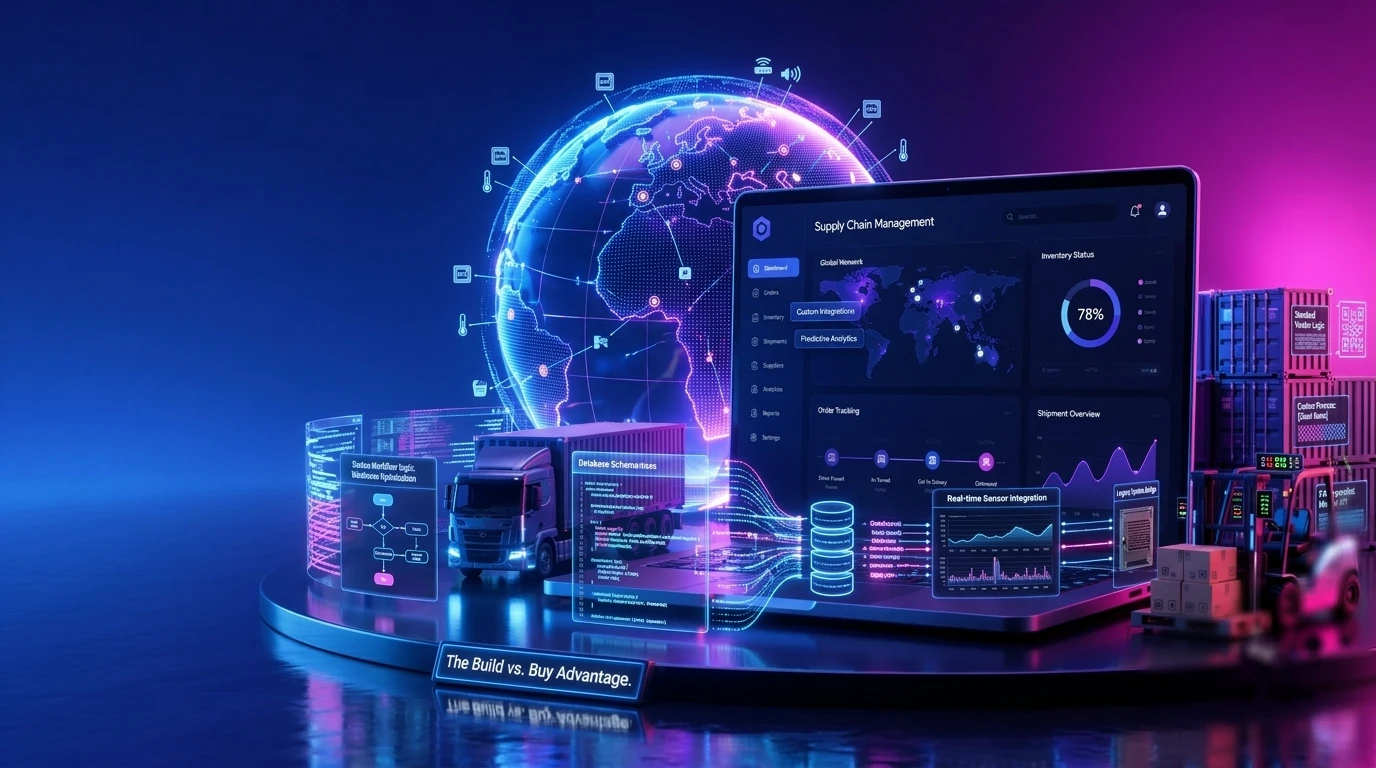
Each touchpoint or handoff is a stage where data can be lost, thereby reducing visibility. Managing all this complexity manually or with spreadsheets is not viable. This is where supply chain management technology is a strategic asset. Many businesses try to stretch a generic ERP to cover logistics needs, only to run into its limits. ERP platforms are good systems of record, but they weren’t designed for real-time orchestration: dynamic routing, live inventory positions, supplier scorecards, or demand signals that change by the hour. That’s what custom supply chain software handles.


What is Supply Chain Software Development?

Supply Chain Software Development og

Supply chain software development covers building and maintaining the digital systems that track goods, money, and information as they move through a supply chain. Sensors pick up real-world events, cloud platforms crunch the data, and analytics turn it into something people can actually use.

The perennial debate has always been: Should organizations build custom software or buy off-the-shelf ones? Off-the-shelf SCM software is faster to deploy and cheaper upfront. The catch is that your processes end up conforming to the vendor’s logic, not yours. Custom development flips that – the system fits how you actually work, what you already have, and where you’re headed.


Types of Supply Chain Management Software Solutions

Enterprise supply chains typically run on several specialized systems. Understanding each category helps scope a build and decide what to prioritize.

Inventory Management Systems

These track stock levels, locations, and movements in real time to prevent stockouts and excess inventory. For most organizations, inventory management is the first piece they build or buy.

Warehouse Management Systems (WMS)

A WMS handles operations within the warehouse: receiving, picking, packing, and shipping, usually integrated with barcode scanners, RFID, and automation hardware.

For example, our team built a WMS for a U.S. supply chain automation provider, combining warehouse and enterprise operations through Acumatica and PDI platforms. The project delivered better visibility into inventory and cleaner workflows for warehouse teams.

Transportation Management Systems (TMS)

A TMS handles the physical movement of goods — carrier selection, route optimization, freight audit, and shipment tracking.

Procurement Software

Procurement platforms digitize sourcing, purchase orders, supplier onboarding, and contract management, giving teams actual visibility into spend and supplier performance.

Demand Planning Software

These tools use historical data and AI forecasting to predict demand, which cuts down on both stockouts and excess inventory.

End-to-End SCM Platforms

Some organizations consolidate all functions. This ranges from planning, procurement, warehousing, and transportation all into a single platform. A growing retailer might start with inventory and demand planning alone. A global manufacturer probably needs more of the stack from day one.


Explore how Experion can help supply chain leaders modernize their operations.

Benefits of Custom Supply Chain Software Development

Tailored to Business Processes

Custom software can be tailored to fit your actual process. It mirrors how your team works, eliminating workarounds and manual steps that off-the-shelf tools force you to perform.

Seamless Integration with Existing Systems

A custom build connects directly to your ERP, CRM, WMS, and partner systems, creating a single data flow rather than disconnected silos.

Greater Scalability and Flexibility

Custom platforms scale with volume and complexity without the per-seat pricing and rigid limits of licensed products.

Enhanced Security and Compliance

You own the security architecture and can build in the specific regulatory and audit requirements of your industry and regions.

Competitive Advantage Through Customization

When your software does something generic tools can’t, that capability is a durable advantage. The payoff shows up in operational metrics: shorter lead times, higher inventory turns, and better OTIF delivery performance.


The Real Cost of Outdated Supply Chain Management Software

Legacy systems don’t fail loudly. They just quietly cost you money.

Some of it you can measure: excess inventory sitting in a warehouse, tying up cash. SLA penalties. Customers who placed one bad order and didn’t come back. Hours of manual reconciliation every week because two systems that should talk to each other simply don’t.

The rest is fuzzier. Decisions made on data that’s a day out of date. Managers who can’t tell you where a shipment is without making three phone calls. Teams that spend more time hunting for information than using it.

The case for modernizing isn’t just about efficiency. When something goes wrong – a supplier delay, a demand spike, a logistics disruption – better software means you recover faster and give up less margin. That’s a real return, even if it’s hard to put on a slide.


Supply Chain Management Software Development Process

A successful build follows a disciplined process. Teams approach supply chain software development in the following phases:

Requirement Analysis and Business Assessment

The project starts with stakeholder mapping, identifying data sources, and clarifying compliance requirements. Business goals get translated into a concrete scope.

Solution Design and Architecture Planning

Architects define how the system handles APIs, EDI, and real-time data and decide between cloud and on-premises deployment based on scale, latency, and governance.

UI/UX Design

UI/UX gets designed for people who use it daily – warehouse staff, planners, managers – with speed, clarity, and low error rates as the priorities.

Development and Integration

Engineers build core logic and connect the platform to existing systems, ensuring data flows reliably between the new software and the wider tech stack.

Testing and Quality Assurance

Functional, integration, performance, and security testing validate that the system behaves correctly under real-world load and edge cases.

Deployment and User Training

The platform rolls out with structured training and documentation, ensuring smooth adoption and quick value realization.

Ongoing Support and Optimization

Post-launch, the system gets monitored, maintained, and continuously improved as business needs evolve.

Best practices include the following steps: Phase the delivery, validate with real data early, and keep business stakeholders engaged throughout rather than only at the start and finish.


Experion can bring this process to life with a delivery model proven across enterprise programs. Our team can pair supply chain domain experts with senior engineers so every release maps directly to measurable operational outcomes.


Technology Stack Behind Modern Supply Chain Software Development

A modern supply chain platform draws on the following:

  • Backend: Node.js, Python, and Java for core business logic and high-throughput processing
  • Frontend: React and Angular for web portals and dashboards
  • Cloud: AWS, Azure, and GCP for elastic scalability and global reach
  • AI/ML: Demand forecasting, anomaly detection, and optimization models
  • IoT: Warehouse sensors, RFID, and barcode scanners for real-world event capture
  • Blockchain: Emerging use for traceability and supplier verification
  • Integration: REST APIs, EDI, and Kafka for real-time data streaming between systems


What Does Supply Chain Management Software Development Actually Cost?

What a build actually costs comes down to scope, how many integrations you need, team size, and cloud infrastructure. A focused MVP sits at a very different price point than a full enterprise platform running across multiple regions and modules.

The more useful question isn’t the upfront number. It’s the total cost of ownership. Licensed software has a lower sticker price, but per-seat fees compound quickly, and you’re dependent on the vendor’s roadmap whether it fits your needs or not. Custom development asks for more money upfront. In return, you own the asset and don’t pay a tax every time you add a user.

Most organizations are better off starting narrow. Build the highest-impact capability first, see whether it actually delivers, and use that result to justify the next phase. It’s a slower path to a full platform, but it’s a much lower-risk one, and early phases that go well tend to make the budget conversation for later phases a lot easier.


See what your custom build would actually cost

Get a ballpark estimate based on your scope


Emerging Technologies Shaping Supply Chain Software Development

Artificial Intelligence and Machine Learning

AI and ML are used in a range of applications in supply chain software development. AI powers demand forecasting, dynamic pricing, route optimization, and anomaly detection – turning historical data into forward-looking decisions.

Internet of Things (IoT) and Real-Time Telematics

Connected sensors and telematics provide live visibility into the location, condition, and status of goods in transit and in storage.

Blockchain Technology

Distributed ledgers create tamper-evident records of provenance and custody, strengthening traceability and supplier verification.

Cloud Computing

Cloud platforms deliver the elasticity to handle peak demand and the global footprint to support distributed operations.

Predictive Analytics

Predictive models anticipate disruptions, stockouts, and demand shifts before they occur, enabling proactive rather than reactive operations.

Digital Twins for supply chain simulation

Digital twins create a virtual replica of the supply chain, letting teams simulate scenarios and stress-test decisions without real-world risk.

Embedded ESG and sustainability tracking

Modern platforms increasingly include carbon, sourcing, and compliance tracking, so sustainability becomes a measurable, reportable part of operations.

Hyperautomation in warehousing

Combining robotics, AI, and process automation reduces manual handling and accelerates throughput inside the warehouse.


How to Choose the Right Supply Chain Management Software Development Company?

Selecting the right partner is one of the most consequential decisions in the program. Evaluate against these criteria.

Industry Experience

Look for proven experience specifically in supply chain and logistics. Domain knowledge shortens the learning curve and prevents expensive missteps.

Technical Expertise

Assess depth in cloud, data, AI, and the integration technologies your platform will rely on.

Custom Development Capabilities

Confirm the partner can build bespoke solutions, not just configure a fixed product.

Integration Experience

Technical depth in integrations – ERP, IoT, APIs, EDI – is often the difference between a platform that works and one that stalls. Ask for concrete examples.

Security and Compliance Standards

Verify certifications and a track record of building to relevant security and regulatory standards.

Post-Launch Support Services

A strong partner stays engaged after go-live with maintenance, optimization, and roadmap support.

Engagement models

Understand the available models – staff augmentation, dedicated team, and full product development – and choose the one that matches your internal capacity and goals.

Red flags and contract considerations.

Common red flags include vague scopes, unclear IP ownership, and weak documentation. Insist on contracts that specifically define deliverables, IP rights, and support terms explicitly.


Custom Supply Chain Software vs. Best Supply Chain Management Software Platforms

Advantages of Ready-Made Solutions

Off-the-shelf platforms offer fast deployment, lower upfront cost, and proven baseline features. For standard processes and smaller operations, they’re often the right call.

Advantages of Custom Supply Chain Software Development

Custom development makes sense for the following scenarios:

  • You need the system built around your exact workflows and data structures
  • You want to scale without per-seat cost spikes
  • You need full ownership of IP and data
  • You have complex integrations with SAP, Oracle, Salesforce, or other systems


Ready to move beyond spreadsheets and legacy ERPs?

Get in touch with our team!


Cost Comparison

Custom builds often start at $400K-$1M, while off-the-shelf systems cost $100K–$500K, plus integration fees. Moreover, ongoing costs for off-the-shelf platforms are 22-25% annual maintenance. Custom software averages 15-25%, where you avoid lock-in fees.

Scalability Comparison

As a rule of thumb: small businesses with standard processes often start with ready-made tools. Mid-market and enterprise organizations with complex, differentiated operations typically see stronger long-term ROI from custom development.

Long-Term ROI Analysis

Factor Ready-made platform Custom build
Upfront cost Lower Higher
Long-term cost Recurring per-seat fees No per-seat tax; you own it
Scalability Capped by the vendor Scales with your business
Fit to your workflows Partial – you adapt to it Exact – it adapts to you
Long-term ROI Good for standard needs Strongest for complex, scaling ops


Implementation Best Practices & Change Management

Even good software fails without a disciplined rollout. Organizations need to run pilot programs and phase deployment by region or product line so you can adjust before scaling.

Prior importance needs to be given to training, documentation, and support. This needs to be tied directly to user adoption metrics. Eventually, user adoption is what delivers value.

Treat the platform as a living product: maintain a roadmap aligned to business goals and pursue continuous improvement long after go-live.


How Experion Can Help: Your Trusted Supply Chain Software Development Company?

Experion builds supply chain software end to end. This ranges from warehouse management and inventory platforms to transportation systems, track-and-trace, supplier portals, and full visibility tools. The work isn’t one-size-fits-all. Each project is built around how a specific business actually runs, with engineers who know the domain and don’t require a long ramp-up to understand the problem.


Conclusion

Supply chain software development is ultimately about control across complex operations. The right system improves delivery speed, sharpens visibility, and supports better decisions at every level of the business. Supply chains aren’t the same for every organization, which is why custom-built software so often outperforms generic alternatives – it fits the way you actually work and grows with you over time.

Intellectual Property Management Software

The generation of Intellectual Property (IP) within an enterprise is a strong indicator of innovation. The primary forms of intellectual property include copyrights, patents, trademarks, and trade secrets. As organizations expand their innovation, Intellectual Property Management (IPM) becomes essential for tracking and recording IP assets in a streamlined way.

Modern intellectual property management software must provide end-to-end lifecycle management of IP assets.

It should give legal, R&D, and finance departments a single place to track every patent, trademark, copyright, and licensing agreement. An IP management software should turn portfolio management from a reactive process into a strategic function that supports long-term business growth.


Key Takeaways

  • IP management software centralizes the lifecycle of patents, trademarks, copyrights, trade secrets, and licenses across business units.
  • The best platforms combine docketing, document management, analytics, AI, and integrations with ERP systems, DMS systems, and patent office databases.
  • Pricing runs from $5,000/year for solo practitioner docketing tools to $3M+ for custom enterprise builds.
  • AI is changing the day-to-day work: prior art searches, patent classification, and office action responses are moving from manual to (at least partially) automated.

Whether to build custom, configure an existing platform, or buy off-the-shelf depends on portfolio size, jurisdictional complexity, and the depth of your integration requirements.


What is Intellectual Property Management Software?

Intellectual Property Management Software og

IP management software is a system of record for IP assets across jurisdictions. It tracks and manages the following:

  • Patent applications, trademark registrations, copyright filings, domain names, design rights, trade secrets, and licensing agreements.

In addition, it also manages deadlines, costs, documents, and people attached to each. Modern platforms add workflow automation, analytics, AI, and collaboration with outside counsel on top of that foundation.

Defining Modern IP Management Systems

A modern IP management system provides a centralized platform for managing, tracking, and governing intellectual property assets across global jurisdictions, legal entities, and business functions.

Why Traditional IP Management Fails Modern Enterprises?

Traditional IP management struggles to meet the demands of modern enterprises. Spreadsheet sprawl across legal, R&D, and finance typically means three departments maintaining three contradictory versions of the same portfolio.

Manual processes increase the risk of errors. Renewal deadlines slip, and a single missed annuity can cost between $50,000 and $500,000 in lost patent rights, depending on the asset. At the same time, email-based collaboration with outside counsel creates audit gaps and inflates billable hours.

This challenge becomes even more visible during mergers and acquisitions. Teams often spend weeks manually gathering IP records. It becomes much easier if a centralized export-ready portfolio exists.

B2B Pain Point Callout: “In a recent Corporate Legal Operations Consortium (CLOC) survey, 78% of legal ops leaders cited ‘fragmented IP data’ as a top-three operational risk.”


Types of Intellectual Property Management Software

Patent Management Software

Patent management tools handle docketing, prosecution tracking, and renewal management. They’re built to handle complex patent family relationships, priority chains, PCT (Patent Cooperation Treaty) national-phase entries, and jurisdiction-specific filing rules.

A core capability of a patent management system is docketing. Docketing refers to the process of tracking all critical IP-related deadlines and legal events associated with patents. A docketing system ensures that no filing date, office action response, or compliance is missed.

These solutions are best suited for corporate patent teams, IP law firms, and university tech transfer offices.

Trademark Management Platforms

Trademark management platforms help companies track their brand names, logos, and slogans across different countries. Businesses can store all trademark-related information in a centralized system.

These platforms help teams:

  • Track trademark applications and registrations
  • Monitor renewal deadlines
  • Manage trademark classes under the Nice Classification system.
  • Detect possible trademark infringements.

Consumer goods companies and global brands with thousands of marks in 100+ countries typically need a dedicated trademark platform or a robust trademark module within a broader system.

Patent Portfolio Management Software

This is one tier above tactical docketing. These tools focus on portfolio valuation, competitive intelligence, identification of licensing opportunities, and mapping innovation activity to business units.

They answer questions like:

  • Which of our 4,000 patents protect products that generate revenue?
  • Where are we over-invested relative to competitors?

Patent portfolio management software is especially valuable for large enterprises, R&D-driven companies, and organizations managing thousands of patents across multiple technologies and markets.

Intellectual Property Management Software for Law Firms

Intellectual property management software for law firms helps firms manage IP work for multiple clients simultaneously. Purpose-built for multi-client matter management, conflicts checking, and time-tracking integration with billing systems like Aderant and Elite 3E. Firm-grade platforms also handle trust accounting, client portals, and the segregation of work product across hundreds of simultaneous clients.

Enterprise IP Management Software

Enterprise IP management software is built for Fortune 1000 portfolios of 5,000+ assets.

These platforms are designed to support complex business environments that include:

  • Multi-entity structures comprised of parent, subsidiaries, and joint ventures
  • Multi-jurisdiction operations
  • Multi-currency accounting
  • Governance controls required by public companies.

Deep integration with enterprise systems such as SAP, Oracle, Workday, and enterprise document management systems is typically expected.

Trade Secret & Know-How Management Tools

Often overlooked but a growing category since the U.S. Defend Trade Secrets Act (DTSA) of 2016. These tools help organizations identify, classify, protect, and document the existence of trade secrets. This matters both for litigation defense and for satisfying the “reasonable measures” standard courts require.


Why Businesses Invest in Intellectual Property Software?

The Strategic Case for IP Management Systems

Intangible assets account for roughly 84% of S&P 500 market capitalization, according to the Ocean Tomo Intangible Asset Market Value Study.

The average Fortune 500 company holds 2,000+ patents across 15 or more jurisdictions. Global IP licensing revenue is above $300 billion annually. Managing assets at that scale with spreadsheets isn’t just inefficient,  it’s a structural problem with predictable consequences.

Operational Benefits

Companies that deploy modern IP software consistently report:

  • A single view of the portfolio across legal, R&D, and finance
  • Fewer deadline lapses because renewals are automated
  • 15–30% reductions in outside counsel spend through better matter oversight
  • Faster filing-to-grant cycles
  • M&A diligence that takes hours, not

Industries with the Highest ROI from IP Software

Industries that tend to see the fastest returns:

  • Pharmaceutical and biotech (one patent often covers the entire platform cost)
  • Semiconductor companies managing tens of thousands of patents
  • Software companies are relying on trademark and open-source compliance modules.
  • Universities running technology transfer offices and IP-specialist law firms.


Must-Have Features of the Best Intellectual Property Management Software

Core IP Lifecycle Management Features

Docketing with country-specific rule engines, patent and trademark filing workflows, document management with version control and audit trails, and renewals and annuity management with automated reminders and payment workflows.

Collaboration & Workflow Features

Role-based access controls, outside counsel portals, inventor disclosure management with intake forms, and configurable approval workflows for patent committee review. These are what turn a docketing database into a feature a cross-functional team will actually use.

Analytics & Reporting Features

Portfolio dashboards, cost tracking by matter or business unit, and competitive intelligence reporting. Without analytics, leadership can’t answer “what is our IP actually worth?” with any confidence. The platforms that do this well are the ones where IP stops being purely a legal function.

AI & Advanced Capabilities

Automated patent classification (CPC/IPC codes), prior art search, office action response drafting, patent landscape analysis, and litigation risk scoring.

These have moved from experimental to expected in enterprise RFPs over the past couple of years.

Investing in the right intellectual property asset management software is no longer optional for organizations managing large portfolios across multiple jurisdictions.


Explore what custom IP software built by Experion could look like for your portfolio.


Intellectual Property Management Software  and Solutions : The Decision Framework

Step 1 – Define Your IP Operating Model

How does your IP actually run? Centralized under a chief IP counsel, decentralized across business units, or a mix? Is prosecution handled in-house, outsourced, or in a hybrid model?

This determines which workflows, permissions, and integrations the platform needs to support.

Step 2 – Map Your Tech Stack Requirements

List all the systems your IP platform needs to connect to:

  • ERP platforms such as SAP, Oracle, and NetSuite
  • CRM systems
  • Document management platforms like iManage, NetDocuments and SharePoint
  • Billing tools such as Aderant and Elite 3E
  • R&D platforms
  • Patent office portals and external IP databases

Step 3 – Build vs. Buy vs. Configure Analysis

Custom builds make sense in heavily regulated industries where no off-the-shelf product fits. Standard SaaS works well for most mid-market cases. Configurable platforms – the middle path – often work best for enterprises that need flexibility without the ongoing cost of custom code maintenance.

Step 4 – Vendor Shortlisting & RFP

Vendor shortlisting is the most important part. Shortlist three to five vendors.

Ask hard questions about jurisdictional coverage depth, data migration, AI roadmap, and reference customers with comparable portfolios.

Build a structured evaluation rubric to ensure demos are comparable, and talk to at least 2 customers per finalist.

Step 5 – Total Cost of Ownership (TCO) Calculation

Software licensing costs are just one component of the overall investment. Implementation, integration development, training, ongoing support, and customization must also be considered. A lower upfront license cost can easily result in a higher three-year cost.

The right intellectual property management software and solutions transform IP from a legal function into a strategic business asset that supports growth and competitive intelligence.


At Experion, we can architect IP management software for organizations that have outgrown off-the-shelf solutions – built for global portfolios, regulated industries, and the integrations your existing stack demands.


How Much Does Intellectual Property Software Solutions Cost?

Pricing Models in the IP Software Market

Vendors price IP software along several models:

  • Per-user/per-month SaaS,
  • Per-asset pricing
  • Tiered enterprise licensing by portfolio size
  • Modular add-on pricing where AI or analytics packs are sold separately.

Most enterprise contracts combine two or more.

Estimated Cost Ranges by Tier

Tier Typical Annual Cost Best Fit
Entry-level docketing $5,000–$25,000 Solo IP practitioners, small firms
Mid-market IP management $30,000–$150,000 Growing corporates, mid-size law firms
Enterprise IP platforms $200,000–$1M+ Fortune 1000, AmLaw 100 firms
Custom/AI-enhanced builds $500K–$3M+ Pharma, semiconductors, complex portfolios

Implementation services typically add 30–100% to first-year license fees for enterprise deployments. The total three-year Total Cost of Ownership (TCO) for a Fortune 1000 deployment typically ranges from $1M to $5M.


Get a ballpark estimate for your portfolio size


Top Integrations Every IP Management System Should Support

Legal & Document Management Integrations

Integration with platforms such as iManage, NetDocuments, SharePoint, and OpenText is crucial. The IP management system should be able to read and synchronize legal work across existing repositories.

Finance & ERP Integrations

Connectivity with SAP, Oracle, NetSuite, and Workday ensures that IP-related costs flow into enterprise financial reporting and budgeting systems.

Billing & Time-Tracking Systems

Law firms use certain proprietary systems, such as Aderant, Elite3E, and Prolaw. The hours spent on IP activities should flow directly into the billing systems without manual re-entry.

Patent Office & Database Connections

Modern IP management systems should support connections to organizations such as the United States Patent and Trademark Office, the European Patent Office, and the World Intellectual Property Organization.

These integrations enable automatic retrieval of filing updates, office actions, status changes, and deadlines.

Communication & Collaboration Tools

Modern IP management platforms should integrate with collaboration and communication tools such as Microsoft Teams, Slack, and enterprise email systems like Microsoft Outlook.

These integrations help streamline communication between legal teams, inventors, external counsel, finance departments, and business stakeholders.

AI & Analytics Platforms

Modern IP systems should support AI-powered analytics tools for patent landscaping, technology trend analysis, infringement risk assessment, and portfolio valuation. AI-powered analytics tools for patent landscaping, technology trend analysis, infringement risk assessment, and portfolio valuation.


Security, Compliance, and Risk Considerations

IP data ranks as the most sensitive content an enterprise possesses. Patent drafts, trade secrets, licensing agreements, and litigation records contain highly confidential business information that, if compromised, can result in financial loss.

Data Security Standards

Enterprise IP platforms should comply with recognized security standards such as SOC 2 Type II and ISO 27001.

They should also support:

  • AES-256 encryption for stored data
  • TLS 1.3 encryption for data in transit
  • Role-based access controls and multi-factor authentication
  • Audit logs for tracking user activity

These measures help secure sensitive IP information from unauthorized access and cyber threats.

Regulatory Compliance

Global organizations must ensure compliance with privacy and data regulations, such as the General Data Protection Regulation (GDPR), the California Consumer Privacy Act (CCPA), and the California Privacy Rights Act (CPRA).

Many countries, including China, Russia, and India, also have data residency requirements that may require local data storage.

In life sciences and healthcare-related innovation, compliance with the Health Insurance Portability and Accountability Act (HIPAA) may also be necessary where IP workflows involve health data.


AI in Intellectual Property Management Software

Current AI Use Cases in IP Management

Common AI applications include:

  • Automated patent classification (CPC, IPC)
  • Prior art search and novelty assessment
  • Patent valuation and portfolio analysis
  • Trademark similarity detection
  • Litigation outcome prediction

These capabilities help legal teams improve efficiency and make data-driven IP decisions.

Generative AI Applications

Generative AI is used to support IP drafting and documentation workflows, including:

  • Office action response drafting
  • Patent claim refinement
  • Invention disclosure summarization
  • Intelligent IP search query generation

Although AI improves speed and productivity, legal review remains essential for accuracy and compliance.


Common Challenges in Deploying IP Management Software

Data Migration from Legacy Systems

Migrating from spreadsheets, legacy docketing tools, and homegrown databases is typically the biggest project risk.

Plan for structured data cleansing, a phased migration with parallel running, and reconciliation audits. Organizations need to budget 20–40% of total project time here; it takes longer than expected.

User Adoption Among IP Attorneys

IP attorneys have deeply ingrained workflows. Adoption stalls when training is an afterthought. Build power-user champions inside each practice group, invest in role-specific training, and track adoption metrics in the first 90 days.

Aligning Legal, R&D, and Finance Workflows

Software doesn’t fix organizational silos on its own. Establish an IP operations council that reviews workflows, cost reports, and platform changes on a regular cadence.

Managing Multi-Jurisdictional Complexity

Patent office rules change constantly. Search for vendors with dedicated rules-engine teams and SLAs for updates within days of patent office changes.

Balancing Customization with Upgrade Paths

Every customization makes future upgrades harder. Push toward configuration over customization, and document every deviation so you know what you’re dealing with at upgrade time.


How to Choose the Right Intellectual Property Management System Vendor?

When evaluating vendors of enterprise IP management software, the following criteria need to be considered:

Industry Track Record

Choose the right vendor based on the industry’s track record. References in your sector, with portfolios of similar scale.

Jurisdictional Coverage Depth

Depth in your priority countries matters more than breadth in 100+ countries you never file in.

AI and Innovation Roadmap

You need to evaluate where the vendor has invested over the past 18 months and what capabilities are planned for the next 18 months. Pay close attention to AI, automation, and analytics.

Customer Support Model

A vendor should provide adequate customer support, especially during the initial stages of deployment. Assess the availability of dedicated customer success managers (CSMs), response SLAs, and onboarding assistance.

Configuration vs. Customization Flexibility

Determine how well the platform can be adapted to your company’s workflows without costly customization.

Pricing Transparency

Beware of vendors that lack pricing clarity or charge separately for every integration or feature enhancement.

Data Portability and Exit Provisions

Ensure you can export your IP data in a structured, usable format. This is crucial for avoiding long-term vendor lock-in and maintaining operational flexibility.


Partner with Experion to modernize your IP operations


Custom vs. Off-the-Shelf Intellectual Property Management Software

When Off-the-Shelf SaaS Wins

Off-the-shelf is the right choice for portfolios under 2000 assets with conventional workflows and limited integration needs. Faster deployment, lower TCO, and continuous vendor improvement outweigh most customization gaps.

When Custom Development Justifies the Investment

Custom development makes sense when workflows are genuinely unique. This includes heavily regulated pharma submissions, classified defense IP, strict sovereign data residency mandates, or when integration depth exceeds what any vendor supports out of the box.

The Hybrid Configurable Platform Approach

For most large organizations, the practical answer is a configurable platform. A robust commercial base extended with custom modules, integrations, and AI layers. It captures vendor R&D investment while preserving flexibility where it actually matters.


Future Trends Shaping Intellectual Property Management Systems

Generative AI for IP Drafting and Strategy

Within a few years, generative AI will write the first draft of most patent applications, office action responses, and licensing agreements.

On the other hand, attorneys will spend more time on review and strategy. The future is therefore likely to be AI-assisted IP practice rather than fully autonomous IP operations.

AI-Powered Patent Analytics

Patent analytics used to mean dashboards: filing counts, renewal calendars, deadline alerts. What’s changed is the scale of data these systems can work with — patents, citation chains, litigation histories, market filings – and what you can ask once it’s in one place.

The questions IP and R&D leaders actually care about are: Where is a competitor quietly building a position in a space we thought was ours? Which granted patents have claim language a challenger could design around? Which assets have licensing potential nobody’s acted on?

Blockchain for IP Provenance and Smart Licensing

Blockchain-based provenance records and smart contract licensing are gaining traction in music, design, and digital content. Enterprise adoption is slower but building.

IP-as-a-Service and Outcome-Based Licensing

One-time licensing deals are giving way to recurring and outcome-based arrangements – royalties tied to actual usage, revenue, or measurable business results rather than a flat fee negotiated once and forgotten.

Software frameworks, patented algorithms, and manufacturing methods are increasingly licensed like SaaS products: with ongoing agreements, usage metrics, renewal terms, and performance-linked payments.

Managing these arrangements is harder than tracking a traditional license.

Integration with R&D Innovation Management Platforms

The gap between innovation management software and IP management software is narrowing. The logical end state is to track an idea from invention disclosure through filing, grant, and commercialization in a single continuous data flow.

ESG and Sustainability-Linked IP Reporting

Investors require visibility into green technology patents, sustainability-linked innovation, and IP-related ESG metrics. Reporting modules are emerging to meet this.


Conclusion: Treating IP Management Software as a Strategic Infrastructure Investment

IP portfolios hold real enterprise value, and they deserve software that matches. The right IP management system reduces operational risk, recovers attorney time, generates licensing revenue, and provides executives with the portfolio visibility they need to allocate capital intelligently.

Modern IP management platforms also provide executives with the visibility needed to make informed decisions about innovation investments, portfolio optimization, and capital allocation. From tracking patents and trademarks to analyzing portfolio performance, these systems transform IP management into a strategic business function rather than a purely administrative process.

Software selection is not a one-time activity; it is a long-term infrastructure investment.