




IoT Fleet Management

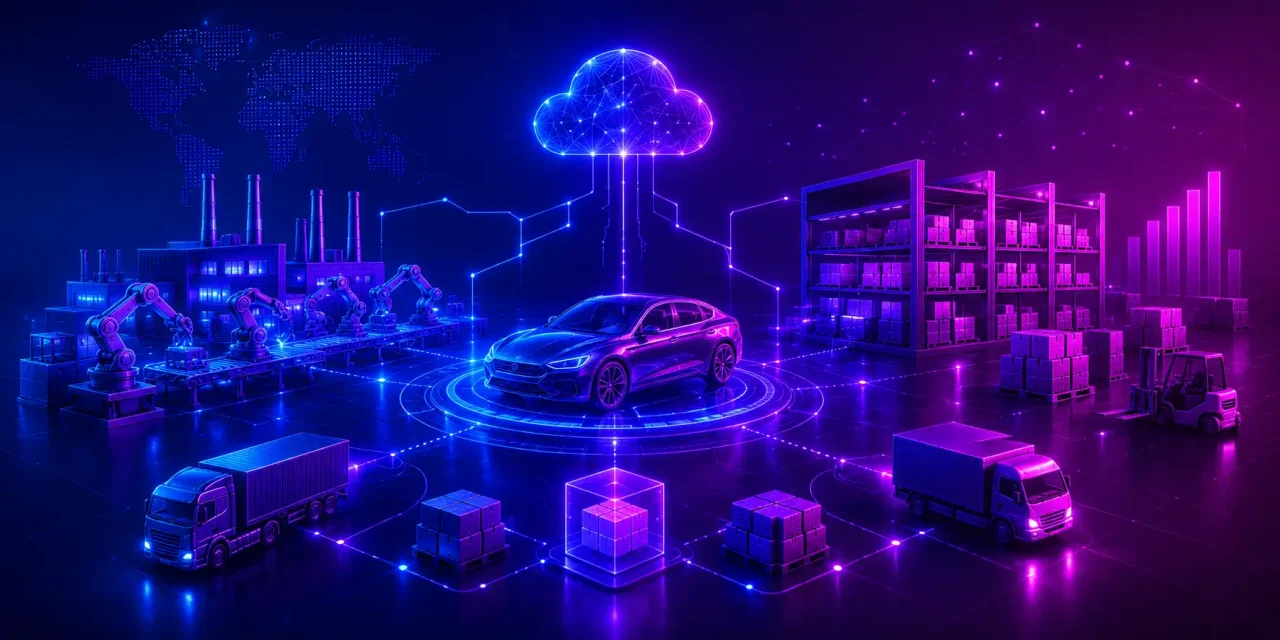
Fleet operators are increasingly moving towards IoT fleet management. Using connected sensors and telematics on vehicles and assets, a fleet manager can easily get answers to hard questions such as “Where is truck 42?”, “which vehicle might fail” and “which route is burning your fuel budget?”


Key Takeaways

  • IoT fleet management is one step ahead of GPS. Legacy tracking simply answers “Where,” but IoT answers “Why,” “What Next,” and “What it costs.”
  • There are four layers that make fleet management possible. These are sensors and connected devices, a connectivity layer, a cloud platform, and an AI decision layer.
  • The highest cases of ROI are fuel monitoring, predictive maintenance, route optimization, driver safety scoring, and cold-chain compliance.
  • Fleet management brings true value when it is integrated with other systems. IoT data needs to flow into your ERP, TMS, dispatch, fuel card, and maintenance systems.
  • Many challenges can be expected from legacy vehicles, cybersecurity exposure, privacy laws and data volume. All of this is solvable with the right architecture.
  • A custom IoT fleet management solution is usually advantageous for mixed fleets, unusual assets, or deep back-office integration; off-the-shelf is better suited for small, uniform fleets.


What is IoT Fleet Management?

IoT Fleet Management

IoT fleet management is a connected operating model for your fleet. In this model, every vehicle ends up becoming a data source, every asset is traceable, and every decision, such as dispatch, servicing, coaching, or billing, gets made against live evidence.

Traditional fleet management was location-centric. It utilized GPS coordinates at specified intervals, and managers watched icons. Drivers were then phoned to fill in the gaps. Data such as fuel logs, service records, hours of service, and damage reports used to live in separate spreadsheets. IoT replaces that single data point with a connected sensor network.

Legacy GPS-only tracking IoT fleet management
Location pings at fixed intervals  Continuous multi-sensor telemetry
Reactive: you learn after a failure  Predictive: you’re warned before one
Isolated system, manual reporting  Integrated with ERP, TMS, maintenance, payroll
Descriptive dashboards  AI-driven recommendations and automation
Vehicle-centric  Vehicle, driver, trailer, and cargo-centric


Core Components: Every deployment, regardless of the specialization, comprises of four blocks:

  • Sensors and Telematics Hardware: Hardware is often placed on the vehicle, trailer, or Numerous data are collected, the primary ones being engine diagnostics, fuel level, tire pressure, temperature, cameras, and door sensors.
  • Connectivity: Connectivity is achieved using technologies such as 4G/5G, GPS/GNSS positioning, Low Power Wide Area Network (LPWAN) for low-power assets like battery-operated fleets, and satellite for remote corridors.
  • Cloud Platform: Ingests, cleans, stores, and analyzes fleet data. It transforms raw data into actionable insights.
  • Analytics Dashboard: A dashboard can be leveraged to surface analytics. At a glance, dispatchers, maintenance planners, safety managers, and executives can view insights.


How Does IoT Work in Fleet Management?

The data flow has five journeys: Device, Gateway, Cloud, Dashboard, Action.

A telematics control unit typically captures a reading. This reading is then aggregated by an in-vehicle gateway; noise is filtered and then transmitted over the mobile network. Whenever coverage drops, it buffers locally.

The cloud platform validates and enriches the data, combining it with route plans, driver records, and service history. Alerts and Dashboards display the necessary information. Finally, an action closes the loop. As per the data insights, a work order can be raised, a route can be sequenced or a customer ETA can be updated automatically.


Benefits and Use Cases of IoT Fleet Management

These are some of the use cases of IoT fleet management and their benefits.

  • Real-time GPS tracking and route optimization: Real-time GPS tracking provides live positioning. Often combines traffic, weather, and delivery-window data that allows dispatchers to reroute delays. The final outcome is an accurate ETA for customers and an overall reduction in empty miles and idle time.
  • Predictive maintenance and diagnostics: Even before a breakdown occurs, engine diagnostics, fluid temperature, and vibration patterns get analyzed to catch faults in real A roadside failure ends up costing recovery fees and a missed delivery window along with driver hours.
  • Fuel Monitoring and Theft Protection: IoT enables the combination of fuel sensor data, GPS location, and fuel card transactions to detect siphoning of fuel, reduce fuel costs, and improve overall fleet efficiency.
  • Driver Behavior and Safety Scoring: Various parameters can be used to judge driver Among these are harsh braking, cornering, speeding, lack of seatbelt use, and idling. These scores can be used for coaching rather than punishment, thereby reducing accidents and tire wear.
  • Cold-chain and temperature-sensitive cargo monitoring: Certain products need to be transported within a specific temperature range. The most important among them are medicines, vaccines, frozen foods, and dairy products. A shipment of vaccines must always remain between 2 to 8°C. Whenever the refrigeration unit fails and the temperature rises to 10°C, the IoT system immediately sends an alert so that the fleet manager can take immediate action.
  • Asset and trailer tracking. Trailers, containers, and site equipment are the things a fleet loses most often. Battery-powered tags also reveal utilization rates and usually show you need fewer assets, not more.
  • Automated compliance reporting (HOS, ELD): Hours-of-service data get captured automatically, cutting out paper logs, reducing violations, and shortening audit prep from weeks to hours.
  • Geofencing and theft recovery: Virtual boundaries around depots, sites, and corridors trigger instant alerts on unauthorized movement, and live location makes recovering a stolen vehicle far more likely.


Turn fleet data into business intelligence.
Talk to our IoT experts


Key Components of an IoT Fleet?

IoT Sensors and Connected Devices

This is the first layer of data acquisition, and all the hardware choices here constrain everything above it.

  • GPS trackers: positioning, speed, heading, and trip history.
  • OBD-II / CAN bus devices: Fault codes, engine load, coolant temperature, and true odometer readings.
  • Fuel sensors: Tank level and flow for consumption analytics and theft detection.
  • Tire pressure sensors: Real-time inflation and temperature monitoring.
  • Temperature sensors: Multi-zone probes for reefers and insulated containers.
  • Camera systems: Road, cabin, and side-view video for incident evidence and exoneration.
  • Driver monitoring devices: Fatigue and distraction detection, plus fob or biometric ID so events attach to the right driver.

Connectivity Layer

  • Cellular (4G/5G): The workhorse for high-frequency telemetry and video upload.
  • LPWAN (NB-IoT, LoRaWAN, LTE-M): Low power and low bandwidth, ideal for trailer tags running years on a battery.
  • Satellite: Coverage for mining, forestry, maritime, and long-haul routes with cellular dead zones.
  • Wi-Fi: Bulk offload of stored video and logs at the depot, avoiding cellular data costs.
  • Edge computing: On-device filtering and local vision models that keep working through outages.

Cloud-Based Fleet Management Platform

  • Data collection: High-throughput ingestion, device provisioning, and time-series storage for millions of daily messages.
  • Analytics: Normalization across mixed vehicle makes, KPI computation, and model training.
  • Dashboards: Role-specific views, a live map for dispatch, a service queue for maintenance, scorecards for safety, and cost-per-mile for finance.
  • Reporting: Scheduled and ad hoc reports for compliance, customer SLAs, and board reviews.

AI-Powered Decision Making

  • Predictive maintenance: Component-level failure forecasting and automatic work-order creation.
  • Route optimization: Continuous re-planning against traffic, weather, load, and driver hours.
  • Driver behavior analysis: Risk clustering, coaching prioritization, and gamified improvement programmes.
  • Fuel optimization: Identifying the routes, vehicles, driving styles, and idling patterns that drive consumption.


From telematics integration and edge connectivity to AI-powered dashboards and enterprise integrations, Experion is well-positioned to develop such scalable IoT platforms tailored to the operational needs of modern fleet businesses.


Key Features of IoT Fleet Management Solutions

All the best solutions share similar key features

Real-Time Vehicle Tracking

Sub-minute location updates with trip replays, stop detection, and shareable customer tracking links.

Predictive Maintenance Alerts

Severity-ranked warnings tied to specific components, with service scheduling that follow route commitments and parts availability.

Driver Behavior Monitoring

Driver Behavior can be monitored with event capture, video context, per-driver scorecards, and coaching workflows with measurable improvement tracking.

Fuel Consumption Monitoring

Fuel consumption can be measured with tank-level trends, fill and drop events, idling analysis, and reconciliation against fuel card data.

Route Optimization

Routes can be optimized with multi-stop sequencing, dynamic re-routing, territory planning, and plan-versus-actual variance reporting.

Asset and Trailer Tracking

Utilization dashboards for unpowered assets, dwell-time analysis, and yard management.

Cargo Condition Monitoring

Temperature, humidity, shock, tilt, and door-open logging with exportable compliance certificates.

Geofencing and Instant Alerts

Creates Unlimited zones, entry/exit rules, out-of-hours movement detection, and escalation through push, SMS, or email.

Fleet Performance Analytics

Measures key metrics such as Cost per mile, on-time delivery, uptime, emissions per tonne-kilometre, and benchmarking across depots and vehicle classes.


Fleet Management IoT Used Across Industries

Logistics and Transportation

Long-haul carriers use IoT to raise asset utilization, evidence SLA performance, and automate HOS compliance across large mixed fleets. Dispatchers stop guessing where a load is, and fuel and driver-behavior data usually surface a few thousand dollars a month nobody was tracking before.

Last-Mile Delivery

Dense urban routes get the most out of this: re-sequencing on the fly as traffic and new orders come in, a photo or signature at the door that ends most delivery disputes before they start, and live ETAs that mean customers stop calling to ask where their package is.

Construction Equipment Fleets

Excavators, loaders, and generators get tracked for engine hours, idle time, fuel theft, and unauthorized weekend movement across scattered sites. Geofencing catches equipment leaving a site it shouldn’t. Maintenance runs off actual hours instead of a calendar guess — and more than one fleet manager has been surprised to find three job sites sitting on idle machines while a fourth is short.

Public Transportation

Transit operators publish accurate arrivals, watch passenger counts, manage depot charging, and track vehicle health. Occupancy data shapes peak-time deployment; diagnostics catch a failing part before it strands a route, and electric operators get to schedule charging around actual need instead of just plugging in whenever a bus is back.

Mining Operations

Haul trucks in remote pits need satellite connectivity, tyre and payload monitoring, collision avoidance, and fatigue detection. A stoppage out here is expensive enough that the fatigue alerts alone tend to pay for the system.

Oil and Gas Fleets

Tankers and service vehicles need hazardous-area certified hardware, route compliance tracking, lone-worker safety features, and spill-risk alerting. A technician working a remote site alone is exactly who the SOS and check-in features are built for.

Utility Service Vehicles

Field-service fleets combine location, job scheduling, equipment usage, and technician safety monitoring. Jobs route to whoever’s closest and qualified. During an outage, knowing where every crew actually is matters more than almost anything else on this list.

Cold Chain Transportation

Pharmaceutical and grocery distributors need continuous temperature evidence, reefer fuel monitoring, and automated excursion alerts. Nobody’s spot-checking anymore, the sensor log itself doubles as the paperwork an auditor will eventually ask for.


Integrate IoT with your existing enterprise systems.
Discuss your integration needs


IoT Fleet Management Integration

Successful integration is what separates a dashboard from an operating system for your business. Data has to reach the systems where the work actually happens.

Integrating with existing systems

  • ERP: Feed fuel, maintenance, and utilisation costs into asset accounting and depreciation.
  • TMS: Synchronise loads, dispatch decisions, and live ETAs with order management.
  • Dispatch software: Push optimised routes to drivers and pull job status back automatically.
  • Fuel cards: Reconcile every transaction against vehicle location, tank level, and volume.
  • Maintenance systems (CMMS): Auto-generate work orders from predictive alerts, with parts and labor tracking.
  • HR and payroll: Connect verified driving hours and safety scores to scheduling and incentive programmes.

API and middleware considerations

Prefer documented REST APIs and event streaming (webhooks, message queues) over nightly file transfers, so decisions run on current data rather than yesterday’s export. A middleware layer should own device abstraction, normalizing differences between vehicle makes and hardware vendors, plus identity management, retry logic, and a canonical data model. Design for vendor change: hardware suppliers get acquired, and your platform needs to survive it.

Hardware reliability

Fleet hardware lives in heat, vibration, dust, moisture, and voltage spikes. Choose rugged, certified hardware with appropriate IP ratings, wide operating-temperature ranges, automotive electrical certification, and hazardous-area approvals where relevant. Cheap devices fail in the field, and every failure costs a technician visit plus a blind spot in your data.

Common integration challenges, and how to solve them

  • Data silos. Fuel, maintenance, and telematics data in separate tools.
    Solution: A unified data platform with one canonical vehicle and driver record.
  • Legacy hardware. Older vehicles without modern data buses.
    What works: aftermarket OBD-II or hardwired trackers plus discrete sensors, phased by vehicle age.
  • Connectivity gaps. Rural and underground dead zones.
    Solution: Edge buffering with store-and-forward, multi-network SIMs, and satellite fallback.
  • Inconsistent data quality. Different vendors reporting the same metric differently.
    Fix: A normalisation layer and automated data-quality monitoring.


Challenges in Implementing IoT Fleet Management

IoT Fleet Management

Legacy Fleet Infrastructure

Mixed-age fleets rarely support uniform data capture. Plan a tiered rollout: full telematics on new vehicles, retrofit kits on mid-life assets, minimal tracking on units nearing replacement.

Connectivity Limitations

Coverage gaps are a design constraint, not a defect. Edge processing, local storage, and multi-network or satellite fallback keep data intact through outages.

Cybersecurity Risks

Connected vehicles expand the attack surface. Insist on secure boot, signed OTA updates, mutual TLS, per-device certificates, network segmentation, and device behavior monitoring.

Data Privacy and Compliance

Driver location and video are personal data under GDPR and similar laws. Publish clear policies, limit collection to legitimate purposes, minimise retention, consult employee representatives, and consider blurring or non-work-hours suppression.

Managing Large Volumes of IoT Data

A mid-size fleet generates millions of messages daily. Tiered storage, aggregation, edge filtering, and time-series databases keep costs predictable while preserving raw detail for model training and disputes.

Device Maintenance and Scalability

Device fleets need their own lifecycle management: remote diagnostics, OTA firmware updates, battery monitoring, spares logistics, and installation QA.

Change management and training

Drivers often read monitoring as surveillance. Talk about the safety and exoneration benefits early, involve drivers in scorecard design, reward improvement, and train planners before go-live.

Access Control

Telematics data is commercially sensitive. Enforce role-based access, least privilege, audit logging, and tight scoping of what integrators and customers can see.


Tips for IoT Implementing in Fleets

Most rollouts that actually work follow roughly the same shape, whether it’s ten trucks or ten thousand.

Discovery and Audit: Catalogue what you’ve already got: Vehicles, hardware, data sources — and figure out which systems (ERP, TMS, fuel cards) already hold relevant data versus where the real gaps sit. Pick one use case with a fast, visible payback. Usually that’s fuel monitoring or predictive maintenance. Don’t try to do everything on day one; that’s how these things die.

Pilot: Instrument a small slice:  One depot, one vehicle class, whatever is manageable and actually check the sensor data holds up, that connectivity works on real routes and not just in a demo, and that the dashboard answers what dispatchers and maintenance planners are genuinely asking, not what looked good in the sales deck.

Integration: Then integration, which is easy to skip and shouldn’t be. Connect the pilot data into at least one system you already run, typically maintenance or fuel cards. This is the part that proves you got integration value out of it.

Scale: Roll hardware out in phases, prioritized by vehicle age and how well the use-case fits. Once the platform, the integrations, and the team’s habits have all proven out, branch into adjacent use cases — fuel monitoring feeding into driver scoring is a common next step.

Optimise: Last is optimization, and it’s the one teams tend to forget about. Once enough data has piled up, go back and retune your thresholds, retrain models on your own fleet’s actual patterns, and start closing the loop.

Skipping straight to a full-fleet rollout without a pilot is the most common reason these programmes stall. The team hasn’t yet learned what “normal” looks like for their own vehicles, so alerts either get ignored or drown everyone in noise.


Future Trends in IoT Fleet Management

AI-Powered Autonomous Fleet Operations

Autonomous yard moves, hub-to-hub corridors, and platooning will arrive before full driverless operation, and IoT telemetry is the sensory foundation all of it depends on.

Digital Twins for Fleet Monitoring

Virtual replicas of vehicles and networks let you simulate maintenance strategies, route changes, and electrification scenarios before committing capital.

Edge Computing

More inference moves onto the vehicle itself: vision, fatigue detection, anomaly scoring, cutting latency, bandwidth cost, and privacy exposure along the way.

5G-Enabled Connected Vehicles

High bandwidth and low latency make live multi-camera streaming and remote diagnostics practical at scale.

Electric Fleet Management

EV fleets add battery state of health, thermal management, tariff-aware charge scheduling, and range prediction under real load.

Vehicle-to-Everything (V2X) Communication

Vehicles exchanging data with infrastructure and each other will unlock signal-priority routing and collision-avoidance warnings.

Sustainability and Carbon Emissions Monitoring

Per-trip and per-consignment emissions reporting is turning into a customer and regulatory requirement, and IoT data is the only credible source for verified figures.

Greater automation and predictive intelligence

Expect closed loops: an alert that books its own service slot, orders the part, and reassigns the load.

Smarter compliance and reporting

Continuous, machine-readable compliance across HOS, emissions, cold chain, and tolling, replacing periodic manual submissions.


Future-proof your fleet with custom IoT solutions.
Start your IoT fleet project


Choosing the Right IoT Fleet Management Software

Evaluate software against criteria that reflect your operation, not a feature checklist:

  • Real-time monitoring capabilities: How frequently is data refreshed, and how quickly do alerts actually arrive?
  • AI-powered analytics: Are predictions validated against your own historical data, or are they generic rules dressed up as intelligence?
  • Scalability: Can it handle ten times your current asset count, message rate, and geography?
  • Integration support: Documented APIs, webhooks, and proven connectors to your ERP, TMS, and CMMS.
  • Security features: Encryption in transit and at rest, device identity, OTA update signing, penetration test history, relevant certifications.
  • Mobile accessibility: Usable driver and supervisor apps that work offline and don’t fight the daily workflow.
  • Reporting capabilities: Configurable reports, self-service analytics, and raw data export you own.
  • Vendor expertise: Domain knowledge in your industry, embedded plus cloud plus AI capability, and a credible support model across your regions.
  • Total cost of ownership: Hardware, installation, connectivity, licenses, integration, support, and eventual replacement over five years, not just the sticker price per vehicle per month.

For small, uniform fleets, an off-the-shelf platform is often the right start. For mixed fleets, unusual assets, complex compliance regimes, or deep back-office integration, a custom solution typically wins on long-term cost and capability and keeps your operational data under your control.


How Experion Offers Support in Developing IoT-Based Fleet Management Solutions?

With proven experience in developing IoT solutions, Experion has a strong track record of helping organizations build custom fleet management systems tailored to real-world operating conditions. A recent engagement with a global truck manufacturer demonstrated this expertise — combining custom hardware to interface with vehicle onboard systems, real-time data transmission over LoRaWAN, and a control room dashboard with live tracking, analytics, and automated alerts. With features like automated fleet assignment and queue management, backed by an iterative co-development process, Experion helps businesses achieve better fleet utilization and extended vehicle life.

Read More


Conclusion

Connecting IoT in fleet management isn’t an experiment anymore, and it isn’t a competitive luxury either. It’s what running a profitable logistics operation now requires. Fleets that can see component health before it fails, coach drivers on evidence rather than anecdote, prove cold-chain integrity on demand, and report verified emissions will win contracts others can’t even bid for. Fleets that can’t will keep absorbing costs they never see.

None of this requires replacing your vehicles or your systems. It takes an honest audit of the data you already have, a hardware plan for the gaps, a platform that integrates, and a first use case chosen visible payback.

Workers Compensation Software

An insurance claim is only one aspect of a job injury. Medical assistance, precise paperwork, wage calculations, regulatory reporting, communication amongst various parties, and a safe strategy for the employee’s return to work are all urgently needed.

Even a simple claim can become challenging to follow when these operations are handled via emails, spreadsheets, paper forms, and disjointed old systems. During an already stressful time, employees may receive inconsistent updates, approvals may be delayed, information may be entered more than once, and deadlines may be missed.

These procedures are brought into a networked digital environment by workers’ compensation software. It supports the management of occupational injuries from the initial report through investigation, treatment, settlement, return to work, and claim closure for employers, insurers, third-party administrators, legal teams, healthcare providers, and claims specialists.

There is more to modern workers’ compensation software than just digitizing paperwork. Workflows are automated, case information is centralized, medical bill review is supported, compliance monitoring is enhanced, and decision-makers have more insight into workplace hazards and claim costs.

This book examines the operation of workers’ compensation platforms, their fundamental and sophisticated features, the problems they resolve, the expenses associated with their development, and the elements that businesses should take into account when creating or choosing a solution.


Key Takeaways

  • Workers’ compensation platforms centralize injury reporting, claims processing, case management, medical documentation, billing, compliance, and analytics.
  • Automation can reduce manual administrative work and help claims teams respond to incidents more consistently.
  • A modern platform must support employers, injured employees, adjusters, insurers, healthcare providers, legal teams, and regulatory stakeholders.
  • AI can help classify claims, process documents, identify risk patterns, detect potential fraud, and generate claim summaries.
  • Integration with HR, payroll, medical, insurance, finance, and safety systems is essential for creating a complete claims view.
  • The right solution should support regulatory variation, operational scalability, employee communication, and long-term product evolution.
  • Custom development is often valuable when an organization has specialized workflows, complex integrations, multiple jurisdictions, or legacy systems that cannot be replaced easily.


What is Workers Compensation Software?

Workplace injury claims, employee rehabilitation, medical data, salary replacement, compliance requirements, and return-to-work activities are all managed by workers’ compensation software, a digital system.

The platform may be used by:

  • Employers
  • Insurance carriers
  • Third-party administrators
  • Claims adjusters
  • Legal firms
  • Medical providers
  • Occupational health teams
  • Risk and safety departments
  • Government agencies

Claim data, injury details, employee records, medical records, payment information, investigation notes, communications, and regulatory paperwork are all often stored on one platform.

It can function independently or as a component of a larger company safety, risk management, insurance, or human resources ecosystem.

Any program that facilitates the administration of workplace injuries is commonly referred to as workers’ compensation software. Capabilities, however, can differ greatly. While some platforms handle the whole claim lifecycle, including adjudication, medical bill review, litigation, payments, reserves, return-to-work planning, and analytics, others concentrate primarily on incident intake.

How Does It Work?

The process generally begins when an employee, supervisor, HR representative, or safety officer reports an incident.
The system captures information such as:

  • Employee details
  • Time and location of the incident
  • Nature of the injury
  • Witness statements
  • Photographs and documents
  • Initial medical treatment
  • Employment and wage information
  • Supervisor observations

A workers compensation claims management software platform then helps users manage every subsequent activity, including investigation, medical reviews, benefit calculations, claim decisions, communication, payments, rehabilitation, and closure.

Rules can be configured according to jurisdiction, claim type, injury severity, employee category, business unit, or insurance policy.

Dashboards allow authorized users to monitor open claims, pending actions, claim costs, legal cases, return-to-work progress, and compliance deadlines.

Why Do Organizations Need a Workers Compensation Platform?

  • Faster Claims Processing: Claims proceed without only relying on manual follow-up thanks to automated routing, task creation, notifications, document generation, and data validation. Additionally, a quicker procedure might enhance employee satisfaction. Workers who sustain injuries are given more regular information, better instructions, and early acknowledgement.
  • Reduced Administrative Burden: Claims teams frequently spend a lot of time gathering data, verifying forms, finding documents, updating spreadsheets, and contacting other agencies. A central platform allows stakeholders to access information pertinent to their roles and minimizes redundant effort.
  • Better Compliance : Different jurisdictions may have different rules for workers’ compensation. Strict deadlines for reporting, notifications, benefit computations, paperwork, and record keeping may be required of organizations Configurable regulations, automated reminders, audit trails, and standardized workflows are some of the ways that software can help with compliance.
  • Improved Employee Experience: Uncertainty regarding medical care, salary replacement, job security, and expectations for returning to work might arise from a workplace injury. The procedure can be made simpler to comprehend and navigate with the use of employee portals, mobile updates, secure messaging, and clear claim status information.


Main Functions of Workers Compensation Software

  • Claims Management

Workers compensation claims software manages the administrative and financial journey of a claim. It can support:

  1. First report of injury
  2. Claim registration
  3. Eligibility review
  4. Adjuster assignment
  5. Reserve establishment
  6. Benefit calculations
  7. Payment processing
  8. Settlement management
  9. Claim reopening
  10. Claim closure

The platform should maintain a complete history of decisions, documents, payments, and communication.

  • Case Management

Workers compensation case management software helps coordinate the wider circumstances surrounding an injury.

A case may involve medical treatment, rehabilitation specialists, legal representatives, supervisors, occupational health teams, and return-to-work coordinators.

Case management capabilities allow organizations to create tasks, assign owners, document conversations, monitor treatment milestones, and manage dependencies across teams.

  • Injury Tracking

Injury tracking provides visibility into when, where, how, and why workplace incidents occur. Organizations can analyze trends by:

  1. Location
  2. Department
  3. Job role
  4. Injury type
  5. Equipment
  6. Shift
  7. Supervisor
  8. Root cause

These insights can help safety teams identify recurring risks and prioritize preventive action.

  • Medical Bill Review

One of the most complicated aspects of a workers’ compensation claim is frequently medical costs. Software for reviewing workers’ compensation bills can verify invoices, find duplicate charges, verify treatment codes, compare costs to authorized fee schedules, and forward exceptions for examination.
Reducing payments is not the only goal. Its purpose is to guarantee that medical services are correctly billed, handled consistently, and linked to the appropriate claim.

  • Compliance Monitoring

Deadlines, necessary paperwork, jurisdiction-specific regulations, notices, and reporting requirements are all tracked by compliance functionality. Additionally, it might keep audit logs that indicate when data was submitted, examined, changed, approved, or shared.

  • Reporting and Analytics

Reporting tools provide insight into:

  1. Claim frequency
  2. Claim severity
  3. Medical costs
  4. Indemnity payments
  5. Litigation rates
  6. Processing time
  7. Return-to-work outcomes
  8. Reserve accuracy
  9. Recurring workplace risks
  10. Performance by location or business unit

Advanced analytics can help organizations move from simply reporting historical claims to anticipating future risk.


Industries Commonly Using Workers Compensation Software Solutions

Any organization responsible for employee safety and workplace injury claims can benefit from a digital workers’ compensation platform.

Common industries include:

  • Manufacturing
  • Construction
  • Healthcare
  • Transportation and logistics
  • Warehousing
  • Retail
  • Hospitality
  • Energy and utilities
  • Mining
  • Agriculture
  • Government
  • Education
  • Aviation
  • Food processing
  • Professional services

Industries involving physical work, machinery, vehicles, lifting, hazardous environments, or repetitive tasks may manage larger volumes of occupational injuries.

Lower-risk office environments do, however, also see claims for slips, falls, repetitive strain, ergonomics, stress-related diseases, and travel-related accidents.
Insurance firms and third-party administrators can manage many employer clients, policies, jurisdictions, and claims teams on a single platform using more comprehensive workers compensation administration software.


What is a Workers Compensation Claim?

Workers Compensation Software

A workers’ compensation claim is a formal request for benefits after an employee experiences an injury or illness related to their work.

Depending on the circumstances and applicable regulations, benefits may cover:

  • Medical treatment
  • Rehabilitation
  • Temporary wage replacement
  • Permanent disability
  • Vocational support
  • Travel expenses
  • Death benefits
  • Legal or settlement payments

The claim process establishes whether the condition is work-related, what benefits are applicable, and how the case should be managed.

Common Workplace Injuries Covered

Common claim types may include:

  • Slips, trips, and falls
  • Lifting injuries
  • Repetitive strain injuries
  • Vehicle-related incidents
  • Equipment accidents
  • Cuts and burns
  • Exposure to harmful substances
  • Hearing loss
  • Musculoskeletal injuries
  • Occupational diseases
  • Workplace violence injuries
  • Stress or psychological injuries, where covered
  • Construction and machinery-related injuries

Coverage and eligibility vary by jurisdiction, policy, employment status, and the facts of the case.

Lifecycle of a Compensation Claim

  1. An incident takes place
    An employee sustains an injury or gets a health issue related to their job.
    Safety, medical attention, and stopping additional damage are the top priorities right now.
  2. Reporting of Injuries
    The employer, insurance company, or appropriate claims administrator is notified of the incident.
    While the event is still fresh, accurate information should be included in the first report.
  3. Research
    The company examines the specifics of the incident, employment data, witness accounts, medical records, and workplace conditions.
    The inquiry may also take into account whether the illness was brought on by, made worse by, or connected to a pre-existing condition.
  4. Medical Care
    The worker is treated by qualified or authorized healthcare professionals.
    The claim includes medical data, treatment plans, limitations, invoices, and progress reports.
  5. Resolution of Claims
    After evaluating eligibility, the insurer, employer, or administrator decides whether to accept, partially accept, contest, or reject the claim.
  6. Program for Returning to Work
    A planned rehabilitation plan, temporary limits, decreased hours, or altered responsibilities may be used to allow the employee to return when it is appropriate.
  7. Closing Claims
    After treatment is finished, benefits expire, a settlement is reached, or the worker resumes employment, a claim may be closed.
    In the event that the claim is audited, appealed, or reopened, the system ought to maintain the whole claim record.


Problems with Traditional Workers Compensation Management

  • Manual Documentation: Paper forms and email attachments make it difficult to establish a reliable, current claim record. Documents may be incomplete, duplicated, misfiled, or stored across personal inboxes and shared drives.
  • Spreadsheet-Based Tracking: Spreadsheets provide limited workflow control, access management, auditability, and real-time collaboration. As claim volume grows, version conflicts and inconsistent data become increasingly difficult to manage.
  • Delayed Incident Reporting: Employees and managers may postpone reporting because forms are difficult to find or the process is unclear. Delayed reporting can affect investigation quality, compliance, medical intervention, and claim outcomes.
  • Compliance Risks: Manually tracking jurisdiction-specific deadlines increases the risk of missed filings, incomplete records, and inconsistent claim handling.
  • Inaccurate Data Entry: The same information may be entered separately into HR, payroll, claims, billing, and finance systems. Each manual entry creates another opportunity for error.
  • Communication Gaps: Employees, adjusters, medical providers, HR teams, and managers may receive different versions of the same information. Without a central communication history, important updates can be missed.
  • Rising Claim Costs: Slow intervention, weak medical oversight, inaccurate billing, prolonged absence, and poor return-to-work coordination can increase claim costs.
  • Lack of Real-Time Visibility: Leaders may not know how many claims are open, which cases require attention, or where costs are rising until periodic reports are prepared. A connected platform replaces fragmented records with a more current operational view.


Types of Workers Compensation Software

  • Standalone Workers Compensation Software: Standalone platforms focus specifically on workplace injury claims and related workflows. They may be suitable for organizations that already have HR, payroll, finance, and safety systems and need a dedicated claims layer.
  • Integrated Insurance Claims Platforms: These systems manage workers’ compensation alongside other insurance products and claim types. They may include policy administration, underwriting, billing, payments, reserves, litigation, and reinsurance functions.
  • Risk Management Platforms: Risk management systems connect claims data with incidents, hazards, safety inspections, controls, and enterprise risk reporting.
  • Enterprise EHS Platforms: Environment, health, and safety platforms often include incident reporting, corrective actions, inspections, audits, training, and occupational health. Workers’ compensation may be one module within the broader environment.
  • Cloud-Based Workers Compensation Software: Cloud platforms provide browser-based access, scalable infrastructure, centralized updates, and easier integration with other cloud applications.
  • On-Premise Workers Compensation Software: On-premise systems are hosted within the organization’s own infrastructure. They may be selected when internal policies, legacy dependencies, or data residency requirements restrict cloud adoption.
  • SaaS Workers Compensation Solutions: Software-as-a-Service platforms are usually offered through recurring subscriptions. They can reduce the need for internal infrastructure management, although customization may depend on the vendor’s configuration model.


Workers Compensation Claims Management Software vs Traditional Claims Management

Feature Traditional process Workers compensation software
Reporting speed Reports may be delayed by paper forms, calls, and emails Digital intake enables faster submission and automatic notification
Accuracy Repeated manual data entry can create errors Validation rules and system integrations improve data consistency
Compliance Deadlines are tracked manually Alerts, workflow rules, and audit trails support compliance monitoring
Automation Most activities require manual coordination Routine tasks, assignments, reminders, and document generation can be automated
Visibility Information is spread across files and departments Dashboards provide a central view of claim status and costs
Analytics Reporting is periodic and labour-intensive Real-time and scheduled analytics reveal trends and exceptions
Scalability Higher claim volume creates more administrative work Configurable workflows and cloud infrastructure support expansion


Key Features of Workers’ Compensation Software

  • Automated Claims Processing: Rules-based workflows can register claims, assign cases, request documents, calculate deadlines, and route approvals. Automation allows claims professionals to spend less time coordinating routine activity and more time addressing complex cases.
  • Incident Reporting Tools: Employees and managers should be able to report injuries through mobile or web interfaces. Forms can adapt according to injury type, location, role, or jurisdiction to collect the most relevant information.
  • Case Management Dashboard: The dashboard provides a consolidated view of open claims, assigned tasks, medical activity, legal status, payments, and pending decisions. Role-based views ensure that users see the information relevant to their responsibilities.
  • Document Management System: The platform should securely store forms, photographs, medical reports, wage statements, invoices, correspondence, and legal documents. Version control, access permissions, tagging, search, and retention rules are important components.
  • Compliance Monitoring: Configurable rules can track required forms, statutory deadlines, claim notifications, and approval processes.
  • Analytics and Reporting: Dashboards can monitor operational performance, claim trends, cost drivers, injury patterns, and return-to-work outcomes.
  • Integration Capabilities: APIs and integration services connect workers’ compensation with HR, payroll, finance, medical, insurance, and safety systems.
  • Communication and Collaboration Tools: Secure messaging, notifications, activity logs, comments, and shared tasks improve coordination across stakeholders.


Advanced AI Features Transforming the Software

  • AI-Powered Claim Classification: AI can review incident descriptions and supporting information to categorize claims by injury type, complexity, urgency, or required expertise. The final routing decision should remain transparent and reviewable.
  • Intelligent Document Processing: Intelligent document processing identifies, sorts, and interprets information from medical reports, claim forms, legal correspondence, and invoices.
  • OCR-Based Data Extraction: Optical character recognition can extract text from scanned or photographed documents, reducing manual re-entry. The extracted information can be validated before it is added to the claim record.
  • Predictive Claim Severity Modelling: Machine learning models can identify factors that may indicate a high-severity or long-duration claim. This can help teams prioritize early intervention, specialist review, and reserve assessment.
  • Fraud Detection Algorithms: Algorithms can flag unusual billing patterns, inconsistent records, repeated providers, suspicious claim relationships, or unexpected changes in activity. These indicators support investigation; they should not be treated as automatic proof of fraud.
  • Generative AI for Claims Summaries: Generative AI can convert lengthy claim histories into concise summaries covering key events, treatments, payments, decisions, and outstanding actions. Human review remains important, particularly when summaries influence legal or financial decisions.
  • Automated Compliance Recommendations: AI-assisted systems can identify missing documents, approaching deadlines, or potential workflow deviations and recommend corrective action.
  • Conversational AI Assistants: Claims professionals can use conversational interfaces to locate documents, check case status, summarize communication, or identify pending tasks. Employee-facing assistants may answer general questions about the process while directing sensitive or complex issues to human teams.
  • AI-Based Return-to-Work Predictions: AI can analyze injury details, treatment progress, job demands, restrictions, and historical outcomes to support return-to-work planning. Predictions should complement clinical and professional judgement rather than replace it.
  • Machine Learning Risk Assessment: Risk models can identify patterns across locations, departments, equipment, and injury types. These findings can guide safety programmes and preventive investments.


Benefits of Workers Compensation Software

  • Faster Claims Processing: Digital intake and workflow automation reduce the time between incident reporting, claim registration, assessment, and action.
  • Improved Accuracy and Reduced Errors: Shared data, validation rules, and system integrations reduce repeated entry and inconsistent records.
  • Enhanced Regulatory Compliance: Configurable workflows, deadline alerts, documentation controls, and audit histories help organizations manage regulatory obligations more systematically.
  • Better Employee Experience: Employees gain clearer communication, easier document submission, and greater visibility into the claim process.
  • Cost Reduction Opportunities: Potential savings may come from reduced administrative work, improved medical bill review, earlier intervention, more accurate payments, and better return-to-work coordination.
  • Improved Risk Management: Claims data can show where incidents occur and which risks are generating the greatest operational and financial impact. The organization can then use evidence to improve training, workplace design, equipment, and safety controls.


Essential Integrations for Workers Compensation Software

  • HR Management Systems: HR integration provides employee profiles, job details, reporting structures, work locations, employment status, and absence information.
  • Payroll Systems: Payroll integration supports wage verification, benefit calculations, compensation rates, deductions, and payment reconciliation.
  • ERP Platforms: ERP connectivity can link claim-related costs, approvals, procurement, vendor records, and financial reporting.
  • Insurance Policy Administration Systems: Integration with policy administration provides coverage details, employer information, policy periods, limits, and endorsements.
  • Medical Provider Networks: Provider integrations can support appointments, referrals, treatment approvals, billing, and communication with occupational health networks.
  • Electronic Health Records: EHR integration can make relevant medical information available to authorised users while maintaining privacy and access controls.
  • Accounting Platforms: Accounting integrations support payments, reserves, reimbursements, settlements, reconciliation, and financial reporting.
  • Workers compensation billing software: Workers compensation billing software capabilities may also manage invoices, provider payments, employee reimbursements, and insurer transactions.
  • Document Management Systems: Document integrations help organizations retain claim files within established enterprise repositories and governance processes.
  • Business Intelligence Platforms: BI tools can combine claims information with workforce, finance, operational, and safety data to provide broader business insights.
  • Safety Management Systems: Safety integrations link hazard reporting, inspections, remedial measures, and preventive programs with claim outcomes.

Additionally, it’s critical to distinguish between compensation planning software and workers’ compensation claims platforms. While workers’ compensation systems handle occupational injury claims and associated benefits, compensation planning programs mostly handle employee salaries, bonuses, merit raises, and pay structures. Although the two may share payroll and employee data, their functions are distinct.


Cost of Developing Workers Compensation Software

Workers Compensation Software

The number of users, volume of claims, regulatory scope, integration requirements, automation degree, deployment type, and complexity of the claim lifecycle all affect how much it costs to construct a workers’ compensation platform.
An enterprise platform that serves insurers, adjusters, medical providers, legal teams, and thousands of employer clients will demand a significantly larger investment than a small internal application for event reporting and basic tracking.

Major cost factors include:

  • Number of user roles
  • Web and mobile applications
  • Jurisdiction-specific rules
  • Claims and case management complexity
  • Medical bill review requirements
  • Payment and reserve management
  • AI and analytics capabilities
  • Data migration
  • Third-party integrations
  • Security and access controls
  • Cloud infrastructure
  • Testing and regulatory validation
  • Maintenance and support

Typical Pricing Models

  • Subscription-Based Pricing: SaaS platforms may charge monthly or annually based on organizational size, features, claim volume, or service tier.
  • Per-User Pricing: Some vendors charge according to the number of adjusters, administrators, managers, or employer users.
  • Enterprise Licensing: Large organizations may purchase an enterprise license covering specific business units, geographies, or claim volumes.
  • Custom Development Pricing: The product scope, architecture, design, integrations, testing specifications, and delivery schedule serve as the foundation for custom development.

Organizations can start with essential modules and expand features in phases instead of approaching the project as a single, massive release.

For instance, incident intake, claims registration, case management, and reporting can be the main focus of the initial phase. Once the fundamental operating model is stable, mobile applications, advanced analytics, AI, medical bill review, and other integrations can be added.

The total cost of ownership should also account for:

  • Hosting
  • API usage
  • Security monitoring
  • Regulatory updates
  • Product support
  • Infrastructure management
  • New integrations
  • User training
  • Data storage
  • Application upgrades


How to Choose the Best Workers Compensation Software?

The best platform is not necessarily the one with the longest feature list. It is the one that fits the organization’s claims model, regulatory environment, workforce, technology landscape, and growth plans.

Evaluate the following areas:

  • Claim Lifecycle Coverage
  • Configurability
  • User Experience
  • Integration Architecture
  • Security and Privacy
  • Reporting and Analytics
  • Mobile Accessibility
  • Vendor or Engineering Partner Expertise
  • Post-Launch Support


How Experion Can Support Workers Compensation Software Development?

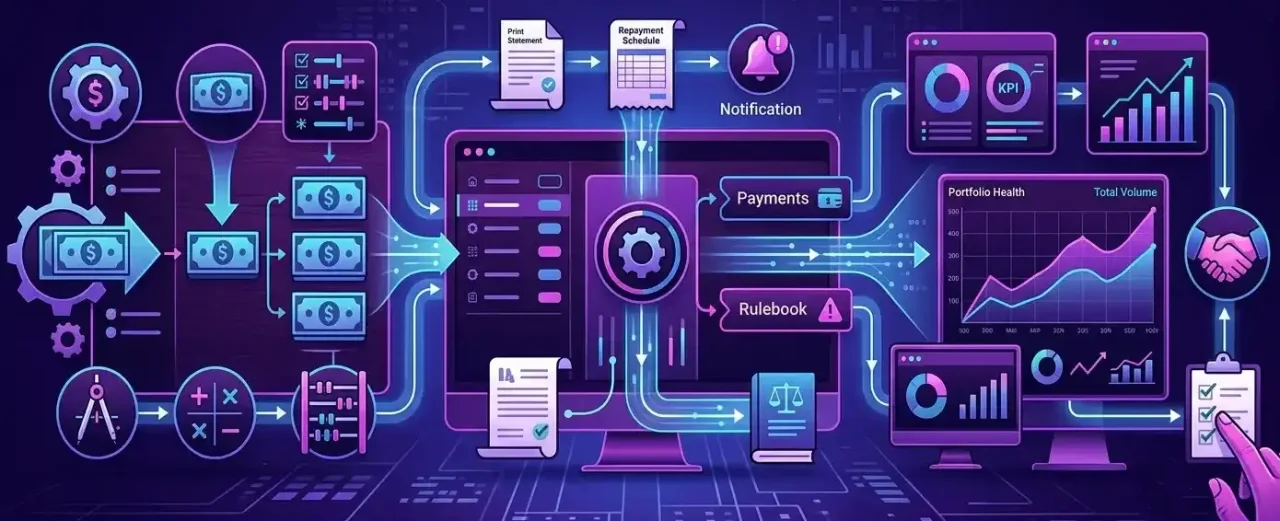
Experion offers expertise in the engineering of digital insurance platforms for document processing, payments, billing, policy administration, claims management, and regulatory procedures. Workers’ compensation features including digital case handling, AI-enabled document extraction and classification, attorney calendar management, medical appointment management, case rating, and automated conflict and fraud checks are also part of our public insurance portfolio.
Our work with a US-based law practice that specializes in workers’ compensation claims is a pertinent example. The company used a manual, paper-based claims procedure that was opaque and inconsistent. In order to handle workers’ compensation claims from the First Report of Injury (FROI) to settlement or resolution, a linked digital platform was required.

Experion developed a comprehensive claims management platform covering several important parts of the workers’ compensation lifecycle, including:

  • Claim intake and documentation, with the ability to upload and manage claim forms, injury reports, and wage statements
  • Wage verification through payroll integration
  • Compensation-rate calculations based on state-specific formulas
  • Independent medical examination workflows
  • Medical records and employee time-record reviews
  • Evaluation of medical evidence to determine whether an injury was work-related or associated with a pre-existing condition

The challenge of developing efficient workers’ compensation claims management software is reflected in the engagement. Instead of handling claims as a straightforward set of forms, a successful platform must link case documentation, employee and wage data, medical evaluations, jurisdiction-specific computations, and legal operations.

Experion can support organizations with:

  • Workers’ compensation product discovery and workflow design
  • Claims intake and digital case management
  • Legacy claims platform modernization
  • Medical record and document management
  • Payroll and enterprise system integration
  • State- or jurisdiction-specific business rules
  • Billing, payments, and compensation calculations
  • AI-assisted document extraction and classification
  • Claims analytics and operational dashboards
  • Cloud engineering, quality assurance, and ongoing product support

The strategy can be modified to meet the requirements of employers, insurance technology providers, legal firms, third-party administrators, and insurers. The goal is to create a maintainable platform that accurately depicts the organization’s current technology environment, user roles, regulatory obligations, and actual claims procedures.


Future Trends in Workers Compensation Software

Hyperautomation

Workflow automation, AI, rules engines, document processing, integrations, and robotic process automation are all combined in hyperautomation.

Instead of automating individual jobs, the goal is to automate entire process segments.

For instance, the establishment of a claim, employee validation, document requests, adjuster assignment, compliance checks, and initial communication might all be automatically triggered by an incident report.

Mobile-First Claims Management

Employees and managers will find it simpler to upload photos, fill out paperwork, report injuries right away, and get updates thanks to mobile applications.

While away from their workstations, field workers and claims teams will also have access to case data.

Wearable Device Integration

Wearable technology may offer data on worker location, movement, weariness, repetitive activity, and exposure to the environment.

When using this data, organizations must have strict privacy, consent, and governance measures.

IoT-Based Workplace Safety Monitoring

Sensors can keep an eye on things like machinery, temperature, noise, air quality, equipment use, and dangerous situations.

IoT data may assist firms in comprehending the circumstances leading up to an incident when linked with claims data.

Real-Time Risk Intelligence

Future platforms will combine claims, safety, workforce, equipment, and operational data to provide more immediate risk insights.

Instead of waiting for quarterly reports, safety teams may receive alerts when injury patterns begin emerging.

Digital Health Ecosystems

Workers’ compensation systems are likely to connect more closely with telemedicine, occupational health, rehabilitation, pharmacy, and remote care platforms.

This can improve coordination across the employee’s treatment and recovery journey.


Conclusion

Workers’ compensation is a human experience as well as an insurance procedure.
Every claim involves a medical expert providing care, an organization in charge of safety, compliance, and cost control, an employee coping with an injury, a manager attempting to react correctly, and a claims professional analyzing the facts.

Everyone finds this procedure more difficult when systems are disconnected.
A better organized setting for incident reporting, claims processing, case management, medical bill assessment, compliance, communication, and analytics is produced by a contemporary workers’ compensation software platform.

Organizations can enhance oversight, increase data quality, process claims more quickly, and provide injured workers with more clear support during their recuperation with the correct solution.

However, installing software is not enough for proper implementation. Workflows must be defined, legal variances must be understood, enterprise data must be connected, user demands must be taken into consideration when designing, and a workable plan for continual improvement must be established.

Automotive ERP Solutions

The automotive industry is shifting toward CASE (Connected, Autonomous, Shared, Electric) vehicles and lean manufacturing. Traditional management systems are thus unable to cope with globally distributed supply chains. Spreadsheets, disconnected point tools, and generic business software can’t keep up with the demands of the automotive industry, which focuses on sequenced deliveries, zero-defect quality mandates, and constant cost pressure. Modern automotive ERP solutions solve this challenge by unifying planning, procurement, production, quality, and finance into one system. This blog covers what these systems do, why they matter, how to choose one, and where the industry is heading.


Key Takeaways

  • Automotive ERP solutions connect the entire value chain from BOM management, JIT scheduling, and quality compliance to financials, all in one platform.
  • What sets custom automotive ERP solutions apart from generic ERP is their industry-specific capabilities: built-in EDI, IATF 16949 compliance, and full lot/serial traceability.
  • Various automotive industry segments such as OEMs, Tier 1 and Tier 2 suppliers, parts manufacturers, EV makers, and aftermarket businesses all have varying needs from their ERP.
  • The best ERP software for the automotive industry shows up in the numbers: Less downtime, better OEE, faster recall response, and better margins.
  • A rollout succeeds or fails on phased execution, clean data, and an experienced implementation partner. The software brand matters less than people assume.
  • When off-the-shelf software can’t match your process, a custom automotive ERP solution is worth the investment.


What are Automotive ERP Solutions?

Automotive ERP Solutions

An automotive ERP is an Enterprise Resource Planning (ERP) platform built specifically for the requirements of vehicle and component manufacturing.

An ERP can integrate all the functions of an organization—from finance, procurement, inventory, production, quality, sales, and HR. This integration matters more in automotive than in any other industry, primarily because this industry runs on thin margins, sequenced deliveries, and quality standards.

Generic ERP can handle accounting and basic inventory.  What sets ERP software solutions for automotive apart is a handful of built-in capabilities that match how the industry actually works.

  • Built-in EDI (Electronic Data Interchange) allows manufacturers to exchange purchase orders, shipping notices, and delivery schedules with OEMs and suppliers automatically. This exchange can be in whichever format each trading partner requires.
  • Just-In-Time (JIT) scheduling synchronizes production and material flow, so auto parts show exactly when needed, without a warehouse full of buffer stock.
  • IATF 16949 (IATF is the global quality management system standard for the automotive industry) compliance features build the automotive quality standard directly into daily workflows. Some features include traceability, documented process control, and audit-ready records.

Automotive ERP earns its merit by converting multi-tier and multiple-site manufacturing from a complexity into a measurable and manageable system.


Why the Automotive Industry Needs ERP?

The automotive industry is unique since it carries more moving parts than any other industry. This is exactly the reason why it requires Automotive ERP solutions.

  • Bills of materials (BOMs) are deeply nested and constantly changing. A single vehicle can contain thousands of parts across multiple engineering revisions, and tracking multi-level BOMs by hand invites expensive mistakes.
  • Production often spans multiple plants and countries, which means planning, transfers, and reporting all need to stay in sync across facilities.
  • Traceability is of prime importance. When a defect turns up, manufacturers need to trace every affected lot or serial number through the supply chain within hours.
  • Quality control means proving continuous conformance to OEM and regulatory standards, with documentation at every step.
  • Supplier coordination refers to keeping hundreds of trading partners updated with accurate and timely schedules.

Automotive ERP systems handle this by connecting the dots. Keeping BOMs accurate and version-controlled, coordinating multi-site production from a single plan, delivering end-to-end traceability, automating quality gates, and running supplier communication through EDI.


Not sure whether your current system can keep up with where your production is headed?
Talk to Experion’s automotive ERP team and find out what’s actually possible


How Automotive ERP Systems Support the Entire Automotive Value Chain?

No two players in the automotive ecosystem operate the same way, so a good ERP system for automotive industry needs to flex to fit each role.

OEMs

Original Equipment Manufacturers run enormous, globally distributed production networks. ERP gives them master production scheduling, demand forecasting, plant-to-plant coordination, and visibility into supplier performance. This is the control tower that keeps assembly lines updated and vehicles moving from order to delivery.

Tier 1 & Tier 2 Suppliers

For suppliers, achieving their OEM release schedules precisely is of utmost importance. Here, automotive ERP centers on EDI-driven order management, JIT and sequenced delivery, capacity planning, and traceability tight enough to prove conformance and respond instantly when a customer’s schedule changes.

Automotive Parts Manufacturers

Parts makers produce high volumes across many SKUs with strict tolerances. ERP helps them manage complex BOMs, get more out of their machines, control scrap, and keep the documentation customers and auditors ask for.

EV Manufacturers

Electric vehicle (EV) producers combine traditional manufacturing with battery management, new supplier relationships, and fast design iteration. Modern automotive ERP software supports flexible BOM structures, integration to PLM and IoT platforms, and enough scalability to keep pace with a dynamic product roadmap.

Aftermarket Parts Businesses

Most aftermarket operators are concerned only about catalog breadth, multi-channel distribution, and fast fulfillment. Here, ERP focuses on inventory optimization, order management across channels, returns handling, and demand forecasting, keeping the right parts in stock without tying up cash in inventory.


How ERP Software Helps Automotive Companies Make Data-Driven Decisions?

Most decisions on a shop floor get made on incomplete information — a planner guessing at supplier lead times, a plant manager reacting to a stockout instead of seeing it coming.

ERP fixes this by pulling production, inventory, procurement, and quality data into one place, so decisions rest on what’s actually happening rather than what someone assumes is happening.

  • Real-Time Production Visibility: When a machine slows down or a shipment runs late, the schedule reflects it immediately, letting planners adjust before it becomes a missed delivery instead of after.
  • Smarter Inventory Decisions: Teams see current stock across every plant and warehouse instead of working off last week’s cycle count, which usually means fewer emergency orders and less cash tied up in parts nobody needs yet.
  • Early Quality Detection: Tracing which lot went where and which batch used which supplier’s parts lets a pattern surface early—not three months later after a customer complaint forces someone to trace it backward.
  • Shared Financial Visibility: Scrap rates, labor hours, and downtime feed the same numbers finance uses for margin reporting, so a plant manager and a CFO are finally looking at the same data instead of reconciling two versions of it.
  • Sharper Forecasting: An ERP holding a few years of sales, production, and supplier data predicts demand more reliably than a spreadsheet built off last quarter alone.


Key Features to Look for in Automotive ERP Software

When you are evaluating automotive ERP systems, a few capabilities separate it from the industry-grade platforms.

  • Bill of materials and product lifecycle management: BOMs are a list of components required to manufacture a product. Automotive products comprise thousands of interconnected components. When an engineer changes one part, the BOM should be updated. Thus, maintaining multi-level BOMs at an accurate range and in sync with engineering is critical.
  • Real-time inventory and warehouse management: Provides real-time stock visibility across locations so you can run lean without risking stockouts. Maintain optimal stock levels while minimizing costs.
  • Production planning and shop floor control: Turns demand into work orders and captures real progress from the floor.
  • Advanced scheduling: Sequences operations to hit throughput targets and honor JIT commitments.
  • Supplier and procurement management: Built on EDI, automates purchasing and keep hundreds of trading partners aligned.
  • Quality management and compliance tracking: Many automotive OEMs require their suppliers to comply with numerous certifications. Quality management enforces inspections, manages non-conformances, and keeps audit trails for standards like IATF 16949.
  • IoT/Industry 4.0 readiness: An operator need not manually update production every few hours. This feature lets an ERP pull in machine and sensor data directly from the equipment.
  • Financial management and reporting: Allows manufacturing and other units to integrate with finance to provide real-time visibility into profitability.
  • Multi-site/multi-company support: Consolidates operations across plants and legal entities.
  • Analytics, dashboards, and forecasting: Turns raw data into decisions leaders can act on. For eg: ERP can analyze the previous year’s sales and forecast a similar increase for the next year.


Want to see which of these features your current ERP is missing?
Get a free automotive ERP assessment from Experion


Business Benefits of Implementing Automotive ERP Software

Automotive ERP Solutions

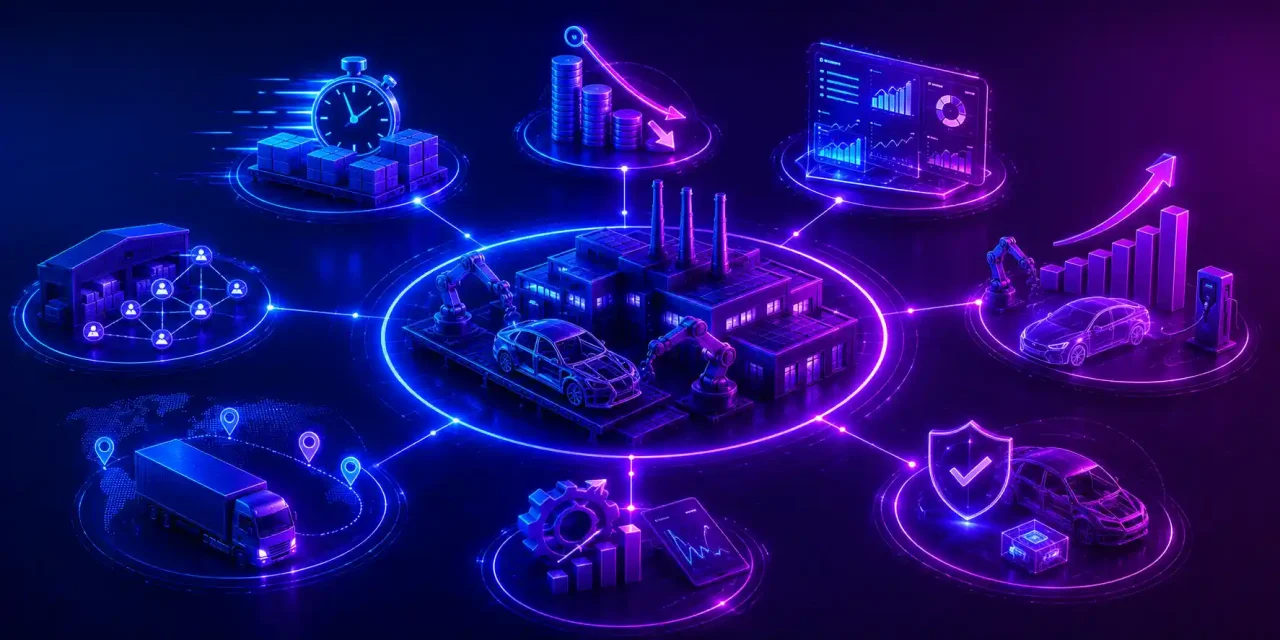
Implementing automotive ERP software provides great business value. Streamlining operations, product efficiency and enabling data driven decision making are some of the outcomes.

  • Reduced Downtime: Materials show up when the line needs them; machine performance gets tracked in real time, and stockouts or breakdowns cause fewer stoppages.
  • Cost Reduction & Margin Improvement: Comes from tighter scrap control, less wasted material, right-sized inventory, and labor that’s actually allocated to where it’s needed.
  • Real-Time Data Visibility: Live dashboards across production, inventory, finance, and the supply chain mean decisions don’t wait on a weekly report.
  • Scalability for EV & Smart Factory Trends: Plugs into IoT devices, CAD, and PLM systems, so shifting toward electric vehicle production or smart-factory setups doesn’t mean starting over.
  • Faster Recall Response: Components and batches are tracked through the supply chain, so if something goes wrong, you can pinpoint which products are affected instead of guessing.
  • Improved Overall Equipment Effectiveness (OEE): Availability, performance, and quality get monitored as they happen, so machines run more, downtime shrinks, and output goes up.


Experion can help automotive manufacturers tackle challenges such as multi-tier BOM management, multi-plant coordination, and audit-ready traceability by developing ERP solutions that align with their unique manufacturing processes.


Types of Automotive ERP Systems

Attaining the correct architecture matters just as much as choosing the vendor.

Cloud vs. On-Premise vs. Hybrid

Cloud ERP deploys fast, costs less upfront, updates itself, and makes multi-site access easy. This is a good fit if agility is your priority.

  • On-premise gives you more control over data and customization, which some manufacturers need for regulatory or latency reasons.
  • Hybrid models split the difference, keeping sensitive workloads locally while using the cloud for analytics and collaboration. Which one fits depends on your security posture, IT capacity, and growth plans.

ERP for OEMs vs. Tier 1/Tier 2 Suppliers vs. Aftermarket

Beyond deployment, the functional focus differs by role:

  • OEM-oriented systems lean into master scheduling and network orchestration
  • Supplier-oriented systems lean into EDI, sequencing, and traceability
  • Aftermarket systems lean into catalog management, distribution, and multi-channel fulfillment.

Match the platform to your position in the value chain, or you’ll end up paying for capabilities you’ll never touch or finding the gaps after go-live.


Pricing Models and Total Cost of Ownership

While evaluating automotive ERP software, look beyond the initial price. Total cost depends on several factors.

  • Licensing Model: Solutions are either offered as a perpetual license, which needs a large upfront purchase plus annual maintenance, or a subscription-based model, where businesses pay recurring monthly fees.
  • Implementation Costs: This involves configuring the ERP, migration of legacy data, integration with existing systems, and training users. Implementation costs represent a huge portion of the overall investment.
  • Customization and Integrations: The ERP needs to be tailored to support the unique workflows of manufacturing. Integration with CAD, PLM, MES, or IoT platforms can deliver greater operational efficiency.
  • Maintenance and Support: Certain maintenance expenses include software updates, technical support, and security patches. For on-premises deployments, infrastructure maintenance also becomes a necessity. For cloud ERP solutions, many of these services are bundled into the subscription fee.

The smarter approach is to model total cost of ownership over three to five years instead of fixating the year-one number. A slightly higher upfront investment in a platform that fits often beats a cheap system that needs constant workarounds.


Core Capabilities of Top ERP Software Solutions for Automotive

The best ERP software for automotive industry tends to excel in four areas:

1. Supply Chain & EDI Automation

Order processing and communication across global supplier networks, automated. The best platforms translate schedules, POs, and shipping notices into partner-specific EDI formats without manual entry — and without the errors manual entry brings.

2. Production Planning & Material Requirements Planning (MRP)

Multi-level Bill of Materials management and real-time shop-floor scheduling. A strong MRP engine explodes demand through complex BOMs, nets it against inventory and open orders, and produces purchase and production plans you can run on.

3. Quality Control & Industry Compliance

Full lot/serial traceability, audit trail management, and adherence to standards like ISO/IATF 16949. Quality gates sit inside the workflow, non-conformances get tracked to resolution, and every action gets documented.

4. Inventory & Multi-Warehouse Tracking

Less buffer stock, lower carrying costs, no production line stops. Real-time visibility across warehouses lets planners run lean without gambling on availability.


Common Implementation Challenges and How to Avoid Them

ERP projects succeed or fail execution. The usual problems usually include:

  • Complex customizations that increase cost and timelines
  • Legacy system integration that turns up hidden data and process dependencies nobody documented
  • Change management resistance from teams used to the old way
  • Data quality issues that undermine trust in the new system
  • Supplier onboarding friction as trading partners adjust to new EDI and portal requirements.

The fixes are well known even if they’re not always followed:

  • Favor a phased rollout over a big-bang launch.
  • Standardize processes before you automate them, so you’re not baking inefficiency into the new system.
  • Set up strong project governance with clear ownership and executive sponsorship.
  • Use industry templates and pre-built accelerators instead of custom-building everything.

An experienced partner who’s hit these problems before is often the single biggest predictor of whether the project works.


5 Essential Steps to Successfully Choose and Deploy Your Automotive ERP

  • Audit Your Current Workflows: Map how work happens today (including the workarounds) so you know what the new system needs to support and what you can finally retire.
  • Define Non-Negotiable Modules: Separate requirements (EDI, traceability, and MRP) from your negotiables and use that list to filter vendors honestly.
  • Prioritize Cloud vs. On-Premises: Base it on security, IT capacity, and growth—this shapes your shortlist and your budget.
  • Plan for System Integrations: Identify every system the ERP needs to talk to — MES, PLM, CRM, IoT — and confirm connectivity before you sign anything.
  • Phase the Rollout & Train Teams: Sequence go-live by site or module, invest in training, and give people time to adapt before adding complexity.


Integration with Industry 4.0 and Emerging Technology

Modern automotive ERP systems are now at the heart of the connected factory solutions

  • MES (Manufacturing Execution Systems) integration links production planning with real-time execution on the floor. It allows manufacturers to monitor work orders and production progress.
  • PLM integration keeps engineering changes flowing into BOMs and production schedules.
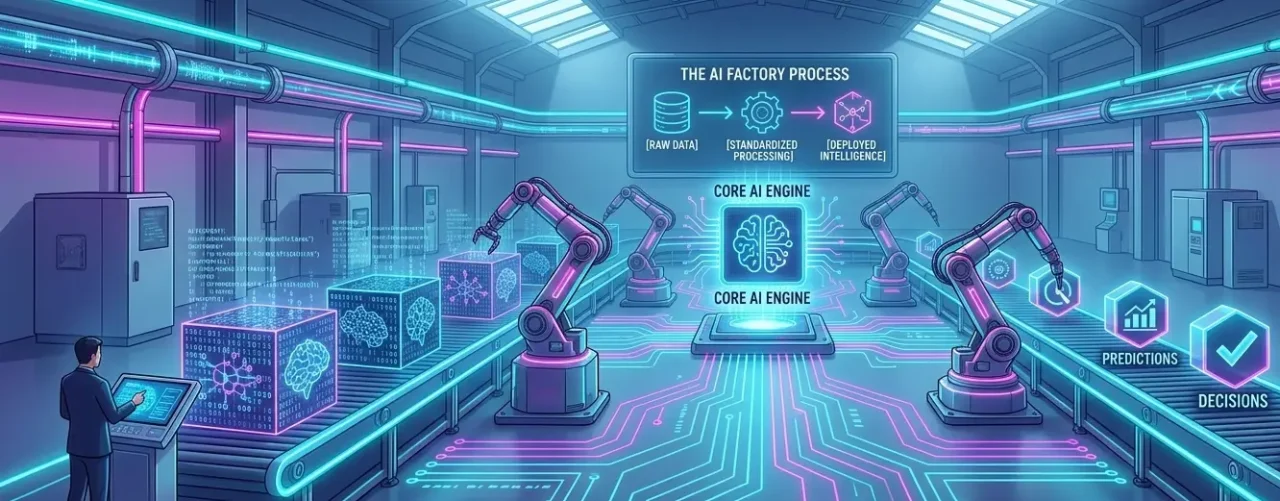
  • Telematics and IoT sensors feed machine health, energy, and process data into the ERP, where AI models can turn it into predictive maintenance alerts before a machine fails.

These features are what transforms ERP from a manual record into a system of intelligence. The availability of production, quality, and maintenance data in one place helps feed the models. Manufacturers can thus schedule maintenance before failures and catch quality issues beforehand.


Real Life Use Cases

Toyota

Toyota pioneered lean manufacturing and the Toyota Production System. Its approach to JIT and continuous improvement is close to what modern automotive ERP is built to enable — integrated planning and material flow that let a Toyota-style operation run on minimal inventory without sacrificing reliability.

Ford Motor Company

Ford runs a global manufacturing footprint that depends on coordinated multi-site planning, supplier integration, and quality management , the kind of coordination ERP platforms make possible at scale.

General Motors

General Motors manages a complex supply network across numerous plants and product lines.  Streamlining automotive manufacturing workflows and thousands of suppliers at scale is the exact orchestration problem ERP is built to solve.


Why the Right Automotive ERP Solution is a Competitive Advantage?

Choosing well pays off well beyond tidier operations. Innovation takes place when engineering, production, and supply data can move freely. This shortens the path from design to launch. Material shortages, demand swings, and plant events are all disruptions that frequently take place in a manufacturing plant. The right automotive ERP solution grants operational resilience to overcome these disruptions.

Supply chain visibility turns a black box into something you can actually view. Leaders identify risks and act before they become crises. Better profitability follows from less wastage, better utilization, and sharper decisions. And long-term scalability means the platform grows with you into new plants, new products, and new territory like EVs and connected factories. In an industry with extremely thin margins and no patience for delay, the right ERP platform is a big advantage.


How to Choose the Best ERP Software for Automotive Industry?

Picking the best ERP software for the automotive industry comes down to evaluating your specific situation.

  • Start with your business size and role in the supply chain: Your requirement for an ERP will vary depending on whether you are an OEM, a Tier 2 supplier, or an aftermarket distributor. Each will have genuinely different requirements.
  • Prioritize industry-specific functionality over generic breadth: Search for a platform with built-in support for automotive processes such as native EDI, traceability, and IATF compliance. Industry-specific functionality delivers a greater value than a generic ERP platform.
  • Evaluate Scalability: You would need to ascertain that the ERP can support future business growth. Then evaluate scalability, integration readiness (MES, CRM, IoT), and vendor domain expertise.

A vendor who understands automotive will anticipate what you need; one who doesn’t will learn on your budget.

Questions to Ask a Vendor Before You Buy

  • Does the system include native EDI, and does it support our OEM/customer formats out of the box?
  • How does it handle multi-level BOMs, engineering change management, and PLM integration?
  • What traceability and IATF 16949 compliance capabilities are built in?
  • Can it scale across multiple sites, entities, and currencies?
  • Which integrations to MES, CRM, and IoT platforms are pre-built versus custom?
  • What does the implementation methodology look like, and what’s a realistic timeline?
  • Can you share automotive references similar to our size and role?
  • What’s the total cost of ownership over five years, including support and upgrades?


When to Consider a Custom Automotive ERP Solution?

Off-the-shelf platforms cover most needs, but sometimes a custom automotive ERP solution is the smarter path. If your competitive advantage lives in a proprietary process no standard system supports, forcing it into a rigid package can erode the edge that sets you apart. The same goes if you run an unusual business model, a highly specialized product mix, or need deep integration with legacy or customized systems — a tailored solution can fit in ways packaged software won’t.

It comes down to a trade-off: custom development costs more upfront and needs an experienced engineering partner, but it can produce a platform that maps to how you actually win. Customize where it creates real advantage, and standardize everywhere else.


If off-the-shelf software keeps falling short of how your plant operates, talk to Experion about what a custom-built automotive ERP could look like


Automotive ERP Implementation Best Practices

The playbook for a smooth deployment doesn’t vary much across successful projects.

  • Commit to a phased rollout that limits risk and lets teams build confidence.
  • Get genuine stakeholder buy-in from the shop floor to the boardroom—adoption, not installation, is what determines value.
  • Invest early in clean data, since migrating garbage guarantees frustration.
  • Prioritize real, role-specific training so people become fluent, not just functional.
  • Choose an experienced implementation partner who’s delivered automotive ERP before and can steer you around the pitfalls that sink less-guided projects.


Emerging Future Trends Shaping Automotive ERP Solutions

Automotive ERP Solutions

The future of automotive ERP solutions involves intelligent technologies to make data-driven decisions across the manufacturing system.

  • AI-powered production planning: This trend weighs demand, inventory, machine availability, and who’s on shift, then re-shuffles the plan itself when a machine goes down or an order changes.
  • Predictive maintenance: Machines and sensors feed in data that flags a likely breakdown ahead of time — you schedule the fix instead of scrambling after the fact.
  • IoT-enabled manufacturing: IoT devices show equipment status and inventory as it’s happening, not after someone walks the floor and writes it up.
  • Digital twins: A virtual copy of a product or production line means you can test a design change or a new process before it touches the real thing.
  • Industry 4.0 and connected factories: ERP now plugs into MES, robotics, and other platforms directly—no more separate systems that don’t share data.
  • Low-code customization: Low-code development tools let businesses customize workflows, reports, and dashboards with minimal coding. This reduces reliance on the development team.
  • Advanced analytics: Forecasting, dashboards, AI-generated insights—not bolted on, just part of how the system runs.
  • Sustainability reporting: Energy use, emissions, waste — regulators and customers are asking, so ERP is starting to track it.
  • Generative AI copilots: The copilots in automotive ERP systems transform resource planning. Reports, summaries, root-cause digging — these are things that the system drafts for you first.


Conclusion

The automotive industry’s shift toward electrification, connected vehicles, and lean, resilient supply chains has made one thing clear: generic tools can’t carry the load anymore. A purpose-built platform that unifies BOM management, JIT scheduling, EDI, quality compliance, and real-time analytics is the operational foundation for competing, not a luxury add-on. The right automotive ERP solution cuts downtime, sharpens margins, speeds up recall response, and scales across OEM, supplier, EV, and aftermarket contexts.

Software Product Modernization

Every organization reaches a crossroads where legacy software starts to hold it back. With time, systems that used to promote growth become bottlenecks. Innovation slows, making integrations with new technologies a nightmare. Hence, software modernization becomes indispensable, as it can rearchitect the very foundation of a business.


Key Takeaways

  • Software product modernization means upgrading what you’ve already got—the architecture, the tech stack, the UX—instead of starting over from scratch. Rip-and-replace is tempting but rarely worth it.
  • Software product modernization is different from general application modernization. Here, the customer sees what you’re doing. Every backend decision shows up in load times, whether a feature ships this quarter or next.
  • A few signs tell you it’s time: maintenance costs creeping up year over year, performance that used to be fine and now isn’t, security holes nobody wants to own, integrations that fight you at every turn, and a shrinking pool of engineers who actually understand the old codebase.
  • The “6 Rs”—Rehost, Replatform, Refactor, Rebuild, Replace, Retain/Retire—aren’t a rigid checklist so much as a way to sort your options before you commit to one. Most teams end up mixing two or three.
  • The strangler pattern is significantly better than the big-bang rewrite. Migrate piece by piece and ship value along the way. Big-bang rewrites promise a clean slate and usually deliver a missed deadline.
  • The development partner you choose is of utmost importance. While cloud skills are a baseline expectation now, greater value comes from a partner with product engineering experience.
  • What’s rarer is someone who’s built products—who’s shipped features under a deadline, not just migrated servers—and who knows enough about AI tooling to use it without overselling it.


What is Software Product Modernization?

Software Product Modernization

Software product modernization means reworking what already exists — the architecture, the codebase, the infrastructure, the integrations, the UI — so it can meet today’s bar for performance, security, and customer expectations. The objective isn’t to throw out years of business logic just because the code is old. If you do it well, the product gets easier to maintain, faster to build on, and affordable to run.

Application modernization and Software product modernization seem interchangeable; however, they are not. Application modernization is about the processes a company runs for itself. Internal tools, back-office systems, and line-of-business software keep operations moving. Nobody there cares about feature velocity or competitive positioning — it’s about infrastructure and keeping costs down.

Software product modernization is the more challenging version, because it’s about what you sell. Teams must balance reducing technical debt while analyzing how the product feels to use, how fast you can ship the next feature, where you stand against competitors, pricing, and the roadmap.


Cloud Vs. Mainframe

It’s tempting to treat “move everything to the cloud” as synonymous with modernization, but that’s a mistake. Not every company needs to move its data storage to the cloud, and doing so unthinkingly can introduce cost, latency, or compliance problems that outweigh the benefits. Some workloads (high-volume transaction processing, systems bound by data-residency rules, applications with steady, predictable loads) run more economically on existing mainframe or on-premises infrastructure. Others gain a lot from cloud elasticity, managed services, and global reach.

There’s rarely an all-or-nothing answer here. Many mature products land on a hybrid: latency-sensitive or regulated data stays put, while customer-facing services, analytics, and burst-capacity workloads move to the cloud. A sound modernization strategy starts by judging each component on its own merits, not applying one destination to the whole system.


Signs Your System Needs Modernization

Most teams already know something’s off long before they do anything about it. Here’s what that usually looks like in practice.

High Maintenance & Infrastructure Costs

If you’re spending more just keeping the system alive than building anything new, the math has already flipped against you. Old systems need constant care — patches, manual workarounds, infrastructure that gets pricier every year for no good reason. Every dollar going to that is a dollar not going to a feature you could’ve shipped instead.

Performance Bottlenecks & Downtime

Slow load times. Timeouts when traffic spikes. Systems that buckle right when you need them most. This costs you revenue and trust, and both are hard to win back. If an outage feels less like “if” and more like “when,” then it’s the architecture that needs to be replaced.

Security Vulnerabilities & Compliance Risks

A lot of aging software runs on components that stopped getting security patches years ago. No one meant for that to happen — it just does, quietly, one deprecated library at a time. Each one is a door left open, and each open door adds risk under GDPR, HIPAA, SOC 2, whatever applies to you. Security debt doesn’t announce itself. It just waits for the breach that makes the news.

Integration Roadblocks

Everything runs on integrations now — APIs, cloud services, payment processors, AI tools. If your product can’t plug into that ecosystem cleanly, it turns into an island, cut off from the workflows customers already assume it should support. Honestly, this is one of the more common reasons people quietly switch to a competitor: not because the core product got worse, but because it stopped playing well with everything else.

Declining User Experience (UX)

Interfaces age faster than people expect. Something that looked sharp three years ago can look tired next to a newer competitor today. The real tipping point is when customers start calling it “dated” or “clunky” — at that point, it’s not a minor gripe anymore; it’s actively pushing them out the door.

Talent Shortages

The pool of developers who know COBOL, old Java, or ancient .NET versions shrinks every single year. When the only people who understand your system are a couple of specialists heading toward retirement, every change takes longer, costs more, and carries more risk. If you’re struggling to hire for your own stack, that alone should tell you the technology’s outlived its useful life.


Get a free technical assessment from Experion’s product engineering team.
We can map your architecture, flag the highest-risk components, and show you exactly where to start


Key Components of Software Product Modernization

Modernization isn’t really a checklist of separate projects. It’s a handful of layers that all lean on each other and treating them as isolated workstreams is how programs end up redoing the same work twice. The ones that actually work tackle these together.

Modern User Experience (UX/UI)

Redesigning for clarity, accessibility, and responsiveness isn’t just a nice-to-have; it shows up in retention and conversion numbers pretty directly. And doing it usually surfaces something nobody planned for: workflows that quietly got convoluted over the years because everyone just learned to work around the mess instead of fixing it.

Cloud Migration and Cloud-Native Architecture

Moving to the cloud gets talked about like it’s the achievement. It’s not. What you actually do once you’re there — elastic scaling, managed services, being available globally — is where the real gains live. Get that part right and the product scales with actual demand instead of being built for the worst possible day, every day, just in case.

API-First Integration

Build around clean APIs, and the product stops being a closed box. It becomes something other tools can plug into — a platform instead of just software. That opens up ecosystem and partnership options a closed system simply doesn’t get access to.

Microservices and Containerization

Split it into microservices, put them in containers, and teams can ship pieces without touching everything else. Fewer full releases, fewer full-system failures. When something does go wrong, it stays where it broke instead of dragging the rest of the product down with it.

DevOps and CI/CD Automation

CI/CD shortens the gap between writing code and having it live, and cuts out a lot of the human error along the way. Done well, shipping stops being a stressful event people brace for and just becomes something that happens on a Tuesday.

AI and Intelligent Automation

Modernization’s a good moment to build in real intelligence — predictive features, assistants, anomaly detection, automated decisions. It’s also where legacy competitors struggle hardest to keep up, because retrofitting AI onto a fifteen-year-old architecture is a very different problem than building it in from day one.

Data Modernization

Most legacy data is stuck — rigid schemas, siloed stores, information that just sits there. Modernize that layer with better models, real pipelines, decent analytics, and suddenly it’s not dead weight anymore. It’s what actually powers reporting, personalization, and whatever AI you’re planning to build next.


Benefits of Software Product Modernization

A modernization program tends to pay back in a few concrete ways.

  • Faster product innovation: Clean architecture and automated delivery mean new features ship in days, not quarters.
  • Improved customer experience: Users notice when things load fast and look right. They stick around longer because of it.
  • Lower maintenance costs: Retire the brittle, high-overhead stuff, and the budget it was eating goes toward growth instead.
  • Better scalability: Cloud-native design means a traffic spike or a new market doesn’t require a scramble.
  • Stronger security: Current frameworks and patched dependencies cut risk and make compliance a lot less painful.
  • Easier integrations: API-first products slot naturally into whatever ecosystem your customers already use.


Common Challenges Solved by Legacy Software Modernization Services

It also fixes the problems legacy systems create in the first place.

  • Monolithic codebase and technical debt: Years of quick fixes accumulate into a tangled system that’s hard to change safely. Modernization untangles it.
  • Outdated tech stack and unsupported libraries: Once a dependency stops getting updates, it’s both a security risk and a stability risk.
  • Poor observability and test coverage: Without visibility and automated tests, teams fly blind and fear every deployment.
  • Scalability and integration limitations: A rigid architecture caps how much you can grow and makes it hard to connect to anything else.
  • Security vulnerabilities and compliance gaps: Modernization closes exposure and builds compliance into the product.
  • Opportunity cost: Every hour spent maintaining old systems is an hour not spent on features that win customers.
  • Market share loss: Perhaps the most serious cost of all: falling behind competitors who ship faster and integrate more easily than you do.


The Core Software Modernization Strategies (The “6 Rs” Framework)

Software Product Modernization

There is no single strategy to modernize. The widely used “6 Rs” framework enables teams match each component to the most appropriate approach.

Rehost (lift-and-shift)

Rehosting involves shifting applications to the cloud with minimal changes. Since it is fast and low risk, rehosting delivers infrastructure benefits. Unfortunately, it does not unlock cloud-native advantages by itself.

Replatform

Through replatforming teams can make minor optimizations to use cloud-native features such as managed databases or auto-scaling. Since it is a middle-path, if provides more value than a pure rehost, without much added risk.

Refactor / Re-architecture

Restructuring the code to adopt microservices, containers, or serverless setups. This is more involved but delivers agility, scalability, and maintainability. It’s typically reserved for the components that matter most to the product’s future.

Rebuild

Rebuilding refers to recreating a component from the ground up utilizing modern technology. This process makes sense when the existing code is too degraded to refactor economically.

Replace

The transition from custom legacy software to commercial off the shelf or Saas products is referred to as replacing. Once a capability no longer acts as a competitive differentiator, it needs to be replaced with proven third-party solutions. This frees up your team to focus on innovations instead of commodity functionality.

Retain / Retire

Not all applications require modernization. Systems that are stable and well-functioning can be retained as they are. On the other hand, obsolete systems may be retired to reduce technical debt.


Technical Patterns and Best Practices: Software Product Modernization Services

A few engineering patterns show up in almost every modernization that actually works:

  • API-first design and backward compatibility so integrations remain stable as the product evolves.
  • Incremental decomposition and the strangler pattern, gradually replacing legacy functionality piece by piece.
  • Containerization, orchestration (Kubernetes), and serverless where each fits the workload best.
  • CI/CD, automated testing, and observability to release confidently and catch issues early.
  • Data migration and schema evolution strategies that move information safely without downtime.
  • Security by design and compliance automation, building protection in from the first commit rather than bolting it on later.
  • Feature flags to release changes gradually, test in production safely, and roll back instantly if needed.
  • Test-Driven Development (TDD) to lock in correctness and prevent regressions throughout the migration.


Experion is positioned to support this as a continuous discipline — not a one-time project — through the technical depth, product thinking, and AI-enabled capabilities modernization demands.


Choosing the Right Software Modernization & Migration Services

Picking the right modernization partner matters as much as picking the strategy. Honestly, maybe more — a decent partner can rescue a shaky strategy, but a bad one will wreck a good one no matter how solid the plan looks on paper.

  • Assessment checklist: Look hard at the architecture, code quality, technical debt, integrations, and security. Map what depends on what and figure out which systems the business genuinely can’t run without—that tells you what to modernize first.
  • Risk analysis and prioritization: Weigh business value against effort and risk. A rough value-versus-effort comparison surfaces the quick wins while making sure the systems that matter get the time they need. Phasing it this way keeps disruption down and gets you ROI sooner.
  • Roadmap components: Phases, timelines, ownership, and metrics that actually mean something—performance, deployment frequency, cost, scalability, user satisfaction, and If nobody’s measuring it, nobody will know if it worked.
  • Stakeholder alignment: This isn’t just IT’s project. Product, engineering, security, ops, customer success, and leadership all need a say before decisions get made, not after. It cuts resistance later and leads to better calls throughout.


Building an Effective Strategy for Modernizing Software

A durable software modernization strategy follows a logical progression from understanding to measurement.

Assess the Existing Product

Begin with an honest audit of the current state—technical debt, performance data, architecture, and real user feedback. You can’t chart a course without knowing your starting point.

Define Business Goals

Tie modernization to outcomes the business cares about: faster time-to-market, lower total cost of ownership, entry into new markets, or improved retention. Technology goals should always serve business goals.

Prioritize Features

Not everything modernizes at once. Identify the components that deliver the greatest value or carry the greatest risk, and address those first.

Select the Right Modernization Path

Apply the 6 Rs to each component. Some parts may simply be rehosted; others warrant a full refactor or rebuild. Matching the approach to need controls cost and risk.

Plan for Security and Compliance

Bake security and regulatory requirements into the plan from the outset. Retrofitting compliance after the fact is far more expensive and error-prone.

Measure Success

Define the metrics that will prove modernization worked before you start. Otherwise, you’re just guessing whether it did.


Talk to Experion about turning this framework into a phased roadmap built around your product, your team, and your timeline


Software Modernization Strategy: The Five Phases of Successful Modernization

Having a strategy in place allows for execution to follow a disciplined sequence.

  • Phase 1: Comprehensive Code & UX Assessment: Technical debt, architecture, performance, the parts users complain about—get honest about all of it before you touch anything.
  • Phase 2: Defining Strategic Goals & KPIs: “Modernize the platform” should not be a goal.” Cut deployment time from two hours to ten minutes” is.
  • Phase 3: Selecting the Right Architecture: Microservices, modular monolith, serverless, event-driven—each one solves a different problem, and the trendy pick isn’t automatically the right one.
  • Phase 4: Incremental Rollout (e.g., Strangler Fig Pattern): Swapping legacy components all at once feels efficient until something breaks in production and nobody knows why.
  • Phase 5: Automated Testing & Continuous Integration (CI/CD): Utilize automated testing and CI/CD pipelines to maintain quality and accelerate deployments.


Metrics for Tracking Progress of Software Modernization

Key drivers to keep in focus

  • Faster time-to-market
  • Lower operational costs
  • Improved scalability
  • Stronger security and compliance
  • Higher customer retention

Metrics to measure success

  • Total Cost of Ownership (TCO)
  • Time-to-release
  • Error and defect rates
  • Application performance (latency and uptime)
  • User engagement and adoption


Common Pitfalls in Software Modernization and How to Avoid Them

Most modernization failures follow a familiar script. Watch for these:

  • Ignoring business priorities and focusing only on tech: Elegant architecture that doesn’t move a business metric is a wasted effort. Keep outcomes front and center.
  • Big-bang rewrites without incremental validation: Attempting to replace everything at once is the single most common cause of failed programs. Favor incremental delivery.
  • Underestimating data migration complexity: Data is where projects quietly stall. Plan migration and validation early and thoroughly.
  • Poor change management and lack of testing/observability: Without automated testing, monitoring, and organizational buy-in, even sound technical work unravels in production.


Future Trends in Product Modernization

Modernizing for today also means being prepared for the trends of tomorrow.

AI-Driven Development

AI has transformed how software is being built and modernized. Modernization projects can be accelerated with AI-assisted code generation, automated testing, and intelligent refactoring. Overall, AI enables organizations to build adaptive software products with greater capabilities.

Intelligent Automation

Intelligent automation can be embedded in modern software products to streamline business operations. It automates workflows and decision-making and enhances customer support. By reducing manual effort, intelligent automation improves efficiency to deliver faster, more consistent user experiences.

Composable Applications

Rather than one big tangled system, teams are building out of modular, swappable pieces. Want to scale one part without rewriting everything else? Make software products more flexible and easier to evolve.

Platform Engineering

Internal developer platforms are taking a lot of the guesswork out of shipping code. Fewer inconsistent deployments, less time fighting the pipeline, and if it’s done right, security and governance don’t get sacrificed along the way.

Edge Computing

When milliseconds matter, sending data across the country and back will not be feasible. Processing closer to where it’s generated cuts latency and bandwidth costs, and it’s basically non-negotiable now for IoT and anything location-sensitive.

Sustainable Software Engineering

Energy use is finally getting treated like a real design constraint, not an afterthought. Teams are tightening up infrastructure use and rethinking architecture with cost and environmental impact both in mind—two goals that, refreshingly, tend to point in the same direction.


What to Look for in Software Product Modernization Companies?

While evaluating vendors, identify those with engineering expertise, cloud-native skills, and a track record of AI-enabled transformation capability. The project delivery needs to be agile, with a user-centric design approach and security- first development. The final deciding factor is whether they act as a long-term product partner instead of a contractor that disappears once the migration is completed.


See how Experion combines product engineering depth with AI-enabled modernization to help you ship faster, not just migrate faster
Talk to our Experts


Conclusion

Software modernization is an ongoing investment that keeps software products easy to use and sustainable. It transforms the maintenance burden and allows products to scale with demand. By connecting to the tools customers already use, modernization doesn’t frustrate daily users.

Companies that treat modernization as a continuous discipline, not a project with an end date, tend to stay ahead of those that don’t. The most important advice is simple: don’t wait for a critical failure. The best time to modernize is while the product is still working, when there’s room to plan, prioritize, and execute deliberately.

Proptech Software Development

Real estate has come a long way from paper leases and filing cabinets. Now a tenant can renew a lease, book an amenity, and pay rent all from the same phone screen. Proptech software development is what makes it possible. It provides property businesses with faster operations, better resident service, and data-driven decisions instead of guesswork.


What is Proptech Software Development?

Proptech Software Development

Proptech software development refers to designing, building, and maintaining the web apps, mobile apps, and cloud platforms that modernize how real estate is bought, sold, managed, leased, and lived in.  Basically, Proptech software development requires a real understanding of how property operations and modern engineering.

Understanding Property Technology

Property technology, or proptech for short, covers the digital tools that touch every stage of the real estate lifecycle. The lifecycle comprises Consumer marketplaces, Back-office property management, Smart-building systems, and financial tools for investors and lenders.

Early property software was little more than a digitized spreadsheet. It was an on-premises system that stored records but automated nothing. Traditional property management systems (PMS) handled rent rolls and general ledgers. Unfortunately, they are painful to integrate and built for back-office staff rather than residents. On the other hand, Modern proptech software is cloud-native, API-first, mobile-friendly, and more AI-powered.

What Does Proptech Solutions Involve?

A complete proptech offering usually combines the following.

  • Web applications handle the operational backbone for managers and administrators.
  • Mobile apps put self-service leasing, payments, and communication in residents’ hands.
  • Cloud infrastructure lets a portfolio scale from a few hundred units to a few hundred thousand without a rebuild along the way.
  • AI combines prediction, personalization, and automation on top of all that.
  • SaaS packaging turns it into a solution customers can subscribe to and start using quickly.
  • API integrations tie the platform into the accounting tools, payment gateways, smart locks, and CRMs that property businesses already depend on.

The Current Landscape of Property Technology Software

Property management consists of numerous challenges that need to be solved. Among them are manual leasing, slow maintenance, opaque financials, high tenant churn, and energy waste.

Once these workflows are automated and the underlying data is surfaced, margins and tenant satisfaction both move in the right direction.

A few segments are especially software-driven right now.

Property management technology automates leasing, maintenance dispatch, and accounting. It replaces phone calls and paperwork with structured digital workflows. Contech and smart buildings lean on IoT sensors for facility management and energy analytics, tracking everything from HVAC performance to occupancy.


Turn your property portfolio into a data-driven business.
Talk to our engineering team today


Why the Real Estate Industry is Investing in Proptech?

Changing Buyer and Tenant Expectations

Renters and buyers expect the same easy digital experience they already get from their bank or a ride-hailing app.  Users wish to tour a property virtually. Sign a lease from a phone. Get a maintenance update without calling anyone.

Increasing Operational Complexity

Once a portfolio spans regions, asset classes, and regulatory regimes, managing it manually turns difficult. Proptech platforms centralize operations and give teams a single view across thousands of units.

Demand for Data-Driven Decisions

Owners and asset managers want real-time visibility into occupancy, revenue, and cost. Stakeholders want it in real-time rather than at quarter-end. Proptech software turns scattered operational data into dashboards and forecasts that influence pricing, capital planning, and portfolio decisions.

Sustainability and Smart Building Initiatives

Gone are the days when environmental performance is not just a reputational one. It is now a financial and regulatory issue. Smart-building software helps operators track and cut energy use, automate ESG reporting, and keep up with efficiency standards that keep getting stricter.


How Can Property Managers Improve Resident Experience with Technology?

Resident retention starts with digital convenience. When lease renewals, payments, and service requests are effortless, residents stay longer and even recommend their connections.  Hence, improving resident experience with technology has become a core part of property strategy.  A single, well-built proptech app pulls all of this into one place. Lease renewals with e-signatures, self-service maintenance tickets with live tracking around the clock, and keyless entry tied to amenity bookings.

Self-Service Resident Portals

A resident portal lets tenants handle their whole relationship with a property, from viewing statements to updating details to submitting requests and messaging management, without waiting on office hours.

Mobile Maintenance Requests

Residents can report an issue in seconds, attach a photo, and track it from “received” to “resolved” while the system dispatches the right vendor on its own.

Smart Access Control

Keyless, phone-based entry lets residents unlock doors, grant guests’ temporary access, and skip the cost of replacing lost keys.

Digital Visitor Management

Digital visitors can easily log in, so pre-authorized guests can avoid time-consuming processes at the front desk. This gives guests and deliveries a smoother first impression of the building.

Community Engagement Features

Proptech apps build stronger tenant communities through in-app notice boards, event listings, and localized discount perks that make a building feel like a neighborhood rather than a set of units.

Online Rent Collection

Automated, mobile rent payment with reminders and recurring options reduces late payments and eliminates the friction of checks and manual processing.

Real-Time Notifications

Push notifications keep residents informed about package deliveries, maintenance windows, amenity availability, and building announcements.

Personalized Resident Services

By analyzing usage data, platforms can recommend relevant amenities, services, and offers. Turn a generic app into a personalized concierge.

Smart access and IoT-enabled amenities

Connected amenities, be it smart gyms or bookable co-working spaces, let residents reserve and access shared resources seamlessly, increasing usage and perceived value.

Predictive maintenance for faster issue resolution

IoT sensors and AI models flag equipment likely to fail, so managers fix problems before residents even notice them, cutting downtime and emergency costs.

Personalization through data insights

Every interaction generates data that, used responsibly, helps operators anticipate needs, tailor communication, and continuously improve the resident journey.


Types of Proptech Software Solutions

Property Management Software

Most properties comprise core back-office functions- leasing, rent collection, accounting, and maintenance coordination. Property Management Software can automate core back-office functions across residential or commercial portfolios.

Real Estate Marketplace Platforms

These platforms connect buyers, sellers, renters, and agents with rich listings, search, and transaction tools.

Smart Building Management Systems & IoT integration

Monitors and controls building systems, optimizing energy use, security, and comfort.

Construction Technology Platforms

Digitizes project planning, site management, and collaboration across the development lifecycle.

Tenant Experience Applications

Works to improve the overall tenant experience. It can deliver resident-facing portals, communication, and services that drive user retention.

Facility Management Software

Facility Management Software coordinates assets, work orders, vendors, and preventive maintenance schedules.

Investment and Portfolio Management Platforms

Platforms that give owners and asset managers visibility into performance, valuation, and returns.

Real Estate Marketplaces & Listing Platforms

Marketplaces power discovery and lead generation for brokers and property owners.

Lease & Document Management Systems

Centralize contracts, automate renewals, and keep documents audit-ready and compliant.


Essential Features of Modern Proptech Software

Modern proptech software can combine property operations, resident services, and data management into a digital platform. Solutions may vary based on business needs, but the most effective property technology software includes a core set of features that enhance user experiences.

Property Listings and Search

For rental platforms, property listing and search capabilities are crucial.  It should let users filter properties by location, price, property type, availability, and amenities. Saved searches and interactive maps further enhance the discovery experience.

Online Leasing and Digital Contracts

The rental process of yesteryear was strictly confined to paper-based agreements. It has now been replaced with secure electronic documentation. Features such as e-signatures, automated lease generation, document storage, identity verification, and renewal reminders

Tenant Portal

Basically, refers to a self-service tenant portal. Provides residents with a centralized place to manage all interactions with property managers. Tenants can pay rent, view all lease documents, book amenities, and communicate with management. The tenant portal thereby creates a seamless resident experience.

Owner Dashboard

A dashboard designed especially for property owners who need visibility into portfolio performance without overreliance on manual reports. KPIs such as occupancy rates, rental income, lease expirations, financial performance, and property-specific metrics can be viewed. Owners can thereby make informed investment decisions.

Maintenance Request Management

Maintaining property is a common challenge for property managers. Residents submit maintenance requests using web or mobile apps, upload images, monitor request status, and receive regular updates. Automation on the operations side helps streamline the entire maintenance lifecycle, automating work order development, vendor assignment, scheduling, and completion tracking.

Payment Processing

Integrated payment capabilities simplify rent collection and increase cash flow. Most modern proptech platforms allow tenants to pay rent online, set up regular payments, handle security deposits, calculate late fees, issue digital receipts, and accept several forms of payment, all while ensuring the highest level of security and compliance.

Smart Device Integration

With the proliferation of smart buildings, integration with linked devices has become ever more valuable. Today’s platforms may integrate with smart locks, thermostats, lighting systems, video cameras, occupancy sensors, parking systems and energy management devices to remotely monitor and automatically operate a property.

Analytics and Reporting

Real-time analytics convert operational data into actionable business intelligence. Customized dashboards allow management, owners and other stakeholders to monitor occupancy, maintenance performance, revenue trends, leasing activity, operational expenses, and tenant satisfaction. Advanced reporting capabilities can also support financial projections, sustainability initiatives, and ESG reporting.

Third Party Integrations

Successful property technology software development needs to involve effortless integration with existing systems. APIs support connectivity with accounting platforms, CRM systems, ERP solutions, payment gateways, identity verification services, document management systems, and smart building technologies.

AI-powered Recommendations

AI adoption is growing across industries, and proptech is no exception. AI can recommend properties based on user preferences.

It can forecast occupancy rates, identify maintenance issues before they become critical, and optimize pricing strategies. Virtual assistants can answer resident inquiries around the clock.

Automated rent collection & payments

Collecting rent manually is time-consuming and prone to errors. Modern software can automate the payment process by incorporating online rent payments, managing security deposits, calculating late fees, recurring billing, and automating payment reminders. Tenants can pay through a variety of payment methods. Property managers gain real-time visibility into transaction history and outstanding balances.

Maintenance request tracking

Tenants can easily submit maintenance requests. On the management side, these requests can be prioritized, assigned to maintenance staff or external vendors, and tracked until completion. Service history and performance reporting can support proactive maintenance.

Resident/tenant communication portals

Built-in communication tools help centralize interactions between residents, owners, property managers, maintenance teams, and vendors. Features such as in-app messaging, automated notifications, email and SMS alerts, community announcements, and event management improve transparency while strengthening resident engagement.

Property Operations

The majority of property operations consist of a never-ending list of tasks and reminders. Rent reminders, payment reconciliation, lease renewals, maintenance scheduling, vendor dispatch, inspection workflows, document generation, and compliance tracking are just a few of the everyday tasks that modern proptech platforms can automate.

User Access & Mobile

Users of today expect access from anywhere. A responsive web application that is supported by native iOS and Android apps enables property managers, maintenance staff, owners, and residents to complete tasks on the go.

Sensitive property and financial information remains secure with role-based access controls.


From MVP to full-scale rollout
Partner with Experion to bring your proptech vision to life


AI in Proptech: Transforming the Future of Real Estate

AI in Proptech

AI in proptech has moved from experiment to expectation. It’s built into everyday property operations now.

Predictive Maintenance

Most maintenance is still reactive. Something breaks, then somebody fixes it — that’s the default. Predictive maintenance breaks that cycle by accessing IoT sensor data, service history, and equipment performance to look for early tells. A pump running slightly hot for three days straight. A compressor cycling more than it used to. Catch that, and you’re scheduling the repair on your terms instead of the equipment’s.

AI Chatbots for Tenant Support

Chatbots used to mean a clunky FAQ bot that couldn’t parse a typo. Not anymore. The current generation holds context across a whole conversation, remembers what a resident asked last month, and handles lease questions, tour bookings, maintenance requests, payment reminders, renewals, amenity bookings, visitor sign-ins — the list keeps growing.

Automated Property Valuation

Valuing a building used to take an appraiser and a few days. AI models now go through historical sales, neighborhood trends, property specifics, demand signals, and macro indicators and display a number in minutes. This is a good starting point. But a much better starting point than a guesstimate, and buyers, lenders, and investors are leaning on it more every quarter.

Personalized Property Recommendations

Think Netflix, but for apartments. Search history, budget, neighborhood preference, must-have amenities, what someone actually clicked on last time. All of it feeds a model that surfaces listings a person is likely to need, instead of three hundred results sorted by price. People decide faster when they’re not wading through noise.

AI-Based Lease Analysis

Nobody enjoys reading a forty-page lease. AI pulls out the important terms—renewal dates, weird clauses, compliance red flags—and hand you a summary instead of a stack of fine print. Legal teams still review it. They just start from a much shorter list of things worth arguing about.

Occupancy Forecasting

Keep occupancy healthy, keep the revenue healthy. Models look at historical occupancy, upcoming lease expirations, seasonality, local market shifts, pricing history, demographic data, and produce a forecast that’s actually worth planning around. Marketing budgets get redirected before a vacancy problem shows up.

Smart Energy Optimization

HVAC, lighting, elevators, and water systems are all watched continuously. The system learns the building’s rhythm (when people show up, when they leave, how the weather’s behaving) and adjusts consumption on its own. Nobody notices the comfort level has changed. The utility bill notices. So does whoever file the ESG report.

AI-driven chatbots for tenant support

AI-powered chatbots are transforming tenant communication by providing instant, around-the-clock assistance. They can answer frequently asked questions, assist with lease inquiries, schedule property tours, process maintenance requests, provide payment reminders, and guide residents through common tasks.

Automated leasing and screening

Screening applicants by hand is slow and inconsistent, frankly. AI handles the verification grind — background checks, income verification, identity checks, eligibility — and can even suggest lease terms or walk an applicant through the application itself. Less paperwork for staff. Faster yes-or-no for the applicant, which they tend to appreciate more than you’d think.

Energy optimization through AI/IoT

AI and IoT work together to create more intelligent buildings. Connected sensors continuously collect operational data from HVAC systems, lighting, water usage, occupancy, and environmental conditions. AI analyzes this information to optimize resource consumption.

Smart pricing

Rent pricing is a moving target: demand, occupancy, location, season, what the building down the street just dropped its price. AI models track all of that at once and recommend a number that balances filling units against not leaving money on the table. Change the market, and the price adjusts within days, not at the next lease renewal cycle six months out.

Tenant sentiment analysis

Satisfaction is now a tracked number. Sentiment models read through surveys, reviews, support tickets, emails, even social media mentions, and catch a recurring complaint before it turns into three non-renewals in a row.

Automated Underwriting & Risk Assessment

Financial records, property performance, tenant profiles, market trends, occupancy history, macro risk factors — a model can analyze all of it and flag concerns in a fraction of the time a person needs.


Experion’s team of experts combine real estate domain knowledge with modern cloud, AI, and mobile engineering, so the platforms we build fit how property businesses operate.


Choosing Between Off-the-Shelf and Custom Proptech Platform Development

One of the earliest and most consequential decisions is whether to buy a packaged tool or invest in a custom proptech platform.

Off-the-Shelf Software Custom Proptech Platform
Faster deployment Tailored workflows
Limited customization Built around business processes
Subscription costs Long-term scalability
Generic features Competitive differentiation
Vendor dependency Full ownership

Off-the-shelf tools win on speed and predictable upfront cost. But they trade away flexibility, can lock you into a vendor’s roadmap, and rarely scale gracefully once your needs diverge from the average customer’s. Custom development asks for more time and money up front. Still, it delivers workflows that match how you actually operate, full data ownership, and room to evolve later without asking permission. A simple checklist helps here: your integration needs, your requirements around data ownership, your compliance obligations, and how well a given path lines up with your long-term roadmap.


Benefits of Custom Proptech Software Development

Workflow Automation

Workflow automation removes repetitive manual tasks and frees staff to focus on residents instead of paperwork.

Better Customer Experience

Since the platform is built for your actual users, the overall customer experience is better.

Higher Scalability

Higher scalability means the platform grows with your portfolio instead of becoming the factor that holds you back.

Seamless Third-Party Integrations

Third-party integrations connect to the systems you already run on.

Enhanced Data Security

Stronger data security lets you set controls that match your specific compliance environment rather than the lowest common denominator.

AI Readiness

AI readiness means the architecture can pick up new AI features as they mature, without needing a rebuild every time.

Competitive Advantage

Custom software development enables you to create a platform your competitors on generic tools genuinely can’t replicate.


Proptech SaaS Development: Why Cloud-First Solutions are Winning?

Proptech SaaS development has become the dominant delivery model.

Multi-Tenant Architecture

Multi-tenant architecture lets a single platform serve many customers while keeping their data properly isolated from each other.

Subscription-Based Revenue Models

Subscription-based revenue creates predictable, recurring income for software providers.

Automatic Updates

Automatic updates mean every customer runs the latest, most secure version.

Scalability Across Regions

Scalability across regions supports global growth on elastic cloud infrastructure.

Lower Infrastructure Costs

Lower infrastructure costs eliminate the need for on-premises hardware.

Enterprise Security

Enterprise security, including encryption, access controls, and compliance certifications, gets delivered consistently to every tenant rather than negotiated tenant by tenant.

Monetization Models

Cloud-first models open up flexible monetization: tiered subscriptions, transaction fees, paid API access. Providers can price closer to the value each customer actually gets instead of charging everyone for the same flat rate.


Technologies used in Proptech Software Development

Building modern property technology software draws on a fairly broad stack.

  • AI & Machine Learning: AI and machine learning power prediction, personalization, and automation.
  • IoT: IoT connects sensors and devices across a building
  • Cloud Computing: Cloud computing provides scalable, resilient infrastructure underneath all of it.
  • GIS & Mapping: GIS and mapping add location intelligence and spatial search on top
  • Digital Twins: Digital twins create virtual replicas of physical assets for simulation and monitoring.
  • AR/VR: AR/VR delivers immersive virtual tours and design visualization.
  • Blockchain: Blockchain brings a layer of transparency to transactions and records
  • Big Data Analytics: Big data analytics processes the sheer volume of operational data properties generate.
  • Mobile Technologies: Mobile technologies ensure the experience reaches residents and staff wherever they happen to be.


Custom Proptech Platform Development Process

Discovery & Requirement Gathering

Every project starts by defining user personas, landlords, tenants, facility managers, and the core compliance standards that apply, such as SOC 2 and GDPR. This is where the technical plan gets lined up with actual business goals.

UX/UI Design for Property Stakeholders

Since many users aren’t technical, design has to work equally well for a first-time resident and a seasoned operator, across mobile and web alike.

Architecture & Tech Stack Selection

Here we choose cloud frameworks that balance scalability, security, and cost. This leaves room for AI and integration needs the business hasn’t thought of yet.

Development & Third-Party Integrations

Engineering proceeds in iterative sprints, building core modules while connecting the platform to accounting tools, payment gateways, smart devices, and CRMs.

QA, Compliance & Data Security

QA covers penetration testing, data encryption, and validating every third-party integration before launch.

Deployment & Ongoing Support

After launch, the focus shifts to monitoring user telemetry, resolving issues, and improving performance and features based on how people are using the platform.


Common Integrations for Proptech Platforms

Proptech platforms rarely operate in isolation. Common integrations include:

  • CRM systems – For managing prospects and residents.
  • ERP platforms – For enterprise finance and operations
  • Payment gateways – For rent and fees.
  • Identity verification – For screening.
  • Smart locks and IoT devices – Connects proptech platforms with the physical building.
  • Accounting software – Keeps financials in sync.
  • Digital signature platforms – Powers paperless leasing.
  • Mapping APIs – Enables location features.
  • Communication tools – Centralize messaging across email, SMS, and in-app channels.


Challenges in Proptech Software Development

Legacy System Integration

Legacy system integration is often the most difficult problem of all, since older PMS and accounting systems were never designed to share data with anything

Data Privacy and Security

Data privacy and security matter enormously given the sensitive personal and financial information involved.

Regulatory Compliance

Regulatory compliance, from fair housing rules to regional data laws, adds complexity that has to be engineered in from day one rather than patched in later.

User Adoption

User adoption can stall a project if interfaces aren’t genuinely easy for non-technical staff and residents.

Scalability

Scalability must be designed early to avoid a costly re-architecture down the road

Managing Large Property Portfolios

Managing large property portfolios demands performance and data models that hold up across tens of thousands of units without falling over.


Future Trends in Property Technology

A handful of forces are shaping where property technology goes next: AI, automation, connected infrastructure, and better use of data. Real estate is investing accordingly.

AI-Powered Property Operations

AI is showing up in nearly every layer of a modern proptech platform now. It automates routine admin work, helps optimize leasing, analyzes property performance, forecasts occupancy, catches maintenance problems before they escalate, and surfaces recommendations from historical and real-time data.

Autonomous Buildings

Autonomous buildings can continuously monitor occupancy, lighting, HVAC, security, and energy without the need for human intervention at a control panel. Buildings are now managing themselves owing to the rise of IoT devices, AI, and automation. They can make adjustments to reduce expenses and maintain a base level of occupant comfort.

Digital Twins

Digital twins are nothing but a virtual replica of a real building. Connected sensors and building systems continuously feed data into it. These models can be utilized by owners and facility managers to monitor performance in real time. Maintenance scenarios can be tested; energy use can be regularized and problems identified before occupants even notice them. For complex commercial properties especially, this is turning into a genuinely useful management tool.

Predictive Analytics

Predictive Analytics does not just consider historical reports. Instead, it combines both historical and real-time data to forecast upcoming events. Be it, maintenance needs, equipment failures, occupancy trends, rental pricing or even operating expenses.

ESG-Focused Property Management

Property management technology now tracks energy use, water consumption, carbon emissions, waste, and other sustainability metrics. Automated reporting takes a lot of the trouble out of ESG compliance for investors and regulators alike.

Hyper-Personalized Resident Experiences

Residents expect more than basic property management now. Proptech software can now tailor recommendations, communication, and even suggest amenities based on how a person uses the building. A hyper personalized resident experience is enabled by AI and behavioral analytics. Once this is done well, it shows up in the form of higher satisfaction and better renewal rates.

Spatial Computing and AR

Spatial computing and AR are changing how properties get marketed, managed, and maintained. A prospective tenant can take a virtual tour without visiting in person; a maintenance tech can overlay building systems onto what they’re looking at during a repair. Architects, developers, and property managers are using the same tools to test planning and renovation decisions before anyone touches a wall.

Rise of AI copilots for property managers

AI copilots are showing up as assistants for property managers, not replacements for them. Essentially acting as assistants that can do all the work. Tenant communications can be summarized easily, lease documents drafted in a matter of minutes, and it can even answer routine resident questions. On the operations side, it flags maintenance priorities, schedules inspections and even pulls operational insights out of data that sits unused. Expect more of these built into proptech platforms as generative AI keeps improving.

Blockchain for lease/transaction transparency

Blockchain’s advantage in real estate is transparency. This refers to tamper-proof digital records both sides can trust.  Think of lease agreements, rent payments and ownership transfers, and the first thing that comes to mind, is tons of paperwork. Smart contracts can completely eliminate this. Its adoption is still early, but document management and transaction verification look like the places it takes hold first.

Sustainability and smart-building tech

Smart building technology keeps expanding past basic automation. Connected sensors, smarter HVAC, occupancy monitoring, smart lighting, and energy management platforms pull double duty. This is heading toward standard issue rather than premium, for commercial and residential properties alike.

Automation of Property Management

Automation is cutting down the manual effort of running a large portfolio. Rent collection, lease renewals, maintenance scheduling, vendor coordination, document generation, compliance tracking, resident communication. All of it can move through automated workflows now. That frees property managers to spend time on strategy and actual relationships instead of paperwork.

Tokenization and Fractional Ownership

Tokenization splits real estate assets into digital ownership shares using blockchain, so multiple investors can buy in with smaller amounts of capital. Regulation is still catching up, but fractional ownership could genuinely open up liquidity and access in a market that’s traditionally required a lot of capital upfront.

AI underwriting

AI is changing how lenders and investors size up real estate deals.

Underwriting models can pull through property performance, financial records, market conditions, tenant behavior, and risk indicators quickly. This is significantly more than a person working through it manually, which tends to make investment decisions more consistent.

Interoperability standards

The more software platforms an organization runs, the more interoperability matters. Standardized data models and communication frameworks let different systems talk to each other.

  • OSCRE Industry Data Model (IDM):  The OSCRE Industry Data Model (IDM) provides standardized data definitions for real estate. With a common data structure in place, organizations can integrate property management, finance, facilities, and investment systems more easily, with fewer data silos and simpler enterprise-wide reporting.
  • Project Haystack: The goal of Project Haystack, an open standard, is to enhance the compatibility of IoT devices with building automation systems. It makes it simpler to combine sensors, HVAC systems, lighting, and energy management technologies into a single platform for analytics and automation by standardizing the naming and organization of operational building data.

Digital Twin

Digital twins are being used at every stage of a property’s lifespan, from design and building to operations and renovation, going beyond facility management. Building Information Modeling (BIM), IoT sensor data, and AI-driven analytics can be combined to improve planning, predictive maintenance, and capital investment decisions.


How to Choose the Right Proptech Software Development Partner?

Choosing a partner matters just as much as choosing technology. Look for:

  • Industry experience & domain expertise: A development partner with experience in real estate and property technology will have a better understanding of industry workflows, user expectations, and operational challenges.
  • Custom development capabilities: Look for a partner that can design and build a custom proptech platform tailored to your workflows.
  • Cloud and AI expertise: The software partner should be able to architect secure cloud-native platforms.
  • Security & compliance: Proptech platforms manage sensitive financial and property data. Your development partner should prioritize robust security practices. This includes encryption, role-based access controls, and secure authentication.
  • Integration experience: A seasoned partner should be able to integrate your platform with digital signature platforms, IoT devices, payment gateways, CRM systems, accounting software, and smart building technologies.
  • Agile development methodology: Software can change through iterative enhancements and feedback when an agile development methodology is used.
  • Long-term support and scalability: Select a partner that provides technical assistance, security upgrades, and continuous maintenance.
  • Post-launch support and scalability planning: Finally, a trustworthy development partner should keep an eye on platform performance, incorporate user input, and design a strategy for future implementation.

Key Questions to Ask a Development Partner:

Some questions to ask your development partner :

  • Do you have experience with IoT/hardware integrations for smart buildings?
  • How do you approach data privacy and multi-tenant cloud architecture?
  • What is your strategy for scaling our custom platform?

A strong partner answers each of these with concrete examples, not generalities.


Pricing Models & Timeframes

Proptech pricing varies with the model.

SaaS product typically charges subscription fees, often per unit or per door.

Custom development gets priced either time-and-materials or fixed-scope.

As a rough guide, a well-defined MVP usually takes three to six months to deliver, and a full-featured platform commonly runs nine to eighteen months depending on how many integrations are involved and how complex they are.

Bottom line: actual timelines depend on scope, compliance needs, and integration depth.


Ready to modernize your property operations?
Let’s build the platform your residents and teams actually need


Key Components of Proptech Software Development

A complete platform brings several layers together.

  • Core modules encompass leasing, maintenance, accounting, and CRM.
  • Resident-facing features include portals, mobile applications, payments, and community tools for residents.
  • Operations capabilities comprise workflow automation, vendor management, and reporting dashboards.
  • Data and integrations ensure effortless data exchange across the ecosystem by relying on APIs, MLS and ERP connectors, and IoT sensors.
  • Underneath every layer sits security and compliance: data protection and role-based access that isn’t optional or an afterthought.


Best Practices for Proptech Software Development Services

The strongest projects tend to follow a few consistent principles.

  • Adopt an agile, MVP-first approach so you can validate with real users early on.
  • Design for both residents and staff, with accessibility and mobile-first thinking incorporated from the start. Build an integration-first architecture with a clear API strategy.
  • Embed data governance and security by design instead of bolting them on once something’s already live.
  • Define KPIs upfront: customer satisfaction (CSAT), time-to-resolution, occupancy, Net Promoter Score (NPS), and cost-per-work-order.


Example Use Cases

Real-life use cases can better demonstrate the effectiveness of Proptech software development.

  • Reducing maintenance resolution time with predictive analytics: Using predictive analytics to shorten maintenance resolution times: A residential operator was coping with a constant barrage of tenant complaints and sluggish, reactive maintenance. Predictive maintenance models in conjunction with IoT sensors identified malfunctioning equipment early and automatically dispatched providers. Faster repairs, fewer emergency call-outs, and significantly higher resident satisfaction ratings are the outcomes.
  • Increasing ancillary revenue through marketplace integrations: An operator wanted revenue beyond rent, so the proptech app added a marketplace of local services and amenities with in-app booking. That brought in more ancillary revenue per unit and stronger resident engagement alongside it.
  • Improving resident retention with a personalized engagement app: Profitability was negatively impacted by high churn. Data insights were employed by a tailored engagement software to customize community events, communications, and benefits for each resident. Turnover costs decreased as renewal rates increased.


Conclusion

Proptech software is letting real estate organizations run efficiently, treat residents better, and make decisions based on real data instead of instinct. This is all done at a scale that simply wasn’t practical ten years ago.

Whether you’re building a custom platform, a resident-facing app, or a cloud-native SaaS product, the priorities stay the same: scale design, insist on interoperability, and build in AI readiness from day one rather than retrofitting it later. The operators who treat property technology as core to the business, not a side project, are the ones who’ll be ahead of everyone else in five years.

AI Medical Billing Software

The financial side of healthcare is just as important as the care aspect. A hospital may deliver the best services but still struggle to stay solvent if claims are denied. Medical billing itself has changed a lot over twenty-some years. Paper superbills gave way to clearinghouses and electronic remittance, and now there’s a third shift underway: AI is working its way into how charges get captured, claims are submitted, and payments are made, pushing the revenue cycle toward something more predictive and automated instead of reactive and manual.


Key Takeaways

  • AI medical billing software relies on NLP, machine learning, RPA, and OCR to automate coding, claim scrubbing, denial prediction, and payment posting.
  • The big shift is moving from reactive to predictive. Traditional software shows that a claim was denied. AI tries to stop that from happening in the first place.
  • The measurable wins tend to be the ones that make the most impact: faster claims processing, a higher clean-claim rate, more revenue actually collected, and fewer hours spent on data entry.
  • Denials drop when the software validates codes, catches documentation gaps, and gets modifiers right before a claim ever goes out.
  • Compliance is not an add-on. The platforms worth utilizing are HIPAA compliant by design, with audit trails and access controls baked in from the start.
  • None of these replace medical billers. It shifts what they spend their time on, away from data entry and toward exceptions, oversight, and the analytics nobody had time to look at before.


What is AI Medical Billing Software?

AI Medical Billing Software

Medical billing software is what turns a clinical encounter into a claim, gets that claim to a payer, tracks it, and eventually reconciles whatever payment comes back. Traditional versions digitized most of that: patient data is stored, claim forms are generated, and clearinghouses are connected. But a person still has to enter the codes, catch the errors, and chase the denials. That’s the part that hasn’t changed much until recently.

AI adds a layer on top of that. It reads clinical documentation rather than waiting for someone to enter a code. It flags claims likely to get denied before they’re submitted. It automates most of the repetitive work. And, unlike a static rules engine, it learns from every claim it touches, so accuracy tends to improve over time rather than sit flat.

Medical Billing AI software vs Traditional Medical Billing Software

Dimension Traditional medical billing software AI medical billing software
Coding Manual code entry by staff AI-assisted ICD-10/CPT suggestions from clinical notes
Error detection Rule-based checks, caught after submission Predictive validation before submission
Denials Handled reactively after rejection Predicted and prevented, with automated appeals
Eligibility Manual or batch verification Real-time, automated verification
Learning Static rules updated manually Continuous learning from payer feedback
Staff workload High, heavy manual data entry Reduced, staff focus on exceptions and oversight
Analytics Basic reports Predictive and prescriptive revenue analytics
Scalability Limited by staff headcount Scales with automation, not headcount


How AI is Transforming Medical Billing and Coding?

Many tasks that used to require someone to monitor a chart for ten minutes now happen in seconds. Here’s where that shows up most.

Automated medical coding

NLP reads through physician notes, discharge summaries, operative reports, whatever’s in the chart, and suggests the likely ICD-10 and CPT codes. Coders aren’t flipping through reference books or scrolling dropdowns anymore. The software just surfaces the most probable codes with the supporting text right next to them, so throughput goes up and so does consistency between coders.

Claims scrubbing and denial prediction

Before a claim ever leaves the building, it gets checked against payer rules, historical denial data, and documentation requirements. Models trained on millions of past claims can put a rough probability on whether this particular claim gets denied, and flag it for a fix. That’s denial management moving from cleanup to prevention, which is a bigger deal than it sounds.

Eligibility verification in real time

Coverage, benefits, copays, and prior authorization requirements are all checked at scheduling or registration, before the patient even walks in. This alone kills one of the most common (and most avoidable) causes of denials: billing against coverage that’s inactive or was never valid.

Payment posting and reconciliation

RPA and OCR pull in remittance files, and yes, even scanned paper EOBs that someone’s fax machine produces, and post the payments, adjustments, and write-offs automatically. What used to take days of manual matching now happens close to real time.

Coding validation

Stakeholders need to verify if the documentation actually supports the level of service billed? Are the diagnosis and procedure codes even compatible? Is there a compliance flag hiding in there? This is the layer that protects revenue and lowers audit risk at the same time.

Modifier recommendations

Suggesting a code is one thing. Checking it is another. Does the documentation actually support the level of service billed? Are the diagnosis and procedure codes even compatible? Is there a compliance flag hiding in there? This is the layer that protects revenue while lowering audit risk.

Integration with EHR/EMR and practice management systems

None of this works well in a silo. The better platforms plug directly into EHR/EMR and practice management systems, so documentation flows into coding, and billing status flows back out to the care team, instead of someone retyping the same information twice.

Continuous learning from payer feedback

Every remittance, every denial, every appeal outcome is a data point, and the system uses that feedback loop to get sharper over time, adapting as payer rules shift. A static rules engine just can’t do that.

Reduced coding errors

Add it all up, and the outcome is simple: fewer coding errors, cleaner claims, less revenue lost to mistakes nobody meant to make.


Curious how much revenue manual billing is quietly costing you?
Talk to Experion about an AI medical billing solution built around your workflow


How AI Medical Billing Solutions Work?

AI Medical Billing Solutions

A few technologies do most of the heavy lifting here.

  • Natural Language Processing (NLP) handles coding and charge capture, since it’s the piece that reads unstructured clinical text.
  • Machine learning drives predictive denial detection, learning from what’s happened on past claims.
  • RPA takes care of the repetitive, high-volume processes, status checks, payment posting, and the tasks nobody wants to do by hand.
  • OCR handles the paper trail: scanned forms, faxed authorizations, and old-school EOBs, turning them into data the rest of the system can actually use. Here’s roughly how those pieces line up across a claim’s life.

Patient registration and insurance verification

It starts the moment a patient registers. Demographic and insurance details get validated; eligibility gets checked in real time, and missing authorizations get flagged before the visit even happens, which is about as early as you can catch a problem.

AI-assisted medical coding

Once the encounter is documented, the software reads through the clinical notes and suggests ICD-10 and CPT codes, with the supporting text right there for a quick human check.

Charge capture validation

This step compares documented services against what got billed, catching the services that fell through the cracks. Missed charges are one of the covert ways revenue disappears, mostly because nobody notices until someone runs the numbers months later.

Automated claim creation

Codes and charges validated, the software assembles a complete, payer-ready claim on its own, filling in the fields, formats, and attachments each payer requires.

Claim scrubbing and error detection

Before it goes out, the claim gets checked against payer-specific rules and past error patterns. These may include incompatible codes, a missing modifier, or a documentation gap. Whatever is likely to bounce gets flagged so it can be fixed before it’s a problem.

Submission and payer tracking

The clean claim goes out electronically, and the system tracks it with the payer from there, following up on its own when something stalls and pinging staff only when there’s a real exception.

Denial prediction and management

For anything at risk, machine learning estimates the likelihood and probable reason for denial. If a denial does happen, automation can put together an appeal with the right documentation attached, which turns what used to be a slow manual scramble into something a lot more structured.

Payment posting and revenue analytics

Payments get posted and reconciled automatically at the end of the line, and that data feeds dashboards showing clean-claim rates, denial trends, days in A/R, and where the money’s actually leaking. Leaders get to work from real numbers instead of a gut feeling.


Top Features to Look for in an AI Medical Billing Software Solution

  • AI-assisted coding that reads clinical documentation and suggests code stakeholders can trust.
  • Automated claim scrubbing and real-time validation that catches problems before they’re submitted.
  • Denial prediction and automated appeals, so you’re preventing what you can and recovering faster on what you can’t.
  • Revenue cycle analytics that turn denials, A/R, and leakage into actionable insight.
  • Security and HIPAA compliance are built into the architecture from day one.
  • Provision for small practices with pricing and onboarding.


Not sure which of these your practice actually needs?
Get a personalized recommendation from Experion’s healthcare team


Key Benefits of AI in Medical Billing

The upside shows up on both ends of the transaction, for the people running the billing and for the patients on the receiving end of the bill.

For healthcare providers

  • Faster claims processing: Less time between encounter, submission, and payment means fewer days sitting in A/R and better cash flow.
  • More revenue actually captured: Missed charges, coding slips, denials, they all add up. Catching them earlier keeps that money where it belongs.
  • Less administrative work: Staff aren’t stuck doing data entry and denial cleanup all day, which frees them up for the parts of the job that actually need a human.

For patients

  • A less confusing billing experience: Accurate claims and statements that arrive on time mean fewer surprise bills and a lot less back-and-forth.
  • Fewer denied claims: Clean claims the first time around mean patients aren’t stuck with unexpected balances.


Experion is well-positioned to help build medical billing platforms that support stronger financial performance for providers while enabling a smoother, more transparent experience for the patients they serve.


Common Challenges AI Medical Billing Software Helps Solve

Every revenue cycle leader deal with some version of the same short list of problems.

  • High denial rates, which come down with predictive scrubbing and validation before submission.
  • Manual billing errors shrink once automation takes over the error-prone parts of data entry.
  • Coding inconsistencies tend to get smoothed out through AI-assisted, documentation-driven coding.
  • Revenue leakage, caught through charge capture validation and missed-charge detection.
  • Slow payment cycles can be sped up with automated submission, tracking, and posting.
  • Staff shortages are eased because automation absorbs volume that would otherwise need more people.
  • Compliance risk is lowered through coding validation, audit trails, and monitoring that happens in real time.


Medical Billing Automation vs. AI in Medical Billing

People use these two terms as if they’re the same thing.  Automation, RPA in particular, does repetitive, rules-based work faster and more consistently: posting payments, checking claim status, and generating standard forms. It runs a fixed process without human intervention.

AI goes further than that. It reads unstructured data, makes predictions, and gets better with use. Automation follows the rules it’s given; AI adapts, picks up on new denial patterns, and refines its own coding suggestions as payer behavior shifts. The best setups use both: automation for the grinding mechanical work, and AI for the judgment calls about what to do next. Automation is what speeds up the revenue cycle. AI is what makes it smarter.


Practical Applications in Medical Billing

Beyond the core claim workflow, AI turns up in a handful of other places worth knowing about.

  • Compliance: Ongoing checks of coding and documentation against payer and regulatory rules, mostly to keep audit exposure down.
  • Pattern recognition: Spotting trends across denials, payers, and providers that would otherwise stay buried in day-to-day noise.
  • Patient billing support: Chat and self-service tools that answer billing questions and help people resolve balances without a phone call.
  • Clinical notes: NLP that pulls billable information and documentation gaps straight out of what a provider actually wrote.
  • Data analysis: Turning raw revenue cycle numbers into forecasts and recommendations that leadership can actually use.


AI Medical Billing Use Cases Across Healthcare

Billing complexity looks different depending on where you sit, and the technology bends accordingly.

Hospitals

Massive claim volume, dozens of departments, dozens of payers. AI is really the only way to catch errors and denials at a scale no billing team could track by hand.

Multi-specialty clinics

Different specialties mean different coding rules for each one. AI-assisted coding keeps every department accurate without needing a coding expert sitting in each specialty.

Independent physician practices

Most small practices don’t have the staff for a full billing department. AI lets them automate work they could never hire for, and actually compete with the bigger systems on cash flow.

Ambulatory surgery centers

Reimbursement here lives and dies on precise coding and modifier use. That makes AI’s modifier recommendations and validation especially valuable in a high-stakes, procedure-heavy environment.

Diagnostic laboratories

Reimbursement here lives and dies on precise coding and modifier use. That makes AI’s modifier recommendations and validation especially valuable in a high-stakes, procedure-heavy environment.

Behavioral health providers

Authorization rules and session-based billing get complicated quickly. AI helps track authorizations and code sessions accurately, which reduces many avoidable denials.

Dental clinics

Its own code sets, its own coordination-of-benefits headaches. AI smooths out claim creation and eligibility verification for dental-specific workflows.

Telehealth providers

New codes, new modifiers, payer rules that keep shifting. This is exactly the kind of environment where continuous learning earns its keep.


How to Choose the Best AI Medical Billing Software?

Weigh these against what your organization actually needs.

Scalability

Will it handle more claims, new locations, and added specialties, without you having to hire proportionally more staff every time you grow?

AI capabilities

Look past the “AI” sticker on the box. Is there real coding assistance and genuine denial prediction, or is it basic automation that got a rebrand?

Integration options

It has to plug in cleanly to your EHR/EMR and practice management systems. A bad integration just creates duplicate work, which defeats the whole purpose of automation.

Security and HIPAA compliance

HIPAA compliant by design, with encryption, role-based access, and audit logging. This is table stakes, not a differentiator.

Reporting capabilities

Good analytics turn billing data into decisions. Make sure clean-claim rates, denial reasons, and A/R trends are actually visible, not buried three clicks deep.

Vendor support

Implementation, training, and ongoing support decide whether you ever see the value you were promised. Check how much healthcare experience the vendor actually has.

Total cost of ownership

Licensing, implementation, integration, training, and maintenance are weighed against the revenue recovered and labor saved.


Comparing solutions, or thinking about custom development instead?
Let Experion help you weigh build versus buy and design the right platform for your goals


The Future of Artificial Intelligence in Medical Billing

More autonomy, more intelligence, and tighter integration across the financial side of healthcare.

Agentic AI and autonomous claims workflows

The next wave is agentic AI: systems that don’t just assist but act, managing entire claims workflows end-to-end with minimal human input and escalating only genuine exceptions.

Payer-side AI vs. provider-side AI

Payers increasingly use AI to evaluate and deny claims. Provider-side AI has to keep pace, anticipating payer logic and building claims that withstand automated scrutiny. It’s becoming an ongoing back-and-forth.

Generative AI for coding assistance

Generative AI is starting to help with coding support: drafting documentation, explaining code choices, and answering coding questions in plain language.

Hyperautomation across healthcare finance

Hyperautomation combines AI, RPA, and analytics to automate more than just billing: scheduling, authorization, collections, and reporting too.

Real-time compliance monitoring

AI will increasingly monitor compliance in real time, flagging risks as they happen instead of surfacing them in a retrospective audit.

Prescriptive analytics

Beyond predicting outcomes, prescriptive analytics will start recommending specific actions: telling revenue cycle teams what to do to improve performance, not just what’s going wrong.


Will AI Replace Medical Billing Professionals?

AI is changing the job, not eliminating it. Automation will handle repetitive, high-volume work, but human judgment still matters for complex cases, exceptions, payer negotiations, compliance oversight, and interpreting analytics. The professionals who do well will be the ones working alongside AI: supervising it, correcting it, and applying expertise where the software can’t.

New skills needed for professionals

The medical billers and coders of the future will lean on skills the software can’t replicate: interpreting AI-driven analytics, managing exceptions and complex denials, keeping up with payer and regulatory rules, overseeing compliance, and tuning the AI tools themselves.

The role shifts from data entry toward analysis, oversight, and strategy.


Conclusion & Final Takeaway

AI is reworking how revenue cycle management functions by automating coding, scrubbing claims, predicting denials, and reconciling payments. That pushes the financial side of healthcare toward predictive and away from reactive.

Getting real value out of it means judging solutions by automation capability, compliance, integration, and long-term scalability, and choosing a platform or development partner that fits your care setting rather than a generic template.

Taxi Booking App Development

Urban mobility has changed dramatically over the past decade. Passengers who once waited on the roadside, called local taxi operators, or negotiated fares can now book a vehicle, track its arrival, pay digitally, and share trip details with a few taps.

This convenience has made the taxi booking app an essential part of modern transportation.

Ride-hailing platforms have also reshaped customer expectations. People now expect transparent pricing, accurate arrival estimates, multiple payment options, responsive customer support, real-time tracking, and consistently smooth digital experiences.

For businesses, this creates a significant opportunity. Transportation startups, established fleet operators, corporate mobility providers, tourism companies, and healthcare organisations are increasingly exploring custom taxi app development to improve service delivery, automate operations, and build stronger customer relationships.

However, creating a reliable platform involves much more than building a passenger-facing mobile interface. A complete taxi booking app solution must connect passengers, drivers, administrators, dispatch operations, payment systems, navigation services, analytics platforms, and customer support tools.

This guide explains the complete taxi booking app development journey, from business models and essential features to technology decisions, security requirements, costs, timelines, integrations, and emerging trends.


What is Taxi Booking App Development?

Taxi booking app development is the process of designing, building, integrating, testing, and maintaining digital platforms that allow passengers to book transportation services through mobile or web applications.

A complete solution generally includes:

  • A passenger application
  • A driver application
  • An administrative portal
  • A dispatch and fleet management system
  • Backend services
  • Payment integrations
  • GPS and navigation capabilities
  • Analytics and reporting tools

Depending on the business model, the platform may support on-demand rides, scheduled transportation, shared mobility, airport transfers, employee travel, healthcare transportation, rentals, or intercity bookings.

Understanding Taxi Booking Software

Taxi booking software acts as the operational foundation of a digital mobility business. It connects passengers requesting rides with available drivers while managing fares, locations, payments, notifications, and trip records.

Its primary purpose is to simplify and automate the complete ride lifecycle:

  1. A passenger enters the pickup and destination locations.
  2. The platform calculates an estimated fare.
  3. The system identifies suitable nearby drivers.
  4. A driver accepts the request.
  5. The passenger tracks the driver’s arrival.
  6. Navigation services guide the driver through the trip.
  7. Payment is completed.
  8. Both parties can provide ratings and feedback.

Behind this simple user journey is a complex network of real-time services. The system must process location updates, driver availability, pricing rules, route information, payment responses, and ride status changes with minimal delay.

Taxi dispatch systems typically use algorithms to identify the most suitable driver based on factors such as proximity, vehicle type, current traffic, estimated pickup time, driver status, and previous ride allocation patterns.

More advanced platforms may also consider passenger preferences, demand concentration, driver performance, route direction, and predictive demand data.

Traditional Taxi Management vs. App-Based Operations

Traditional taxi businesses often rely on telephone bookings, radio communication, manual registers, and dispatcher-led driver allocation.

These models can work for smaller fleets, but they become difficult to manage as operations expand. Manual processes may result in slow bookings, inefficient vehicle allocation, limited operational visibility, and inconsistent customer experiences.

App-based operations create a more connected environment.

Passengers receive immediate confirmations and live updates. Drivers can manage ride requests and navigation through a dedicated application. Administrators gain access to fleet activity, driver performance, revenue, complaints, and demand patterns through centralised dashboards.

Digital platforms also create data that businesses can use to make better decisions about fleet distribution, pricing, driver incentives, service areas, and customer engagement.

Types of Taxi Booking Applications

There is no universal format for a mobility platform. The right application depends on the customer segment, operating model, geographic reach, and services being offered.

Passenger Ride-Hailing Apps

Passenger ride-hailing applications allow customers to book vehicles directly from their smartphones.

Common ride options include:

  • On-demand taxi booking
  • Scheduled rides
  • Shared rides
  • Premium vehicles
  • Accessible transportation
  • Airport transfers
  • Hourly packages

An on-demand taxi booking app development project typically focuses heavily on real-time matching, location accuracy, fast booking flows, digital payments, and driver availability.

The user experience must remain simple even when the underlying platform is managing complex dispatch and pricing logic.

Corporate Transportation Apps

Corporate transportation applications help organisations manage employee travel, business trips, airport pickups, late-night transportation, and recurring commute requirements.

These platforms may support:

  • Employee transportation management
  • Approval-based booking
  • Department-level billing
  • Business travel ride solutions
  • Recurring routes
  • Fleet coordination
  • Cost-centre allocation
  • Corporate reporting
  • Policy-based ride eligibility

Unlike consumer applications, corporate mobility platforms may require deeper integration with HR systems, enterprise resource planning platforms, attendance systems, and identity management tools.

Fleet Management Platforms

Fleet management platforms focus on the operational side of transportation.

They help fleet owners monitor vehicles, allocate drivers, manage maintenance schedules, analyse fuel consumption, track routes, and improve vehicle utilisation.

Core capabilities may include:

  • Multi-vehicle monitoring
  • Driver allocation
  • Route optimisation
  • Geofencing
  • Vehicle maintenance alerts
  • Fuel monitoring
  • Trip analytics
  • Driver behaviour tracking
  • Compliance documentation

These applications can be used independently or integrated into a wider cab booking app ecosystem.

Rental and Outstation Taxi Apps

Rental and outstation applications support longer journeys and flexible vehicle usage.

Typical services include:

  • Hourly rentals
  • Intercity bookings
  • Multi-day rentals
  • Airport transfers
  • Round trips
  • One-way outstation travel
  • Driver-inclusive rental packages

These platforms may require additional capabilities such as package pricing, kilometre limits, driver allowance calculations, toll handling, overnight charges, and multi-day scheduling.

White Label Taxi Booking Solutions

White label solutions provide pre-built functionality that can be customised with a company’s branding, pricing rules, and service configurations.

They can offer:

  • Faster market launch
  • Brand customisation
  • Lower initial development costs
  • Standard passenger and driver applications
  • Configurable admin functionality

However, white label products may offer limited flexibility when a business needs unique workflows, complex integrations, specialised fleet models, or region-specific capabilities.

Businesses should carefully compare a white label platform with a purpose-built custom taxi app development company engagement before making a decision.


Why Do Businesses Invest in Taxi Booking App Solution Development?

Digital mobility is no longer limited to large ride-hailing brands. Smaller operators and specialised transportation providers are also investing in mobile platforms to improve customer convenience and operational control.

Increasing Demand for On-Demand Mobility

Consumers have become comfortable using applications for food delivery, banking, shopping, healthcare, and travel. Transportation is now expected to offer the same speed and visibility.

The growth of digital transportation services is supported by:

  • Increasing smartphone adoption
  • Wider access to digital payments
  • Improvements in mobile connectivity
  • Changing urban travel patterns
  • Greater demand for convenience
  • Growth of flexible and shared mobility
  • Increasing preference for contactless services

A well-designed ride hailing app allows businesses to meet these expectations while creating a direct digital relationship with passengers.


Business Benefits of Taxi Booking Software

  1. Improved Operational Efficiency
    Automated booking, dispatch, fare calculation, and payment processing reduce dependence on manual coordination.
  2. Real-Time Driver Tracking
    Dispatchers can view vehicle locations, monitor trip progress, and identify delays or unusual route changes.
  3. Automated Ride Allocation
    The system can assign rides based on availability, location, vehicle category, service rules, and estimated pickup time.
  4. Better Customer Experience
    Passengers gain convenient booking, transparent fares, live tracking, digital receipts, and easier access to support.
  5. Revenue Growth Opportunities
    A platform can support subscriptions, corporate packages, promotional campaigns, premium vehicles, airport services, rentals, and new service locations.
  6. Reduced Manual Coordination
    Automating routine communication allows operations teams to focus on exceptions, escalations, and service quality.


Industries Benefiting from Taxi Booking Applications

Taxi platforms can support a wide range of sectors, including:

  • Transportation startups
  • Established taxi operators
  • Corporate organisations
  • Logistics businesses
  • Hotels and tourism companies
  • Healthcare transportation providers
  • Educational institutions
  • Airport transfer providers
  • Government mobility services
  • Accessible transportation businesses

The right platform design should reflect the operational realities of the industry rather than simply replicating a consumer ride-hailing application.


Key Features of a Taxi Booking App

A complete platform must provide dedicated functionality for passengers, drivers, administrators, and operations teams.

Passenger App Features

User Registration and Login

Passengers should be able to create accounts using email addresses, phone numbers, or social accounts.

Common capabilities include:

  • Social login integration
  • OTP authentication
  • Password recovery
  • Secure account management
  • Saved addresses
  • Profile preferences

Ride Booking Interface

The booking journey should be fast and intuitive.

Users should be able to:

  • Select pickup and drop locations
  • Choose a vehicle type
  • View fare estimates
  • Schedule rides
  • Add multiple stops
  • Include ride instructions
  • Apply promotional codes

Real-Time GPS Tracking

Passengers expect visibility throughout the journey.

The application may provide:

  • Live driver location
  • Estimated arrival time
  • Route visualisation
  • Trip progress updates
  • Driver contact information

Multiple Payment Options

Depending on the target market, payment options may include:

  • Credit and debit cards
  • Digital wallets
  • UPI integration
  • Cash payments
  • Corporate accounts
  • Prepaid balances
  • Subscription credits

Ride History and Invoices

Passengers should be able to access previous trips, download invoices, repeat past journeys, and raise support requests.

Ratings and Reviews

Two-way rating systems help maintain service standards and create structured feedback.

SOS and Emergency Features

Safety features may include emergency buttons, trusted contacts, live trip sharing, route deviation alerts, and access to local emergency services.

Push Notifications

Notifications keep users informed about booking confirmations, driver arrival, trip completion, payments, and offers.

Promo Codes and Loyalty Programmes

Promotions, referral rewards, points, memberships, and ride passes can support customer acquisition and retention.

Driver App Features

Driver Registration and Verification

The onboarding process may collect:

  • Identity documents
  • Driving license details
  • Vehicle registration
  • Insurance documents
  • Background verification information
  • Bank details
  • Profile photographs

Ride Request Management

Drivers should be able to review, accept, reject, and manage ride requests through a clear interface.

Navigation and Route Optimisation

Integrated navigation can guide drivers to pickup points and destinations while considering traffic conditions.

Earnings Dashboard

Drivers may view daily earnings, commissions, incentives, completed rides, payment settlements, and outstanding balances.

Availability Status Controls

Drivers should be able to switch between online, offline, busy, or break statuses.

Trip History

A searchable trip history helps drivers review journeys, fares, payments, and passenger feedback.

In-App Communication

Masked calling, messaging, and automated notifications allow passengers and drivers to communicate without exposing personal contact details.

Performance Analytics

Drivers may receive insights into ratings, acceptance rates, cancellations, completed trips, and service performance.

Admin Panel Features

Dashboard and Analytics

Administrators need visibility into:

  • Active rides
  • Available drivers
  • Revenue
  • Booking volume
  • Cancellations
  • Passenger growth
  • Service locations
  • Support requests

Fleet Management

Administrators can register vehicles, manage categories, monitor availability, review documents, and track maintenance status.

Driver Management

The platform should support onboarding, verification, suspension, performance monitoring, payouts, and incentive management.

User Management

Administrators may manage passenger accounts, complaints, refunds, promotions, and access restrictions.

Pricing and Surge Management

Pricing controls may include base fares, distance rates, waiting charges, peak pricing, cancellation charges, airport fees, and regional pricing.

Commission Tracking

The system can calculate commissions for drivers, vehicle owners, franchise partners, or aggregators.

Dispute Resolution System

A structured workflow helps support teams investigate cancellations, payment issues, route disputes, safety concerns, and service complaints.

Reports and Business Intelligence

Custom reports can provide insights into demand, revenue, driver performance, service quality, customer retention, and fleet utilisation.


Advanced Features in Modern Taxi Booking Applications

As competition grows, businesses are adding advanced capabilities that improve efficiency, safety, and personalisation.

AI and Machine Learning Capabilities

AI powered taxi app development can introduce capabilities such as:

  • Smart ride matching
  • Demand prediction
  • Driver behaviour analysis
  • Fraud detection
  • Personalised recommendations
  • Predictive vehicle maintenance
  • Customer support automation

AI should be applied where it creates measurable operational value rather than being added as an isolated feature.

For example, demand prediction can help operators position vehicles in areas where ride requests are likely to increase.

Dynamic Pricing Algorithms

Dynamic pricing adjusts fares based on demand, vehicle availability, traffic, time, location, and service conditions.

This can support:

  • Surge pricing
  • Peak-hour fare management
  • Distance-based pricing
  • Event pricing
  • Airport pricing
  • Weather-based adjustments

Pricing models should remain transparent and compliant with applicable regulations.

Real-Time Route Optimisation

Advanced navigation systems can use live traffic information to improve:

  • Route selection
  • Fuel efficiency
  • Estimated arrival times
  • Multi-stop planning
  • Driver allocation
  • Vehicle utilisation

IoT Integration in Fleet Monitoring

Connected vehicle devices can collect data related to location, fuel usage, engine health, speed, braking, and driver behaviour.

This information can support fleet maintenance, safety monitoring, and operational planning.

Voice Assistant Integration

Voice-enabled booking and driver controls can improve accessibility and reduce manual interaction while driving.

Multi-Language and Multi-Currency Support

Mobility platforms operating across regions may require local languages, regional payment options, currency conversion, and local pricing rules.

EV Fleet Management Features

Applications supporting electric vehicles may include:

  • Battery status monitoring
  • Charging station mapping
  • Charging schedule management
  • Range estimation
  • EV-specific ride allocation
  • Sustainability reporting

Subscription and Membership Models

Passengers may subscribe to monthly ride packages, discounted airport transfers, priority booking, or reduced cancellation fees.


Taxi Booking App Development Process

Market Research and Competitor Analysis

The first stage involves understanding:

  • Customer expectations
  • Local transportation patterns
  • Existing competitors
  • Pricing models
  • Regulatory requirements
  • Market gaps
  • Driver availability
  • Payment preferences

Competitor analysis should not be limited to comparing features. Businesses should examine service quality, cancellation policies, driver experience, pricing transparency, market positioning, and customer complaints.

Defining Business Requirements

Business Model Selection

The platform may follow:

  • An aggregator model
  • A commission-based model
  • A subscription model
  • A fleet-owned model
  • A franchise model
  • A corporate transport model
  • A marketplace model

Target Audience Identification

The user base could include everyday passengers, business travelers, tourists, employees, patients, students, or premium customers.

Geographic Coverage Planning

Businesses need to determine whether the platform will operate within a city, across multiple cities, or across regional and national markets.

UI/UX Design Process

Design teams map the passenger, driver, dispatcher, and administrator journeys.

The goal is to reduce friction at every stage, from registration and booking to payment and customer support.

Prototypes allow stakeholders and users to test workflows before development begins.

Backend Development

The backend manages:

  • User accounts
  • Ride requests
  • Driver matching
  • Pricing
  • Location data
  • Payments
  • Notifications
  • Reports
  • Integrations
  • Security controls

The architecture must support real-time processing and remain resilient as ride volumes grow.

Frontend Development

Passenger and driver applications may be developed natively for iOS and Android or through cross-platform frameworks.

The right approach depends on performance expectations, budget, device capabilities, release plans, and product roadmap.

Integration Phase

The platform is connected to payment gateways, mapping services, communication tools, analytics platforms, identity verification services, and enterprise systems.

Testing and Quality Assurance

Testing may include:

Real-world testing is particularly important because location accuracy, network strength, traffic, and device behaviour can vary considerably.

Deployment and Launch

The application is deployed to production, published on app stores, and monitored closely during launch.

A phased launch in one city or service area can help businesses validate operations before wider expansion.


Experion approaches taxi mobile app development as a product engineering programme, aligning technology decisions with the business model, operating environment, user needs, and long-term growth plans.


Technology Stack for Taxi Booking App Development

The technology stack depends on scalability, security, performance, integration, and maintenance requirements.

Frontend Technologies

Possible technologies include:

  • Swift
  • Kotlin
  • Flutter
  • React Native
  • React
  • Angular

Backend Technologies

Common backend options include:

  • Java
  • .NET
  • Node.js
  • Python
  • Go

Database Technologies

Platforms may use:

  • PostgreSQL
  • MySQL
  • MongoDB
  • Redis
  • Cassandra

Cloud and Hosting Platforms

Cloud platforms can support flexible infrastructure, monitoring, backup, disaster recovery, and geographic expansion.

Real-Time Communication Technologies

WebSockets, event-driven messaging, push notifications, and streaming technologies can enable real-time ride updates.

GPS and Navigation APIs

Mapping services provide:

  • Geocoding
  • Address search
  • Route calculation
  • Traffic information
  • Distance estimation
  • Map visualisation

The best taxi booking app development technology stack is not necessarily the one with the newest tools. It is the one that fits the product’s expected scale, team capability, integration requirements, and long-term roadmap.


Taxi Booking App Development Cost

The taxi booking app development cost varies considerably because every platform has different requirements.

A basic booking application for a local fleet is very different from a multi-city platform supporting thousands of drivers, dynamic pricing, corporate accounts, advanced analytics, and complex integrations.

Factors Affecting Development Cost

Major factors include:

  1. App complexity
  2. Number of features
  3. Platform selection
  4. Native or cross-platform development
  5. UI and UX requirements
  6. Third-party integrations
  7. Geographic coverage
  8. Development team location
  9. Security requirements
  10. Reporting complexity
  11. Cloud architecture
  12. Testing requirements

Estimated Taxi Booking App Development Cost Breakdown

A basic MVP with passenger, driver, and admin functionality may begin at approximately USD 40,000 to USD 80,000.

A mid-level platform with advanced integrations, analytics, scheduled rides, multiple payment options, and stronger operational capabilities may range from USD 80,000 to USD 180,000.

An enterprise taxi booking platform with multi-city operations, complex workflows, corporate mobility, AI capabilities, fleet management, and high scalability may exceed USD 180,000 and can increase significantly depending on scope.

These figures are broad planning ranges rather than fixed quotations. A detailed discovery phase is required to produce a realistic estimate.

Hidden Costs Businesses Often Ignore

Businesses should also budget for:

  • Cloud infrastructure
  • Mapping and API charges
  • SMS and notification fees
  • Payment gateway charges
  • Security monitoring
  • Maintenance costs
  • App updates
  • Customer support infrastructure
  • Driver onboarding
  • Compliance activities
  • Marketing and passenger acquisition

A lower initial development price may not always result in a lower total cost of ownership.


How Long Does Taxi Booking App Development Take?

Development Timeline by Project Scope

A basic MVP may take approximately three to five months.

A mid-level platform may take five to eight months.

A complex enterprise application may require eight to twelve months or longer.

Factors That Impact Delivery Time

The schedule depends on:

  1. Number of applications and portal
  2. Feature complexity
  3. Integration availability
  4. Design approval cycles
  5. Compliance requirements
  6. Data migration
  7. Testing depth
  8. App store approval
  9. Stakeholder availability
  10. Changes introduced during development

A phased roadmap can help businesses launch essential capabilities first and add advanced functionality gradually.


Taxi Booking App Business Models

Business model How it works Suitable for
Commission-based model The platform receives a percentage of each ride fare Aggregators and marketplaces
Subscription model Drivers, fleet owners, or passengers pay recurring fees Corporate and membership platforms
Surge pricing revenue Fares increase during periods of high demand On-demand ride-hailing services
Advertising revenue Businesses pay to promote services within the application Platforms with large user bases
Corporate ride partnerships Organisations pay for employee or business transportation Enterprise mobility providers
Franchise-based expansion Regional operators use the brand and platform under agreed terms Businesses expanding into multiple locations

Many platforms combine several models to create a more balanced revenue structure.


Essential Integrations for Taxi Booking Applications

  • Payment Gateway Integration
    Secure payment integrations support cards, wallets, UPI, refunds, recurring payments, and driver payouts.
  • GPS and Navigation Integration
    Navigation services enable address search, route calculation, distance estimation, location tracking, and traffic-aware directions.
  • SMS and Email Notification Systems
    Communication tools deliver OTPs, booking confirmations, payment receipts, alerts, and support updates.
  • Analytics and Reporting Tools
    Analytics platforms help businesses understand booking trends, passenger behaviour, operational performance, and revenue.
  • CRM Integration
    CRM systems can centralise customer profiles, support requests, communication history, and loyalty campaigns.
  • ERP Integration
    Corporate and fleet operators may connect the platform with finance, payroll, procurement, or vehicle management systems.
  • Cloud Telephony Integration
    Masked calling and cloud telephony protect personal information while allowing drivers and passengers to communicate.


Security Considerations in Taxi Booking App Development

Mobility platforms handle sensitive personal, location, payment, and identity data.

Security should be incorporated from the beginning of development.

Important measures include:

  1. Data encryption
  2. Secure payment processing
  3. GDPR and data privacy compliance
  4. User authentication and authorisation
  5. Role-based access control
  6. Fraud detection systems
  7. Secure API management
  8. Driver verification
  9. Background checks
  10. Audit logging
  11. Vulnerability testing
  12. Incident response planning

The platform should also minimise unnecessary data collection and clearly communicate how passenger and driver information is used.


Challenges in Taxi Booking App Development

  • Real-Time Scalability Issues
    The system must process large volumes of ride requests, location updates, pricing calculations, and notifications without delays.
  • Driver and Passenger Matching Complexity
    Simple proximity matching may not always produce the best operational outcome. The system must balance pickup time, driver availability, demand, vehicle category, and service rules.
  • Managing Peak Traffic Loads
    Major events, office hours, weather changes, and holidays can create sudden demand spikes.
  • GPS Accuracy Challenges
    Location accuracy may be affected by dense buildings, tunnels, poor connectivity, device limitations, or incorrect address data.
  • Payment Failures and Refund Handling
    The application needs reliable workflows for failed transactions, duplicate charges, cancellations, partial refunds, and driver settlements.
  • User Retention Challenges
    Passengers may switch between platforms based on price, availability, service quality, or promotional offers. Long-term retention depends on reliability and trust, not only discounts.


How to Choose the Right Taxi Booking App Development Company?

Selecting a taxi booking app development company requires more than comparing project quotations.

Businesses should evaluate:

  1. Industry Experience
    The team should understand real-time platforms, location-based services, transportation workflows, and mobile product development.
  2. Technology Expertise
    Look for capability across mobile engineering, cloud architecture, integrations, data, security, testing, and DevOps.
  3. Portfolio and Case Studies
    Relevant work can demonstrate the company’s ability to handle complex workflows and production-scale platforms.
  4. Client Reviews and Testimonials
    Feedback may provide insight into communication, reliability, delivery quality, and post-launch support.
  5. Communication and Support
    Clear reporting, accessible project teams, documented decisions, and transparent risk management are essential.
  6. Post-Launch Services
    A strong taxi booking app development services provider should be able to support monitoring, maintenance, upgrades, security, performance optimisation, and roadmap development after launch.


Custom Taxi Booking App Development vs Ready-Made Solutions

A ready-made solution may be suitable for businesses that need to launch quickly with standard functionality.

It usually offers a lower initial investment and shorter implementation time.

However, it may limit:

  • Workflow customisation
  • Brand differentiation
  • Integration flexibility
  • Data ownership
  • Scalability
  • Feature prioritisation
  • Regional configuration

A custom taxi app development company can build the platform around specific operational models and business priorities. Custom taxi booking app development is often more suitable for enterprises, specialised transportation providers, corporate mobility programmes, and businesses planning long-term expansion. The choice should be based on strategic fit rather than initial cost alone.


Taxi Booking App Development Trends

  1. AI-Powered Ride-Hailing Platforms
    AI is increasingly being used for demand forecasting, ride allocation, fraud detection, customer support, and driver analytics.
  2. Electric Vehicle Integration
    Mobility platforms are adding charging management, battery monitoring, range planning, and EV-specific dispatch functionality.
  3. Autonomous Vehicle Readiness
    Although widespread autonomous taxi operations are still evolving, future-ready platforms may need to integrate with connected and self-driving vehicle systems.
  4. Blockchain in Transportation Payments
    Blockchain may support selected use cases involving payments, identity, auditability, and partner settlements, although suitability depends on the operating model.
  5. Contactless Ride Experiences
    Digital payments, automated receipts, remote verification, and in-app communication reduce the need for physical interaction.
  6. Sustainability-Focused Transportation Platforms
    Businesses are introducing shared rides, EV prioritisation, carbon reporting, and route optimisation to support sustainability objectives.


Maintenance and Support After Launch for Taxi Booking App Solution

Launching the application is only the beginning of the product lifecycle.

Ongoing support should include:

Usage data and customer feedback should guide the product roadmap.

A reliable taxi app solution must continue evolving as user behaviour, regulations, technology, and competitive conditions change.


Future of Taxi Booking App Development

  1. Smart City Integration
    Taxi platforms may increasingly connect with public transportation networks, traffic systems, parking infrastructure, and city mobility platforms.
  2. AI-Based Transportation Ecosystems
    AI may help coordinate vehicles, predict demand, identify disruptions, and recommend multimodal travel options.
  3. Connected Vehicle Technologies
    Connected vehicles can share diagnostic, location, safety, and performance data with mobility platforms.
  4. Hyper-Personalised User Experiences
    Platforms may provide personalised pickup recommendations, preferred routes, payment methods, vehicle choices, and travel packages.
  5. Mobility-as-a-Service
    Mobility-as-a-Service platforms bring taxis, public transport, rentals, bicycles, and other transportation options into a unified digital experience.

Future taxi booking mobile app development will increasingly focus on connected mobility ecosystems rather than isolated ride-booking functions.


How Can Experion Help in Taxi Booking App Development Services?

Experion works with organisations to design and engineer digital platforms that connect customer experiences with operational workflows.

Our capabilities relevant to cab app development and mobility platforms include:

We can help businesses assess their operating model, define a practical product roadmap, design passenger and driver journeys, build scalable platform components, and integrate the application with existing business systems.

The engagement can begin with an MVP, a platform modernisation programme, or a specific module such as fleet management, dispatch, analytics, mobile applications, or corporate mobility.

The focus remains on building a maintainable digital product that aligns with the organisation’s users, processes, technology environment, and growth strategy.


Why is Taxi Booking App Development a Long-Term Digital Investment?

The continued growth of digital transportation has made mobile platforms central to how mobility businesses operate and compete.

A well-designed taxi booking app solution can improve passenger convenience, reduce manual coordination, give operators better visibility, and create new business models.

However, building the best taxi booking app development outcome requires more than assembling standard features. Businesses need to consider scalability, security, integrations, operational processes, driver experience, customer support, compliance, and long-term maintenance.

The development strategy should reflect the organisation’s market position and future roadmap.

For startups, this may mean launching a focused MVP and validating demand. For established fleet operators, it may involve digitising dispatch and customer engagement. For enterprises, it may require a connected mobility platform integrated with corporate systems.

Choosing the right technology and delivery partner can help transform the application from a simple booking interface into a long-term business platform.

Loan Management Software

Lending is a numbers business that quietly turned into a software business. Every loan that is booked drags a long tail of processes behind it—interest accrual, repayment schedules, compliance reports, collections, and portfolio risk. This tail can run for years. Manage it on spreadsheets and a pile of disconnected tools, and small errors compound fast: charged-off loans, failed audits, and borrowers calling in angry. That’s the gap loan management software fills.

Whether you’re a community bank modernizing a decades-old core system, a fintech scaling from a few hundred accounts to a few hundred thousand, or a small lender trying to get out of manual reconciliation, the right loan management system turns servicing from a cost center into an actual advantage.


Key Takeaways

  • Loan management (servicing) software is different from loan origination software. Origination gets a loan funded; servicing manages it for every day of its life after that.
  • The core values are accuracy, efficiency, and visibility: correct balances calculated automatically, routine tasks handled without manual work, and real-time portfolio data rather than month-end snapshots.
  • Collections and delinquency management are usually where the software pays for itself fastest, since that’s where portfolios lose money.
  • Platforms are often specialized by loan type—commercial, consumer, auto, construction, payday, micro, and small business. So, match the category to your book of business rather than picking a generalist tool.
  • Cloud deployment is the default for most lenders today; on-premises still make sense for strict data residency rules or heavy existing infrastructure.
  • Evaluate vendors against your own documented requirements first, not their feature list, and always test with a pilot using real data before signing a multi-year contract.


What is Loan Management Software?

Loan Management Software


Software for loan management automates and centralizes everything that happens after a loan is approved: disbursement, repayment scheduling, interest accrual, collections, and final payoff. It’s the system of record: it knows what every borrower owes, when, and under what terms, and it enforces the rules behind each product.

The point of it comes down to three things: accuracy, efficiency, and visibility.

  • Accuracy means interest, fees, and balances get calculated the same way every time.
  • Efficiency means statements go out, payments get applied, and delinquencies get flagged without someone doing it by hand.
  • Visibility means a manager can check portfolio health today, rather than waiting until month-end to find out how bad things are.

How it Differs from Loan Origination Systems?

Loan Origination covers everything before the money goes out — the application, document collection, credit checks, underwriting, and approval.

On the other hand, Loan management takes over the moment the loan is funded and runs for as long as the loan exists.

  • An origination system is built for speed, to get the applicant a decision fast.
  • A loan management system software is built for the long haul—accuracy, repayment discipline, and oversight of the entire portfolio.

Plenty of vendors now bundle both, but the two jobs are still different, and the difference matters when you’re evaluating vendors.

Who Uses Loan Management Software?

Loan management software can be used by anyone who lends money and expects it back on schedule. Banks serving consumer and commercial books, credit unions handling member loans, and NBFCs operating at scale without a deposit base. Fintech lenders tend to rely on cloud platforms to ship changes quickly, while mortgage lenders need something built for decades-long terms and heavy compliance requirements.

Small business lenders use it to compete without a large ops team. Microfinance institutions need to handle huge volumes of tiny loans. Commercial and payday lenders each configure it around their own products and rules.


How Does Loan Management Software Work?

Borrower Onboarding

Once a loan is approved, onboarding is the handoff from origination to servicing. The system creates the borrower’s account, records the terms (principal, rate, tenure, fees), and sets up the repayment plan. A decent platform checks this against the original approval and any regulatory limits, so the loan lands in servicing exactly as it was underwritten. Contact details, disclosures, and consent records are captured here too, so audits and future communications have a clean starting point.

Loan Processing

This is the engine that never stops: disbursing funds, accruing interest under the right day-count convention, applying fees, and correctly posting payments to principal, interest, escrow, and penalties.

A good APR calculator and configurable amortization logic matter a lot here, because amortizing installment loans, interest-only lines, and balloon structures all do the math differently.

Repayment Scheduling

This piece builds the amortization schedule and tracks every installment against what’s actually been paid. It sends statements, fires off reminders, and reconciles incoming funds on its own. Pay early, late, or in partial amounts, and the system recalculates the rest without anyone touching a keyboard. If a lender offers grace periods, restructures, or seasonal payment plans, these are what makes those products workable.

Collections and Delinquency Management

When a payment gets missed, the account moves through a delinquency workflow — aging buckets, automated dunning notices, escalation to a human collector, eventually charge-off or recovery. Better tools prioritize accounts by risk and recoverability, so a team spends its time on the accounts that are worth it. This is usually where the software pays for itself fastest, because delinquency is where portfolios lose money.

Reporting and Compliance

Behind all of it sits a compliance layer logging every transaction, decision, and message in an audit trail. It generates the reports regulators want, builds dashboards for management, and keeps the documentation examiners will ask for. In a regulated industry, this isn’t optional.


Get a custom demo built around your loan products and portfolio


Key Benefits of Implementing a Loan Management System

Lenders who move off manual processes tend to see the same handful of gains:

  • Faster loan cycle times: Less time between disbursement, repayment, and getting capital back out the door, earning again.
  • Fewer defaults: Early-warning signals and consistent delinquency workflows let a lender step in before a struggling borrower turns into a write-off.
  • Easier audits: A complete, automatic audit trail means an exam is mostly about exporting reports rather than reconstructing history from memory.
  • Room to grow: A cloud platform can absorb volume spikes and new products without a proportional increase in headcount.
  • Staff actually doing useful work: People move off manual data entry and into exception handling and borrower relationships—the parts of the job that need a human.
  • A real-time view of the portfolio: Leadership sees risk concentration and cash flow today, not a stale snapshot from three weeks ago.


Core Features of Modern Loan Management Software

The market is crowded, but the strong platforms tend to share the same list. Use this as a checklist when you’re comparing vendors.

Loan Origination and Underwriting

Even if origination is a separate system, tight integration matters. Approved loans should flow into servicing without anyone re-keying data.

Automated Repayment Management

Amortization, payment posting, interest accrual, and statements across every product the lender offers, including restructures.

Loan Portfolio Management

Robust loan portfolio management software gives lenders real-time visibility into portfolio performance, concentration risk, cash flow, and yield. Commercial lenders in particular need this to handle complex facilities, syndications, and covenant monitoring.

Loan Document Management

Loan document management software provides a secure, searchable repository for agreements, disclosures, collateral records, and borrower correspondence.

Workflow Automation

Routes tasks, approvals, and exceptions to the right person automatically instead of relying on someone remembering to forward an email.

Risk Assessment and Credit Scoring

Built-in models (increasingly ML-assisted) that track borrower risk not just at origination but for the life of the loan.

Compliance Management

Encodes jurisdiction-specific rules and produces the filings and documentation regulators expect.

Customer Self-Service Portal

Borrowers check balances, make payments, and pull statements themselves, which cuts down inbound calls.

Analytics and Dashboards

The right numbers for the right role: delinquency trends for collections, yield for risk, and cash flow for finance.

API Integrations

Connections to core banking, CRM, accounting, payments, and credit bureaus, so data moves without manual reconciliation between systems.

Security, Encryption, Audit logs, Regulatory compliance

End-to-end encryption, role-based access, full audit logs, and the certifications regulators expect.

Advanced APR Calculator

APR calculator stands for Annual Percentage Rate calculator. Every product, however unusual its structure, needs to be priced and disclosed correctly. Get this wrong, and it’s a compliance problem, not just a math problem.

Whether you are modernizing a legacy servicing platform or standing up loan management for the first time — Experion’s software engineering can help you build the automation, integrations, and compliance layer a modern loan management system runs on, without you having to engineer it all in-house.


Types of Loan Management Software

Loan Management Software

Lending products vary enough that platforms tend to specialize:

Commercial Loan Management Software

Many lenders rely on commercial loan portfolio management software to monitor syndicated facilities, covenant compliance, and multi-entity commercial portfolios

Consumer Loan Management Software

Built for high volumes of standardized retail loans: automation, self-service, consumer-protection compliance.

Personal Loan Management Software

Unsecured lending, where speed and efficient collections matter more, is given thinner margins.

Auto Loan Management Software

Adds collateral and title tracking, insurance verification, and dealer relationships on top of standard servicing.

Construction Loan Management Software

Funds get disbursed in draws tied to project milestones, so these handles draw schedules, inspections, and the interest-only phase before conversion to permanent financing.

Bank Loan Management Software

Built to integrate deeply with core banking systems and meet the heavier reporting demands placed on depository institutions.

Payday Loan Management Software

Very short-term, high-frequency lending with its own compliance rules, rollover restrictions, and fast collections workflows.

Micro Loan Management Software

Optimized for large numbers of small-ticket loans, often in emerging markets: low per-loan cost, mobile access, simple onboarding.

Loan Management Software for Small Business

Balances real capability with affordability, so a lean team gets enterprise-grade automation without enterprise-grade complexity or cost.


Cloud-Based vs. On-Premise Loan Management Software

One of the first decisions you’ll make is your deployment model, which shapes cost, speed, and the level of control you keep.

Advantages of Cloud Deployment

Cloud deployment requires little upfront infrastructure investment, elastic scaling as the portfolio grows, and vendor-managed patching, security, and uptime. Updates ship continuously, and remote teams can log in from anywhere. For a fintech or a lender that needs to move fast, the cloud is almost always the starting point.

When On-Premise Makes Sense

Strict data residency rules, a heavily customized environment, or existing infrastructure you’ve already invested in can tip the decision toward keeping things in-house. Some larger institutions choose on-premise or private cloud specifically to satisfy a regulatory or security mandate.

Which Model is Right for Your Organization?

Choosing the right model for your organization depends on your needs. If speed and low overhead matter most, go cloud. If control over data and infrastructure is non-negotiable, on-premises might be worth the extra cost. A lot of lenders land somewhere in between — sensitive functions in-house, everything else in the cloud.  Make a decision based on your regulatory profile and growth plans.


How to Select a Loan Asset Management Software?

Selecting a platform is a multi-year commitment, so a sloppy evaluation gets expensive fast. Start with your own requirements, not a vendor’s feature list.

Identify Business Requirements

Identify your business requirements, such as Portfolio size, product types, and regulatory complexity. A single-product microlender and a multi-state commercial bank need entirely different systems. Note down what you actually need before anyone shows you a demo.

Evaluate Scalability and Performance

Ask about the vendor’s largest deployment and how the system holds up under peak load, not just today’s volume.

Review Automation Capabilities

How much manual work does it actually remove from repayment processing, collections, statements, and compliance reporting?

Assess Security and Compliance

Encryption standards, access controls, audit logging, and support for the specific regulations your products fall under.

Check Integration Options

APIs and pre-built connectors for your core banking system, CRM, accounting software, payment processors, and credit bureaus. A platform with weak integration just rebuilds the silos you’re trying to get rid of.

Consider Customization

How much can you configure — ideally without custom code — versus how much you’d have to bend your own processes to fit the software?

Evaluate Vendor Experience

Experience in your specific lending segment predicts success better than a polished sales deck.

Analyze Total Cost of Ownership

Licensing, implementation, data migration, integration, training, and ongoing maintenance. A cheap license with an expensive implementation can cost more over five years than the pricier, more complete option.

Demo and Pilot Testing

Run a pilot with a subset of real loans, define your KPIs up front. Be it accuracy, cycle time, adoption, or measuring against them before signing anything.


Book a free consultation and see how our team modernizes your servicing platform


Pricing Models and ROI

Vendors typically price per loan, per user, or through tiered subscriptions, usually plus a one-time implementation fee. Worth comparing these carefully since they scale very differently as your book grows.

The real ROI isn’t just “new license cost vs. old process.” It comes from labor saved through automation, more recovered through disciplined collections workflows, and capital that cycles back into new lending faster because loans are processed more quickly.

Model these benefits against the total cost of ownership over several years — for most lenders, getting off manual processes means payback in months.


Implementation Best Practices

Even a great platform fails with a bad rollout. Some implementation best practices are the following:

  • Project governance—Project Governance refers to one clear owner, servicing/risk/compliance/IT all in the room from day one, scope and success metrics agreed before anyone touches configuration. Misalignment between departments causes more troubled rollouts than any technical issue.
  • Data Migration—Treat data migration as its own project. Build a checklist, clean the legacy data before it moves, and run the old and new systems in parallel until the numbers match exactly. Moving dirty data into a clean system just relocates the mess.
  • Training—The best platform in the world does nothing if people circumvent it or use it incorrectly. Role-specific training, documented processes, and real support during the transition. Adoption is the actual measure of success here.


Future Trends in Lending Management Software

  • AI-driven credit scoring & risk prediction: Let’s lenders read risk more accurately and continuously rather than at a single point in time. It transforms risk assessment, achieving 15 to 20% accuracy compared to traditional methods. With a more nuanced approach to understanding borrowers and making smarter credit decisions, AI-driven credit scoring enables data-driven decision-making.
  • Embedded lending & API-first architecture: Embedded lending allows borrowers to access financing within the digital platforms they use, such as e-commerce or business software. API-first lending management software makes these integrations seamless, allowing lenders to launch new products faster.
  • Automation in collections: Collections were extremely manual. Automation changes that: it sorts borrowers by actual risk, times the reminders better, and lets a human step in only when it matters. The upside isn’t just fewer missed payments; it’s fewer angry borrowers who felt hounded over a $40 balance.
  • Real-time portfolio analytics: Fraud detection used to mean reviewing flagged transactions after the money had already moved. Now models monitor device signals and behavior as the transaction happens, which reduces losses and — just as important — reduces false positives that lock out honest customers.
  • Real-Time Fraud Detection: Fraud detection used to mean reviewing flagged transactions after the money had already moved. Now models watch device signals and behavior as the transaction happens, which cuts losses and — just as important — cuts down on the false positives that lock out honest customers.
  • Open Banking Integrations: Instead of asking someone to upload three months of bank statements, lenders can pull verified financial data directly, with permission. That means underwriting decisions based on what’s actually happening in an account, not what a borrower remembers to report and onboarding that doesn’t feel like a background check.
  • Smart contracts and tokenized loan assets: Blockchain technology is opening up new opportunities for loan management. Smart contracts are self-executing digital agreements stored on a blockchain. It can automatically execute loan terms and repayments without any compliance checks. Tokenized loan assets are traditional loans represented as a digital token on a blockchain. With tokenization, multiple investors can own portions of the same loan.


Why Choose Experion for Custom Loan Management Software Solutions?

Experion brings extensive experience in loan management software development, helping lenders build secure, scalable, and integration-ready servicing platforms tailored to their business. We can build loan management software the way lenders actually work—covering both the loan origination management software layer that gets a loan funded and the servicing that runs for the rest of its life: repayment scheduling, interest accrual, collections, compliance reporting, and portfolio oversight.


Share your requirements and get a recommended solution architecture


Conclusion

Digitizing loan servicing is not optional for lenders who require a competitive advantage.

For lenders looking to replace spreadsheets, modern loan manager software improves servicing accuracy, operational efficiency, and borrower experience. A modern loan management system replaces that fragility with automation, real-time visibility, and built-in compliance.

The case holds across lender types: automation reduces costs and errors, compliance features reduce regulatory risk, analytics turn raw data into decisions, and cloud scalability lets you grow without adding headcount at the same rate. Whether you’re a bank, a fintech, a microfinance institution, or a small business lender, the right platform turns servicing from a cost center into something closer to a competitive edge.

What is AI Factory?

The term “AI factory” was first conceptualized by Harvard Business School professors in their 2020 book “Competing in the Age of AI,” which explored how organizations can build and scale AI.

It was during the 2025 Nvidia GTC conference, when CEO Jensen Huang introduced his vision for the “AI factory,” that the term gained widespread attention and became a buzzword.

The concept is now widely known as one that aligns AI development with the industrial process. Years ago, AI sounded like an experiment confined to a laboratory. Now it is industrialized, and its operating model is the AI factory. Data serves as the raw material, while algorithms, compute infrastructure, and MLOps pipelines work together to produce and improve AI models, applications, and business insights.


Key Takeaways

  • An AI factory is a purpose-built system that turns raw data into deployable, continuously improving intelligence on a repeatable, industrial scale.
  • It integrates data pipelines, compute, model development, MLOps orchestration, and governance into one system—not a pile of disconnected tools.
  • It solves the fragmentation, slow deployment, and reproducibility problems that plague most traditional ML workflows.
  • It’s distinct from an AI data center (that’s just the raw infrastructure) and from traditional IT (general-purpose, not AI-optimized).
  • Success gets tracked through model KPIs, operational KPIs, and business KPIs—and gets built fastest with the right custom AI software development partner.


What is AI Factory?

What is AI Factory

An AI factory is a system that takes in raw data on one end and reliably produces deployed, working intelligence on the other. This includes predictions, automated decisions, and recommendations on a repeatable schedule.

The manufacturing metaphor isn’t just a catchy name. A physical factory takes raw steel or plastic and runs it through the same standardized process every time, so the ten-thousandth unit off the line is as reliable as the first. An AI factory does the same thing with data. Nothing that comes out the other end is a hand-built exception. It’s the product of a process that runs again tomorrow, with the same discipline, whether the person who built it is in the office or on vacation.

The Data-to-Intelligence Pipeline

Every AI factory follows the same basic arc, and it’s worth internalizing because it changes how you think about the whole investment.

  • Input is data such as transactions, logs, sensor feeds, unstructured text, or whatever your business generates. In a factory that’s working, this data flows through governed, reusable channels instead of getting scavenged fresh for every new project.
  • Processing is where real machinery lives. Data gets shaped into features; models get trained and fine-tuned on serious compute, and every candidate gets validated and versioned before it goes anywhere near production.
  • Output is intelligence doing something useful, a prediction served to an app, a decision made inside a workflow, or an action taken by an agent. And here’s the part people miss: the output loops back. Real-world results become new training data, and the factory gets better on its own over time instead of going stale the week after launch.

Core Components of AI Factory Infrastructure Solutions

An AI factory isn’t a product you purchase off a shelf. It’s an assembled set of capabilities that need to work together:

  • Data pipeline — Ingestion, cleaning, transformation, and feature engineering that turns messy raw sources into model-ready inputs
  • Algorithm development — Where data scientists actually design and refine models
  • Experimentation platform — Tracking and comparing runs so the best approach wins on evidence, not on whoever argued loudest in the meeting
  • Software infrastructure — The APIs and application layer that let models plug into products people use
  • AI infrastructure — GPUs, accelerators, high-throughput storage, and networking built for training and inference, not general-purpose computing
  • Automation tools — The connective tissue that kills manual handoffs, from retraining triggers to CI/CD for models
  • MLOps and orchestration software—The control plane schedules jobs, manages versions, and keeps the whole thing observable and governed

When these pieces are actually integrated, you get a factory. When they’re bolted together as an afterthought — which is how most organizations end up — you get the fragile, expensive mess that most companies are trying to escape.


Who are Building AI Factories?

AI factories aren’t limited only to enterprises. A few different players build and run them, each for their own reason.

  • Enterprises build one to use it. Models that improve operations, customer experience, or decision-making, depending on what the business actually needs.
  • Cloud providers build the infrastructure that other people’s factories sit on. Compute, AI platforms, and managed services. That’s the whole pitch—you don’t have to buy and monitor your own hardware.
  • Platform Teams (Dedicated Internal Engineering teams), usually internal engineering or MLOps groups, build and run the factory itself. They’re the ones standardizing workflows, handling security, and keeping things consistent as the org scales up.


Why AI Factories Matter?

Traditional machine learning workflows are fragmented almost by design. Data sits in silos. Feature engineering gets rebuilt from scratch for every project because nobody bothered to save the last version. Models get trained on someone’s personal laptop. Deployment is a manual scramble that depends on whoever’s around that week. And reproducibility — the ability to recreate exactly what shipped and explain why it behaved a certain way — is often flatly impossible six months later.

An AI factory is the direct inverse of every one of those pains:

  • Faster time-to-model, because pipelines and tooling get reused instead of being rebuilt from zero each time
  • Consistent deployment, because shipping a model follows the same automated path every single time
  • Real cost efficiency, because compute and storage are pooled and right-sized rather than duplicated across ten different teams doing the same thing badly
  • Governance that actually holds up, because every model, dataset, and decision is versioned and auditable—which matters a great deal the first time a regulator or auditor asks how a decision was made

This is the shift from occasionally demonstrating AI to dependably operating it — the same maturity leap that modern AI software development services are built around. It’s the difference between a company that can show off a good demo and one that can run AI the way it runs payroll: quietly, reliably, without drama.


How Do AI Factories Work?

An AI factory isn’t a project with a finish line. It’s a cycle that runs continuously, and understanding the four stages helps you spot exactly where your current setup is breaking down.

Data Ingestion and Preparation

Everything starts with data flowing in from source systems — databases, event streams, files, third-party feeds—and then going through cleaning, validation, transformation, and feature engineering. Well-designed factories centralize reusable features in a feature store, so the same high-quality inputs power multiple models rather than being rebuilt every time someone starts a new project. Data quality checks run automatically here, catching drift and anomalies before they poison whatever gets trained downstream.

Model Training and Fine-Tuning

Prepared data feeds into training, where teams build new models or fine-tune existing foundation models on their own domain data. The experimentation platform tracks every run — data version, parameters, results — so comparisons are rigorous rather than based on gut feeling. High-performance computing gets scheduled and shared across teams, which matters more than it sounds: idle GPUs are one of the quietest ways enterprises burn money on AI without realizing it.

Inference and Deployment at Scale

A trained model that’s never deployed is a research project, not a business asset. The factory automates deployment through standardized packaging and CI/CD pipelines, pushing models into production via APIs or directly embedded in applications. It handles the unglamorous but critical parts: autoscaling to meet demand, keeping latency low, running versioned rollouts, and rolling back safely when something goes sideways.

Continuous Monitoring and Optimization

Deployment isn’t the finish line — this is the stage most organizations skip entirely, and it’s usually where things quietly fall apart. The factory watches live models for accuracy degradation, data drift, latency creep, and cost anomalies. When performance drops below a set threshold, it can trigger automated retraining, closing the loop back to ingestion. This continuous-improvement loop is what actually separates a factory from a one-time launch.


Artificial Intelligence factory vs AI Data Center

These two terms get used almost interchangeably, and that confusion costs companies real money.

An AI data center is a physical or cloud infrastructure — the buildings, racks, GPUs, networking, and power built to run heavy AI workloads. It’s raw horsepower.

An AI factory is the operational system built on top of that horsepower — the software, pipelines, orchestration, and workflows that turn compute into a repeatable data-to-intelligence process. You can own a data center packed with the most expensive accelerators on the market and still not have an AI factory, because the factory is defined by process and integration, not hardware specs. Put simply: the data center is where the power lives. The factory is how that power actually turns into products people use.


Turn your data into an AI factory.
Reach out to our team of experts


AI Factory vs Traditional IT Infrastructure — What’s the Difference?

For anyone weighing whether to modernize, this comparison is usually the clearest way to see the actual value.

Dimension Traditional IT Infrastructure AI Factory
Primary purpose Run general-purpose applications and store data Produce, deploy, and improve AI models continuously
Hardware CPU-centric, general compute GPU/accelerator fleets for training and inference
Elasticity Provisioned for steady, predictable loads Elastic, built to burst for spiky training and inference demand
Software stack Databases, app servers, middleware Data pipelines, feature stores, MLOps, experimentation tooling
Workflow Deploy once, maintain steadily Continuous retraining, redeployment, and monitoring loops
Optimization target Uptime and transaction throughput Time-to-model, prediction quality, cost per prediction

Traditional infrastructure was never designed for AI’s actual demands — the parallel compute needed for training, the elastic scaling inference requires, or the specialized software needed to manage a model’s entire lifecycle. The honest question for most organizations isn’t whether existing infrastructure can technically run a model. It can, in a pinch. The real question is whether it can do that repeatedly, affordably, and at scale without an engineer manually babysitting it whenever something changes. That’s the gap an AI factory closes.

Many organizations invest in AI infrastructure but struggle to integrate it into a cohesive, production-ready AI factory. Experion’s custom AI software development services can help connect the pieces.


Building Your Own AI Factory — Key Infrastructure Considerations

Building an AI factory comes down to a handful of deliberate architectural calls. Three tend to dominate the conversation.

On-Premise vs Cloud vs Hybrid AI Factory Models

  • On-premise gives you maximum control over data and hardware — which matters if you’re operating under strict data residency or regulatory demands — but it comes with high upfront capital cost and requires real in-house expertise to run well.
  • Cloud offers elasticity, managed services, and fast time-to-value with no hardware to procure, at the cost of ongoing operational spend and dependence on a provider’s roadmap.
  • Hybrid is increasingly the default for large enterprises: sensitive data and steady workloads stay on premises, while training and experimentation burst into the cloud when needed. There’s no universally right answer here — it depends on your data sensitivity, cost profile, and whatever you’ve already sunk money into.

Choosing the Right Compute and Storage Stack

Compute decisions center on choosing the right accelerators for your actual workload mix — training-heavy environments need different hardware than inference-heavy ones — and on rightsizing so you’re neither starving teams of capacity nor paying for GPUs that sit idle. Storage must handle both volume and velocity: object storage for large datasets, high-throughput storage for active training, and feature stores for fast, reusable feature serving.

Security, Governance, and Compliance in AI Factories

Since an AI factory primarily focuses on data and decision making, security and governance cannot be afterthoughts.

Some security checks include:

  • Strong Identity and Access Controls
  • Encryption of data in transit and at rest
  • Full lineage tracking
  • Audit trails

In regulated industries, especially, governance is what separates an AI factory that can scale from one that gets shut down. Building this in from the start is far cheaper than retrofitting it later.


Common Challenges and How to Address Them?

None of this is frictionless, and it’s worth naming the friction honestly rather than pretending the path is smooth.

  • Data quality and labeling bottlenecks—Garbage in, Garbage out still applies, and it applies at scale now.
  • Model reproducibility and drift—Models degrade quietly, and without monitoring, you often don’t notice until a customer does.
  • Compute and storage cost—GPUs are expensive, and idle ones are a silent budget leak.
  • Organizational alignment and skill gaps—The technology is rarely the hardest part; getting data science, engineering, and business teams rowing in the same direction usually is

None of these is a reason to avoid building a factory. There are reasons to build one with people who’ve hit these walls before.


Talk to our AI engineers about your first use case


Key Benefits of AI Factories for Businesses

AI Factory

Operational Efficiency and Automation

Automated pipelines replace manual handoffs, so people stop wrangling data, monitoring deployments, and firefighting production issues — and get to work on harder problems. Routine decisions run themselves, and the model’s lifecycle needs a lot less handholding to keep moving.

Faster Time-to-Insight and Decision-Making

Reusable pipelines and standard tooling turn a months-long path from idea to deployed model into a matter of weeks, sometimes days. Decisions that used to wait on a slow analysis cycle can now happen close to real time.

Scalability Without Linear Cost Increase

The infrastructure and pipelines are shared; the second model costs much less than the first, and the fiftieth costs even less. Value grows faster than cost, which is basically the only reason enterprise-wide AI pencils out financially.

Improved ROI on AI Investments

Scattered, one-off AI projects waste money on duplicated work and pilots that go nowhere. With a factory approach, the dataset, feature, or pipeline built for one use case makes the next one cheaper and faster. That compounding, not any single project, is where the real return shows up.


KPIs and Metrics to Track

A successful AI factory measures performance across three key areas:

  • Model Metrics—These metrics evaluate how efficiently AI models perform. Accuracy, precision, recall, inference latency, and throughput indicate how well individual models perform.
  • Operational Metrics—These metrics assess the efficiency and stability of AI operations. Metrics such as mean time to identify (MTTI), mean time to resolve (MTTR), deployment frequency, and pipeline success rates. This tells you whether the factory is running smoothly.
  • Business Metrics—It can capture the value delivered by AI initiatives. Revenue impact, cost savings, cost per prediction, and return on investment (ROI) are some examples.


Real-world Use Cases and Case Studies

An AI factory earns its keep in industries that run many models on large volumes of data, where the cost of manual, fragmented ML workflows compounds fastest.

  • Telecom: Telecoms are utilizing AI factories to improve customer service and network efficiency. It combines national data, energy, and GPUs to generate AI applications at scale.
    Eg: In 2025, Telenor opened Norway’s first AI factory, enabling organizations to process sensitive data securely. Additionally, it allows businesses to scale AI models efficiently while keeping in line with Norway’s strict data protection regulations.
  • Finance: Enables the continuous retraining of fraud detection models. In the financial sector, as attack patterns evolve constantly, credit risk assessments are automated, and real-time decision-making is improved through analytics.
    Eg: Standard Chartered Bank launched an AI factory with a library of micro-AI capabilities, enabling its internal teams to create their own solutions. The AI factory provides teams with a hub of reusable components for retrieval-augmented generation (RAG), intelligent document processing (IDP), agentic AI, and machine learning (ML) model training and deployment.
  • Advanced Robotics and Autonomous Vehicles: AI factories can train and validate perception and decision-making models using large volumes of real-world sensor and driving data.
    Prominent examples include Hyundai Motor Group’s collaboration with NVIDIA to create an AI factory. One that brings together autonomous driving, factory automation, and in-vehicle AI all into one single ecosystem.
  • Drug Discovery and Personalized Medicine: Uses AI factories to screen molecular candidates, model biological interactions, and tailor treatments—compressing timelines that once took years.
    Eg: Lilly, the pharmaceutical giant, along with NVIDIA, announced an AI factory that can train frontier models to optimize and validate new molecules with higher accuracy. It can also support advanced applications in medical imaging and scientific AI agents.
  • Manufacturing/Logistics: Logistics applies AI in factories for predictive equipment maintenance and demand forecasting, reducing downtime and optimizing supply chains at scale. It can continuously process data from machines, warehouses, and supply chains to generate real-time insights for minimizing disruptions.


Implementation Roadmap: How to Build an AI Factory?

Building an AI factory is an iterative process, and a practical roadmap looks like this:

  • Assess maturity and goals, choose scope for first use cases: Evaluate the entire set of data, skill sets, and infrastructure. Then pick a first use case that would offer measurable outcomes. Examples of use cases include fraud detection, demand forecasting, and customer service automation.
  • Design data and feature pipelines: Build the ingestion, cleaning, and feature engineering foundations—ideally with reuse in mind from day one. Typical data sources include ERP and CRM platforms, third-party APIs, and customer interactions.
  • Select tooling and infrastructure: With the data foundation decided, organizations can build the tech stack that powers the AI factory.
  • Setup CI/CD for models, monitoring, and governance: Implement MLOps practices to automate model testing, deployment, and updates using CI/CD pipelines. Continuously monitor model performance to detect data drift and trigger retraining when needed. Establish governance policies for data security, privacy, compliance, etc.
  • Pilot, iterate, scale, and measure ROI: Ship the first use case, learn from it; harden the platform; then reuse those foundations for the next use cases, measuring ROI at every step.

For a typical enterprise pilot, expect roughly three to six months to deliver a first production use case on a minimal viable factory, with the platform maturing and expanding across use cases over the following six to twelve months. The exact timeline depends heavily on data readiness and organizational alignment.


Get a free AI readiness assessment for your data pipelines


AI Factory Infrastructure Solutions

Infrastructure needs its own strategy, too, and the old on-prem vs. cloud vs. hybrid debate resurfaces here — just through the lens of latency, cost, and data residency. On-prem keeps things fast and your data close, but you’re paying for the hardware and the people to run it. Cloud gets you elasticity and speed, at a bill that never really stops. Most large enterprises end up splitting the difference with a hybrid approach.

The key infrastructure building blocks are as follows:

  • GPU/accelerator fleets for training and inference
  • An orchestration layer (commonly Kubernetes) to schedule and manage workloads
  • Storage spanning object stores and feature stores
  • High-throughput networking
  • Robust identity and access management.

Finally, organizations must choose between managed solutions, open-source stacks, and commercial platforms. Managed cloud services offer speed and lower operational burden; open-source stacks offer control and cost flexibility at the price of engineering effort; commercial platforms sit in between. Most successful factories blend all three — and the assembly of these pieces into a coherent, business-fit system is exactly where experienced custom AI software development services earn their keep.


The Future of AI Factories — What’s Next?

The concept is still evolving, and a few trends are worth watching if you’re planning a multi-year investment rather than a one-off project.

  • Edge AI factories will push training and inference closer to where data actually gets generated—inside vehicles, on factory floors, and on devices themselves—enabling real-time intelligence without a round trip to the cloud.
  • Agentic AI integration will shift factories from producing predictive models toward producing autonomous agents that plan and act on their own.
  • Sustainability and green computing will move from a nice-to-have talking point to a genuine mandate as the energy footprint of large-scale AI training comes under greater scrutiny.
  • Industry-specific AI factories, pre-tuned for the data and regulatory realities of sectors like healthcare or finance, will lower the barrier to entry for companies that don’t want to build everything from scratch.
  • The democratization of AI will put factory-grade capabilities within reach of mid-sized organizations, not just the handful of enterprises that can afford to build one internally today.


Conclusion

In short, AI factory industrializes AI development,  much like a production assembly line that converts data into valuable AI insights and predictions. Though it is expensive to build, requiring a high initial investment in technology and data governance, in the long run, it becomes a strategic advantage for businesses. The organizations that treat AI as a production capability rather than a series of experiments are the ones capturing durable ROI, scaling without runaway cost, and turning AI from a promising demo into a dependable engine of the business. That is the promise of the AI factory and the reason it has become the central architecture of the AI era.

Custom AI Software Development

Most companies have moved past the pilot stage with AI. The pilot worked. However, the real differentiation comes from software engineered around your own data, workflows, and goals, not someone else’s average use case. This blog covers what custom AI software development is, how building it differs from standard development, what it actually takes to build one, and how to pick a development partner. Whether you’re scoping your first proof of concept or scaling AI across the company, treat this as a working roadmap.


Key Takeaways

  • Custom AI software applies machine learning, NLP, computer vision, and generative AI to your specific data and processes, not a generic template.
  • The strongest AI programs follow a think, build, scale approach: this includes identifying where AI creates value, integrating it into real workflows, and then improving them.
  • Custom AI gives you IP ownership and a tighter fit to your own data than off-the-shelf tools offer.
  • Cost is mostly a function of data readiness, model complexity, infrastructure, and integration work—so don’t get anchored to the quote. Total cost of ownership and actual ROI are what matter six months later.
  • Picking the right development partner isn’t a small decision here. Look for real AI development experience, solid MLOps habits, and a process that isn’t a black box.
  • Discovery has to come first, full stop. Skipping it and jumping straight to building a model is, honestly, the single most common way these projects stall.
  • Integration matters as much as the model. A model that isn’t connected to your CRM, ERP, or existing workflows rarely gets adopted, no matter how accurate it is.


What is Custom AI Software Development?

Custom AI software development involves designing, building, and deploying AI applications tailored to one organization’s specific needs. Nobody else’s workflow, nobody else’s data. Instead of bending your business around a packaged product, you build software around your own data, domain logic, compliance requirements, and goals.

Traditional software is deterministic: same input, same output, every time. AI software isn’t. It’s probabilistic, it learns from data, and its behavior can shift as that data changes, sometimes in ways nobody explicitly programmed.

Key technologies involved

  • Machine Learning—This includes algorithms that learn from historical data to predict, classify, or recommend outcomes. Most teams start here because the discipline is well understood and doesn’t demand massive data volumes.
  • Deep Learning—Neural networks built for complex, high-dimensional problems like image and speech recognition, where handwritten rules fall apart fast. It powers most modern computer vision and speech systems.
  • NLP—Lets software read, generate, and reason about human language. It’s what powers everything from support chatbots to automated compliance review and document summarization.
  • Computer Vision—Interprets images and video for detection, inspection, and analysis, catching defects or anomalies that a manual reviewer would eventually miss simply from fatigue.
  • Generative AI—Large models that produce text, code, images, and synthetic data. It increasingly sits atop the other technologies here, speeding up work across nearly every other category.

Custom makes sense when your workflows genuinely don’t look like anyone else’s, your data is proprietary, or an off-the-shelf model can’t clear your accuracy or compliance bar. If AI is actually core to what you sell — not just a convenience bolted on — building it yourself usually wins out.

A Strategic Framework for AI Success: Think, Build, Scale

Successful AI programs tend to move through three stages:

  • Think: Figure out where AI creates real value and prioritizes the use cases with the clearest ROI.
  • Build: Get AI working in real products and workflows, backed by dependable data pipelines and models, with someone accountable.
  • Scale: Keep retraining, optimizing, and expanding once it’s working.

Three words, but the order matters. Skip straight to build and you’ll usually find out why the hard way, since that’s the most common reason these projects stall.


How Does AI for Custom Software Development Help Businesses?

Ask ten executives what they want from AI, and you’ll get ten answers. Still, they mostly collapse into less manual work, patterns a person would’ve missed, and personalization that reflects how their specific customers behave rather than general customers.

Done well, it shows up in the numbers—lower costs, faster decisions, and IP nobody else can buy.


Custom AI vs. Off-the-Shelf AI Software

This is the question worth answering honestly before anyone talks about vendors, budgets, or timelines.

When ready-made AI software is enough

Off-the-shelf AI is fine for the standard procedures—chat assistants, document summarization, transcription, and translation. None of that needs to be different from what everyone else is running. If speed and low upfront cost matter more than standing out, and something on the market already does the job, just buy it.

When you need custom AI software built for your workflows

Custom makes sense when your data is genuinely unique; your processes are the actual edge you have over competitors, regulation is strict, or generic models just don’t hit the accuracy bar. The payoff: you control the model, you own the IP, it plugs into whatever you’re already running, and you can keep tuning it as your context changes—instead of being stuck with whatever a vendor shipped.


Core Custom AI ML Software Development Services

Discovery, data strategy, and feasibility assessment

Start here, always: nail down the business problem, take an honest look at your data and how usable it actually is, and check whether the idea can really be built. Most projects that blow their budget skipped this step.

Model development and training

The real work happens here—picking algorithms, engineering features, training and retraining, and checking results against business metrics instead of leaderboard scores. Getting a model that survives contact with real data usually takes more iterations than anyone budgets for.

Full-Stack Custom AI Software Development Services

A model by itself doesn’t do much. Someone still has to build the front-end, the back-end services, the APIs, and the data pipelines that turn it into something people can open and use.

Integration with existing systems

None of this matters if it can’t talk to your CRM, ERP, or data warehouse. Good integration means AI fits into work people already do. Bad integration means you’ve built a system nobody bothers opening.

End-to-End AI Software Development Services: Deployment, MLOps, and ongoing optimization

Go-live isn’t the end. MLOps is what catches drift, handles retraining, and keeps deployments stable—the unglamorous work that decides whether the system is still worth using a year from now.


Key Use Cases and Industry Applications for AI in Custom Software Development

Healthcare

AI supports diagnostic decisions by flagging patterns in medical imaging that are easy to miss on a busy day. It also predicts which patients are at the highest risk of readmission or complications and automates clinical documentation, so physicians spend less time on notes and more time with patients.

Financial Services

Fraud detection models score transactions in real time instead of flagging problems after the money has moved. Credit risk models incorporate more signals than a traditional scorecard, and process automation handles the high-volume, rules-heavy work in underwriting and servicing.

Retail & E-commerce

Recommendation engines and demand forecasting are obvious wins, but dynamic pricing and inventory optimization can move the numbers just as much. Personalization built on your purchase and browsing data outperforms generic recommendation tools because it reflects how your specific customers shop.

Manufacturing

Predictive maintenance catches failures before they happen—usually cheaper than either scheduled maintenance or an actual breakdown—plus vision systems do quality checks faster than a person can.

Logistics & Supply Chain

Route optimization and demand planning cut fuel and labor costs across a network, not just on a single route. Warehouse automation, from pick-path optimization to robotics coordination, improves throughput, and better demand forecasts reduce both stockouts and excess inventory.

Real Estate

Property valuation models incorporate more local and transactional data than a standard appraisal model, lead scoring focuses agent time on the buyers most likely to close, and document processing speeds up the paperwork-heavy parts of a transaction.

Education

Adaptive learning platforms adjust the pace and content based on each student’s performance. Automated grading frees up instructor time for lower-stakes assessments, and personalized content recommendations keep students working at the right level.

Media & Entertainment

Content recommendations keep people watching, tagging, and making huge libraries searchable, and generative tools speed up first drafts nobody wanted to write from scratch anyway.


Benefits of Custom AI Software Development Solutions

  • Competitive differentiation and IP ownership—Building your own AI software gives you capabilities and intellectual property that a competitor can’t simply purchase off the shelf. It’s the most durable form of advantage, because it can’t be copied by buying the same vendor tool you did.
  • Better fit to proprietary data and processes—Models that are trained on your own data and tuned to your workflows outperform generic tools on both accuracy and relevance, often by a wide margin once they’ve had time to learn your specific patterns.
  • Scalability and long-term cost efficiency—Custom development costs more upfront. Still, it avoids the licensing costs that scale with usage and can be adapted as the business grows, which usually makes it cheaper in the long run than it looks on day one.


Cost Factors and Pricing Models

A few things drive cost: the amount of usable data and its cleanliness, model complexity, infrastructure and compute needs, integration depth, and ongoing maintenance. As a rough range, a proof-of-concept can run in the tens of thousands of dollars; an MVP typically lands in the low-to-mid six figures, and enterprise-grade builds can go higher depending on scope. A fraud-detection model for a mid-size lender, for instance, looks nothing like the budget for a customer-facing chatbot, even though both get pitched as “AI projects.”

Total cost of ownership and ROI matter more here than the sticker price. A good solution that cuts costs or grows revenue can pay itself several times over; a cheap one that never gets adopted pays for nothing.


How to Approach AI Custom Software Development?

Defining the right problem before the model

Start with a clear business problem and a defined measure of success. A great model solving the wrong problem is still a waste of time and money.

Data readiness checklist

Check whether you have enough relevant, accurate, and accessible data. Fix gaps in collection, cleaning, and governance before training starts. Data quality sets the ceiling on how good the model can get.

Build vs. partner decision

Weigh whether you have the in-house talent, infrastructure, and time to build this alone, or whether a specialist partner would get you there faster and with less risk.

Start with business outcomes and not AI models

Every decision should tie back to a business outcome: revenue, cost, speed, or experience. Let those outcomes drive which models you choose, not the other way around.


Types of AI Solutions Businesses Can Build

Intelligent Chatbots and Virtual Assistants

These solutions are perfect for handling routine tasks. For example, it can handle support, sales, and internal questions around the clock, often deflecting the bulk of routine requests before a human ever sees them.

Predictive Analytics Platforms

Platforms can forecast demand, churn, and risk, giving teams a window to act before a problem turns into a cost. It helps organizations take proactive steps and address potential issues.

Recommendation Engines

Recommendation engines can surface the right products or content for each user based on their own behavior rather than a broad segment. This greatly improves customer engagement and encourages repeat interactions.

Document Processing and OCR

Processing can extract and classify information from invoices, contracts, and forms, cutting out the manual data entry that eats back-office time. By combining Optical Character Recognition (OCR) with Machine Learning, AI-powered document processing can extract and validate information from business documents.


Check out how Experion helped a leading regenerative medicine organization modernize its workflows with AI document processing.

Read More – https://experionglobal.com/ai-document-processing/


Computer Vision Applications

Computer vision is apt for analyzing images and video for quality inspection, security, and medical imaging. By automating visual analysis, computer vision helps organizations achieve speed and consistency.

AI-Powered Workflow Automation

Models are combined with business logic to run complex, multi-step processes end-to-end. The result? Streamlined operations and improved efficiency across departments.

Fraud Detection Systems

Flags anomalies and suspicious activity as they happen, while there’s still time to act. A stitch in time saves nine. Likewise, early detection enables organizations to minimize financial losses and respond to emerging threats.

Generative AI Applications

Produces content, code, summaries, and synthetic data tailored to a specific domain. These solutions enhance knowledge and accelerate productivity across business functions.


Experion’s teams have built variations of nearly every solution type above for clients who needed something that fit their exact workflow, not a repackaged template — so if you’re weighing which of these fits your problem, that’s a conversation worth having early.


Key Features of Modern Custom AI Software

Intelligent Data Processing

Automated ingestion, cleaning, and enrichment of structured and unstructured data. This is usually where most of the engineering effort goes, no matter how impressive the model on top looks.

Real-Time Decision Support

Low-latency inference that gives you a recommendation the moment you need it, not five minutes later when the moment’s passed.

Predictive Analytics

Provides your organization with a forward-looking view.

Natural Language Processing

Handles the understanding and generation sides—search, chat, and analysis.

Personalization Engines

Shapes experiences around individual behavior rather than a generic segment.

AI-Powered Automation

Handles repetitive and decision-heavy tasks from start to finish.

Explainable AI

Keeps model decisions interpretable. That matters for trust, and in regulated industries, it’s not optional.

Continuous Learning Models

Retrain on new data, so accuracy doesn’t quietly drift as conditions change. This is often the whole difference between a model that’s still good a year in and one that’s been wrong for months, with nobody noticing.


Essential Technologies Behind AI Software Development

Machine Learning Frameworks

TensorFlow, PyTorch, scikit-learn. The tooling here has matured to the point where you’re rarely building this layer from scratch anymore.

Large Language Models (LLMs)

Foundation models are now doing most of the generative and language work, from assistants to document processing.

Cloud AI Platforms

The major providers supply the compute, storage, and managed tooling that AI workloads need.

Vector Databases

Powers the semantic search and retrieval-augmented generation that makes a chat tool actually useful against your own documents, not just the open internet.

MLOps

MLOps stands for Machine Learning Ops. This includes the practices and tooling behind deployment, monitoring, versioning, and retraining.

APIs and Enterprise Integrations

AI is seen to deliver the most value when it is connected to existing business systems. APIs and integration frameworks enable AI apps to work well with CRM, ERP, HR, finance, customer support, and other enterprise platforms.


The Custom AI Software Development Process: Implementing Artificial Intelligence in Software Solutions

Business Discovery and Use Case Identification

Pin down the problem, who’s affected, and what success actually looks like—before anyone touches code.

Data Collection and Preparation

This is where you gather, clean, label, and structure the data that everything else depends on. It almost always takes longer than anyone plans for, and it’s usually the first real signal of whether the project is feasible at all.

AI Model Selection

Classical ML, deep learning, or a foundation model, picked based on the actual problem and the data you have on hand, not whatever’s trending this quarter.

Model Training and Validation

Means tuning against real-world data and business KPIs. A great benchmark score that doesn’t translate to the business metric is just a number.

Software Development and Integration

Wraps the model in production software and hooks it into whatever systems, interfaces, and pipelines already exist.

Testing and Optimization

Checks accuracy, performance, security, and edge cases—all before anything ships.

Deployment

Releases into production with proper infrastructure and a rollout that doesn’t bet the whole thing on day one.

Monitoring and Continuous Improvement

This involves tracking performance, watching for drift, and retraining when needed. This is the step that actually protects the value of everything before it — none of the earlier work matters if the model quietly goes stale six months in and nobody’s watching.


Common Challenges in AI Software Development (And How to Overcome Them)

None of these challenges are unique, and teams most often run into some combination of them more than once.

Poor Data Quality

Sinks even a well-designed model, and it’s rarely the model’s fault. The fix is boring: governance, cleaning pipelines, and labeling standards people actually follow.

Integration with Legacy Systems

Older infrastructure doesn’t want to talk to modern AI. Going API-first and integrating in phases usually hurts less than trying to rip everything out at once.

Model Accuracy

Almost always. Closing that gap takes ongoing evaluation, retraining, and tuning for your specific domain—there’s no fix-it-once button.

AI Governance

AI governance often gets treated as an afterthought, but skip the policies on accountability, bias monitoring, and documentation, and the risk doesn’t vanish. It just waits and shows up later, usually at the worst time.

Scaling AI Applications

Pilots rarely scale on their own. Something that works in a lab needs MLOps and cloud-native infrastructure underneath it to hold up in production.

User Adoption

User adoption breaks more projects than bad models do. The best model in the world is dead weight if people won’t touch it—get users involved early and invest in change management.

Security and regulatory compliance

Security and compliance need to be designed in from day one, not bolted on after launch, since AI expands both the attack surface and what regulators care about.


Not sure where AI fits into your roadmap?

Book a free consultation


How to Choose the Right Custom AI Software Development Partner?

Industry Experience

Industry experience matters more than people expect. Someone who already knows your sector’s data and regulations makes fewer expensive mistakes than a generalist learning on your dime.

AI and ML Expertise

AI and ML expertise is worth scrutinizing closely—it’s easy to mistake a deck full of buzzwords for real depth.

End-to-End Development Capabilities

End-to-end capability — strategy through deployment and MLOps — beats a partner who hands you a model and walks off.

Security and Compliance Practices

Security and compliance practices should be things they actually do, not just print in the pitch deck.

Post-Deployment Support

Post-deployment support is where the real commitment shows: monitoring and retraining after go-live, not just before it.

Transparent Development Process

A transparent process with realistic timelines is a good sign in itself.

Look for a Proven AI Delivery Framework

When choosing a custom AI partner, look for one with a proven delivery framework. This usually means someone’s actually done this before.


Future Trends Shaping AI Software Development

Agentic AI

Agentic AI is the biggest trend people keep bringing up: agents that plan and execute multi-step tasks without a human in the loop. “Automation” used to mean a script running the same motions every time. Now, it means an agent that autonomously decides which steps to execute.

Multimodal AI

Multimodal AI refers to models that handle text, images, audio, and video together. This is opening doors that a single-mode model couldn’t reach. Think of a support tool that reads a screenshot you paste in, or something that watches a video clip and tells you what changed.

Edge AI and on-device models

This trend pushes actual thinking onto the device. Quicker responses, less of your data leaving the phone, and it keeps working on a plane with no Wi-Fi.

Smaller Domain-Specific Models

Compact, specialized models are proving they can match a massive general-purpose one at a fraction of the cost.

Explainable AI and regulated AI frameworks

Explainable AI is becoming a requirement rather than a nice-to-have, especially in sectors such as finance or healthcare, where the response “we can’t really explain why the model flagged that” won’t hold up much longer.

Responsible AI

Fairness, accountability, and ethics are becoming standard parts of any serious program rather than afterthoughts bolted at the end.

AI + IoT

This trend combines AI with connected devices for real-time intelligence across physical operations.

AI Copilots for Enterprise Applications

Embedded copilots are showing up across enterprise applications, changing how knowledge workers get their day-to-day work done.


Conclusion

Custom AI software is not only designed for large tech companies. Any organization with decent data and an actual goal can use it to stand out, and more of them are doing exactly that. What works is a routine procedure: start with a real business outcome, build on data you trust, and run it with real MLOps discipline rather than treating each project as a one-off experiment.

If you’re starting from zero, resist the urge to tackle ten use cases at once. Pick one — the highest-value one — and run a focused discovery and feasibility assessment on just that. It will show you where AI moves the needle and gives you something real to build on, rather than a slide deck of maybes. Experion’s team can help identify that use case and determine the path to production.


Ready to build custom AI software that moves your business forward?

 Talk to our AI experts