




Life Sciences Technology Solutions

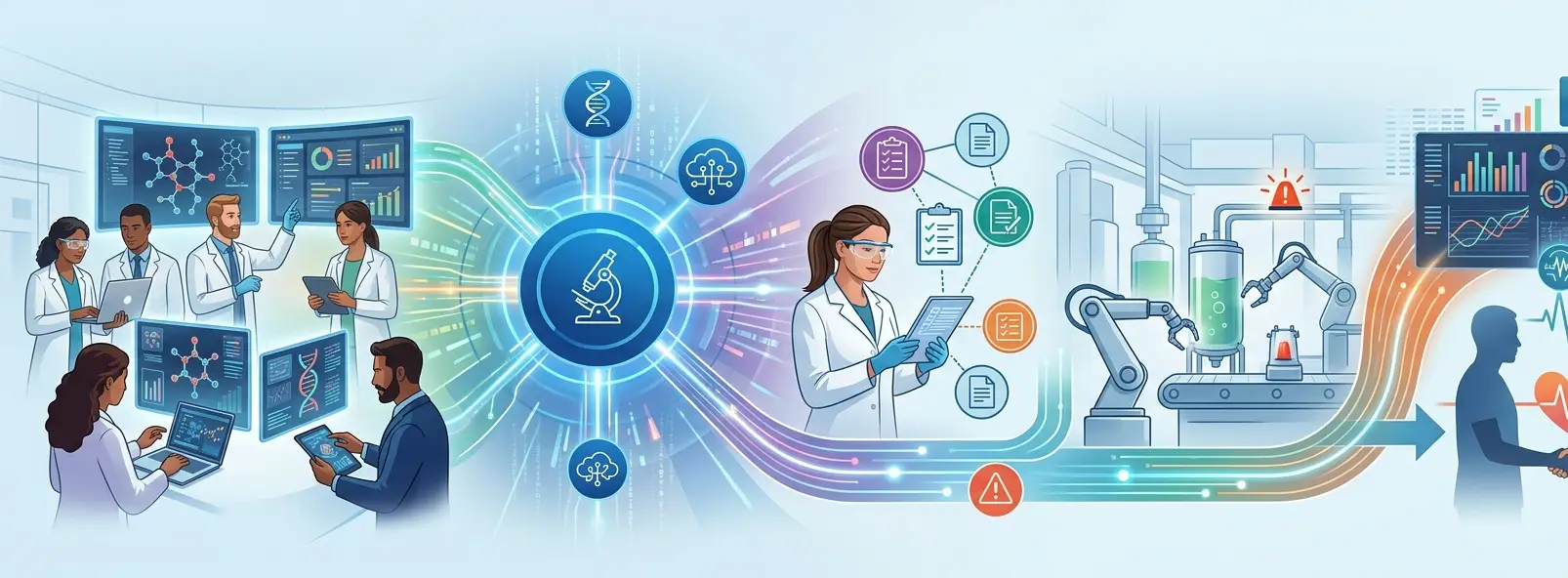
Think of the life sciences value chain as a relay. Research, clinical trials, manufacturing, and patient care may happen at different stages, but each depends on the right information being passed accurately and at the right time. Reliable technology and trusted data keep that handoff moving.

That handoff is getting trickier. Life sciences organizations are managing growing volumes of clinical and operational data while navigating stringent regulatory requirements, complex supply chains, legacy systems, and pressure to bring therapies and products to market faster. At the same time, the advent of personalized healthcare and other, more patient-centric approaches are raising the bar on how fast information can be translated into effective action.

Technology is therefore no longer simply supporting the life sciences business from the sidelines. It is becoming part of how research moves forward, clinical trials are managed, quality is maintained, products are manufactured and distributed, and patients are ultimately served.


Key Takeaways

  • The best life sciences technology solutions integrate workflows and data throughout the product lifecycle, not digitize isolated operations.
  • AI has huge potential in discovery, clinical development, safety, quality and operations but its utility is dependent on trusted data and suitable governance.
  • Cloud modernization can ease collaboration and scalability, but architecture, security, integration and compliance have to be planned in tandem.
  • You can modernize legacy systems without doing a wholesale replacement. API-led integration and progressive modernization can preserve systems that still work.
  • Technology reduces the distance between data, insight and the person who needs to act, improving patient outcomes.
  • Choosing a life sciences technology partner is not a feature comparison. Domain understanding, engineering depth, security, validation readiness and long-term scalability matter just as much.


What are Life Sciences Technology Solutions?

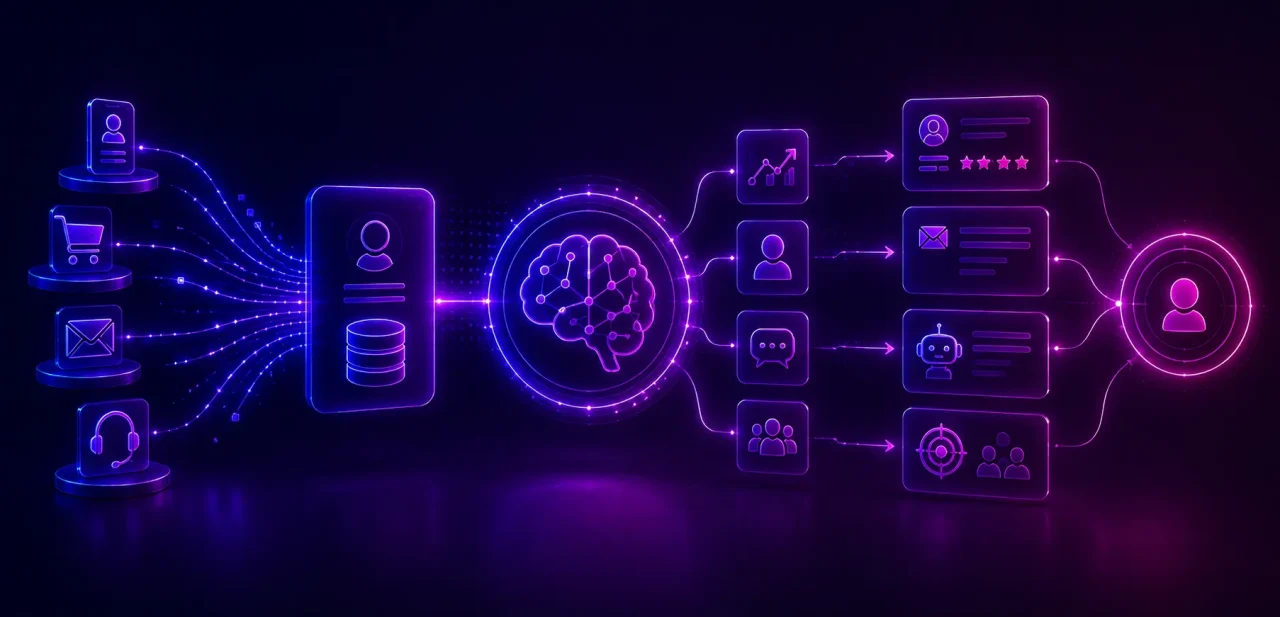
Life Sciences Technology Solutions

Life sciences technology solutions are digital systems, platforms, and engineering capabilities used to support activities across research, clinical development, regulatory and quality operations, manufacturing, supply chains, commercialization, and patient engagement.

A modern life sciences platform could include cloud infrastructure, software applications, data engineering, analytics, AI, automation, cybersecurity, linked devices and integration services.

The goal is not merely to get additional software in place. It’s about helping enterprises innovate faster, enhance compliance, decrease manual effort and operational expense, increase productivity, make better decisions, and ultimately improve outcomes for patients.


Why the Life Sciences Industry Needs Digital Transformation?

There is a familiar problem in transformation programs: individually, several systems may work reasonably well. Collectively, they make getting a complete answer surprisingly difficult.

Research data may sit in one environment. Clinical information sits somewhere else. Quality processes depend on documents and manual approvals. Manufacturing operates through another set of applications. Commercial teams create yet another view of the customer or patient.

Add lengthy development cycles, evolving regulatory requirements, supply-chain complexity, traceability expectations, cybersecurity threats, and aging applications, and technology fragmentation becomes a business constraint rather than an IT inconvenience.

Effective digital transformation therefore starts with a better question than Which platform should we buy?

It starts with: Where is complexity preventing the organization from moving faster, making a better decision, or controlling risk?

Current Industry Challenges

Life sciences organizations are under pressure from several directions at once. Drug development remains expensive and time-consuming. Regulatory requirements continue to evolve. Data is often spread across laboratories, clinical systems, manufacturing environments, quality platforms, and third-party networks.

Many organizations are also working with legacy systems that were never designed for today’s volume, speed, or interoperability needs. That makes even relatively simple changes harder than they should be.

The challenge extends beyond internal systems. Global supply chains need tighter visibility, particularly where temperature-sensitive products, serialization, and traceability are involved. At the same time, greater connectivity expands the cybersecurity surface, while patients increasingly expect healthcare experiences to be as responsive and convenient as the digital services they use elsewhere.

The result is a difficult balancing act: innovate faster without compromising quality, compliance, security, or patient trust.


Core Areas Covered by Best Life Sciences Technology Platforms

The best life sciences technology platforms do not solve one isolated problem. They connect information, workflows, and decisions across the product lifecycle, from the earliest stages of research through manufacturing, commercialization, safety monitoring, and patient engagement.

Area Where technology creates value
Research & Discovery LIMS, electronic lab notebooks, bioinformatics, scientific data management, AI-assisted discovery
Clinical Development CTMS, electronic data capture, decentralized trials, remote monitoring, patient recruitment, clinical analytics
Quality & Regulatory QMS, CAPA automation, audit and document management, submissions, change control
Manufacturing MES, electronic batch records, IoT, digital twins, predictive maintenance, warehouse automation
Supply Chain Inventory optimization, cold-chain monitoring, serialization, track-and-trace, logistics analytics
Commercial & Patient Engagement CRM, sales enablement, marketing automation, omnichannel and patient engagement
Pharmacovigilance Adverse-event workflows, safety analytics, signal detection and AI-assisted case processing

These capabilities span many of the core areas highlighted in the life sciences technology brief. The important word is connect because a sophisticated laboratory system still creates friction if its data cannot move reliably into the workflows that depend on it.


The Role of Technology in Improving Patient Outcomes

Not every digital initiative touches a patient directly. Many still influence the patient’s experience indirectly.

Better clinical data can support faster decisions. With connected devices monitoring may be more constant. Better visibility in manufacturing can minimize disruptions. Enhanced pharmacovigilance workflows can assist safety teams to better detect and investigate signals.

Technology is most useful when it fills a gap. The gap between gathering the data and making sense of that data, between spotting a risk and responding to that risk, between developing an innovation and delivering it safely to those who need it. That is a more meaningful measure of a life sciences solution than the number of technologies it contains.


Major Technologies Powering Life Sciences Solutions

Machine learning and artificial intelligence are broadening the scope of what enterprises can do with complicated clinical, scientific, imaging, genomics, manufacturing, and operational data. Possible applications include drug development, biomarker identification, clinical-trial optimization, safety surveillance, demand forecasting, medical imaging and customized healthcare.

Cloud platforms offer the scalable foundation needed for global collaboration and data-intensive workloads. IoT connects laboratories, equipment, medical devices, and cold chains. Automation can reduce repetitive regulatory, administrative, and quality tasks. Digital twins enable simulation and operational monitoring.

Generative AI introduces another layer, particularly around scientific knowledge, medical writing, document intelligence, summarization, and knowledge assistants.

But adopting every emerging technology is not a strategy.

The real question is whether a technology eliminates a meaningful constraint. If an AI model saves minutes but feeds an already broken workflow, little has changed.


Experion already supports healthcare and life sciences organizations with AI and MLOps capabilities for areas including medical document intelligence, pharmacovigilance, clinical-trial eligibility and real-world-evidence use cases, alongside knowledge graphs that can connect clinical, operational and regulatory data.


From AI Experiments to Connected Life Sciences Use Cases

Several technologies become considerably more powerful when implemented together.

Consider clinical development. An isolated AI model might identify potential trial candidates. Connect reliable patient data, analytics, cloud infrastructure, the right workflows, and human review, and you’ve got part of a larger clinical trial capability.

The same principle is applicable elsewhere:

AI: discovery acceleration, precision medicine, safety monitoring, intelligent quality control and document generation.

Cloud: secure collaboration, elastic infrastructure, global research environments, disaster recovery and AI-ready computing.

Data: governance, integration, metadata management, master data, quality controls, lakes and warehouses.

This is why leading life science technologies increasingly need to be considered as an ecosystem rather than a collection of individual tools.


Essential Software Solutions for Life Sciences Companies

Life sciences organizations usually rely on several connected systems rather than one platform. Laboratory Information Management Systems (LIMS) and Electronic Lab Notebooks (ELNs) help laboratories manage samples, experiments, and research data. Clinical Trial Management Systems (CTMS) and Electronic Data Capture (EDC) platforms support trial operations and clinical data collection.

Beyond these, Enterprise Resource Planning (ERP) systems support core business operations, Customer Relationship Management (CRM) platforms manage stakeholder engagement, and Product Lifecycle Management (PLM) systems help manage product information from development through commercialization. Content management, data platforms, and Business Intelligence (BI) tools then help teams organize information, analyze performance, and make better decisions.

The challenge is what happens between these systems. When research, clinical, quality, manufacturing, and commercial data remain disconnected, employees spend time reconciling information instead of acting on it. A stronger technology foundation connects these platforms through secure integrations, APIs, shared data layers, and governed workflows.

This is where Experion’s product engineering capabilities become relevant. Experion builds integration ecosystems, modernizes legacy applications incrementally, creates cloud and data platforms, and uses knowledge graphs and AI to connect information across operational and regulatory environments. The aim is not to replace every existing system, but to make the technology estate work more effectively as one ecosystem.


Compliance and Security Cannot Be Added Later

Life sciences systems may handle sensitive patient information, scientific intellectual property, regulated records, manufacturing data, and information used in safety or quality decisions. Security and compliance therefore need to influence architecture from the beginning.

That includes identity and access controls, traceability, data integrity, secure integration, resilient cloud architecture, monitoring, controlled change, and validation considerations appropriate to the system and its intended use. A platform that becomes difficult to validate, audit, secure, or govern is not truly accelerating the organization. It is moving complexity somewhere else.


Benefits of a Life Sciences Technology Solution
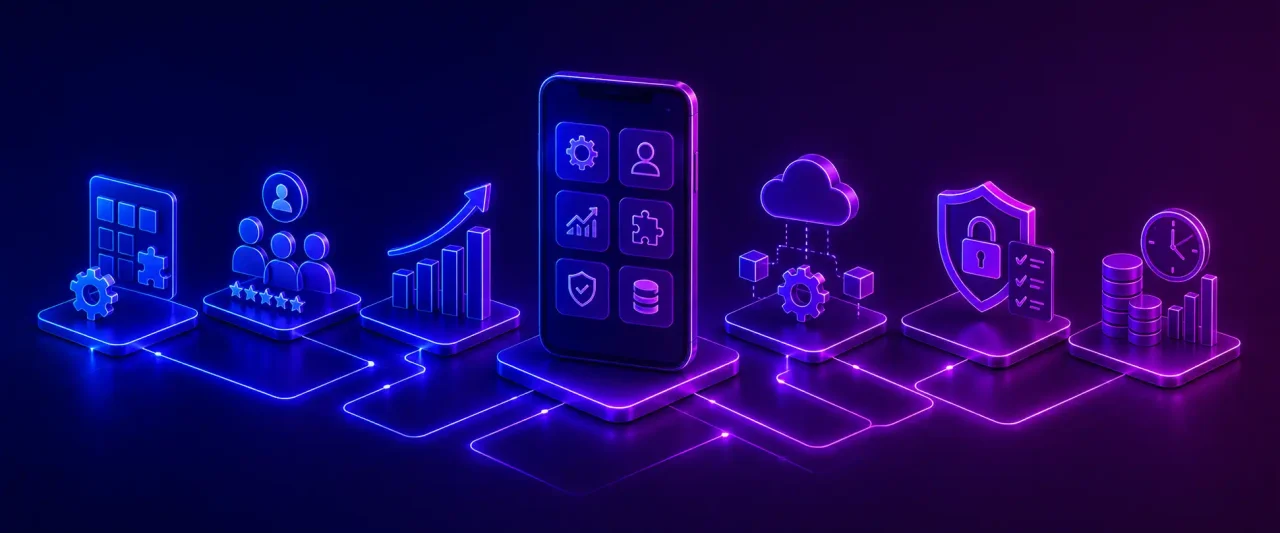
Life Sciences Technology Solutions

The most obvious benefit of connected life sciences technology is less friction between information and action. Researchers can get the data they need faster. Clinical and quality teams benefit from improved traceability. Production teams detect potential problems sooner. Automation and integration can aid in the reduction of repetitious administrative work.

That can result in shorter decision cycles, improved visibility to compliance, more effective operations, stronger collaboration and a more dependable data foundation for AI and analytics. The patient benefit may be indirect but it is important: fewer operational gaps might equate to better continuity, faster intervention and more dependable services.

Experion has seen this principle play out in practice. An integration ecosystem connecting clinical, workforce, finance, and safety systems helped an aged-care organization reduce manual effort by more than 40%. In another engagement, integrating 15+ medical-device models reduced manual data-entry time by 95%. The value came not from adding another isolated application, but from getting systems and data to work together.


What Does a Strong Life Sciences Technology Solution Deliver?

The answer depends on where an organization sits in the life sciences value chain.

For pharmaceutical businesses, the emphasis may be linking clinical, regulatory, manufacturing, quality and commercial operations while retaining traceability across the product lifecycle.

For biotech businesses, the focus is typically on scientific data, computing platforms, research cooperation and the potential to expand as programs proceed from discovery into development.

For medical device makers, technology must support connected products, device data, quality processes, product lifecycle management, and post-market visibility.

For Contract Research Organizations (CROs), the challenge is managing complicated trial operations across sponsors, sites, investigators, and geographies without losing visibility or consistency.

For Contract Development and Manufacturing Organizations (CDMOs), manufacturing control, quality, capacity planning, traceability, and supply-chain visibility are often more critical.

There is no single “best” life sciences platform. A strong solution is one that mirrors the organization’s operating model, regulatory environment, data needs, and growth priorities.


Why Life Sciences Technology Implementations Struggle?

The problem with life sciences technology applications is often not in the software itself.

The real problem is how to introduce a new platform into an environment constrained by legacy systems, regulated processes, fragmented data, user habits, and multiple points of integration. That may be fine on a clinical or quality platform, but if it cannot share trusted information with the systems around it, the business has just created another silo.

Validation is an additional degree of difficulty. FDA guidelines suggests a documented, risk-based approach, including how the system is used, the criticality of the data it processes and its potential impact on participant safety or the dependability of trial results. Interfaces, system updates and configurations may also need to be evaluated throughout the system lifecycle.

Data integrity is equally important. EMA guidance emphasizes that electronic data needs to be attributable, accurate, complete, consistent, available, and traceable throughout its lifecycle. That means governance, ownership, access control, and change management are part of the technology problem, not separate compliance tasks.

This is where implementation can become expensive and sluggish: teams discover integration, data-quality, validation, or adoption issues only after major technology decisions have already been made.


Best Practices for Successful Implementation

Start with the workflow that need to be optimized rather than the platform you want to introduce.

Define the intended use, the data involved, the regulatory and business risk, and the outcome you expect to change. That gives teams a clearer basis for deciding what should be modernized, integrated, automated, or left alone.

Then modernize in phased steps from there. APIs and integration layers can allow you to retain good legacy systems and build new features on top of them. Establish data ownership and quality rules up front. Build security, traceability, backup, access management, validation and change control into the architecture up front, not as a final check. Both the FDA and EMA guidance documents promote risk based life cycle methods for computerized systems and electronic data.

User adoption matters just as much as technical design. FDA guidance for computerized clinical systems also addresses training, roles and responsibilities, backup and recovery, system security, and change control, reinforcing that successful implementation depends on the operating model around the technology as well as the technology itself.

Experion’s capabilities align strongly with this approach. We combine incremental application modernization, API-led enterprise integration, cloud engineering, cybersecurity, data platforms, and regulated AI/MLOps capabilities to help life sciences organizations modernize without creating another disconnected layer of technology.

The final measure should remain practical: did the implementation reduce a delay, improve visibility, strengthen control, or help people make a better decision?


How to Choose the Right Life Sciences Technology Partner?

Searches for the best life sciences technology solutions providers in USA, best rated life sciences tech solutions providers, or best tech companies for life sciences solutions may produce long vendor lists. The better evaluation starts with your own operating problem.

Ask prospective partners:

  • Do they understand pharmaceutical, biotech, medtech, or related life sciences workflows?
  • Can they engineer around regulatory and validation requirements?
  • Can they integrate with the systems you already depend on?
  • Do they have genuine AI, data, cloud, cybersecurity, and product-engineering depth?
  • Can they explain how the proposed architecture will scale?
  • What happens after launch?

The best life sciences tech solutions companies should be able to discuss both technology and the business process technology is expected to improve.


How Can Experion Offer Support in Implementing Life Sciences Technology Solutions?

Experion’s healthcare and life sciences practice combines product engineering with AI, cloud, interoperability, data, security, and experience design. Its current focus extends to pharmaceutical, biotech and medtech companies, diagnostics, bioinformatics, regenerative medicine, and other healthcare and life sciences organizations.

The value of that breadth is most visible when problems cross system boundaries.

For a U.S. compounding pharmaceutical company, for example, Experion modernized a legacy order-management environment into a scalable platform supporting controlled-substance workflows. The implementation incorporated compliance automation, analytics and demand visibility and now supports more than 8,000 users and  2,000 hospitals.

In another engagement, Experion worked with a regenerative-medicine organization to assess fragmented donor operations, identify automation opportunities and establish a digital transformation roadmap designed to improve coordination and readiness for AI adoption.

The common thread is not technology for technology’s sake, but engineering technology around the operational outcome.


Where Life Sciences Technology Goes Next: Emerging Trends in Life Sciences Technology

The next generation of leading digital solutions for life sciences industry organizations will likely be defined less by isolated applications and more by connected intelligence.

AI agents and GenAI copilots can support increasingly complex knowledge work. Digital biomarkers and real-world evidence can help us understand patients beyond traditional encounters. Connected manufacturing setups can become more predictive with intelligent supply chains responding sooner to disruption. Digital therapeutics and precision medicine can make healthcare more individualized.

Autonomous laboratories, edge computing, hyperautomation, and eventually advances in quantum computing may expand the frontier further.

But the organizations that benefit most will not necessarily be those adopting technology first. They will be the ones building the data foundations, architecture, governance, and operating models that allow innovation to produce repeatable value.
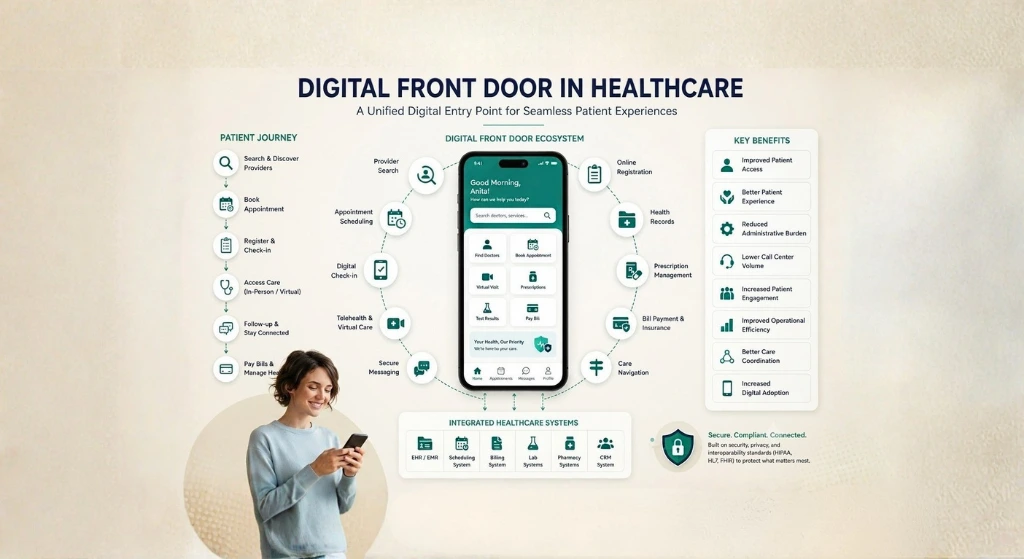

Digital Front Door in Healthcare

Patients do not separate their expectations of healthcare from the rest of their digital lives. If they can book a flight, track a delivery, move money, or change a reservation from a phone, they naturally wonder why finding a doctor or rescheduling an appointment still requires three phone calls.

The problem is rarely the absence of digital tools. Most healthcare organizations already have plenty of them: websites, portals, apps, scheduling systems, call centers, telehealth platforms, billing systems, and clinical applications. The difficulty is that these experiences often behave like separate doors into the same organization.

A patient searches for a specialist on one site, logs into another system to book an appointment, fills out information the hospital may already hold, receives reminders through a different channel, and later visits yet another portal for results or bills.

A digital front door tries to change that experience by creating a connected digital entry into healthcare.

The idea behind digital front door in healthcare is simple: what if a patient could discover care, complete routine tasks, communicate, receive services, and continue the relationship through one coherent experience, even when several systems are working behind it?


What is a Digital Front Door?

For anyone asking what is digital front door, it is best understood as a healthcare access strategy rather than a single application.

A digital front door gives patients a unified digital entry point to healthcare services, information, providers, and ongoing care interactions. It can bring together websites, apps, portals, scheduling, payments, messaging, telehealth, and clinical information so patients do not have to understand the organization’s technology landscape before they can receive care.

A healthcare digital front door may therefore be a platform, a connected group of technologies, or an integration layer built around systems the healthcare provider already uses.

Why Digital Front Door Matters?

A digital front door can connect provider websites, patient portals, healthcare mobile apps, appointment scheduling, provider search, telehealth, online registration, digital check-in, secure messaging, payments, prescriptions, health records, virtual assistants, and care navigation.

The important distinction is that these capabilities do not necessarily need to live inside one enormous application.

Effective digital front door solution can orchestrate existing tools behind a consistent patient experience. That makes the Digital Front Door both a technology architecture and a digital front door strategy for how patients access the organization.


Why is Digital Front Door Important for Healthcare?

Healthcare has spent years digitizing individual processes. The next challenge is connecting them from the patient’s point of view.

Major Challenges Faced by Healthcare Industry

A patient journey may begin with Google, move to a hospital website, continue through a call center, shift to an EHR portal, and end in a billing application.

Fragmented journeys create repeated logins, duplicated information, difficult provider discovery, poor scheduling experiences, and limited self-service. Manual administration increases call-center demand, while disconnected patient data makes personalization harder.

The issue is not simply convenience. Friction can appear at the exact moment somebody is trying to understand where to seek care.

This is why digital front door healthcare initiatives increasingly focus on continuity rather than creating another standalone channel.

Why are Organizations Prioritizing Front Door?

Healthcare organizations want patients to find care more easily, complete routine tasks independently, and move between digital and physical channels without starting over.

A good digital front door healthcare strategy can improve access, reduce repetitive administration, support digital engagement, and make omnichannel care easier to coordinate.

It can also create a more consistent relationship with patients. Instead of appearing only when an appointment is booked, the organization can support discovery, preparation, care delivery, payment, follow-up, and preventive engagement.

How Does the Digital Front Door Benefit Staff and Patients?

Patients gain convenience and clearer access to services. Staff gain fewer repetitive calls, more complete information, and better-defined workflows.

A patient who can confirm an appointment, complete registration, locate the facility, and pay online independently removes several small administrative tasks from frontline teams.

That does not eliminate human support. It allows human support to concentrate on situations where it adds more value.


How Does a Digital Front Door Work?

Conceptually, the journey can be pictured as:

Patient → Digital Entry Point → Identity & Personalization → Service Discovery → Healthcare Systems → Care Delivery → Follow-Up

The patient sees a connected journey. Behind that journey, different technologies exchange information and trigger workflows.

  • Digital Entry Points
    The first interaction might happen through a website, mobile app, patient portal, chatbot, voice assistant, SMS message, or connected device. A mature digital front door health experience does not assume every patient begins in the same channel.
  • Identity and Authentication
    Identity connects the interaction with the right patient. Single sign-on, identity management, multi-factor authentication, and secure account recovery can reduce repeated logins while protecting sensitive information. The goal is simple access without weak access controls.
  • Service Discovery
    Patients need to find the right service before they can use it. Search may include provider name, specialty, location, insurance acceptance, appointment availability, language, care setting, or virtual-care options. Discovery should answer the patient’s question rather than expose the organization chart of the health system.
  • Transaction Layer
    Once patients know what they need, they should be able to act. Transactions may include booking an appointment, completing registration, making a payment, requesting a prescription refill, submitting forms, or completing digital check-in. This is where a digital front door software experience moves beyond providing information and begins removing administrative effort.
  • Clinical Integration
    Clinical integration connects the patient-facing journey with EHRs, health records, care plans, laboratory results, and medication information. The digital front door should not become another isolated store of clinical information. Its value comes from connecting the experience with trusted systems of record.
  • Engagement Layer
    The relationship continues after the transaction. Notifications, secure messaging, health education, follow-up reminders, and relevant recommendations help patients understand what comes next. That continuity is what turns a set of digital tasks into an ongoing experience.


Key Components of a Digital Front Door

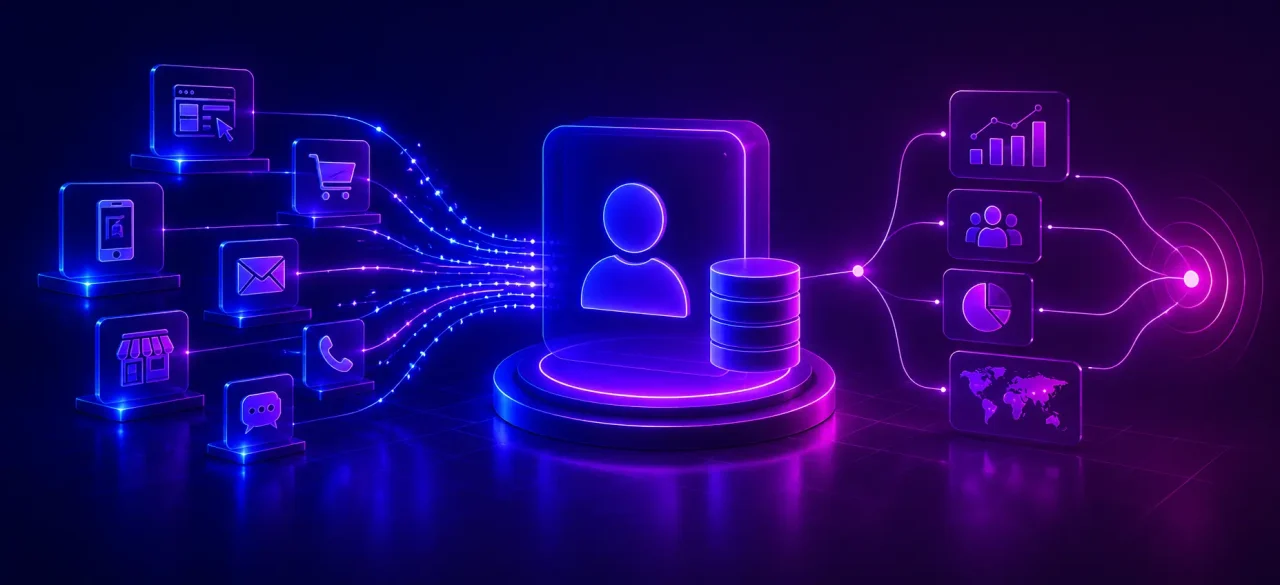
Digital Front Door

The exact combination varies by healthcare organization, but several capabilities appear repeatedly.

  • A patient portal provides authenticated access to records and services.
  • A healthcare mobile app brings common journeys onto the patient’s device.
  • Online appointment scheduling and digital check-in reduce dependence on telephone and paper processes.
  • Provider and location search help patients understand where to go.
  • Telehealth and virtual care provides another route to care.
  • Digital payments simplify financial interactions, while secure messaging keeps communication connected to the patient relationship.
  • AI-powered healthcare assistants can support navigation and routine questions when designed with clear boundaries.

The strongest digital front door solution is not necessarily the one containing the most features. It is the one in which the features work together.


Digital Front Door vs. Patient Portal

A patient portal and a Digital Front Door overlap, but they are not the same thing.

Area Patient Portal Digital Front Door
Primary role Authenticated patient services Connected access across the wider patient journey
Records Core capability Integrated into broader experience
Messaging Common Part of omnichannel engagement
Appointments Often available Includes discovery, scheduling and navigation
Results Common Connected with follow-up journeys
Billing Often available Can connect discovery through payment
Provider discovery Usually limited Core access capability
Care navigation Limited Broader navigation across services
Engagement Mostly portal-based Cross-channel and continuous
Follow-up Often transactional Can be personalized and proactive

The key takeaway is straightforward: a patient portal can be one component of a broader Digital Front Door strategy.


Digital Front Door vs. Digital Patient Experience

Digital Patient Experience describes the quality of all the digital interactions a patient has with a healthcare organization.

The Digital Front Door is the strategy, architecture, and technology ecosystem used to make those interactions easier to access and connect.

One is the experience the patient perceives; the other helps create it.

A strong digital front door strategy healthcare program therefore starts with patient experience rather than starting with software.


Benefits of Digital Front Door in Healthcare

  • The first benefit is improved patient access. Patients can find services and complete routine steps without waiting for office hours.
  • A better connected patient experience can improve patient satisfaction by reducing repeated information entry, unnecessary calls, and confusing transitions between systems.
  • Self-service can lower administrative workload and call-center volume. Better integration can improve care coordination and make relevant information available across journeys.
  • Digital engagement also becomes easier because communication can continue before and after an appointment rather than ending when the patient leaves.
  • Most importantly, digital front door healthcare can make digital adoption useful rather than simply increasing the number of tools patients are expected to use.


Experion can support these journeys through healthcare digital engineering, UX, mobile and web development, platform engineering, quality engineering, integration, and application support.


Digital Front Door Use Cases

A digital front door can support many moments that currently require separate journeys.

A patient looking for care can search by specialty and location, check insurance information, compare available appointments, and book immediately.

Before the visit, registration forms and check-in can happen digitally. The same environment can support virtual consultations, medication information, chronic-care reminders, preventive-care prompts, and post-visit instructions.

Urgent-care navigation may help patients understand appropriate care options without manually searching multiple locations.

Billing can appear naturally after care rather than through a disconnected financial portal.

These are different use cases, but the patient should not feel as if they belong to different organizations.


Role of AI in Digital Front Door

AI can make a digital front door easier to navigate when it is applied to specific patient problems.

AI-powered search can interpret conversational requests rather than requiring patients to know medical department names. Intelligent navigation can route someone towards a service, location, or next action.

Conversational AI can answer routine administrative questions and help patients complete tasks. Personalization may surface relevant information based on context and consent.

Predictive engagement can identify when reminders or outreach may be helpful.

For teams researching how ai digital front door improves patient access, the practical value lies in reducing the effort between a patient’s question and the appropriate next step.

AI agents may eventually coordinate several administrative actions across systems, but autonomy should increase only where safety and governance allow it.

Important Considerations

Healthcare AI needs clear human escalation.

Answers must be accurate, especially when a conversation begins moving from administration towards clinical guidance. Privacy, clinical safety, explainability, and governance need to be built into the operating model.

AI should help a patient reach appropriate care. It should not create false confidence about matters that require a clinician.


Role of Interoperability in Digital Front Door Healthcare

A polished interface cannot compensate for disconnected systems behind it.

Interoperability is what allows the Digital Front Door to know that an appointment was booked, a laboratory result became available, or a payment was completed without requiring duplicate data entry.

Systems That May Need Integration

Typical integrations include EHRs, CRM platforms, patient portals, practice-management systems, billing applications, scheduling engines, telehealth platforms, laboratories, pharmacy systems, and identity platforms.

The exact architecture depends on the organization’s existing estate.

Standards and Technologies

HL7 remains widely used for healthcare data exchange, while FHIR provides modern standards for exchanging healthcare information through structured resources and APIs.

APIs and healthcare interoperability platforms can make data and services available across applications, while identity-management systems help ensure information is linked to the appropriate patient.

Interoperability is therefore not an optional backend concern. It is what makes the frontend journey believable.


Digital Front Door Architecture

A useful conceptual architecture has several layers.

  • The Experience Layer contains web, mobile, portal, chatbot, and other patient touchpoints.
  • The Engagement Layer manages messaging, notifications, and personalization.
  • The Orchestration Layer coordinates workflows across those experiences.
  • The Integration Layer connects APIs, FHIR services, and enterprise interfaces.
  • Enterprise Systems include EHR, scheduling, billing, CRM, telehealth, and other operational platforms.
  • Finally, Data & Analytics provides insight into journeys, adoption, performance, and opportunities for improvement.

A good architecture keeps these responsibilities distinct enough to evolve independently.


Security and Privacy Considerations

The central question is unavoidable: how can healthcare organizations make digital access easier without making patient information easier to compromise?

Convenience cannot mean weak authentication.

A digital front door may need encryption, role-based access, multi-factor authentication, secure APIs, consent management, audit logging, threat monitoring, and clear session controls.

Privacy should influence personalization as well. The fact that an organization possesses information does not mean every application should use it automatically.

Security, therefore, needs to be part of architecture and experience design rather than a final compliance review.


Challenges of Implementing a Digital Front Door in Healthcare

The hardest part is often not the patient interface.

Legacy systems may have limited APIs. Data may exist in several formats. Scheduling rules can differ between departments. Multiple patient identities may exist across acquired systems.

Interoperability becomes difficult when platforms were never designed to work together.

Staff adoption also matters. A new digital workflow that creates extra manual work behind the scenes is not genuine transformation.

Healthcare organizations must also manage privacy, security, accessibility, personalization, and the practical complexity of integrating systems without disrupting ongoing care.


How to Build a Digital Front Door Strategy?

Step 1: Understand the Patient Journey

Map what patients actually do today, including calls, searches, forms, portals, and in-person interactions.

Step 2: Identify Friction Points

Find moments where patients wait, repeat information, abandon tasks, or require avoidable staff assistance.

Step 3: Define Business and Patient Goals

Connect patient improvements with measurable operational goals such as self-service adoption or reduced administrative effort.

Step 4: Assess Existing Technology

Understand what can be reused before buying or building anything new.

Step 5: Prioritize High-Value Journeys

Begin with journeys where improved access creates meaningful value.

Step 6: Design the Experience

Design around patient intent rather than individual systems.

Step 7: Build the Integration Layer

Connect the systems required to make the journey work end to end.

Step 8: Introduce Automation and AI

Automate repetitive processes after the underlying workflow is understood.

Step 9: Test With Patients and Staff

Both groups experience the consequences of poor design.

Step 10: Measure and Improve

A digital front door healthcare strategy should evolve from evidence rather than become a one-time implementation.


Digital Front Door Implementation Roadmap

Phase 1: Assessment

Map journeys, technology, data, integrations, and organizational constraints.

Phase 2: Foundation

Establish identity, integration, design standards, security, and analytics.

Phase 3: Core Digital Experiences

Introduce priority capabilities such as discovery, scheduling, registration, messaging, or payments.

Phase 4: Intelligent Experiences

Add personalization, conversational AI, predictive engagement, and carefully governed automation.

Phase 5: Optimization

Use adoption, patient feedback, operational data, and journey analytics to improve continuously.


Best Practices for Digital Front Door Solutions Implementation

  1. Start With Patient Needs rather than a technology catalogue.
  2. Make the Experience Simple even when the backend is complicated.
  3. Design for Mobile because many patient interactions begin there.
  4. Connect Existing Systems instead of replacing useful technology unnecessarily.
  5. Prioritize Accessibility from the first design decision.
  6. Build for Omnichannel Experiences rather than one preferred channel.
  7. Keep Humans in the Loop when judgment or reassurance matters.
  8. Treat Security as a Foundation rather than a feature.

These principles are often more important than the number of modules in the chosen platform.


How Digital Front Door Supports Omnichannel Healthcare?

A real patient journey rarely stays inside one channel.

Someone may discover a service on the website, book through the mobile app, call with a question, attend an in-person appointment, read results in the portal, and receive an SMS reminder later.

Website → Mobile App → Call Center → In-Person Visit → Portal → SMS Follow-Up

Omnichannel healthcare means those transitions preserve context.

The patient should not have to restart the journey merely because the communication channel changed.

That is where the idea of front door healthcare becomes useful: there may be many physical and digital doors, but the relationship behind them should feel connected.


Digital Front Door and Patient-Centric Healthcare

Traditional healthcare workflows have often been organized around providers, departments, and systems.

A patient-centric model begins with what the patient is trying to accomplish.

A digital front door allows patients to choose how they interact, access services more conveniently, receive relevant information, complete appropriate tasks independently, and remain connected with care teams.

This does not mean shifting every responsibility to patients. It means removing organizational complexity from tasks that should be simple.

The more successfully that happens, the less patients need to understand how the health system itself is organized.


Future of Healthcare Digital Front Door

The next generation of Digital Front Door experiences will become more conversational and context-aware.

Generative AI may make search and navigation easier. AI agents could coordinate selected administrative tasks across systems. Hyper-personalization may adapt journeys according to patient context and preference.

Voice-based access could make digital services easier for patients who struggle with conventional interfaces.

Predictive engagement may help organizations reach patients before routine care is missed.

Connected health devices, stronger digital identity, and healthcare super apps may bring more services together.

The direction is towards fewer disconnected transactions and a more continuous digital relationship.


How to Choose a Digital Front Door Solution?

Start with the journey, not the vendor shortlist.

A useful digital front door solution should integrate with existing clinical and operational systems, support the organization’s priority patient journeys, provide strong identity and security, and remain flexible enough to change.

Consider mobile experience, accessibility, interoperability, workflow orchestration, analytics, AI governance, and administration.

Organizations comparing digital front door healthcare companies should also examine implementation experience. Buying technology does not solve fragmented workflows automatically.

Searches for the best digital front door healthcare option or the best digital front door platform for hospitals can encourage feature-by-feature comparison. A better question is which approach fits the organization’s systems, patients, operating model, and roadmap.


Build vs. Buy: What Should Healthcare Organizations Choose?

Neither approach is automatically better.

Factor Build Buy
Customization High Moderate–High
Time to market Longer Faster
Integration flexibility High Depends on platform
Initial effort Higher Lower
Control High Moderate
Maintenance Internal Vendor-supported

Building can make sense when the patient experience is highly differentiated or existing platforms cannot accommodate important workflows.

Buying may work well when established functionality meets most requirements.

Many organizations ultimately combine both: a commercial foundation with custom experiences and integrations around it.


How to Choose a Digital Front Door Software Partner?

A digital engineering partner should understand more than frontend development.

The work can involve digital strategy, patient journey mapping, UX/UI design, healthcare application development, mobile development, API engineering, EHR integration, cloud architecture, AI, data engineering, cybersecurity, quality engineering, modernization, and ongoing support.

Healthcare experience matters because an elegant design can still fail if it ignores scheduling complexity, clinical-system constraints, privacy, or accessibility.

A partner should also be comfortable working with the systems already present rather than assuming every engagement begins with a clean technology estate.


Real-World Impact of Digital Front Door in Healthcare

Consider a routine patient journey.

Before Digital Front Door

A patient begins with a Google search.

They visit several hospital pages trying to understand which specialist they need. The appointment cannot be booked online, so they call.

After waiting, they receive a date, then complete paper forms at the facility. A follow-up question requires another call.

The organization may technically have a website, portal, EHR, scheduling system, and call center. From the patient’s perspective, however, none of them feels connected.

After Digital Front Door

The patient opens the healthcare website or app and searches for the type of care required.

They find an appropriate provider, see availability, book an appointment, and complete registration digitally.

Reminders arrive before the visit. Digital check-in reduces work on arrival.

The consultation happens virtually or in person. Follow-up instructions appear through the same connected experience, and the bill can be paid online.

Nothing about the healthcare itself has been made artificially simple. The unnecessary work surrounding it has.


Conclusion: Building a Connected Healthcare Experience

A digital front door is more than another patient-facing application.

It is a connected approach to access, engagement, care delivery, automation, data, and healthcare technology. Its value lies in making multiple systems feel like one understandable journey from the patient’s side.

That distinction matters. Healthcare organizations do not necessarily need another portal or another app. They need fewer gaps between the digital services they already provide.

Whether the organization chooses a commercial platform, a custom digital front door software approach, or a combination of technologies, success begins with patient needs, interoperability, security, staff workflows, and measurable experience goals.

For organizations developing a digital front door strategy, the ambition should not be “put everything into one app.” It should be to make access to care feel connected regardless of where the patient begins.

Managed IT Services For Manufacturing

There was a time when a factory’s IT environment could be discussed almost separately from production. Office systems lived on one side; machines and plant operations lived on the other. That boundary is disappearing.

Modern plants depend on ERP platforms, Manufacturing Execution Systems (MES), industrial IoT devices, cloud applications, connected equipment, analytics, supplier networks, and increasingly AI. A network problem is no longer simply an inconvenient IT ticket. In the wrong part of a factory, it can interrupt production, delay orders, or leave operations teams without the data they need to make a decision.

That has changed the conversation around IT for manufacturing. Manufacturers are looking beyond break-fix support towards continuous monitoring, cybersecurity, infrastructure management, cloud operations, user support, disaster recovery, and the management of increasingly connected IT and OT environments.

The objective is straightforward: technology should help production move, not become another source of uncertainty.


Key Takeaways

  • Manufacturing IT increasingly connects the office, plant floor, cloud, machines, and supply chain.
  • Managed services shift IT from reactive troubleshooting towards continuous monitoring and prevention.
  • IT and OT require different security, availability, and support considerations.
  • Cybersecurity and business continuity need to be designed around production realities.
  • Cloud, IoT, AI, edge computing, and Industry 4.0 are increasing infrastructure complexity.
  • The right managed-services model should complement internal teams rather than simply replace them.


What is Managed IT Services?

For teams asking what is managed it services, the simplest answer is this: it is an outsourced or co-managed model in which a specialist provider takes responsibility for agreed parts of an organization’s ongoing technology operations.

That might include infrastructure monitoring, service desk support, networking, cloud administration, cybersecurity, backups, identity management, devices, patches, and incident management.

Unlike an arrangement that begins only when something breaks, managed services are usually proactive. Systems are monitored continuously, defined service levels guide response, recurring problems are investigated, and maintenance happens before avoidable issues become outages.

For manufacturers operating across shifts, sites, or countries, that can also mean access to 24/7 IT operations rather than depending entirely on the availability of a small local team.

Managed IT Services vs. Traditional IT Support

Traditional IT support is often event-driven: something fails, a user calls, and somebody fixes it.

Managed IT takes a wider view. The provider monitors technology health, manages routine maintenance, tracks risks, supports users, documents recurring incidents, and works against defined service levels.

The difference is less about who answers the ticket and more about whether the technology environment is being actively managed between tickets.


Managed IT Services in Manufacturing

Manufacturing adds an important complication: IT does not stop at laptops, email, and business applications.

IT for manufacturing increasingly stretches from enterprise software to the systems that collect production data, connect plants, support machines, enable suppliers, and feed real-time information into operational decisions.

That makes IT services for manufacturing different from generic office IT support.

How Manufacturing IT Differs from Traditional IT?

A manufacturing technology environment may include production-floor systems, industrial control systems, Operational Technology (OT), connected machines, industrial IoT devices, MES platforms, ERP systems, warehouse applications, edge devices, and decades-old equipment that still performs an important production function.

Some machines cannot be patched on an ordinary corporate schedule. A network change may affect production. An old controller may depend on software that the original vendor no longer actively develops.

Supply-chain connectivity adds another layer because manufacturers exchange data with suppliers, logistics providers, distributors, customers, and enterprise platforms.

The result is an environment in which availability and change management need to reflect production schedules, safety requirements, and equipment constraints.

Why Manufacturing Requires Specialized IT Expertise?

Manufacturing support teams need to understand the relationship between digital infrastructure and physical operations.

A routine reboot is not routine if it stops a production cell. A security patch cannot always be pushed immediately if the affected system controls equipment during an active shift.

That is why IT support for manufacturing industry environments needs coordination between IT specialists, OT engineers, equipment vendors, cybersecurity teams, and plant operations.

How Managed IT Services Support Digital Transformation?

Digital transformation introduces new technology but also creates new things to operate.

Cloud migrations, connected machines, IIoT platforms, analytics, automation, and smart-factory initiatives all require monitoring, integration, security, and support once they move into production.

Well-designed managed IT solutions help make that transition sustainable by supporting both the new environment and the legacy systems that cannot disappear overnight.

Why Manufacturing Companies Need Managed IT Services?

  • Digital transformation is the obvious driver, but it is not the only one.
  • Manufacturers are connecting more machines, data sources, applications, and facilities. At the same time, cybersecurity risk is increasing and older infrastructure continues to require support.
  • Skilled technology talent can also be difficult to maintain across networking, cloud, security, databases, ERP, OT, and end-user systems simultaneously. A plant may not need every specialist full-time, but it still needs access to that expertise when something goes wrong.
  • Downtime raises the stakes. An unavailable application in an ordinary office may inconvenience a team; unavailable technology connected to production can affect throughput, schedules, inventory, and customer commitments.
  • Regulatory and customer requirements add further pressure around security, auditability, access, and resilience.

For these reasons, managed IT services for manufacturers are increasingly about operational continuity as much as IT administration.


Common IT Challenges in Manufacturing and How to Overcome Them

Challenges

  • Unplanned downtime remains one of the most visible problems, but its cause may sit anywhere across networks, infrastructure, software, devices, or external integrations.
  • Legacy systems create another dilemma: they may be old, yet replacing them can interrupt working production processes.
  • Manufacturers also face cyberattacks against industrial networks, inconsistent plant connectivity, data silos between IT and OT, cloud-migration complexity, and limited internal specialist capacity.
  • Supply-chain systems create external dependencies, while rapid expansion can leave different facilities running different technology standards.

Solution

The practical response is not to replace everything at once.

Start by mapping critical systems and dependencies. Establish monitoring around production-sensitive infrastructure, standardize what can safely be standardized, isolate vulnerable legacy environments, improve backup and recovery, and introduce clear incident ownership.

A provider delivering manufacturing IT solutions should help prioritize according to operational risk rather than attempting an indiscriminate technology refresh.


Core Managed IT Services for Manufacturing

  • 24/7 Infrastructure Monitoring
    Continuous monitoring watches servers, networks, applications, cloud resources, and critical infrastructure for availability, capacity, errors, and abnormal behavior. The aim is to detect trouble before the plant team becomes the monitoring system.
  • Help Desk & Technical Support
    A structured service desk gives employees a consistent route for device, application, account, and access issues. Good IT support for manufacturing also distinguishes an individual user problem from an incident that could affect production.
  • Network Management
    Plants rely on reliable connectivity between offices, production areas, warehouses, cloud platforms, and remote locations. Network management covers performance, configuration, availability, segmentation, and troubleshooting.
  • Cloud Infrastructure Management
    Cloud operations include resource monitoring, access, availability, cost management, backups, security configuration, and ongoing optimization across public, private, or hybrid environments.
  • Cybersecurity Services
    Managed security may include vulnerability management, endpoint protection, network monitoring, identity controls, logging, incident response, and security assessments.
  • Data Backup & Disaster Recovery
    Backups are useful only if systems and data can actually be restored. Recovery planning should define priorities, dependencies, recovery procedures, testing, and acceptable recovery times.
  • Patch Management
    Patch management keeps supported operating systems, applications, and devices current while recognizing that production systems may require controlled maintenance windows and vendor validation.
  • Device Lifecycle Management
    Devices need to be provisioned, configured, secured, supported, tracked, repaired, and eventually retired. Manufacturing environments may add rugged devices, handheld scanners, terminals, tablets, and shop-floor endpoints to the usual workplace estate.
  • Microsoft 365 Administration
    Administration can cover users, licenses, collaboration tools, security policies, email, Teams, SharePoint, and related Microsoft cloud services.
  • Identity & Access Management
    Identity controls determine who can access which systems and under what conditions. Role-based access, multi-factor authentication, privileged-account management, and timely offboarding reduce unnecessary exposure.
  • Asset Management
    Asset management creates visibility across hardware, software, licenses, ownership, age, warranties, and lifecycle status. That visibility is particularly valuable across multiple plants.
  • Compliance & Risk Management
    Managed services can help maintain security controls, evidence, policies, risk registers, audit information, and remediation plans. Accountability for compliance, however, remains with the organization.


Manufacturing Technologies Supported by Managed IT Providers

The technology estate may include ERP, MES, warehouse management, supply-chain platforms, industrial IoT, cloud services, databases, business applications, collaboration platforms, endpoint fleets, edge systems, and plant networking.

More mature providers may also support interfaces between enterprise systems and operational platforms.

This is where IT services for manufacturers become particularly valuable: the goal is not simply to keep each technology available independently, but to understand the dependencies between them.


Manufacturing-Specific Managed IT Services

Manufacturing-specific support can extend further into operations:

  1. OT Infrastructure Monitoring keeps visibility on production-related technology without treating it exactly like corporate IT.
  2. Industrial IoT Device Management covers connectivity, health, configuration, and device lifecycle.
  3. PLC and SCADA Network Support focuses on the networks around industrial control environments, with changes carefully coordinated with OT specialists.
  4. Manufacturing Execution System (MES) Support helps maintain the digital layer connecting production planning with shop-floor execution.
  5. ERP System Management supports business-critical planning, procurement, inventory, and finance processes.
  6. Shop Floor Connectivity keeps machines, terminals, edge devices, and systems connected reliably.
  7. Machine Health Monitoring brings machine data into monitoring and maintenance workflows.
  8. Edge Computing Management supports workloads that need processing close to production equipment.
  9. Smart Factory Enablement helps manufacturers operate the connected infrastructure introduced through Industry 4.0 programs.

Together, these services create a more useful model of manufacturing IT support than a conventional office help desk alone.


Benefits of Managed IT Services for Manufacturing

The clearest benefit is reduced operational uncertainty.

Continuous monitoring and faster escalation can reduce avoidable downtime. Defined service arrangements make IT expenditure and responsibilities more predictable. Internal teams gain access to specialized expertise without trying to recruit every skill into every location.

Stronger cybersecurity reduces exposure across increasingly connected environments. Better patching, backup, recovery, identity, and monitoring also support compliance and business continuity.

Reliable infrastructure can improve equipment availability, employee collaboration, and supply-chain visibility. Incident response becomes more structured because teams know who owns the problem and how quickly it should be handled.

For growing manufacturers, managed IT services for manufacturing companies can also provide capacity as new plants, applications, users, or cloud environments are added.


Experion has experience providing support operations and managed services for business-critical digital platforms, alongside quality engineering and application support capabilities. We can bring that operating discipline into wider transformation engagements without treating support and engineering as unrelated activities.


Manufacturing Cybersecurity: Why It Deserves Special Attention?

Manufacturing cybersecurity has an unusual constraint: security controls need to protect information and systems without creating unsafe or unnecessary production interruptions.

Common Threats

Ransomware can disrupt both corporate and plant operations. Phishing remains a common way to compromise employee accounts, while insider threats may be malicious or accidental.

Supply-chain attacks can enter through trusted vendors or software. OT attacks are particularly serious because industrial environments connect cyber systems with physical processes.

Why Manufacturers Are Prime Targets?

Manufacturers often operate continuously, depend on legacy equipment, connect multiple facilities, and maintain complex supplier ecosystems. Attackers know that downtime creates pressure to restore operations quickly.

The growing connection between IT and OT also gives compromised systems more potential pathways.

Best Security Practices

Effective security combines network segmentation, secure remote access, strong identity controls, asset visibility, vulnerability management, tested backups, logging, incident-response planning, and careful control of privileged accounts.

Security policies should also reflect production realities. Controls that plant teams routinely bypass because they interfere with work are not strong controls.

Zero Trust Security

Zero Trust follows the principle that access should be explicitly verified rather than automatically trusted because a device or user is already inside the network.

In manufacturing, implementation needs to account for machines and protocols that were never designed around modern identity controls.

Endpoint Detection and Response

EDR can help detect suspicious activity on supported endpoints and provide security teams with richer information for investigation and containment.

It should form part of a broader defense strategy rather than act as the only security layer.

Security Awareness Training

Employees remain an important part of security. Regular training should cover phishing, credentials, removable media, suspicious requests, reporting procedures, and the particular risks created by plant and vendor access.


Managed IT Services and Industry 4.0

Industry 4.0 connects production with data.

Smart factories use Industrial IoT, cloud and edge computing, artificial intelligence, predictive maintenance, digital twins, robotics, and automation platforms to create more responsive operations.

That connectivity also expands the technology estate that someone has to maintain.

Managed services can provide the monitoring, infrastructure, integration, security, and operational support needed once an Industry 4.0 initiative moves beyond a pilot. Without that foundation, organizations can accumulate smart technologies that are individually impressive but difficult to operate together.


Cloud Computing in Manufacturing

Manufacturers rarely have one universal cloud requirement.

Public Cloud can provide scalable infrastructure and managed services. Private Cloud may suit workloads requiring greater environmental control. Hybrid Cloud is common where plant systems remain local while enterprise applications and analytics move to cloud platforms.

A Multi-Cloud Strategy can reduce reliance on one environment or reflect different workload needs, although it also increases operational complexity.

Cloud Migration Best Practices include workload assessment, dependency mapping, security design, data planning, testing, phased migration, and rollback preparation.

Cloud Security should address identity, configuration, data protection, monitoring, network controls, and the shared-responsibility model.

The objective of managed IT infrastructure is not simply to move servers elsewhere. It is to make the environment observable, supportable, resilient, and cost-aware.


Compliance Standards Manufacturers Should Know

The relevant standards depend on sector, geography, customer contracts, and the type of information or systems involved.

ISO 27001 provides a framework for information security management systems.

The NIST Cybersecurity Framework provides guidance for managing cybersecurity risk.

CMMC, where applicable, is relevant to organizations participating in certain US Department of Defense supply chains.

IEC 62443 addresses cybersecurity for industrial automation and control systems.

GDPR matters when organizations process personal data within its territorial scope.

HIPAA may become relevant to medical manufacturers when their activities involve protected health information in a role covered by the regulation; being a medical manufacturer by itself does not automatically make every operation subject to HIPAA.

Customer-specific security and supply-chain requirements can be just as important as formal standards.


Managed IT Services vs In-House IT Team

Comparison Area Managed IT In-House IT
Cost Predictable service model based on agreed scope Salaries, tools, training, recruitment, and retention
Availability Can provide extended or 24/7 coverage Depends on team size and shifts
Expertise Access to broader specialist skills Strong internal business knowledge
Cybersecurity Specialist security resources can be included Requires internal capability and tooling
Scalability Capacity can expand with scope Additional demand may require hiring
Monitoring Typically continuous and tool-driven Depends on internal resources
Support Hours Defined through the service model Usually tied to staffing
Disaster Recovery Can be managed and tested as a service Requires dedicated internal ownership
Technology Upgrades Planned within lifecycle management Competes with other internal priorities

Many manufacturers use a hybrid model rather than choosing one side completely: the internal team retains business and plant ownership while a provider adds specialist capacity and continuous operations.


How AI in Managed IT Services Help Manufacturing Companies?

AI can help support teams make sense of large volumes of operational information.

AIOps tools can correlate alerts, identify unusual infrastructure behavior, summarize incidents, and help prioritize events according to likely impact. Machine learning can support capacity forecasting and predictive infrastructure monitoring.

AI can also help service desks classify tickets and surface relevant knowledge more quickly.

The important distinction is between assistance and autonomy. In production environments, AI recommendations should operate within clear controls, particularly where an action could affect plant availability.


Signs Your Manufacturing Business Needs Managed IT Services

  • Frequent downtime is the most obvious signal, but others appear earlier.
  • Cybersecurity incidents may be increasing.
  • Infrastructure may be outdated.
  • IT costs may be rising without a clear view of where the money goes.
  • Support responses may be too slow because a small team is covering too much.
  • Expansion into new facilities, ERP modernization, cloud migration, and growing connected-device estates can also outgrow the internal support model.

When internal specialists spend most of their time keeping systems alive rather than improving them, manufacturing IT support services may provide useful additional capacity.


How Managed IT Services Improve Manufacturing Operations?

  • Production Continuity: Monitoring and faster incident response reduce preventable interruptions.
  • Better Inventory Management: Reliable ERP, warehouse, and integration systems keep inventory information moving between operations.
  • Faster Decision-Making: Available systems and connected data give managers a clearer operational picture.
  • Improved Machine Connectivity: Managed networks and edge infrastructure provide a stronger foundation for connected equipment.
  • Remote Plant Management: Central monitoring can provide visibility across multiple locations without requiring every specialist to be physically present.
  • Better Data Analytics: Reliable infrastructure and integration make manufacturing data more usable for reporting, forecasting, and optimization.


Managed IT Services for Manufacturing Use Cases

A multi-site manufacturer may centralize service desk, network monitoring, identity, and cloud administration while retaining local OT teams.

A plant running older production technology may use an IT managed services for manufacturing firm model to stabilize infrastructure, segment legacy systems, improve backups, and introduce monitoring before undertaking modernization.

A growing business may require managed IT services for manufacturing firms that can support newly acquired facilities and gradually standardize their technology.

Another manufacturer may use IT managed services for manufacturing firms to extend internal coverage after hours, while its own IT team concentrates on ERP transformation and smart-factory projects.

These models are flexible because manufacturing environments rarely start from the same point.


Choosing the Right Managed IT Service Provider

The best managed IT services for the manufacturing industry are not necessarily those with the longest catalogue of technology products. They are the ones that understand how IT decisions affect production.

Look for manufacturing experience, OT awareness, cybersecurity expertise, cloud capability, service-level discipline, scalability, and evidence of ongoing support.

An IT managed services for manufacturing firm should also be comfortable working with existing plant teams and specialist equipment vendors rather than trying to own systems outside its expertise.

Use this checklist during evaluation:

  • Relevant manufacturing and industrial experience
  • Clear 24/7 support and escalation model where required
  • IT and OT cybersecurity capability
  • Defined SLAs and measurable KPIs
  • Cloud and hybrid-infrastructure expertise
  • Experience working around production-critical systems
  • Documented backup and disaster-recovery approach
  • Transparent pricing and scope
  • Customer references for comparable environments
  • Knowledge-transfer and continuous-improvement process

A provider offering managed IT services for manufacturing firms should be able to explain not just how it closes tickets, but how it intends to reduce recurring ones.


Future Trends in Managed IT Services for Manufacturing

Managed operations are becoming more predictive.

  • AI-powered IT Operations (AIOps) will increasingly correlate events and help teams focus on issues most likely to affect operations.
  • Predictive Infrastructure Monitoring will use historical patterns to identify early signs of degradation.
  • Edge Computing will become more important as plants process data closer to machines.
  • Digital Manufacturing and Industrial AI will increase the demand for reliable data and infrastructure.
  • Autonomous Networks and Hyperautomation may reduce repetitive operational work, although production-impacting actions will still require careful governance.
  • Sustainability and Green IT will add another dimension, with manufacturers looking at infrastructure efficiency, cloud consumption, device lifecycles, and energy-aware computing.


Best Practices for Successfully Implementing Managed IT Services

Start with a comprehensive assessment rather than transferring an undocumented environment to a new provider.

Align the IT strategy with production and business goals. Identify critical systems, dependencies, support gaps, and risk before deciding what to outsource.

Prioritize cybersecurity from day one and standardize hardware and software where doing so will genuinely simplify operations.

Introduce continuous monitoring and agree clear SLAs, escalation procedures, and KPIs.

Train employees on security awareness and ensure plant teams understand how incidents should be reported.

Review service performance regularly rather than waiting for contract renewal.

Most importantly, create and test disaster-recovery and business-continuity plans. Recovery procedures that exist only in a document have not yet proved that they work.


Conclusion

Manufacturing technology is becoming harder to separate from manufacturing itself.

ERP platforms influence planning. Networks connect facilities and equipment. Cloud applications support collaboration. IoT brings production data into digital workflows. Cybersecurity incidents can cross the boundary between an office system and the plant floor.

That makes reliable, secure, and scalable IT an operational requirement.

Managed IT services for manufacturing can help organizations monitor infrastructure continuously, strengthen cybersecurity, improve support, manage cloud environments, reduce avoidable downtime, and create the operational foundation required for Industry 4.0.

The right approach is not to outsource technology indiscriminately. It is to decide where external expertise, tools, and continuous coverage can strengthen the capabilities already inside the business.

Travel App Development

Arranging trips was once the forte of travel agents who handled every part of your travel journey—from booking tickets and accommodation to planning your itinerary—often for exorbitant rates. Times have changed, and travelers can do all of this with just a few clicks on their smartphone. This shift in user behavior has transformed travel app development from just an optional digital initiative into a core budget line for airlines, hotel groups, online travel agencies, and travel-tech startups alike.


Key Takeaways

  • Mobile-first behavior is now the default in travel planning and booking, which makes travel application development a strategic priority, not an afterthought.
  • Travel apps fall into several distinct categories: booking platforms, itinerary planners, navigation tools, marketplaces, expense trackers, niche travel apps, loyalty programs, and hospitality apps. Each solves a different problem.
  • Apps that ensure user retention pair solid booking fundamentals with a few well-chosen advanced features, like AI recommendations or real-time updates, rather than adding everything at once.
  • Travel app development cost ranges widely based on features, platform choice, region, and complexity, so it’s worth planning a budget around a phased MVP-to-full-feature roadmap.
  • GDPR, CCPA, and PCI-DSS compliance aren’t optional for any app that handles payments or personal travel data.
  • The development partner you choose matters more than most businesses expect. Domain expertise and technical depth separate a forgettable app from one people actually keep on their phone.


Why Businesses are Investing in Travel Mobile App Development Services?

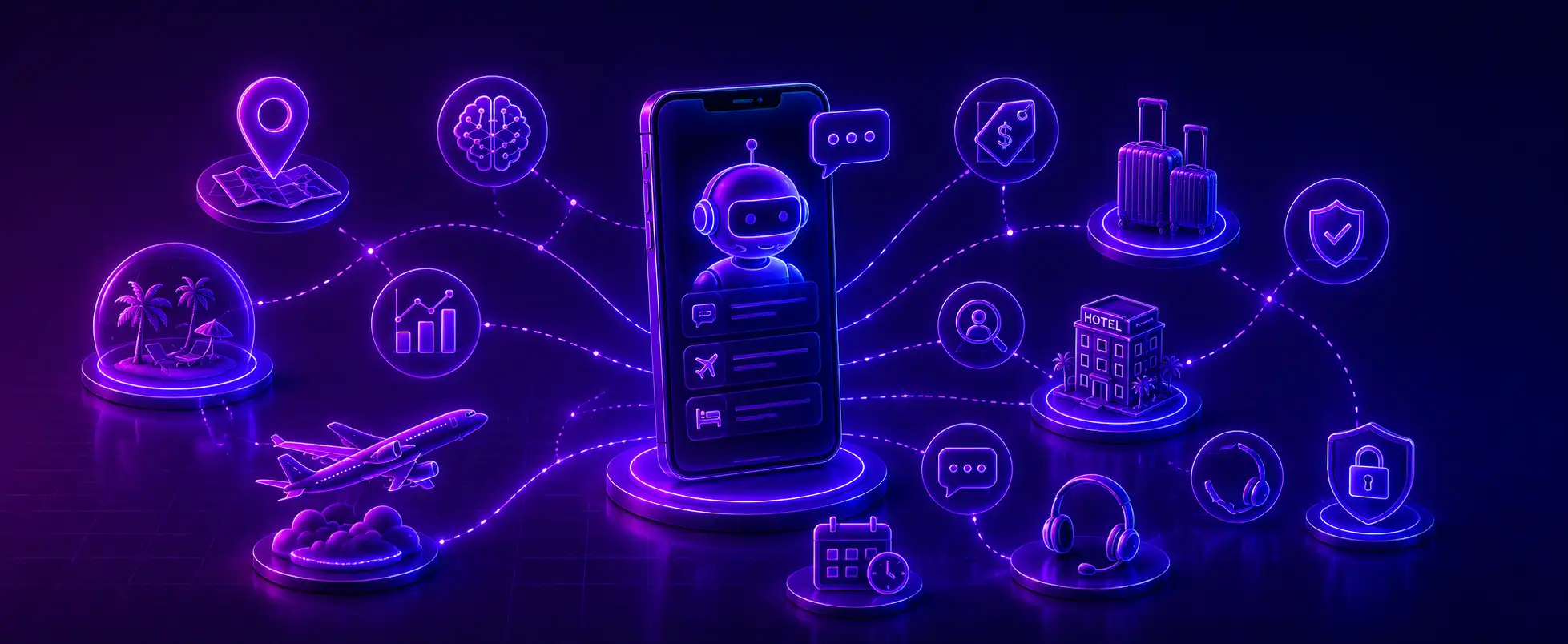
Travel Mobile App Development Services

Travel booking has shifted from website to mobile. Statista reports that mobile captures 62% of all travel website traffic. However, conversion rates differ. While desktop versions log a 5.9% conversion rate, mobile stands at 2.7%. The numbers represent an opportunity hidden in plain sight. A travel app that makes booking feel effortless on a phone screen can effectively close this conversion gap.

  • Growing preference for mobile-first travel experiences
  • Simplifying travel planning and booking
  • Increasing customer engagement and retention
  • Enabling personalized travel recommendations
  • Creating new revenue streams
  • Improving operational efficiency for travel businesses


Types of Travel Applications

  • Booking & Aggregator Apps: Flights, hotels, and rentals (e.g., Expedia, Booking.com).
  • Itinerary & Trip Planners: Smart scheduling and custom routes
  • Navigation & Local Guide Apps: GPS, offline maps, and point-of-interest suggestions.
  • Travel Marketplace & Social Apps: B2C vendor platforms, community sharing, and review forums.
  • Travel Expense & Budget Management Apps: Popular with business/corporate travel for tracking spend and managing approvals.
  • Adventure & Niche Travel Apps: Built for specific travel styles—backpacking, van life, eco-tourism, solo female travel, etc.
  • Loyalty & Rewards Apps: Standalone apps focused purely on aggregating travel points/miles across brands.
  • Hotel & Hospitality Apps: Apps built by hotel chains for direct bookings, loyalty programs, and in-stay services.


Not sure what your travel app should cost?
Get a free project estimate from Experion’s team


Key Features of a Successful Travel App

A travel app’s success comes down to getting the fundamentals right, then layering in the features that actually differentiate it.

Essential User Features

Every credible travel app needs a solid foundation:

  • User registration and social login
  • User profiles and preferences
  • Search and advanced filters
  • Flight and hotel booking
  • Travel itinerary management
  • Secure payments
  • Offline Maps
  • Booking confirmation and digital tickets
  • Push notifications
  • Maps and GPS integration
  • Reviews and ratings
  • Multilingual and multi-currency support
  • Customer support and chat

Without these essential features, even a beautifully designed app feels incomplete to users who are used to established platforms.

Advanced Features

To stand out, travel apps increasingly add more sophisticated capabilities on top of the basics:

  • AI-powered travel recommendations
  • Personalized itineraries
  • AI travel assistants and chatbots
  • Dynamic pricing and offers
  • Real-time travel updates
  • Voice search
  • VR tours
  • Augmented reality for destination discovery
  • Predictive analytics
  • Loyalty and rewards programs
  • Gamification (Users can earn badges, cross levels, and challenges)
  • Travel Fintech (Includes Prize Freeze and Cancel for any reason)

Businesses that gain traction layer in certain features rather than incorporating all of them at once. A phased approach leveraging custom travel app development lets a team judge engagement and revenue before spending budget on features that may not land with a specific audience. A well-rounded roadmap usually needs both: one drives short-term revenue; the other drives lifetime value, which arguably matters more in a crowded travel market.


Experion’s travel technology team can offer deep API integration expertise alongside a demonstrated track record in modernizing legacy booking and reservation systems


How to Build a Travel App?

Define Your Travel App Concept

Each and every successful project begins with clarity on three questions:

  • The audience
  • The specific travel problem the application solves.
  • What makes it different from existing applications.

Conduct Market and Competitor Research

Before writing a line of code, look at what’s already out there. Analyze existing travel applications, find the gaps competitors haven’t addressed, and define the features that will actually set your product apart. This research shapes both the feature roadmap and how you position the app in the market.

Choose the Right Business Model

Travel apps generate revenue in several ways, and the choice shapes both the technical architecture and the user experience:

  • Commission-based model
  • Subscription model
  • Advertising
  • Freemium
  • Booking fees
  • Affiliate partnerships

Many successful platforms combine two or more of these. Commission on bookings paired with a premium subscription tier for frequent travelers is a common combination.

Plan the App’s Features and User Experience

With the concept and business model settled, the team maps the user journey, builds out the information architecture, and works through wireframes and UI/UX design. For travel apps specifically, this stage has to account for messier flows: multi-city bookings, group travel coordination, and offline usage when someone’s mid-flight or off the grid.

Select the Technology Stack

The decisions made here carry long-term weight on scalability and cost:

  • Native vs. cross-platform development: Native development delivers the best performance and full access to device capabilities, which matters for apps that rely heavily on AR, offline maps, or camera features, but it usually means maintaining two separate codebases. Cross-platform frameworks cut development time and cost significantly, which matters more for startups validating a new idea or teams launching an MVP on a tight budget.
  • Frontend and backend technologies: The frontend must be fast and easy to use across search, booking, maps, itineraries, and account management. The backend handles what users never see: auth, booking logic, inventory, pricing, notifications, and data processing. Pick technologies that work now and won’t box you in later.
  • Cloud infrastructure: Travel apps see sharp traffic spikes during seasons and events. Hence, the backend needs to scale up without over-provisioning.
  • APIs and third-party integrations: Almost no travel app stands alone. You’ll likely need flight and hotel inventory feeds, weather data, currency conversion, identity verification, analytics, and customer support tools — the list goes on. Pick reliable APIs and build the architecture so a slow or flaky third party doesn’t take your whole app down.
  • Maps, payment, booking, and communication APIs: These four do most of the heavy lifting. Maps handle navigation and nearby recommendations. Payment gateways handle transactions and multiple payment methods. Booking APIs connects you to flights, hotels, and activities. Communication APIs send the confirmations, alerts, and reminders that keep users from wondering if their booking actually went through.

Develop and Integrate the Travel App

This is the main phase that takes up the most time. Front-end and back-end development, API integration, database development, and third-party travel service integration happen here. Travel apps often connect with various external systems. These include booking engines, payment gateways, flight and hotel APIs, and other travel services. All these integrations account for a major portion of the timeline.

Test the Application

Testing before launch needs to cover a lot of ground:

When compared to other applications, travel apps are often unique. Apart from working across diverse network conditions, they handle sensitive payment and personal data. This makes testing essential. Travel apps need to remain functional in real-world scenarios- in areas with poor connectivity, they should handle high booking volumes during peak travel periods along with cross-border transactions involving multiple currencies.

Testing should also factor in certain edge cases that may occur rarely:

Time-zone differences, last-minute cancellations, multi-passenger bookings with different fare rules, and currency-rounding discrepancies. Identifying these issues during the QA phase can prevent booking errors and improve the overall user experience.

Launch and Maintain the App

Launching an application is just the beginning.  Ongoing maintenance and optimization is crucial for an application’s success.

  • App Store and Google Play deployment—Getting the app live on both stores and keeping every release compliant with Apple’s and Google’s guidelines.
  • Performance monitoring—Keeping an eye on speed, crashes, server load, and API response times. This matters most exactly when you can least afford downtime—a holiday sale, a flash deal, the moment everyone decides to book at once.
  • Bug fixes – A booking that silently fails, a price that’s wrong at checkout, a login that won’t cooperate, a payment that drops. Bug fixes are what break a traveler’s trust in the app fastest.
  • Security updates—Patching vulnerabilities, updating dependencies, and protecting payment and user data as requirements evolve.
  • Feature enhancements—Shipping what users are actually asking for, or what’s clearly coming next in the market—new payment methods, loyalty perks, smarter recommendations, and additional booking types.


Struggling with legacy booking systems?
Explore how Experion can modernize your platform for the mobile-first era


Third-Party Integrations for Travel Application

Travel applications rarely work as standalone systems. They lean on a network of third-party services to function:

  • Flight and hotel booking APIs
  • Maps and navigation APIs
  • Payment gateways
  • Weather APIs
  • Currency conversion APIs
  • Identity verification services
  • Notification services
  • CRM and analytics platforms

Picking the right combination of integrations and implementing them securely and reliably is one of the more technically demanding parts of travel application development services. Poorly integrated APIs are a common source of downtime, data inconsistency, and booking errors.

Most of these integrations also come with plenty of hidden complexities. Flight and hotel booking APIs come with rate limits and inventory that change mid-booking. Payment gateway APIs factor in multiple currencies and local payment methods for an app that might serve international audiences.

Even a weather API needs to be fast and reliable enough that a slow response doesn’t drag down the whole experience. A travel app development company that’s handled these integrations before will usually build in fallback logic, caching, and monitoring. Hence, the app stays resilient when a third-party service inevitably has a bad day.


Data Security & Compliance in Travel Apps

Travel apps handle sensitive personal and financial data across international borders, so you must consider security and compliance beforehand. Key considerations include:

  • GDPR / CCPA compliance for user data
  • PCI-DSS for payment processing
  • Secure API authentication (OAuth, tokenization)
  • Data encryption standards

Compliance requirements can vary a lot for businesses operating across multiple regions, and a travel app development company with real experience in this space can save you from expensive legal and reputational trouble later.

Treat security as a design principle, not a checklist item you get to at the end. That means building in secure authentication from day one, encrypting sensitive data at rest and in transit, collecting less personal data than you’re tempted to, and running security audits and penetration testing before launch and periodically after.

For apps serving travelers across borders, it’s worth planning for data residency rules too, since some jurisdictions require certain categories of user data to stay within their borders physically.


How Travel App Development Companies Price Their Projects?

The first question most businesses ask is this: “How much does travel app development cost?” Cost is driven by the number and complexity of features, the platforms you’re targeting (iOS, Android, or both), the region and hourly rates of the development team, and how technically complex the required integrations turn out to be.

The comparison table below displays how these ranges by tiers:

Build Tier What’s Typically Included Estimated Cost Range Timeline
MVP / Basic App Registration, search, booking flow, payments, push notifications, basic support $25,000 – $50,000 3–4 months
Mid-Range App MVP features plus itinerary management, reviews, multilingual/multi-currency support, map integration $50,000 – $120,000 4–8 months
Full-Featured App Mid-range features plus AI recommendations, real-time updates, loyalty programs, advanced third-party integrations $120,000 – $250,000 8–14 months
Enterprise-Grade Platform Full-featured build plus AR/VR, predictive analytics, custom fraud detection, multi-region compliance, dedicated infrastructure $250,000 and up 12+ months

To keep the costs under control, most stakeholders begin with an MVP. Validating the demand, prioritizing the features that enable booking and engagement is what steers them towards cost-effective integrations.


How AI is Transforming Travel Application Development?

AI Travel App Development

What if apps can understand context, anticipate users’ needs, and even take action on behalf of a traveler? Here are some ways AI makes that possible.

  • AI-powered itinerary generation: AI can generate a practical itinerary. All the traveler has to do is enter a few preferences. For example, the user can instruct the app with these prompts: “Five days in Japan, budget below $3000, and minimum travel between cities.” It can consider opening hours, weather, and budget, and suggest alternatives if plans change.
  • Personalized destination recommendations: No two users are the same. Hence, instead of showing everyone the same popular destinations, AI learns from searches, bookings, reviews, and in-app behavior. For a traveler who frequently searches for quiet beaches, the travel app might show lesser-known coastal destinations instead of tourist hotspots.
  • Intelligent travel assistants: AI-powered chat and voice assistants can handle more than FAQs. A traveler could ask, “My flight is delayed by four hours—what are my options?” . The assistant would then proceed to identify alternative flights, explain the available choices, and initiate a rebooking. The same assistant could answer hotel questions or provide destination information.
  • Predictive pricing: Feed a model enough fare history and booking data, and it starts noticing things people don’t: A route that always spikes ten days before departure, or dips right after a conference lets out. Airlines are already using this to move prices and inventory around in real time. Travelers get something out of it too: instead of refreshing a page every day, you get pinged when a fare’s about to jump.
  • Customer sentiment analysis: Run enough reviews and support chats through a model, and patterns jump out fast. Say guests at one property suddenly start complaining about check-in lines or dirty rooms—a hotel can catch that trend and fix it before it shows up as a string of one-star reviews.
  • Automated customer support: Most support questions don’t actually need a human. “What’s your cancellation policy?” or “where’s my confirmation number?”—a bot handles those in seconds, no wait time. The harder stuff still gets escalated, but with the full conversation and booking info already attached, so travelers aren’t stuck repeating themselves to a new person.
  • Fraud detection and risk management: Travel transactions involve many high-value bookings and multiple currencies. ML models can identify suspicious behavior—unusual combinations of location, payment method, device, and booking activity flag the most for further review.


Future Trends in Travel App Development

  • AI powered personalization: Apps can now use travelers’ preferences, their past bookings, and real-time behavior to determine relevant recommendations and offers.
  • Sustainable travel features: With this feature, travelers can compare greener transportation and activity options to make sustainable choices.
  • AR and emerging immersive technology: Visually navigate dense urban areas with real- time directional arrows. Virtual tour rooms and destinations can enhance the overall travel experience.
  • Predictive Analytics: Demand, pricing, and behavioral data can be extrapolated to predict trends and offer timely recommendations.
  • Contactless Experiences: The importance of contactless check-ins with fewer physical touchpoints cannot be stressed enough. Mobile check-ins, digital payments, and boarding passes are creating convenient journeys.
  • IoT: Link travel apps with smart luggage, vehicles and transportation systems to attain a more personalized travel experience.


Get a free consultation with Experion’s travel app development team and see what’s possible for your business


How to Choose the Best Travel App Development Company?

Picking a development partner is one of the most consequential decisions in this whole process. Here’s what actually matters when evaluating one.

Instead of evaluating only their general mobile app experience, rate their portfolio and specific past travel app projects. Real experience in OTA platforms, hospitality and aviation can catch nuances a generalist would miss. Hands-on technical experience in APIs, cloud infra and AI/ML needs to be confirmed. Evaluate how they handle post-launch support and maintenance issues such as bug fixes, security updates, and feature enhancements.


Ready to Build Your Travel App? Here’s How Experion Can Help!

Building a successful travel app needs more than just getting certain core features right. A perfect development partner should be able to connect various systems together and create  a seamless experience for both the traveler and teams. Experion brings experience in building and modernizing digital platforms for the travel industry, with capabilities spanning application development, integrations, cloud, data, and user experience. Our work with a leading US based active adventure travel company is one example of this experience, helping modernize its reservation and travel management platform. Read More


Conclusion

Travel apps have become an essential channel for travel businesses of every size. But building one well takes more than a mere booking functionality. It needs thoughtful attention to UX, personalization, scalability, and cybersecurity. From choosing the right app type and business model to defining the technology stack, compliance requirements, and budget, every decision shapes the app’s long-term success. Get those decisions right, and the app can become a genuine competitive advantage rather than another download users abandon after a single trip. Choosing a development partner with both strong technical expertise and an understanding of the travel industry can make that difference.

Customer Intelligence Platform

Companies now collect vast amounts of customer data but struggle to turn it into insights. Every click, purchase, support ticket, and social mention adds another layer to an already sprawling data landscape. CRM systems, marketing platforms, e-commerce tools, and contact centers—each holds a fragment of the customer story. Using customer intelligence can improve retention, personalization, and product decisions, while strengthening support and service operations.


Key Takeaways

  • A customer intelligence platform unifies data from CRM, web, mobile, transactions, support, and social channels into a single customer view.
  • Unlike a CRM, which stores customer records, a Customer Intelligence Platform analyzes and predicts customer behavior.
  • AI and machine learning are now central to customer intelligence platforms, powering predictions like churn risk, purchase intent, and next-best actions.
  • The customer intelligence platform market is expanding quickly, driven by AI adoption, CDP/CI convergence, and rising demand for personalization.
  • Enterprises use customer intelligence software across marketing, sales, service, product, and strategy functions.
  • Choosing the best customer intelligence platform means weighing data integration, unified profiles, predictive analytics, and governance together. Not one of these in isolation.


What is a Customer Intelligence Platform?

Customer Intelligence Platform

A customer intelligence platform collects customer data from multiple sources, unifies it into a single profile per customer, and applies analytics and AI to turn that data into insight enterprises can act on. A spreadsheet or a basic database stores information. A customer intelligence platform interprets it.

Raw customer data vs. Actionable customer intelligence

Raw data is the outcome of every individual customer interaction.

Common examples include:

  • A page visit logged on a website.
  • A purchase recorded in an order system.
  • A call transcript stored in a contact center database.

Individually, these data points reveal little. Customer intelligence is what you get once you clean, connect, and analyze that raw data.

For example, take a customer who’s browsed a product three times, opened two related emails, and called support last week about a shipping delay. Viewed separately, those are three unrelated data points. Viewed together, that’s a customer showing purchase intent and frustration at the same time, which is a completely different situation than either signal alone suggests. Catching that combination, and knowing what to do with it, forms the essence of customer intelligence. Because customer behavior touches nearly every part of a business, these platforms end up serving more than one team almost by necessity.

How Does a Customer Intelligence Platform Work?

The six stages include:

  • Data collection: The platform pulls information from CRM systems, websites, mobile apps, transaction records, support interactions, surveys, and social media. Each channel captures a different slice of behavior, and no single one tells the full story.
  • Data integration: Once collected, data from these different systems has to get connected, which is usually the hardest technical step. Formats, identifiers, and update frequencies vary a lot between a CRM, an e-commerce platform, and a contact center tool. Solid APIs make this manageable; weak ones make it a permanent headache.
  • Customer data unification: After integration, the platform resolves identities across systems, matching an email in the CRM to a device ID on the website to a phone number in the support system, until you end up with one coherent profile per customer instead of a dozen disconnected fragments.
  • Analysis and intelligence: With unified profiles in place, the platform looks for patterns across the customer base: Recurring behaviors, shifting preferences, signals of intent that would take a human analyst weeks to find manually across thousands or millions of records, if they found them at all.
  • AI-powered predictions: Machine learning models forecast what’s likely to happen next: churn risk, purchase probability, the next-best action for a given customer, the likely lifetime value of a new segment.
  • Activation: The final stage pushes intelligence into marketing automation, sales workflows, service dashboards, and engagement channels, so the right action happens at the right moment instead of staying static in a report.


Why are Customer Intelligence (CI) Solutions Important for Enterprises?

For years, enterprises ran on reactive reporting. Customer intelligence solutions are what a shift away from that backward-looking habit looks like once you put it into practice.

This matters because customer expectations have moved faster than most legacy systems could follow. People expect personalization and fast resolution in the moment. An enterprise leaning purely on historical reporting just cannot hit that bar, structurally, no matter how good its analysts are. A modern customer intelligence platform closes that gap by continuously ingesting new data and updating predictions in near real time, so a team can act while a customer’s intent is still live instead of reconstructing it after the moment’s gone.


Customer Intelligence Platform Market Overview

This market has gone from a niche analytics category to a core piece of enterprise data infrastructure. AI adoption is the most obvious one.

Generative AI and Machine Learning keep getting embedded directly into customer intelligence tools, which puts predictive insight within reach of teams that used to need a dedicated data science group just to ask the question. Second, customer data platforms (CDPs) and customer intelligence tools are converging. The line between “unifying data” and “analyzing data” is getting blurry, and many vendors now offer both under one roof. Third, privacy-first data strategies are pushing enterprises toward platforms with consent management and governance built in, rather than bolted on afterward. And then there’s plain old demand for personalization, since consumers now expect every brand interaction to feel like it was made for them specifically.

Adoption isn’t even across the board. Large enterprises, with multi-channel customer bases and more mature data infrastructure, tend to move first and go deepest, often rolling a platform out across several business units at once. Mid-market companies are more cautious, usually starting with one use case; churn prediction is a common entry point, before expanding from there. By industry, retail and e-commerce, banking and financial services, telecom, and SaaS are moving fastest.


Your customer data has more to tell you. Are you ready to uncover it?
Discover what a custom customer intelligence platform intelligence can do


Key Features of a Customer Intelligence Platform

Not every platform in this category is built the same way. Here’s what separates a useful platform from one that just stores customer records with extra steps.

Customer Data Integration

This is the foundation. The platform needs to connect to wherever customer data already lives: CRM, ERP, marketing automation, e-commerce, contact center software, web and app analytics. The quality of this layer determines everything downstream. Good platforms lean on well-documented APIs and real-time or near-real-time sync.

Weak integration is the most common reason these initiatives stall. Fragmented or delayed data poisons every analysis you try to build on top of it.

Unified Customer Profiles

Once the data is integrated, it needs to collapse into one profile per customer, pulling identifiers, transaction history, engagement data, and behavioral signals from every connected channel into a single record. This is what makes a real 360-degree view possible.

A service agent, a marketer, and a sales rep should all see the same picture, not just their own department.

Customer Segmentation

Segmentation is how you turn a mass of individuals into groups you can act on strategically.

Modern platforms segment across various demographics, behavior, transaction history, engagement, value, and intent. Good platforms do so dynamically. Instead of static groups set once and forgotten, segments shift as behavior shifts, so a customer moving from “browsing” to “high intent” gets reflected almost immediately rather than at next month’s review.

Customer Journey Analytics

Journey analytics tracks how a customer moves through every touchpoint, from first awareness through consideration, purchase, onboarding, and whatever comes after. It is especially good at surfacing friction: The step-in checkout where people bail, the support call that precedes a cancellation, and the onboarding stage where new users quietly stop showing up.

That gives you a concrete list of what to fix.

Predictive Analytics

This is where the platform stops describing the past and starts pointing at the future. Churn prediction, propensity scoring, purchase prediction, and lifetime value forecasting all fall under this umbrella. The value is in the timing: you can reach an at-risk customer before they leave, rather than writing a postmortem after they’re already gone.

AI-Powered Customer Insights

AI matters here mainly because it catches patterns across huge, messy datasets that a person would never find by scrolling through spreadsheets. Natural-language querying lets a business user ask a question in plain English instead of writing a query.

Real-Time Customer Intelligence

Some use cases just don’t work if they’re slow. Real-time customer intelligence uses live behavioral signals to trigger action the moment it happens, not the next business day. A cart gets abandoned, and a re-engagement email fires. A customer’s behavior suggests an unresolved problem and a service team gets alerted. A prospect keeps hitting the pricing page and sales teams gets notified.

Dashboards and Reporting

All this intelligence still needs somewhere to live that people will check, not just something built to exist. Real-time dashboards covering core KPIs, segment performance, campaign results, and engagement trends give teams a shared, current picture instead of a report that’s already out of date by the time anyone opens it.

Data Privacy and Governance

The more sensitive data a platform centralizes, the less optional governance becomes. Access controls, real data security, consent management that respects how a customer opted in in the first place, compliance with GDPR, CCPA, and whatever else applies, and ongoing data quality work to keep the whole system trustworthy over time.


For enterprises looking to operationalize customer intelligence, Experion can help connect data, analytics, and AI capabilities into a more actionable intelligence layer.


Customer Intelligence Use Cases

Personalized Marketing

Marketing teams move beyond broad campaigns to audience segmentation and personalization built on real behavior: next-best offers for individual customers and behavioral targeting that matches messaging to where someone is in their journey.

Customer Churn Prediction

Probably the most widely adopted use case. The platform catches early warning signals- declining engagement, a support complaint, usage dropping off- well before someone formally cancels. That buys time to prioritize at-risk accounts and trigger a retention play while it can still work.

Sales Intelligence

Sales teams get high-intent prospects flagged based on behavioral signals, so reps stop guessing where to spend their time. The same intelligence surfaces next-best actions for existing accounts and expansion opportunities- customers whose usage pattern suggests they’re ready for more.

Customer Service and Support

Agents see a customer’s full history the second an interaction starts. They can anticipate likely service needs, spot recurring issues across the base, and generally resolve things faster with a customer who feels heard rather than one who has to re-explain their whole situation from scratch.

Product and Experience Optimization

Product teams analyze feature usage, identify pain points that show up as friction or drop-off, track adoption patterns for new features, and prioritize the roadmap based on what’s really affecting behavior rather than relying on a feedback survey.

E-commerce and Retail

Product recommendations built on browsing and purchase behavior, deeper purchase analysis, segmentation for targeted promotions, and abandoned-cart or re-engagement campaigns that claw back revenue that would otherwise just disappear.


Turn customer signals into experiences that drive action.
Explore smarter customer intelligence strategy with Experion


The Rise of AI-Powered Customer Engagement Platforms

Customer Intelligence Platform

Not every platform that touches customer data earns the label “AI customer intelligence platform.” What decides it is how central AI is to what the platform does. A real one doesn’t just store data and generate static reports. It uses machine learning to generate predictions, catch patterns on its own, and keep getting better as new data comes in. If the “intelligence” part is just a set of dashboards someone built by hand, that’s a reporting tool with better branding.

Generative AI has stacked a new layer on top of traditional predictive analytics. Enterprises now use it inside these platforms to automatically summarize customer interactions, draft personalized outreach from a customer’s profile and history, answer plain-English questions about segments without pulling in an analyst, and generate synthetic personas to test strategies before committing to them.

Put it all together, and you get a real shift in category: AI-powered customer engagement platforms for enterprises. These go further than traditional customer intelligence software because they don’t stop at generating insight; they act on it. Additionally, when evaluating the best AI-powered customer engagement platforms for enterprises, look beyond dashboards and chatbots.


Customer Intelligence Platform vs. CRM: What’s the Difference?

A CRM is a system of record. It stores contact details, interaction history, and deal or ticket status. A customer intelligence platform is a system of insight. It analyzes data, often including data pulled straight from the CRM, to surface patterns, predictions, and recommendations.

Aspect CRM Customer Intelligence Platform
Primary purpose Record and manage customer relationships and transactions Analyze customer data to generate insight and predictions
Data scope Primarily first-party data entered by sales/service teams Data unified from CRM, web, app, transactions, support, social, and more
Core function Track interactions, pipeline, and account status Segment, predict, and recommend based on behavior
Output Records, activity logs, pipeline reports Predictive scores, segments, next-best actions, insights
AI role Often limited or add-on Central to the platform’s function
Typical users Sales and service teams Marketing, sales, service, product, and strategy teams

In practice, these two aren’t competing; they’re complementary. Many customer intelligence platforms pull data straight from a CRM as one of several sources, then feed insights back in so sales and service can act on them without leaving the tool they already live in.


Customer Intelligence Tools vs. Software vs. Solutions — Is There a Difference?

Anyone digging into this space runs into three overlapping terms: tools, software, solutions. Casually, people use them interchangeably, but there are shades of meaning worth knowing.

  • “Tool” usually implies something narrower, a point solution, a single segmentation or churn-scoring tool, not a full platform.
  • “Software” is the general category term, with no real scope implied either way.
  • “Solution” leans toward the vendor’s packaged offering, often the software plus services, implementation help, and ongoing optimization.

In practice, all three describe the same category, and vendors themselves flip between the terms in their own marketing without much consistency. When you’re evaluating something, focus on capabilities: integration depth, how sophisticated the AI really is, what the governance looks like.


Customer Intelligence vs. Business Intelligence

Both terms are often used interchangeably. Business Intelligence (BI) acts as the litmus test of the business as a whole. Whether it’s revenue, operating costs, supply chain performance, sales pipeline, or headcount. All the KPIs leadership needs to track. It’s mostly historical and mostly aggregate, built to answer “how are we doing” across the organization. Customer intelligence is narrower and more specific. It’s built to answer “what does this customer, or this segment, actually want and do next,” using behavioral and transactional data tied to individual people rather than the business as a whole.

The two complement each other. A BI dashboard might include a customer metric like retention rate or average order value. A customer intelligence platform goes much deeper on that same territory, unifying data at the individual customer level and layering AI on top to predict behavior, not just report on what already happened.


KPIs to Measure Customer Intelligence Success

None of this is worth doing if you can’t measure whether it worked. These are the KPIs enterprises track most:

  • Customer lifetime value (CLV): Calculates the total revenue that can be expected from a customer over the whole relationship. This KPI helps prioritize where to invest.
  • Customer retention rate: The percentage of customers that the organization retains over a given period. A KPI that directly shows whether retention efforts are landing.
  • Churn rate: The inverse of customer retention rate, tracking how many customers you’re losing and whether churn prediction is bending that number down.
  • Customer acquisition cost (CAC): Measures what it costs to land a new customer, which should drop as targeting gets sharper.
  • Conversion rate: Tracks how well personalized campaigns and next-best offers move people toward a purchase.
  • Customer engagement rate: How actively people interact with the brand across channels; a decent leading indicator for retention and revenue.
  • Customer satisfaction (CSAT): Direct feedback on service quality, often better once agents have full context.
  • Net Promoter Score (NPS): Broader loyalty signal, how likely someone is to recommend you.
  • Average revenue per customer: Whether personalization and upsell recommendations are raising per-customer value in practice, not just on paper.
  • Cross-sell/upsell revenue: Revenue you can trace directly back to intelligence-driven recommendations.
  • Campaign ROI: Return on campaigns built from customer intelligence segmentation, versus a generic blast.
  • Customer journey conversion: How well people move through each stage of the journey, which shows exactly where journey analytics is cutting drop-off.

Track these before and after implementation, and you have an actual case for ROI, instead of a vague sense that things feel better now.


Types of Customer Intelligence Analytics

A few distinct types of analytics get bundled under “customer intelligence,” and each adds something different.

  • Demographic data includes age, location, income, job role, and other basic structural details.
  • Psychographic intelligence goes further and looks at values, interests, lifestyle, motivations, and the why behind a decision.
  • Behavioral intelligence tracks what people do—browsing patterns, clicks, feature usage, and how often they show up.
  • Transactional intelligence works through purchase history, order value, frequency, and payment patterns.
  • Product intelligence zooms in on how someone uses a product day-to-day, which features get used and which ones are ignored.
  • Sentiment analysis reads the emotional tone in reviews, support tickets, and social posts using NLP, catching frustration or satisfaction that a spreadsheet of numbers would never show on its own.

Put together, that’s a genuinely multidimensional read on a customer: who they are, why they act, what they do, what they buy, how they use what they bought, and how they feel about the whole thing.


The Future of Customer Intelligence

Future of Customer Intelligence

A few trends are worth noting.

  • AI-based customer understanding: Gone are the days of segmenting customers based on demographics, purchase history, and basic behavior patterns. AI has taken customer understanding beyond that. Customer intelligence platforms now use AI to build better customer profiles. These models can now identify customer intent and changes in customer needs in real time.

Stakeholders can now ask, “What is this customer likely to need next?” instead of “Which segment does this customer belong to?”

  • Autonomous and semi-autonomous customer engagement: Customer intelligence is shifting from mere insight generation to action. The platforms will be able to recommend the next best course of action and even execute it automatically. For example, an AI-powered system can clearly identify the stage at which a customer is showing signs of churn and intervene with appropriate actions. This avoids manual work for marketers.
  • Predictive Customer Journeys: Journey analytics focuses on the customer journey. Where they entered, who they interacted with, and where they dropped off. Predictive customer journey intelligence lets you stay a step ahead by estimating where a customer is likely to move next. Create business opportunities to influence the journey even before they reach the outcome.
  • Hyper-personalization: Personalization focuses on delivering experiences based on the individual’s current behavior and context. As a result, two customers who used to belong to the same segment can receive different experiences. This is based on how their behavior evolves. A customer profile in the system changes dynamically as their interactions and preferences change. Hyper-personalization makes customer engagement relevant.
  • Real-time decisioning: As this feature improves, customer intelligence platforms will be expected to operate at the speed of customer interactions. As customer intelligence moves from periodic analysis to real-time decision-making, AI uses live signals to support recommendations.
  • Multi-modal customer intelligence: The ability to analyze different data types—text, images, voice, reviews, and behavioral data—all together. Combining these signals gives businesses a complete view of customer needs. Multimodal eliminates the need to analyze each source separately.
  • Responsible and privacy-preserving AI: As AI-driven customer intelligence grows rapidly, businesses will need stringent control over data privacy, security, and governance. Customer expectations will make responsible use of customer data important. Organizations would need to balance privacy and personalization, with human oversight being important for high-impact decisions.
  • Convergence of Customer Intelligence and Customer Platforms: The boundaries between periodic analysis and real-time decision-making are blurring. With the incorporation of AI, this convergence will increase, making it difficult to distinguish between systems that store customer data and ones that act on it.
  • Insights to continuous intelligence: AI creates a continuous loop of intelligence that shifts occasional insights to a continuous cycle of observe → understand → predict → act → learn. This loop enables enterprises to deliver personalized customer experiences.


The next customer insight could be your next business opportunity.
Turn customer data into business value with Experion


Conclusion

Most organizations don’t face a shortage of customer data; instead, they lack a way to turn it into valuable insights. That is where a customer intelligence platform comes in. It turns fragmented, siloed information from numerous sources such as CRM systems, websites, transactions, and support interactions into a single view everyone can work from. If your organization has a huge volume of customer data, then it is time to consider leveraging the power of a Customer Intelligence Platform.

Custom Android App Development Services

With the widespread usage of mobile phones, businesses are searching for new ways to reach users faster. Custom Android app development services help businesses build applications tailored to specific users and goals. This helps leverage mobile technology as a driver of engagement and business expansion.


Key Takeaways

  • Custom Android app development builds software around a company’s actual workflows, users, and technical environment, rather than adapting a generic template.
  • Android’s reach, device diversity, and enterprise flexibility make it the default platform for most custom mobile projects.
  • A structured process, from discovery through maintenance, keeps risk and cost overruns in check.
  • Feature priorities should come from business goals, not a generic checklist. Industries such as healthcare, retail, logistics, finance, and education each have different requirements.
  • Custom development often costs less over the long run, since it avoids licensing limits, rework, and the technical debt that template-based tools tend to accumulate.
  • Choosing the right development partner is just as important as choosing the right technology for your application.


What are Custom Android App Development Services?

Custom Android App Development

Android has approximately 3.8 to 3.9 billion active users worldwide. This makes it one of the most popular mobile platforms used globally. Reports indicate that Android’s user base is 2.5 to 3 times larger than the global iOS user base.

Custom Android app development services cover designing, building, testing, and maintaining an Android app built specifically for one company.

Rather than adapting existing software to fit predefined workflows, a custom Android app development company usually starts from the business itself. This involves analyzing the custom workflows, data structures, compliance rules, how a warehouse worker works, or how a claims adjuster moves through their day. The application is then designed to support those requirements.

Ready-made apps are faster to get running and cheaper on day one. However, you inherit someone else’s assumptions about how your business should work, and eventually those assumptions will start costing you. This might include workarounds, manual exports, or features you’re paying for and never touch. Custom Android app development costs more at the start and less over time. That trade-off is really the whole decision.

Why Android Remains the Leading Mobile Platform?

A few reasons Android keeps winning the default-platform argument.

  • One of the primary reasons is market share. Android runs the majority of smartphones on earth, including regions where it has a significantly larger share than other mobile platforms. If reach matters to your business, Android is where the reach is.
  • Then there’s the hardware spread. A $150 phone in Lagos and a foldable in Seoul are both running Android. That’s a strength and a headache at the same time, since it means real testing across real devices.
  • Android is also more open. Development teams get more access to background processes, hardware, and system-level behavior than they’d get on more locked-down platforms. That flexibility is why so much enterprise mobility work—logistics apps, point-of-sale systems, ruggedized field devices—ends up on Android rather than fighting a more restrictive OS.

When should a Business Build a Custom Android Application?

  • Your team is duct-taping a generic tool to fit a process it wasn’t built for. Everyone on the team already knows this is happening.
  • You need real integration with CRM, ERP, or internal systems that a template app can’t touch.
  • The app itself is part of how customers judge you, not just a convenience layer.
  • You are heading into scale or into a regulated space where security can’t be an afterthought.
  • You are building something genuinely new. There’s no template for a product that doesn’t exist yet.


Have an Android app idea in mind?
Let’s discuss what it would take to build it


Android App Development Services Offered

A real android app development company covers more than writing code. Here’s the full range.

Native Android App Development

“Native” refers to applications built specifically for Android, which is where the performance and device access come from.

Kotlin is where most new native work happens now. Older codebases are often still in Java, and much of the work involves modernizing those rather than starting fresh. Native apps can interact with a wide range of Android capabilities. This includes cameras, sensors, biometrics, and background processing. They can also be developed for different device categories, including smartphones, tablets, TVs, and wearables, with the implementation adapted to each device’s capabilities and requirements.

Custom Android Mobile App Design and Development

Mobile app design and development involve translating user requirements and business processes into an interface that is practical. It starts with research: real conversations with real users, not assumptions. From there: information architecture, wireframes, UI design that reflects your brand instead of a generic template, prototypes stakeholders can click through before a single screen gets coded, Material Design implementation, and testing that includes accessibility, not as an afterthought but as part of the review.

Android MVP Development

If you’re not sure the product idea works yet, there’s little value in building the entire application upfront. A better approach can be to start with the smallest version that can test the idea and provide meaningful feedback. That means product discovery first, then figuring out the minimum feature set that actually delivers value (not the minimum that just barely functions), rapid prototyping, a build-and-test cycle, and then iterating on real usage data instead of guesses.

Android Backend and API Development

The backend is what makes an app reliable, secure, and able to grow. Depending on the requirements, backend development includes:

  • Cloud-based backend systems, typically on AWS or Google Cloud
  • REST and GraphQL APIs for flexible data exchange
  • Database architecture built for both performance and future growth
  • Admin dashboards for internal teams
  • Authentication and authorization to control access
  • Real-time data synchronization for features like live tracking or messaging

Android App UI/UX Development

Good UI/UX  is about whether someone can actually finish the task they opened the app to do.  Custom design systems, layouts that hold up across foldables, tablets, and regular phones, dark mode (basically expected at this point), gesture navigation, personalization based on how people use the app, and interfaces that work for users with disabilities. Treating accessibility as part of the design process can make an application easier to use for a broader range of users rather than addressing it only after development is complete.

Android App Testing and Quality Assurance

Testing and QA help identify functional and usability issues before an application reaches a user. A typical Android testing process includes:

  • Functional testing verifies that the features work as intended.
  • Compatibility testing across versions, screens, devices, and various hardware configurations.
  • Performance testing under actual load, not a clean demo environment
  • Security testing identifies vulnerabilities before and throughout the application lifecycle.
  • Usability testing involves gathering feedback from representative users.
  • Automated testing to detect regressions as the application evolves.
  • Testing on real hardware, alongside emulators to account for manufacturer-specific behavior.

App Deployment and Google Play Store Support

App deployment involves more than making the application available for download. It includes preparing the release, meeting Google Play requirements, and monitoring the application after it becomes available to users.

The deployment process may include release builds, configuring app signing, a store listing that’s actually optimized instead of thrown together, the Play Store review process, staged rollouts so a bug hits 5% of users instead of everyone at once, and crash monitoring from minute one.

Android App Maintenance and Support

Launch is the beginning of an app’s life, not the end of the project.

  • Bug fixes as issues come up
  • OS and SDK updates to stay compatible with new Android releases
  • Security patches for emerging vulnerabilities
  • Performance optimization as usage grows
  • Feature enhancements based on real feedback
  • Analytics and monitoring to track app health


Experion has applied its mobile engineering capabilities to road asset management, developing mobile solutions that help field teams report issues, capture asset information, view GIS-based locations, and manage maintenance activities in real time. Read More.


Benefits of Custom Android App Development

Custom Android App Development

Tailored Functionality

With custom Android app development, you choose the features that support your goals. That keeps the app lighter and faster. In addition, you don’t have to pay for functionality you don’t need.

Better User Experience

Every screen gets built around your actual users, not a generic persona. Navigation is shaped by real research; personalization based on real behavior, accessibility built in, and brand consistency is maintained throughout. Templates can’t do this well because they are built for a thousand different businesses at once.

Scalability and Flexibility

A custom app can grow with the business. As your user base expands, you enter new markets, new devices show up, or requirements shift, a custom-built app can be extended without hitting the structural walls that come with a rigid, one-size-fits-all platform.

Seamless Business Integrations

One of the strongest arguments for custom Android app development is direct integration with the systems your business already runs on:

  • CRM and ERP platforms
  • Payment gateways
  • Cloud services
  • APIs and microservices
  • IoT devices
  • Wearables
  • Analytics platforms
  • Existing databases

These connections are often difficult, or flat-out impossible, to build cleanly on top of off-the-shelf software.

Improved Security and Compliance

Custom development gives you direct control over security architecture: authentication, encryption in transit and at rest, role-based access, secure API design, audit logs. That level of control matters most in industries with strict compliance requirements, like healthcare, finance, and anything government-adjacent, where security can’t be handled as an afterthought.

Long-Term Cost Efficiency

Custom development usually costs more upfront than a basic template. But that initial cost tends to even out over time, because custom apps avoid the process inefficiencies, the rework that comes from forcing a generic tool to do something it wasn’t built for, the licensing caps that limit growth, and the painful migration costs that show up once a business outgrows a rigid platform.


Common Mistakes to Avoid in Custom Android Mobile App Development

Even experienced teams run into avoidable problems during custom mobile app development. The recurring ones:

  • Starting development before validating that there’s real demand for the product.
  • Trying to cram every feature into the first release, which delays launch without a proportional payoff.
  • Ignoring device fragmentation and screen sizes. Android’s diversity makes cross-device testing a requirement, not an option.
  • Treating security as something you bolt on right before launch instead of designing in from the start.
  • Underestimating backend and integration work, which is usually more complex than the frontend but gets far less planning attention.
  • Skipping real-device testing. Emulators miss things that only show up on actual hardware.
  • Choosing a provider on price alone. The cheapest bid often costs more later, once rework and weak architecture catch up with you.
  • Not planning for maintenance after launch. Apps that go unmaintained degrade fast as the Android ecosystem keeps moving.
  • Leaving source code and data ownership undefined. Settle that in the contract, before development starts, not after.


Features to Include in a Custom Android App

Organize this section by business requirement rather than presenting an unrelated feature list.

Essential Features

  • User registration and login
  • Intuitive UI/UX
  • User profiles
  • Push notifications
  • Search and filtering
  • In-app messaging
  • Secure payments
  • Social sharing
  • Ratings and reviews
  • Admin dashboard
  • Analytics

Advanced Features

  • AI-powered recommendations
  • Voice-enabled features
  • Geolocation and live tracking
  • Biometric authentication
  • Offline functionality
  • Real-time synchronization
  • Augmented reality
  • IoT connectivity
  • Wearable integration
  • Multi-language support


Not sure which features your Android app actually needs?
Let’s map them to your business goals


Industry-Specific Features

Generic features only tell one part of the story. What matters, however, is how those features fit into a specific industry’s workflow and challenges.

Healthcare

  • Appointment booking sounds simple until you factor in provider availability across multiple clinics, insurance pre-checks, and reminders that actually cut down no-shows.
  • Telemedicine means video consults that hold up on a shaky connection, plus secure messaging so a patient can send a photo of a rash without it turning into an email thread across three systems.
  • Remote patient monitoring is often the quietest but highest-stakes piece: a diabetic patient’s glucose readings syncing from a connected device straight into a dashboard a nurse actually checks, with alerts if something’s trending the wrong way.

Retail

For retail, the focus is often on removing friction from discovery, purchase, and post-purchase experiences.

  • Real-Time Inventory: Product availability should reflect current stock levels so customers don’t make a trip to a store only to find that an item has already sold out.
  • Loyalty Programs: Points, rewards, and offers should be easy to access and redeem, ideally requiring only a quick scan or tap rather than navigating through multiple screens.
  • Order Tracking: Customers should be able to see whether an order has been confirmed, packed, shipped, or delivered without having to contact customer support.

Logistics

  • Route management gets complicated fast once you’re factoring in traffic, delivery windows, and driver hours, not just point A to point B.
  • Barcode scanning needs to work in bad lighting, with gloves on, in a warehouse where the WiFi drops constantly, which is a very different bar than scanning a barcode in a quiet office.
  • Proof of delivery, a signature, a photo, a GPS stamp at drop-off are often the single feature that ends the most customer disputes before they start.

Finance

Account dashboards need to load fast and show the right number without a five-second spinner, because people check balances at moments of real anxiety, not idle curiosity. Secure transactions mean encryption and tokenization done right the first time, since there’s no room for errors in payment flows.

Fraud monitoring increasingly runs in the background, flagging a transaction that doesn’t match a user’s normal pattern before it clears, not after someone’s already disputed the charge.

Education

Education apps need to accommodate various devices and levels of access.

  • Online Learning: Instead of assuming that every learner has the latest hardware and reliable Wi-Fi, classes and course content should remain accessible on older devices and lower bandwidth connections.
  • Assessments: Online quizzes and assessments can provide immediate feedback. This enables students to identify gaps while the material is still fresh.
  • Progress Tracking: Dashboards provide students and parents with a clear view of completed modules, areas where a learner is struggling, and topics that need additional attention.

Real estate

Real estate apps need to enable users to move from discovering property to enquiry. This gives agents the tools to manage leads efficiently.

  • Property Listings: Listings enable high-quality photos and videos, along with useful filters. This ensures that buyers narrow their search instead of sorting through irrelevant properties.
  • Virtual Tours: Interactive tours allow prospective buyers to explore numerous properties remotely. Agents need not visit sites unnecessarily.
  • Lead Management: Capturing enquiries is only the first step. Lead routing, notifications, follow-ups, and response tracking help ensure serious prospects don’t sit unanswered for too long.


Custom Android App Development Process

A clearly defined process is a major decision factor when businesses compare Android app development companies or service providers.

1. Discovery and Requirement Analysis

The initial phase focuses on understanding business goals, target users, and technical constraints. This happens before code and not alongside it.

2. Market and Competitor Research

This phase involves evaluating existing solutions and analyzing competitor offerings. The findings help define opportunities for differentiation and ensure the proposed application delivers meaningful value beyond existing alternatives.

3. UI/UX Design and Prototyping

The UI/UX design phase focuses on designing intuitive UI and on validating the user experience through mockups and interactive prototypes.

4. Technology and Architecture Planning

The stack decision follows you for years, so it’s worth getting right early.

Category Key Technologies & Tools
Languages Kotlin, Java
Frameworks / SDKs Jetpack Compose, Android SDK, Flutter, React Native
Architecture MVVM, Clean Architecture
Database & Cloud Room, SQLite, Firebase, AWS, Google Cloud
Testing & CI/CD JUnit, Espresso, Fastlane, GitHub Actions

Kotlin and Java cover the native layer. Jetpack Compose has genuinely changed how fast UI gets built. MVVM and Clean Architecture keep the codebase from turning into spaghetti two years in, and CI/CD tooling like Fastlane and GitHub Actions means releases don’t depend on one person remembering seventeen manual steps.

5. Android App Development

This step involves Environment setup, frontend and backend build-out, API and integration work, moving through it all in Agile sprints with actual demos, not just status update emails.

6. Testing and Optimization

This phase covers every Android version and screen size that matters, performance under load, battery drain, permission handling, and network behavior. Identified issues are resolved. Thorough security and usability assessments follow this before the application proceeds to release.

7. Deployment

Production build, Play Store requirements, analytics and crash reporting wired up, and usually a staged rollout so a bad build hits a small slice of users first instead of everyone.

8. Post-Launch Maintenance

Watch performance and feedback, keep up with new OS versions, add features people actually ask for, and keep the whole application secure and reliable. This step is an ongoing phase.


Future Trends in Android App Development

  • AI-powered apps that adjust to individual behavior
  • Generative AI added into chat, content, and support flows
  • On-device machine learning, less latency, less data leaving the phone
  • Foldable optimization, since that hardware category isn’t niche anymore
  • Wear OS development
  • IoT connectivity between apps and physical devices
  • Voice-first and hands-free interaction
  • AR/VR for more immersive product experiences
  • Predictive personalization from behavioral data
  • Privacy-first development, partly regulation, partly users just expecting it now


Cross-Platform Apps vs Custom Android Apps Development

A comparison chart

Custom Android Apps Cross-Platform Apps
Native performance Shared codebase
Full Android feature access Limited native optimization
Better scalability Faster initial development
Stronger platform-specific UX Easier multi-platform deployment

If you need to get onto iOS and Android fast on a tight budget, cross-platform tools make sense. There is nothing wrong with that trade-off for an early-stage product. But once you need deep Android-specific functionality, top-tier performance, or an experience that feels native instead of ported, custom Android app development is the better long-term bet. Most teams figure this out around the time their cross-platform app starts feeling sluggish.


Choosing between native and cross-platform development?
Let’s evaluate the right fit for your application


AI-Native Android App Development

AI-Native Android App Development

AI native Android app development refers to architecting the app around AI from the start. Intelligence thereby shapes the data model and backend.

  • Generative AI integration: Generative AI shows up as in-app copilots, auto-written content, and support flows that actually close the loop instead of handing off to a human. Consider a retail app drafting its own product descriptions or a technician on a job site describing a problem out loud and getting a diagnostic checklist back before they’ve even opened the toolbox. None of that bolts onto an old backend cleanly—the API layer needs to be built for it from the start, or you’re rebuilding it later anyway.
  • Predictive and Personalization Engines: AI-native apps utilize behavioral data to predict what a user needs next, reorder a suggestion, or flag fraud. Personalization depends on clean data pipelines and event tracking built into the architecture from the start
  • Agentic Features: Apps that can take multi-step actions on a user’s behalf. This involves booking a slot, rebalancing a route, or even flagging an anomaly. All of this happens within user permissions. Getting it right requires careful permission design so the app acts helpfully without overstepping what the user authorized.


Challenges in Android App Development and How to Overcome Them

  • Device Fragmentation: This can be handled with real testing across a representative device set, rather than relying on a limited number of test devices.
  • Multiple Android versions: A challenge that can be overcome by picking a minimum SDK and verifying backward
  • Performance Optimization: Performance problems get caught with profiling tools and architecture decisions made early, not patched in later.
  • Security Risks: Security risk drops with secure coding practices, encryption, and audits that happen on a schedule, not when someone remembers.
  • App Store compliance: Play Store compliance means staying current on policy changes that shift more often than people expect.
  • User Retention: Retention comes down to whether the app is useful, plus a notification strategy that doesn’t annoy people into uninstalling it.


Why Choose Experion as Your Custom Android App Development Company?

Experion has been building custom software and mobile applications for close to two decades, working with enterprises and fast-growing companies across healthcare, retail, transportation, and financial services in dozens of countries. Our teams handle native Android development, backend engineering, UI/UX design, and QA all under one roof.

We typically start with the business problem, focusing on bringing a product engineering approach. This has led to genuinely different kinds of work: a Freight Vehicle Management App, a Pet Healthcare Application, a Mobile Health Monitoring Platform, and a Connected Warehouse Management Solution, among many others.

What clients tend to mention most is responsiveness, the ability to keep projects moving around the clock across time zones, and a habit of flagging problems before they turn into expensive ones. If you’re comparing Android app development companies, that combination of technical depth and staying power after launch is often what actually decides it.


Glossary of Key Android Development Terms

  • Android SDK: This includes the toolkit and libraries used to build Android Apps.
  • Kotlin: The preferred Android language of Google. It has a cleaner syntax than Java.
  • Android Studio: The official IDE for Android Development.
  • Jetpack Compose: Android’s modern and declarative toolkit.
  • API Integration: Used to connect an app to outside services or systems.
  • APK/AAB: Android Package Kit (APK) and Android App Bundle (AAB) are formats used to package and distribute Android applications.
  • Material Design: Google’s design system for Android’s look and feel.
  • Device Fragmentation: This refers to the challenge of supporting Android’s wide range of devices, screen sizes, hardware configurations, and OS versions.


Conclusion

Custom Android app development is a strategic decision, not just a technical one. Leveraging well-built custom app development services gives a business full control over its functionality, security, and scale in ways off-the-shelf software just doesn’t match. The upfront cost is usually higher, but it tends to pay back in the form of fewer inefficiencies and better user engagement.

Whether you are modernizing a legacy Android app, launching something new, or building out enterprise mobile infrastructure, the difference between an app that simply works and one that moves the business forward often comes down to the Android app development company you partner with.

Payment App Development

Paying for something has become remarkably uneventful. That is probably one of the clearest signs of how far digital payments have come.

A customer taps a phone, scans a QR code, sends money to a friend, approves an online transaction with a fingerprint, or pays an invoice without thinking much about what happens next. The expectation is simple: the money should move quickly, securely, and without confusion.

Behind that seemingly ordinary moment sits a complicated network of banks, payment processors, gateways, identity services, fraud controls, settlement systems, and regulatory requirements.

The scale is becoming difficult to ignore. According to NPCI’s official UPI statistics, India’s UPI processed 23.2 billion transactions in May 2026, with 720 banks live on the network. In Europe, payment service providers in the euro area have been required since October 2025 to enable customers to send instant euro payments and provide verification of the intended beneficiary.

For businesses, payment app development is therefore no longer limited to putting a payment button inside a mobile application. It can mean creating an entire transaction experience around a marketplace, digital bank, retail platform, SaaS product, healthcare service, or enterprise ecosystem.

The challenge is not simply moving money. It is making a complicated financial process feel simple without compromising security, compliance, or reliability.


What is Payment App Development?

Payment App Development

Payment application development is the process of designing and engineering software that allows users or businesses to initiate, receive, manage, track, or reconcile digital transactions.

A payment application can be as straightforward as a mobile checkout experience or as complex as a platform that manages user balances, multiple banks, fraud controls, reconciliation, international currencies, disputes, recurring payments, and transaction reporting.

An application for payment usually connects a user with one or more financial rails: cards, bank accounts, payment gateways, instant-payment networks, wallets, or other payment service providers.

Understanding how to build such a product begins with the movement of money itself. Who is paying whom? Which institution holds the funds? Which system authorizes the transaction? How is fraud assessed? What happens if a transaction succeeds at one stage but fails at another?

Payment apps are also not necessarily the same as digital wallets. A wallet usually stores payment credentials, tokens, or monetary value. A payment application may simply initiate and process transactions. Many current products combine both experiences.


Types of Payment Application

Peer-to-peer applications allow users to transfer money directly to one another. p2p payment app development usually involves onboarding, recipient discovery, payment requests, authentication, transaction history, fraud controls, limits, and dispute handling. Reliable payment p2p app development also needs to account for the less convenient scenarios: payments sent to the wrong person, compromised accounts, failed transfers, or money apparently caught between systems.

Merchant payment apps enable businesses to accept payments through cards, QR codes, bank transfers, NFC, wallets, or other supported methods.

Mobile banking applications combine payments with account management, transfers, statements, cards, and wider banking functionality. Digital wallet applications focus more heavily on stored payment credentials or balances.

Cross-border payment apps introduce additional concerns around currency conversion, international settlement, sanctions screening, and local regulation.

Other models include cryptocurrency payment apps, Buy Now Pay Later applications, enterprise payment solutions, and B2B payment and invoicing platforms that connect invoicing with payment approval, settlement, reconciliation, and reporting.


Why Businesses Invest in Developing Payment App?

Businesses rarely invest in payments simply because the technology is interesting. Usually, there is a very practical problem behind the decision.

Benefits for Businesses

  1. Faster payment processing can improve cash movement and reduce waiting periods between purchase and settlement.
  2. A smoother checkout can improve the customer experience, particularly when users can choose familiar payment methods without entering the same information repeatedly.
  3. Digital payments can also create additional commercial opportunities through subscriptions, merchant services, transaction fees, embedded finance, international payments, or value-added financial services.
  4. Automation reduces operational work around reconciliation, transaction tracking, and reporting. Payment data can also provide a clearer picture of customer preferences, payment failures, transaction patterns, and operational bottlenecks.
  5. For businesses operating internationally, a flexible payments architecture makes it easier to add currencies, payment providers, or local rails without rebuilding the product each time.

Benefits for Users

  1. Users want speed, clarity, and confidence.
  2. A thoughtfully designed payment app can provide quick transfers, secure authentication, multiple payment choices, transaction records, contactless payments, scheduled transfers, and spending visibility.
  3. That is one reason mobile payment app development should pay as much attention to communication as functionality. A vague message saying that “something went wrong” is particularly frustrating when the thing that went wrong involves somebody’s money.


Market Trends Driving Payment Application Development

The payment landscape is changing in several directions at once.

AI-powered fraud detection is allowing financial platforms to evaluate larger volumes of transaction signals and identify patterns that fixed rules may miss.

Embedded finance is moving payments into marketplaces, mobility platforms, retail products, and SaaS applications. Increasingly, the customer does not leave the original experience to “go and pay”; the payment becomes part of the experience itself.

Open Banking is creating another route into financial services through consent-based API connectivity. The latest UK Open Banking API specification, published on 18 March 2026, covers payment initiation, information sharing, identity, security, and related API interactions.

Banking-as-a-Service is enabling non-bank businesses to introduce financial capabilities through regulated partners. Blockchain-based payments, biometrics, voice payments, NFC, wearables, and super apps are also influencing product design.

CBDCs remain an evolving area. A 2025 Bank for International Settlements Survey found that 85 of 93 surveyed central banks were exploring either a retail CBDC, a wholesale CBDC, or both. The stages and intended uses vary substantially, so CBDCs should be viewed as an emerging integration consideration rather than an immediate replacement for existing payment rails.


Must-Have Features of a Modern Payment App

User Features

  1. A modern app generally begins with registration, profile management, and secure login. Depending on the product and jurisdiction, onboarding may also involve identity verification, device registration, biometrics, or multi-factor authentication.
  2. Users may need a digital wallet, bank-account linking, card management, money transfers, QR payments, NFC payments, and bill payment capabilities.
  3. Transaction history and notifications help customers understand what has happened to their money. Contact management, payment requests, split payments, and scheduled payments make recurring everyday transactions easier.
  4. Products designed for international users may also provide international transfers and currency conversion.
  5. Rewards and cashback can support engagement where they make commercial sense, while expense analytics can help users make sense of their transaction history. AI-powered spending insights may identify recurring expenses, spending changes, or patterns that would otherwise remain buried in a transaction list.

Admin Features

  1. The administrative side of a payment app is considerably less glamorous, but it is where much of the operational work happens.
  2. Teams may require user management, transaction monitoring, payment-settlement visibility, reports, analytics, customer-support tools, dispute management, and chargeback management.
  3. Risk teams need access to fraud monitoring, AML information, KYC verification, alerts, and suspicious transaction workflows.
  4. Compliance teams need reporting and usable audit trails.
  5. A well-designed administration layer should reflect these different responsibilities rather than presenting every internal user with the same oversized dashboard.


How Payment Applications Work?

Step-by-Step Payment Flow

  1. A transaction generally begins with user authentication.
  2. During payment initiation, the user chooses the amount, recipient or merchant, and payment method.
  3. The request then moves through payment gateway processing or another connected financial rail.
  4. Where applicable, tokenization replaces sensitive credentials with a token so that the underlying payment information is not repeatedly exposed.
  5. Fraud screening assesses transaction, account, device, and behavioral signals.
  6. During authorization, the relevant bank, processor, or financial institution decides whether the transaction can proceed.
  7. Settlement moves the funds according to the rules of the chosen payment rail.
  8. The user receives a notification, and transaction recording preserves the information required for reconciliation, support, history, reporting, and audit.
  9. The underlying sequence sounds simple when reduced to nine steps. The engineering challenge lies in what happens when one of those steps does not behave as expected.


Payment App Architecture

  • The Frontend Layer provides the user-facing mobile or web experience.
  • The Backend Layer handles payment instructions, accounts, transaction states, business rules, and operational workflows.
  • The API Layer connects the application with banks, payment gateways, identity providers, fraud platforms, and other partners.
  • The Payment Gateway or direct payment-rail connection manages the appropriate transaction routing, while Banking APIs support relevant account and payment functions.
  • The Database stores transactional and operational records based on the product’s consistency, availability, and retention requirements.
  • The Security Layer covers authentication, authorization, encryption, secrets, monitoring, and audit controls.
  • Cloud Infrastructure can provide scalability and resilience. A dedicated Monitoring Layer helps engineering and operations teams understand transaction states, failures, latency, infrastructure health, and unusual behavior.


Technologies Used in Payment App Development

There is no universal technology stack for payment products.

Swift and Kotlin are widely used for native mobile development, while Flutter and React Native can be appropriate when a cross-platform strategy makes sense.

An android payment app may require deeper integration with Android biometrics, NFC capabilities, device security, and supported wallet services.

Backend platforms are commonly built using Java, .NET, Go, Python, or Node.js, depending on requirements and engineering capability.

Relational databases are often important for transaction-critical records. Streaming, caching, and analytics technologies can support higher volumes and reporting.

Cloud platforms such as AWS, Microsoft Azure, and Google Cloud can provide infrastructure services, although simply moving a payment product to the cloud does not automatically make it scalable or resilient.

Good digital payment app development also requires API management, observability, secure deployment, automated testing, infrastructure management, and disciplined release engineering.


Payment Gateway Integration

Payment Gateway Integration

What is a Payment Gateway?

A payment gateway helps transfer payment information securely between the application or merchant environment and the systems responsible for processing the transaction.

Its exact role differs according to the payment model. A card transaction does not follow exactly the same path as an account-to-account payment, wallet transaction, or local real-time transfer.

Gateway Selection Criteria

Security is the first consideration, but it should not be the only one.

Businesses also need to examine geographic availability, supported payment methods, transaction fees, currencies, settlement timelines, API quality, documentation, fraud capabilities, refund support, chargeback processes, availability, and technical support.

Companies searching for custom fintech app development payment gateway integration services should therefore look beyond whether a development team knows how to connect an API. The real work includes security, payment workflows, failure handling, reconciliation, testing, monitoring, and long-term integration maintenance.


Experion’s documented financial-services capabilities include payment-gateway and acquirer integrations, real-time payment engineering, ISO 20022, SWIFT integration, cross-border payments, and cloud modernization.


Payment Methods to Support

The correct payment mix depends on who will use the application and where.

The product may support credit cards, debit cards, UPI, Net Banking, ACH, wire transfers, digital wallets, Apple Pay, Google Pay, Samsung Pay, QR Code Payments, and NFC Payments.

Cryptocurrency Payments may be relevant in selected products and jurisdictions, but they should not be included simply for feature completeness.

There is rarely a reason to integrate every available payment method at launch.

A better strategy is to support the methods that matter to the first group of customers while ensuring that the architecture can accommodate additional payment rails later.


Security and Regulatory Compliance in Payment App Development

Payment security cannot be added during the final sprint.

Sensitive information needs appropriate encryption. APIs need authentication and access controls. Permissions should follow least-privilege principles. Secrets require controlled storage, and important actions should leave useful audit trails.

Payment applications also require secure software development, vulnerability management, monitoring, incident response, backup, and recovery procedures.

Where cardholder data is involved, PCI DSS is an important baseline. The PCI Security Standards Council currently lists PCI DSS v4.0.1 as its published PCI DSS version. The current PCI SSC document library is available here.

Actual regulatory obligations differ by geography, payment model, data handled, licensing arrangement, and the organization’s role in the transaction chain. Compliance specialists therefore need to be involved early enough to influence the design.


KYC & Identity Verification

Know Your Customer processes help regulated businesses establish who is using a financial service and assess relevant risk.

Verification can involve identity documents, address information, database checks, biometrics, sanctions screening, and additional review where risk is higher.

The product experience needs balance.

Ask too much too early and legitimate customers may abandon onboarding. Verify too little and the business can expose itself to fraud and regulatory risk.

The right design introduces the appropriate level of verification at the point where the risk justifies it.


Fraud Prevention Strategies

Common Fraud Types

Payment apps may face account takeover, identity theft, friendly fraud, chargeback fraud, card testing, synthetic identity fraud, phishing, and social engineering.

These do not all look alike.

Card testing may involve many small automated transactions. Account takeover can begin with a new device or unusual login. Social engineering may involve a perfectly legitimate user willingly sending money after being deceived.

That makes fraud prevention a combination of technology, operational intelligence, and customer safeguards.

Prevention Techniques

AI-based fraud detection can identify patterns across large transaction datasets.

Device intelligence provides information about how and where an account is being accessed.

Velocity checks flag unusually frequent activity, while transaction monitoring evaluates movement of funds across users and accounts.

Behavioral analytics can identify significant departures from established patterns. Geolocation verification provides another useful risk signal where appropriate.

Real-time alerts allow suspicious activity to be challenged, escalated, or investigated before the consequences become more difficult to reverse.


AI in Payment Apps

AI has several useful payment applications, but it works best when it solves a specific problem.

  • Fraud detection is the obvious example. Machine-learning models can evaluate more signals than a manual review team could realistically process.
  • AI can also support spending predictions, customer-service chatbots, smart budgeting, personalized recommendations, and transaction categorization.
  • Where lending is connected to payments, AI may contribute to credit-risk analysis under appropriate governance.
  • Payment optimization is another useful area. Systems can use transaction history and context to make better routing, retry, or payment-method decisions.
  • The goal should not be to make a payment product appear “AI-powered.” The better question is whether AI makes the transaction safer, easier, faster, or more useful.


Open Banking & API Integration in Payment Platforms

What is Open Banking?

Open Banking allows customers to authorize regulated providers to access defined bank-account information or initiate supported financial services through secure APIs.

The customer’s consent remains central to the relationship.

Benefits

Open Banking can support account-to-account payments, financial aggregation, consent-based data access, and embedded financial experiences.

For customers, it may reduce repetitive manual entry. For businesses, it creates another way to connect applications with banking infrastructure.

API Standards

Open Banking standards vary between markets.

The current UK specifications include APIs that enable authorized third parties to access information or initiate payments by connecting securely with account-servicing payment service providers with customer consent.

Banking Integrations

A good banking integration needs to account for both successful and unsuccessful interactions.

Consent can expire. APIs may change. Banks can experience temporary outages. Authentication can fail. Responses may be delayed.

External banking APIs should therefore be treated as evolving dependencies rather than perfect, permanent components.


Cross-Border Payment App Development

Challenges

Cross-border payments introduce currencies, local payment systems, correspondent relationships, international regulation, sanctions controls, and additional fraud concerns.

Currency Conversion

Exchange-rate information should be clear before the transaction is approved.

Customers should understand the rate used, applicable fees, and the amount that the recipient is expected to receive.

International Regulations

Licensing, AML requirements, privacy rules, data-residency obligations, and consumer-protection laws vary between jurisdictions.

Settlement

Cross-border settlement may involve several financial institutions or service providers.

That makes transaction tracking, exception handling, and reconciliation particularly important.

Compliance

International expansion should be planned market by market.

A domestic payment workflow should not simply be reproduced in another jurisdiction without assessing the regulatory and operational differences.


Payment App Development Process

  1. Business Analysis: Define who is moving money, why, through which parties, and under which commercial and regulatory model.
  2. Market Research: Understand customers, competitors, preferred payment methods, and existing friction.
  3. Requirement Gathering: Translate the concept into functional, security, integration, operational, and compliance requirements.
  4. UI/UX Design: Design onboarding, payment, confirmation, history, failure, cancellation, and support experiences.
  5. Architecture Planning: Define APIs, transaction data, security, infrastructure, integrations, resilience, and monitoring.
  6. MVP Development: Build enough to validate the core transaction model rather than filling the first version with every possible feature.
  7. Payment Gateway Integration: Connect the required gateways, banks, or payment rails.
  8. Security Implementation: Apply authentication, authorization, encryption, fraud controls, and monitoring throughout development.
  9. Testing: Validate successful transactions as well as timeouts, failures, reversals, and interrupted flows.
  10. Compliance Review: Assess the application and operating model against relevant requirements.
  11. Deployment: Release with monitoring, incident processes, and rollback strategies.
  12. Maintenance: Continue updating integrations, security, infrastructure, compliance, and the customer experience.

For a business looking to build a p2p payment app, this sequence helps avoid starting with screens before understanding the actual transaction model.

It is equally applicable when the goal is to build payment app functionality into an existing platform rather than create a standalone product.


Testing Payment Applications

  • Functional testing checks payments, transfers, refunds, reversals, balances, and other transaction workflows.
  • Security testing examines authentication, access, APIs, sensitive data, vulnerabilities, and abnormal behavior.
  • Load testing shows whether the system can handle high transaction volumes, while performance testing identifies latency across customer and backend interactions.
  • Compatibility testing verifies the experience across supported devices and platforms.
  • Usability testing explores whether customers understand recipients, amounts, fees, status messages, and errors.
  • Compliance testing validates applicable controls and requirements.

For financial applications, some of the most valuable test cases begin with one question: what happens if this fails halfway through?


Mobile Payment App UI/UX Best Practices

  • Payment design should reduce hesitation without concealing important information.
  • Navigation needs to be simple, and checkout should avoid unnecessary steps.
  • Accessibility should influence text, contrast, touch targets, error messages, and support for assistive technologies.
  • Dark Mode can be offered where it suits the overall product experience.
  • Real-Time Feedback is particularly important. Users should know whether a transaction has succeeded, failed, been reversed, or is still being processed.
  • One-Handed Usage matters because mobile payments often happen while customers are shopping, travelling, or doing something else.
  • Personalization can make frequent recipients or payment methods easier to access, but amounts, accounts, fees, and transaction states should always remain explicit.


Common Challenges in Payment Application Development

Payment software depends on systems the application team often does not control.

Banks can be unavailable. Gateways can time out. An API can change. A customer can lose connectivity during confirmation. A payment can be accepted by one system while another is still waiting for an update.

Security threats continue evolving, while fraud controls must avoid blocking too many genuine transactions.

Compliance becomes more complicated as the product enters additional markets.

Scalability, third-party integrations, cross-platform compatibility, user trust, cross-border regulations, and performance optimization all require deliberate engineering.

Money makes ordinary software problems feel much less ordinary.


Payment App Development Cost

There is no responsible universal payment app development cost.

A simple application connected to an established payment service provider is fundamentally different from a regulated P2P product with KYC, AML, multiple banks, transaction ledgers, fraud analytics, reconciliation, disputes, and international payments.

Factors Affecting Development Cost

  1. Features are usually the most visible cost driver, but they are not the only one.
  2. The target platform matters. Building for both iOS and Android may require different effort depending on whether the application is native or cross-platform.
  3. Security and compliance requirements can significantly affect architecture, development, testing, and documentation.
  4. Integrations also matter. Connecting one established gateway is different from supporting several banks, financial institutions, or regional payment rails.
  5. Team size, technology stack, infrastructure, testing requirements, product design, data architecture, and post-launch support all contribute.

A useful cost estimate therefore begins with the payment operating model, not a generic price attached to the words “payment app.”


How Long Does it Take to Build a Payment App?

Discovery Phase

Discovery defines the business model, users, transaction flows, target market, integrations, risks, and regulatory responsibilities.

Design Phase

Design turns those findings into user journeys and prototypes while uncovering workflow questions before they become expensive engineering problems.

Development Phase

Development should begin with the transaction-critical components and expand towards the remaining product features.

Testing Phase

Testing runs throughout development, with dedicated security, integration, performance, and transaction testing before release.

Launch Phase

Launch includes deployment, mobile-app distribution where necessary, monitoring, operational readiness, and support preparation.

Post-launch Support

A payment product continues changing because everything around it continues changing.

APIs are upgraded. Fraud patterns change. Operating systems evolve. Security vulnerabilities appear. Customers want additional payment methods.

Post-launch engineering should therefore be considered part of the product lifecycle rather than a separate maintenance activity.


Why Custom Payment App Development Matters?

Not every business needs to create its own payment infrastructure.

When the payment requirement is relatively standard, an established solution may be the most sensible option.

Custom payment app development becomes more relevant when payments form an important part of the organization’s product, workflow, or competitive experience.

A custom payment app gives the organization more control over transaction journeys, integrations, financial partners, reporting, security rules, operational workflows, and the future roadmap.

It can also make sense when existing payment products cannot accommodate a specialized business model.

Custom development brings more flexibility, but also more responsibility. The decision should therefore begin with the business case rather than a preference for owning more software.


Payment App Development for Different Industries

  • Retail: QR payments, wallets, loyalty, contactless checkout, and refunds.
  • E-commerce: Cards, digital wallets, BNPL, bank payments, merchant settlement, and refunds.
  • Banking: Account transfers, bill payments, payment rails, cards, and account services.
  • FinTech: P2P payments, wallets, embedded finance, lending, and specialist transaction models.
  • Healthcare: Patient payments, bills, recurring balances, and financial reconciliation.
  • Insurance: Premium payments, refunds, recurring collection, and claims disbursement.
  • Logistics: Driver payments, partner payouts, invoices, and B2B settlement.
  • Education: Tuition, fees, subscriptions, and institutional reconciliation.
  • Hospitality: Reservations, deposits, refunds, commissions, and international payments.
  • SaaS Platforms: Subscription billing, usage-based charging, embedded checkout, and payouts.


How to Choose the Right Payment App Development Services Company?

A good payment application is not evidence that the development partner has a good design portfolio. It is evidence that the team understands financial software.

When evaluating a payment app development company, ask about payment workflows, security, reconciliation, integrations, transaction failures, monitoring, and production support.

Providers offering payment app development services should understand both application engineering and the wider transaction environment.

Review industry expertise, security experience, compliance knowledge, architecture capability, technology choices, gateway and banking integration experience, quality engineering practices, and relevant delivery history.

Client reviews and references can help, but so can the questions the development team asks during discovery.

Post-launch support is especially important because payment systems require ongoing security work, API updates, monitoring, performance optimization, and product evolution.


Common Mistakes to Avoid

Ignoring compliance until the end can force expensive redesign.

Weak authentication creates unnecessary account and transaction risk.

Poor UI/UX makes customers uncertain at precisely the point where clarity matters most.

Choosing a payment gateway only because it has the lowest fee can create problems with authorization, geography, settlement, reliability, or technical support.

Other mistakes include underestimating scalability, testing only successful scenarios, neglecting disaster recovery, ignoring analytics, and designing tightly coupled APIs that make future integrations difficult.

The most damaging mistake may be assuming that a successful payment is the only flow worth designing.


Future of Payment App Development

Payment App Development

The future of payments may be defined by how little of the payment process customers actually see.

  1. AI-native payment experiences could make fraud screening, financial assistance, and transaction routing more contextual.
  2. Autonomous payments may eventually allow authorized systems or software agents to initiate specific transactions within carefully defined limits.
  3. Invisible checkout will continue reducing the distance between purchase intent and payment.
  4. Embedded finance will place payment capabilities deeper inside non-financial products.
  5. Digital identity may simplify authentication and onboarding. Tokenized assets may create additional settlement models.
  6. Real-time global payments will continue raising customer expectations around availability and transaction visibility.
  7. CBDCs could eventually become another payment or settlement rail in selected markets rather than universally replacing cards, bank transfers, or existing instant-payment systems. Current central-bank activity shows significant exploration but considerable variation in approach.
  8. Biometric authentication will continue moving deeper into mobile payment journeys, while hyper-personalized experiences may make payment options more contextual to each user.
  9. The technology will continue changing. The enduring challenge will be knowing which changes actually improve the experience.


Conclusion

The user sees a button.

The engineering team sees authentication, APIs, payment rails, fraud controls, transaction states, security, settlement, reconciliation, monitoring, and recovery.

Bridging that gap is what good payment app development is really about.

The strongest payment experiences make complicated infrastructure feel ordinary. The amount is clear. The right person receives the money. Security works without constantly interrupting the user. And when something does fail, the customer understands what happened and what to do next.

AI, Open Banking, embedded finance, instant-payment infrastructure, cloud platforms, and digital identity are expanding what these products can do. They do not remove the fundamentals: secure architecture, sensible compliance, reliable integrations, good operational design, and a clear customer experience.

For organizations asking how to build a p2p payment app or preparing to build a p2p payment app, features should not be the first question. Start by understanding who is moving money, through which financial rail, under whose responsibility, and what should happen when the normal transaction path breaks.

That gives us a practical foundation for supporting organizations exploring new payment capabilities or modernizing an existing payments estate, while shaping the solution around the actual business, transaction model, integration landscape, and long-term roadmap.

Wealth Management Software Development

We have all heard the familiar disclaimer: “Investments are subject to market risks.” This is a reminder that uncertainty is a part of every investment decision. However, despite market volatility, one objective remains unchanged—creating and growing wealth over time.

Investors are seeking greater control over their finances, and likewise, they expect instant access to their portfolios and personalized insights. These evolving expectations are reshaping the financial services industry and driving demand for modern wealth management software.


Key Takeaways

  • Wealth management software consolidates portfolio management, financial planning, CRM, compliance, and reporting into one operating system for advisory firms.
  • Custom development pays off most when a firm’s differentiation lives in its workflows: multi-entity family office structures, alternative asset handling, or an advisory model packaged tools can’t express.
  • Security and regulatory automation belong in the architecture from day one, not bolted on later. SEC, FINRA, AML, KYC, GDPR, and PCI-DSS requirements shape core design decisions.
  • Integration capability predicts project success better than almost anything else. A platform is only as useful as the custodians, banks, brokers, and market-data providers it can reliably connect to.
  • Costs scale with scope, integration count, security depth, and platform coverage, not with how long the feature list is. A phased MVP-to-enterprise roadmap consistently beats a big-bang build.
  • AI is turning into genuine operating leverage in document processing, portfolio optimization, risk monitoring, and advisor co-piloting, not just a line in the sales deck.


What is Wealth Management Software?

What is Wealth Management Software

Wealth management software is financial technology that helps advisors, firms, and institutions manage client assets, plan financial outcomes, execute investment decisions, and meet regulatory obligations from one system. In practical terms, it’s the operational layer that sits between a client’s financial life and the advisor’s expertise.

A mature platform brings together several layers:

  • A data layer aggregates holdings, transactions, and valuations from custodians, banks, brokerages, and market-data feeds.
  • A portfolio layer handles allocation modeling, performance attribution, rebalancing, and risk analytics.
  • A planning layer supports goal setting, cash-flow projection, retirement and estate scenarios, and tax-aware strategy.
  • A relationship layer manages onboarding, KYC, communication history, documents, and service workflows.
  • A compliance layer monitors suitability, records interactions, enforces access rules, and produces audit trails.
  • A client-facing layer delivers dashboards, statements, and secure messaging through web and mobile portals.

The best wealth management software for a given firm is rarely the one with the longest feature list. It’s the one that fits the firm’s asset mix, client segment, regulatory footprint, and service model. That fit problem is why custom development exists as a real alternative to licensing.


Why Firms Need Software Solutions for Private Wealth Management?

Manual processes vs. automated workflows

An advisor’s work involves many activities that do not simply involve advising. It includes clerical and manual work such as downloading custodial files, reconciling positions across spreadsheets, assembling quarterly reports, chasing signatures and re-keying client data into three different systems. Overnight ingestion and reconciliation means positions are accurate before the advisor logs in. Reporting and onboarding becomes a guided digital flow. The advisor gets time back for judgment.

Personalization at scale

Every client wants to feel individually understood, and historically that was only realistic for the largest relationships. Software for private wealth management breaks that constraint. Rules engines and model portfolios let a firm apply tailored allocation, tax treatment, and communication cadence to hundreds of households without hiring proportionally more staff. Segmentation determines which insights surface and which nudges reach which client, so a mass-affluent client gets something relevant instead of generic.

Data security and compliance demands

Wealth firms hold an unusually attractive concentration of sensitive data: identity documents, account numbers, net worth statements, family structures, and estate intentions. Regulators have responded with layered obligations, and enforcement has real teeth now. Building security and compliance into the platform itself—encryption, granular access control, immutable audit logging, automated suitability checks, and retention policies—turns an ongoing manual burden into an infrastructure property. Retrofitting audit trails into a system that was never designed for them costs more than building them right the first time.

Client expectations: self-service portals, real-time insights

The benchmark for a financial interface isn’t a competitor’s quarterly statement anymore. It’s whatever app the client opened that morning. Investors expect to check consolidated performance on a phone, see progress against goals rather than returns against benchmarks, pull a tax document without emailing anyone, and message their advisor through a secure channel. Self-service doesn’t make the advisor less relevant. It clears out the low-value interruptions and leaves the advisor as the person clients contact for decisions, not paperwork.


Industries and Organizations that Use Wealth Management Software

  • Wealth management firms: RIAs (Registered Investment Advisors) and independent practices that need a unified portfolio, planning, CRM, and reporting capability to grow their client books without growing headcount at the same rate.
  • Private banks: Running wealth management alongside lending, deposits, and treasury, so they need platforms that consolidate a client’s full banking and investment relationship under institutional-grade controls.
  • Family offices: The most structurally complex case: multiple legal entities, trusts, partnerships, operating businesses, direct investments, real estate, collectibles, and multi-generational governance, all needing consolidated reporting that mainstream tools handle poorly.
  • Investment advisory firms: Focused on portfolio construction and needing deep analytics, allocation modeling, rebalancing automation, and disciplined performance attribution.
  • Asset management companies: Managing pooled vehicles and institutional mandates, and needing position keeping, exposure analysis, mandate compliance monitoring, and investor reporting at scale.
  • Financial planners: Whose value sits in planning rather than security selection, so they need cash-flow modeling, scenario analysis, tax-aware projection, and clear ways to communicate trade-offs.
  • Brokerage firms: Needing order management, execution, settlement, best-execution documentation, and regulatory reporting tied tightly to client accounts.
  • Fintech companies: Building robo-advisors, embedded investing, or thematic platforms, often needing the full stack built from scratch since the software is the product.


Key Types of Wealth Management Software Solutions

Different institutions need fundamentally different software, and understanding the categories helps clarify what to build versus what to buy. Most firms end up running some combination of the following.

Portfolio Management & Asset Allocation Systems

This is the engine room: position tracking, cost basis, time-weighted and money-weighted returns, performance attribution split between allocation and selection, risk modeling across factors and scenarios. Standard stuff for a platform like this, but it has to actually work, because everything downstream assumes it does.

Rebalancing is the part that actually saves an advisor’s day. Instead of someone opening account after account and eyeballing drift, the system watches live allocations against target models on its own, flags what’s drifted past tolerance, and proposes trades that already respect tax-lot selection, wash-sale rules, cash requirements, and minimum trade sizes. That last part matters more than it sounds — a proposal that ignores wash-sale rules isn’t useful, it’s a liability.

Asset modeling handles strategic and tactical allocation across stocks, ETFs, mutual funds, fixed income (real yield and duration handling, not a placeholder field), real estate, private equity, and — increasingly — crypto.

Client Relationship & Financial Planning Tools

Generic CRM doesn’t fit wealth management. A wealth-oriented CRM tracks household and entity relationships instead of isolated contacts, links records to accounts and portfolios, logs advice conversations as suitability evidence, and drives service calendars tied to review obligations.

Alongside it, planning tools model the client’s financial trajectory: retirement funding, education costs, liquidity events, insurance needs, charitable intent, and estate transfer. Onboarding workflows guide prospects from first contact through risk profiling, documentation, identity verification, account opening, and funding. Goal tracking reframes reporting around what the client actually cares about — “on track for the target” rather than an abstract benchmark comparison.

Specialized Software Solution for Private Wealth Management

Family offices and HNWI clients need dedicated software, because their structures don’t fit account-centric models. Estate planning capability tracks trust structures, beneficiaries, gifting strategies, and succession plans. Trust accounting handles principal and income separation, distribution rules, and fiduciary reporting that ordinary portfolio accounting simply can’t express.

Multi-entity reporting is the defining requirement here. A single family may hold assets across dozens of trusts, LLCs, partnerships, foundations, and personal accounts spread across multiple jurisdictions. The platform has to roll all of that into a consolidated view while preserving entity-level detail, handling intercompany positions, and eliminating double counting.

Automated Investor Portals & Mobile Apps

The portal is where most clients actually experience the firm, day to day. Interactive dashboards present holdings, allocation, performance, and goal progress with drill-down from summary to transaction. Dynamic performance analytics let clients change periods, benchmarks, and groupings themselves instead of requesting a custom report every time.

Securely shared documents give both sides a permanent, permissioned home for statements, tax forms, agreements, and planning deliverables, instead of email attachments that create friction and risk. Direct client-advisor messaging keeps sensitive conversation in an auditable channel rather than scattered across personal email and text.

Family Office Management Systems

Family office management systems extend private wealth capability into governance and administration. They handle capital call and distribution tracking for private fund commitments, partnership accounting and allocations, cross-entity expense management, document repositories for governance materials, and permissioning that lets different family members and advisors see the slice of the picture appropriate to them.

Robo-Advisory Platforms

Robo-platforms try to automate the whole advice chain — risk profiling, portfolio assignment, funding, rebalancing, tax-loss harvesting, reporting — with a human barely in the loop. In practice almost none of them stay that way. The ones that work end up hybrid: software does the execution and monitoring, and a person steps in for the stuff that’s genuinely hard to code, like untangling a messy financial situation or talking a client off the ledge when the market drops 10% in a week.  For established firms, robo capability usually becomes a service tier that profitably serves smaller relationships and feeds a pipeline into full advisory.


Explore the possibilities for your next wealth management platform with Experion


Must-Have Features of Wealth Management Software for Advisors

Wealth Management Software

Feature decisions determine whether a platform speeds up the practice or becomes another system advisors quietly avoid. Effective wealth management software covers operational fundamentals, security and compliance automation, and a layer of features that actually differentiate the firm.

Core Operational Features

Client Onboarding & KYC

Digital data capture, document upload, identity verification, sanctions and PEP screening, risk questionnaire, agreement execution, and account opening. This is the client’s first real look at the firm’s competence, and where avoidable attrition tends to happen.

Real-Time Portfolio Analytics

Positions, valuations, exposures, and performance on demand instead of at period end, so advisor conversations rest on current data rather than last quarter’s.

Automated Risk Profiling

A structured assessment of tolerance, capacity, and time horizon that produces a defensible suitability record and maps cleanly to model portfolios.

Trading & Order Execution Engine

Order generation, pre-trade compliance checks, block trading with allocation, broker routing, and post-trade reconciliation with a full audit trail.

Mobile Accessibility

For advisors reviewing portfolios between meetings and clients, checking progress wherever they are.

Financial Planning

Cash-flow projection, goal modeling, and scenario analysis that draws live portfolio data instead of requiring re-entry into a separate tool.

Compliance and Audit Management

Automated monitoring, exception flagging, communication archiving, and reporting that produces examination-ready records as a byproduct of normal operations, not a separate project.

CRM Integration

A native wealth software CRM or a reliable bidirectional sync, so relationship context and portfolio data never drift apart.


Experion can help translate complex wealth management workflows into secure, scalable software, with integrations and analytics designed around the needs of advisors, clients, and back-office teams.


Security & Regulatory Compliance Automation

Security architecture is where wealth platforms are made or broken. Built-in monitoring should satisfy SEC, FINRA, AML, KYC, GDPR, and PCI-DSS requirements as continuous processes rather than periodic manual exercises: Suitability monitoring, transaction surveillance for AML triggers, communication retention, consent and data-subject-request handling under GDPR, and cardholder data isolation wherever payments are in scope.

The technical controls underneath matter just as much. Role-based access control makes sure advisors, operations staff, compliance officers, and clients see only what their role requires, with entitlements that are auditable and reviewable. Multi-factor authentication protects every privileged path. End-to-end data encryption means AES-256 at rest and TLS 1.3 in transit, with disciplined key management and rotation.

Advanced Features

  • ESG tooling: Portfolio-level environmental, social, and governance scoring; screening against client values; exclusion lists; impact reporting; and controversy monitoring. Demand is strongest among younger investors and institutional mandates.
  • Gamification: Thoughtful progress visualization, milestone recognition, and streaks that encourage healthy behavior like consistent contributions. Used carefully, this reinforces good habits. It should never be used to encourage trading activity.
  • Open architecture: An API-first design with documented endpoints, webhooks, and integration patterns, so the platform participates in a wider ecosystem instead of becoming an island. This is probably the single feature that most reliably protects long-term optionality.
  • Tax software integration: Direct connectivity to tax preparation and planning tools, automated cost-basis and realized-gain reporting, and coordination between investment decisions and tax outcomes.


How to Choose a Wealth Management Software Development Company?

Selecting a partner for a regulated financial platform is different from hiring a general software shop. The right partner combines financial domain fluency with security engineering discipline. Here’s a practical framework for evaluating vendors.

Evaluation Checklist

  • Experience building fintech or investment platforms: Domain knowledge shortens discovery, and it means the team recognizes edge cases — corporate actions, partial fills, currency handling — before they turn into defects.
  • Knowledge of portfolio management and financial planning workflows: A team that understands attribution methodology, tax-lot accounting, and rebalancing logic builds correct systems. A team learning those concepts mid-project builds systems that only look correct.
  • Familiarity with compliance, data privacy, and security: The partner should be able to discuss SEC and FINRA obligations, GDPR data rights, and encryption architecture fluently, without being prompted.
  • Capability to integrate with custodians, banks, brokers, and market-data providers: Ask for named integrations they’ve already completed. This work consistently takes more effort than teams estimate.
  • Strong API and cloud development expertise: Look for well-designed APIs, sensible service boundaries, and infrastructure that scales predictably and fails gracefully.
  • Experience with AI and analytics where relevant: If your roadmap includes machine learning, the partner should have shipped production models, not prototypes, and should talk honestly about data quality, drift, and explainability.
  • Transparent development methodology: Clear sprint cadence, visible progress, honest estimates, and problems surfaced early rather than dropped on at the end of a phase.
  • Quality assurance and security-testing processes: Automated test coverage, dedicated QA, penetration testing, and dependency scanning as standing practice, not a pre-launch scramble.
  • Post-launch maintenance and support: Financial platforms live a long time. Get clarity on SLAs, response times, monitoring, and how enhancements get prioritized after go-live.
  • Clear ownership of source code and intellectual property: Get it in writing that you own the code, data, and IP, with no restrictive dependencies on proprietary vendor frameworks.


How do you build a trading platform fast enough to compete in volatile markets?
Here’s how we did it for one fintech client →


Questions to Ask Potential Vendors

  • Have you developed software for financial advisors or private wealth managers?
    Look for specific project detail, not general fintech adjacency.
  • Which financial systems and data providers have you integrated?
    Named custodians, aggregators, and market-data vendors reveal real experience fast.
  • How do you protect sensitive financial and personal data?
    Expect concrete answers on encryption, key management, access control, secrets handling, and secure development lifecycle.
  • How will you validate portfolio and transaction data?
    A good answer describes automated daily reconciliation and a clear exception workflow—this is where correctness gets won or lost.
  • What’s included in your wealth management software development services?
    Get clarity on whether discovery, UX design, architecture, QA, security testing, deployment, and documentation are in scope or priced separately.
  • How do you handle regulatory changes?
    Ask how the platform is designed so rule changes become configuration instead of re-engineering.
  • What support is available after deployment?
    Support tiers, hours, escalation paths, and the mechanism for ongoing enhancement.
  • Can you provide a phased roadmap from MVP to enterprise functionality?
    A partner proposing sensible sequencing is thinking about your risk. A partner proposing everything at once is thinking about contract value.


How Much Does Wealth Management Software Development Cost?

There’s no single price for building wealth management software, and any vendor quoting one before understanding your requirements is guessing. Final cost depends on product scope: how many functional modules you need at launch. It depends heavily on integrations too, since each custodian, bank, broker, and data provider connection carries its own authentication, data model, error handling, and testing burden. Security requirements move cost meaningfully—a platform pursuing SOC 2 attestation with comprehensive audit logging and penetration testing costs more than one running baseline controls.

User roles add complexity, because advisors, operations staff, compliance officers, portfolio managers, and clients each need distinct interfaces and permissions. Platform coverage matters too: web plus native iOS and Android is substantially more work than responsive web alone.

Development scope Typical inclusions
Basic MVP Authentication, client profiles, portfolio dashboard, reports, and basic integrations
Mid-level platform Financial planning, risk analytics, client portal, CRM, compliance, and multiple integrations
Enterprise platform Advanced portfolio management, trading, AI, alternative assets, multi-entity support, mobile apps, and extensive compliance


Future Trends in Wealth Management Software Development

Wealth Management Software

A few developments are already reshaping the industry, and they’re worth factoring into architecture decisions now instead of retrofitting them later.

  • AI & Machine Learning Co-Pilots: Are becoming genuinely useful advisor tools: summarizing client history before a meeting, drafting review notes, flagging accounts that need attention, and answering internal data questions in plain language. The realistic framing is augmentation—the model prepares and proposes, the advisor decides.
  • Open Banking & Data Aggregation: Keeps expanding, and regulatory frameworks and API standards are making account aggregation more reliable. Advisors can see held-away assets, liabilities, and cash flow, which moves advice from portfolio-level to whole-balance-sheet planning.
  • ESG & Sustainable Investment Modules: These are maturing past simple screening into measurable impact reporting, as disclosure requirements and client scrutiny of greenwashing both intensify.
  • Generative AI advisors: These handle first-line client questions, producing personalized commentary and explaining complex positions in plain language. Deployment discipline matters a lot here: regulated advice needs guardrails, human review, and clear disclosure of what is machine generated.
  • Predictive wealth planning: These use behavioral and financial data to anticipate life events, liquidity needs, and likely goal shortfalls, so advisors can reach out before a client even realizes they need advice.
  • Open banking integrations: These are becoming table stakes for account opening, funding, payments, and verification, replacing manual processes that used to take days.
  • Digital assets and tokenization: They are moving from speculative interest into an infrastructure conversation. Tokenized funds, private-market instruments, and real assets on distributed ledgers will need custody, valuation, and reporting capability that most platforms don’t have yet.
  • Explainable AI for investment recommendations: This is a regulatory necessity, not a nice-to-have. If a model influences advice, the firm must explain the reasoning to a client and to an examiner, and that constrains model choices and demands interpretability by design.


Common Challenges in Wealth Management Software Development

  • Integrating fragmented financial data: Custodians deliver different formats on different schedules with different identifiers, and normalizing all of it into one coherent model takes far more effort than most project plans allow for.
  • Maintaining accurate and timely portfolio information: Demands automated daily reconciliation, corporate action handling, and disciplined exception workflows. One unreconciled position can wreck advisor trust in the entire system.
  • Managing complex security and compliance requirements: While keeping the product usable requires deliberate design. Controls that make routine work painful get circumvented, and a circumvented control is worse than a weaker one people actually follow.
  • Supporting multiple custodians and asset classes: Multiplies complexity, since private equity, real estate, and collectibles have irregular valuations and no standardized feeds.
  • Balancing automation with advisor control: Means designing for override from the start. Advisors won’t trust a system that acts without showing its work.
  • Protecting sensitive client data: Requires defense in depth: encryption, access control, monitoring, secure development practice, vendor risk management, and incident response.
  • Migrating legacy data without disrupting operations: This is often the riskiest phase. Historical performance, cost basis, and document archives have to transfer accurately while the firm keeps serving clients every day.
  • Designing interfaces that simplify complex financial information: Sophisticated analytics presented badly are worse than no analytics at all.
  • Keeping the platform updated as regulations and market practices change: Requires configurable rule engines and sustained maintenance.


From integrations to intelligent automation, plan your wealth management solution with the right technology foundation


AI is Transforming Wealth Management Software

Personalized Investment Recommendations

Machine learning models analyze holdings, goals, risk profile, tax situation, held-away assets, and behavioral patterns to generate recommendations tailored to the individual instead of the segment. The output is a proposal for advisor review, which keeps a human accountable while letting far more clients receive genuinely personalized attention.

Portfolio Optimization

AI extends optimization past classical mean-variance methods, factoring in transaction costs, tax consequences, liquidity constraints, factor exposures, and client-specific restrictions at the same time. Continuous monitoring flags when rebalancing genuinely improves expected outcomes net of costs, instead of triggering trades just because a date on the calendar arrived.

Predictive Market Insights

Models process market data, macroeconomic indicators, earnings information, and sentiment signals to spot regime shifts and risk concentrations. The honest use case isn’t return prediction, which remains extraordinarily hard. It’s risk awareness — noticing when correlations break down or when a portfolio has quietly picked up exposure nobody intended.

AI-powered Client Support

Conversational interfaces handle the high-volume, low-complexity questions that eat advisory capacity — balances, transaction history, document retrieval, tax form timing — with instant answers at any hour. Well-designed systems know their limits and hand off to a human the moment a question touches advice, suitability, or emotion.

Intelligent Document Processing

Wealth management runs on paper: statements, tax forms, trust deeds, partnership agreements, identity documents, capital call notices. Document AI extracts structured data from all of it, classifies documents automatically, and routes them into workflows, which clears out one of the largest remaining pools of manual data entry and cuts transcription error along the way.

Fraud Detection & Risk Monitoring

Behavioral models detect anomalous login patterns, unusual withdrawal requests, suspicious account changes, and transaction sequences consistent with money laundering or elder financial abuse. Because these systems learn what’s normal per client instead of applying fixed thresholds, they catch real anomalies while throwing far fewer false positives than rules alone.


Conclusion & Strategic Takeaway

Custom software lets wealth management firms streamline advisory workflows, automate compliance, and deliver real-time digital experiences to modern investors. The firms moving ahead aren’t necessarily the ones with the biggest technology budgets. They’re the ones that treated their platform as an expression of their advisory model instead of a cost center. Off-the-shelf tools deliver whatever their vendor prioritizes for the average customer. A purpose-built platform delivers what differentiates your firm: the entity structures you serve, the asset classes you hold, the compliance posture your regulators expect, and the client experience your clients want. As advice keeps getting commoditized and fee pressure keeps building, that difference compounds.

Denial Management Software

A denied claim rarely arrives with drama. It appears as a code, a status change, or a line in a work queue. Yet behind that small administrative signal may be weeks of delayed payment, additional paperwork, staff follow-up, and uncertainty about whether the organisation will ever collect the full amount owed.

For hospitals and health services organisations, this is no longer an occasional inconvenience. Denials are becoming a persistent financial and operational burden.

Every denial does not become a permanent loss. Many can be corrected and appealed. The real problem is the amount of work required to recognise what went wrong, identify the responsible team, locate the correct documentation, prepare a response, meet the payer’s deadline, and prevent the same error from appearing again.

Manual spreadsheets, shared inboxes, and disconnected billing systems make that work slower. Payer rules continue to change. Authorisation requirements differ by plan. Coding and documentation must align precisely. Even a minor demographic mismatch can stop an otherwise valid claim.

Denial Management Software gives healthcare organisations a structured way to detect, prioritise, investigate, appeal, and prevent denials. The strongest platforms do not merely organise rejected claims after the fact. They identify patterns early enough to improve the claims submitted next.


Key Takeaways

  • Claim denials create revenue loss, rework, and delayed cash flow.
  • Many denials begin with preventable data or workflow errors.
  • Automation helps teams identify and route denials faster.
  • Analytics reveals recurring payer, coding, and documentation problems.
  • AI can support prioritisation, prediction, and appeal preparation.
  • Effective denial management must connect with the wider revenue cycle.
  • Prevention is more valuable than repeatedly working the same denial.


Understanding Claim Denials

Denial Management Software

A claim denial occurs when a payer reviews a submitted healthcare claim and decides not to reimburse some or all of the requested amount.

The payer normally returns a denial or adjustment reason that explains why payment was withheld. The provider may then correct the claim, supply additional evidence, submit an appeal, transfer responsibility, or write off the balance, depending on the situation.

Denials can occur because the claim contains inaccurate information. They can also arise from disagreements about medical necessity, coverage, coding, authorisation, or payer policy.

The distinction matters because a simple registration error requires a very different response from a complex clinical denial.


Why Claim Denials Happen?

Missing documentation is a common cause. The payer may require medical records, physician notes, test results, referral documents, or proof of authorisation that were not included or could not be located.

  • Incorrect coding can occur when diagnosis, procedure, or revenue codes do not accurately reflect the service delivered or do not align with payer rules.
  • Eligibility issues arise when the patient was not covered on the date of service, the insurance information was outdated, or the wrong payer was billed.
  • Missing authorisation occurs when a service required prior approval but the approval was not obtained, documented, or connected to the claim.
  • Duplicate claims are created when the same service is submitted more than once, sometimes because teams cannot see that the original claim is still being processed.
  • Timely filing denials occur when a claim or appeal is submitted after the payer’s deadline.
  • Medical necessity denials arise when the payer determines that the service was not adequately supported by the diagnosis, documentation, or coverage criteria.
  • Coordination-of-benefits issues happen when another insurer should have been billed first or when the payer has incomplete information about the patient’s other coverage.

A payer policy mismatch can also produce a denial even when the service itself was appropriate. The provider may have followed a familiar workflow that no longer matches the payer’s latest rule.

Claim Denial vs. Claim Rejection

Although the terms are sometimes used interchangeably, a rejection and a denial occur at different points.

Area Claim rejection Claim denial
When it occurs Before the payer formally processes the claim After the payer accepts and evaluates the claim
Typical causes Formatting, missing fields, invalid identifiers, transmission errors Coverage, coding, authorisation, medical necessity, documentation, payer policy
Financial impact Payment is delayed until the claim is corrected Payment may be delayed, reduced, or permanently lost
Resolution Correct and resubmit the claim Investigate, correct, appeal, resubmit, or write off
Level of complexity Usually administrative or technical May be administrative, clinical, contractual, or regulatory

A rejected claim has generally failed an initial validation step. The payer has not fully adjudicated it.
A denied claim has passed intake but has not qualified for payment under the payer’s adjudication process

Hard Denials vs. Soft Denials

A soft denial is potentially recoverable. It may require a corrected code, additional document, updated authorisation, or clarification.

A hard denial is unlikely to be reversed. Examples include services that are contractually excluded or appeals submitted after the final filing limit.

The terms are useful, but they should not replace detailed analysis. A denial that appears difficult may still be recoverable when the organisation has stronger documentation or clearer payer intelligence.

Initial Denials vs. Final Denials

An initial denial occurs during the first adjudication of the claim.

A final denial remains unpaid after available correction and appeal opportunities have been exhausted or missed.

Initial denial rate shows how much rework is entering the revenue cycle. Final denial rate reveals how much collectable revenue is ultimately being lost.


Why Healthcare Organisations Struggle with Claim Denials?

Denials do not belong to one department. They often begin at the point of scheduling or registration and may involve clinical documentation, coding, billing, utilisation management, finance, and payer relations before they are resolved.

That makes ownership difficult.

Increasing payer complexity adds another layer. Different insurers may require different forms, evidence, codes, portals, timelines, and authorisation procedures. Rules can also vary between plans offered by the same payer.

Insurance policies change frequently, while operational teams may continue using old reference documents or undocumented local knowledge.

Human error remains unavoidable in high-volume environments. A missing digit or incorrect modifier can delay payment for an otherwise legitimate service.

Coding inaccuracies can result from incomplete documentation, changing guidelines, or insufficient alignment between clinical and billing teams.

Eligibility failures often begin before care is delivered. Outdated coverage information may not become visible until the payer returns the claim.

Authorisation problems can develop when services change after approval, authorisation numbers are entered incorrectly, or clinical and administrative teams are not working from the same information.

Manual workflows make these issues harder to contain. Teams may track denials in spreadsheets, communicate through email, and use several payer portals without a consolidated view.

Without analytics, the organisation sees individual denied claims but misses the pattern. Limited visibility means registration teams may never learn that their data errors are creating downstream rework.


The Hidden Cost of Claim Denials

The most obvious cost of a denial is the reimbursement that does not arrive. The less visible costs can be just as damaging.

Revenue-cycle teams must investigate the reason, gather information, contact the payer, prepare an appeal, and follow the claim until it is resolved. That time could have been spent on clean claims, patient support, or higher-value exceptions.

Denials also increase accounts-receivable days. Even when a claim is eventually paid, the delay affects cash availability and makes financial forecasting less predictable.

Administrative costs rise because each additional touch adds labour. Complex denials may involve coders, nurses, physicians, finance teams, and legal or payer-relations specialists.

Staff burnout is another consequence. Denial work is repetitive, deadline-driven, and often frustrating. Teams may spend hours navigating payer portals and assembling information that already exists somewhere else in the organisation.

Cash-flow disruption can affect investment, staffing, supplier payments, and service expansion. Delayed reimbursement may also shift uncertainty towards patients. A patient may receive a confusing balance notice while the provider and payer are still determining responsibility.

Recent revenue-cycle analysis found a 25% increase in net revenue leakage from 2024 to 2025 among organisations represented in a dataset covering 2,300 hospitals and 350,000 physicians. The report linked the increase partly to higher final denial rates.

Denials may also create compliance exposure when appeals are poorly documented, patient balances are handled incorrectly, or inconsistent workflows produce unequal outcomes.


What is Denial Management Software?

Denial Management Software

Denial Management Software is a specialised platform that helps healthcare organisations identify, classify, investigate, assign, appeal, track, and prevent denied claims.

It creates a central operational layer between claims data, payer responses, billing workflows, documentation, and revenue-cycle teams.

Depending on its scope, a healthcare denial management software platform may receive claim and remittance data directly from billing systems, clearinghouses, electronic health records, or payer portals.

It then converts denial information into structured work.

Instead of asking staff to search several systems, the software can present the claim details, denial reason, payer requirements, related documents, filing deadline, financial value, and recommended next action within one workflow.

Hospitals, physician groups, specialty practices, health systems, medical billing companies, revenue-cycle providers, and third-party administrators may all use denial management software for healthcare.

Why Automate Denial Management?

Manual denial management depends heavily on individual memory, spreadsheet discipline, and repeated follow-up.

Automation helps capture denials sooner, assign them consistently, track deadlines, prioritise recoverable value, and standardise appeal workflows.

It can also reduce the time between payer response and corrective action. In denial management, delay matters. A strong appeal prepared after the deadline has no financial value.

Core Objectives

The central objectives are straightforward:

  • Recover revenue that should be paid.
  • Reduce the time and effort required to work denials.
  • Improve the accuracy of claims before submission.
  • Identify repeatable root causes.
  • Strengthen payer accountability and internal ownership.
  • Prevent avoidable denials from returning.

A mature denial management solution connects recovery with prevention. It does not allow the appeals team to become a permanent repair shop for errors created elsewhere.

Manual Denial Management vs. Denial Management Software

Area Manual process Denial management software solution
Speed Denials are reviewed after manual collection Denials can be detected and routed automatically
Accuracy Depends heavily on manual entry and interpretation Rules and structured data improve consistency
Scalability More denials require more staff effort Automation supports higher volumes
Cost High rework and administrative effort Lower effort per denial over time
Insights Patterns remain buried in spreadsheets Dashboards reveal payer and root-cause trends
Automation Limited Routing, alerts, validation, and task creation
Reporting Periodic and labour-intensive Real-time or scheduled reporting
ROI Difficult to measure Recovery, prevention, effort, and timing can be tracked

Why Health Services Organisations Need It?

Every health services organisation may not require the same system, but every organisation needs a reliable denial-management capability.

A small practice may need focused medical billing denial management software connected to its practice-management platform.

A hospital may require hospital denial management software capable of handling large volumes, complex clinical appeals, multiple locations, and different payer contracts. A multi-entity health system may need configurable workflows and enterprise analytics that show where denials originate across sites and service lines. The scale changes. The underlying need does not: denied revenue must be made visible, worked promptly, and prevented wherever possible.


What is the Denial Management Process?

The process begins with claim submission. Ideally, the claim has already passed eligibility, coding, authorisation, documentation, and payer-specific validation.

When the payer denies the claim, the organisation receives an electronic or portal-based response. The denial must then be identified and categorised. Teams determine whether it is administrative, technical, coding-related, clinical, or contractual.

Root-cause analysis asks a harder question: what created the denial? The payer’s reason code may describe the outcome without revealing the operational failure behind it. The case is assigned to the appropriate owner. A registration error may go to patient access. A coding issue may go to coding. A medical-necessity denial may require a clinical specialist.

The appeal is prepared using the required evidence, format, and payer procedure. The claim may be corrected and resubmitted or appealed formally. The organisation tracks the case until payment, further denial, escalation, or closure.

Finally, reporting converts individual cases into insight. Prevention initiatives should then be directed towards the teams and workflows creating the largest avoidable losses.


How Denial Management Software Works?

  • Data Collection: The platform gathers claim, remittance, patient, payer, coding, authorisation, and financial information from connected systems.
  • Claim Validation: Rules review the claim for missing fields, coding conflicts, inactive coverage, authorisation gaps, and payer-specific requirements.
  • Denial Detection: The software identifies denials from electronic remittance advice, claim-status messages, clearinghouse data, or payer responses.
  • Rules Engine: A configurable rules engine translates denial codes and payer conditions into categories, priorities, deadlines, and workflow actions.
  • Workflow Automation: The platform assigns work, creates tasks, sends reminders, escalates overdue cases, and records activity.
  • AI-Based Prioritisation: AI can help rank denials according to recoverability, filing deadline, financial value, effort, payer behaviour, and historical appeal success.
  • Appeal Management: Users can assemble evidence, generate appeal letters, apply templates, record payer interactions, and track appeal status.
  • Root-Cause Analysis: Analytics connects denials with departments, locations, providers, payers, codes, service types, and workflow failures.
  • Reporting Dashboard: Dashboards display denial rate, appeal success, recovered revenue, turnaround time, payer behaviour, and avoidable root causes.
  • Continuous Learning: The platform can use resolution outcomes to improve rules, prioritisation, and recommendations.


Key Features of Denial Management Software

Intelligent claim tracking gives teams one view of each claim from submission through appeal and payment.

Automated denial identification reduces dependence on manual remittance review. Root-cause analysis groups denials into meaningful operational categories rather than leaving them as isolated payer codes. Appeal workflow management helps users prepare, submit, and monitor appeals within payer deadlines.

Automated task assignment sends work to the right team based on denial type, location, payer, value, or clinical requirement. Real-time alerts draw attention to new denials, missing documentation, filing risks, and stalled appeals. AI-based recommendations may suggest the next action, required evidence, or appropriate appeal template.

Predictive analytics can identify claims at risk before they are submitted. A custom rules engine allows the organisation to configure payer, plan, specialty, and jurisdiction-specific logic. Dashboards and KPIs provide operational and financial visibility.

Payer performance monitoring shows which insurers generate high denial volumes, long resolution times, or inconsistent outcomes. Document management connects clinical notes, authorisations, correspondence, remittances, and supporting evidence to the case. An audit trail records what changed, who acted, and when.

EHR and EMR integration provides clinical and demographic data. Practice-management integration connects scheduling, registration, and provider information. Revenue-cycle integration links denial work to billing, payment, collections, and accounts receivable. API connectivity allows information to move across the wider healthcare ecosystem. Cloud deployment can support scalability and distributed workforces. Mobile access may help managers review queues, approvals, and urgent exceptions away from a desk. Security and compliance controls should include encryption, role-based access, audit logging, secure APIs, retention rules, and privacy-aware AI governance.


Experion’s capabilities include healthcare platform engineering, complex workflow automation, cloud and API integration, data engineering, document intelligence, analytics, and AI-enabled operational systems. The emphasis should remain on building around the organisation’s actual revenue-cycle workflows rather than forcing a generic product model onto them.


Must-Have Features Checklist for Denial Management Software Solutions

Feature Why it matters Business value
Pre-submission validation Finds errors before the payer does Improves clean-claim performance
Automated denial capture Removes manual remittance review Speeds up response
Root-cause categorisation Shows where denials originate Supports targeted prevention
Priority scoring Focuses teams on valuable and recoverable claims Improves use of staff time
Appeal workflow Standardises documentation and deadlines Increases consistency
Payer-specific rules Reflects different payer requirements Reduces repeat errors
Real-time alerts Flags deadlines and stalled work Protects appeal opportunities
Document integration Keeps supporting evidence accessible Reduces search time
Analytics dashboard Reveals trends and performance Supports better decisions
Audit trail Preserves action history Strengthens governance
API integration Connects clinical and financial systems Reduces duplicate work
Predictive insights Flags likely denial risks early Shifts work towards prevention

AI in Denial Management Software

The most useful role of AI in denial management is not replacing experienced revenue-cycle staff. It is helping them see risk earlier and move through repetitive work faster.

Machine-learning models can compare new claims with historical outcomes and identify characteristics associated with denial.

Predictive denial detection can flag a claim before submission because of missing authorisation, unusual coding, documentation gaps, or payer-specific patterns.

Appeal recommendation engines may suggest evidence, language, or escalation paths based on similar successful cases.

Natural language processing can read denial letters, medical notes, payer policies, and appeal documentation.

Intelligent coding suggestions may identify mismatches between the documented service and the codes selected, although final coding decisions should remain with qualified professionals.

Pattern recognition can reveal recurring denials connected to a particular payer, physician, facility, service, or registration workflow.

AI copilots can summarise the case, locate supporting documents, draft an appeal, and explain why a claim was prioritised.

An AI software for healthcare denial management should remain transparent. Users need to understand which information influenced the recommendation.


Benefits of a Denial Management Solution

A strong platform can improve the first-pass claim rate by identifying errors before submission. It can reduce the denial rate by feeding root-cause insights back into patient access, coding, clinical documentation, and authorisation workflows.

Improved cash flow comes from faster recovery and fewer delayed claims. Reimbursement may arrive sooner because work is assigned immediately and deadlines are visible. Administrative costs can fall as staff spend less time collecting data and navigating disconnected systems.

Productivity improves when teams focus on complex exceptions rather than repetitive sorting and tracking. The wider revenue cycle becomes more predictable because leaders can see where money is delayed and why.

Manual errors decrease through validation, system integration, and structured workflows. Compliance improves through consistent rules, audit trails, role-based access, and documented decisions.

Decision-making becomes more evidence-based as payer and root-cause trends are visible. Patients benefit when billing uncertainty is resolved earlier and incorrect balances are less likely to reach them.

Operations can scale without requiring a direct increase in administrative effort for every additional denial.


Types of Denials the Software Can Handle

Modern denials management software may support medical-necessity, eligibility, authorisation, coding, documentation, duplicate, technical, administrative, and clinical denials.

It may also manage payer-specific cases involving Medicare, Medicaid, commercial insurance, and workers’ compensation.

The platform should not assume that all denial types follow the same workflow. A coding correction may require a quick resubmission. A clinical appeal may require physician involvement, medical evidence, and a detailed payer-specific response.


Industries Benefiting Beyond Healthcare Providers

Insurance companies may use denial analytics to improve adjudication consistency and provider communication. HealthTech companies may embed denial intelligence into billing, clinical, or revenue-cycle products. Medical BPO organisations can use automation to manage high volumes across multiple provider clients.

Third-party administrators may need configurable payer and employer workflows. Revenue-cycle management providers use denial platforms to organise work, report outcomes, and demonstrate recovered value. Revenue-optimisation companies may combine denial analysis with underpayment detection, contract modelling, and accounts-receivable strategy.


Challenges of Traditional Denial Management

  • Manual spreadsheets quickly become outdated and are difficult to govern.
  • Email creates fragmented communication and weak ownership.
  • Disconnected systems force users to move between billing, clinical, document, clearinghouse, and payer environments.
  • Poor communication means upstream departments may never learn which errors they are producing.
  • Appeals may be delayed because ownership and deadlines are unclear.
  • Without reporting, managers see workload without understanding results.
  • Without analytics, recurring causes remain hidden.
  • The process becomes resource-intensive because highly skilled staff spend time collecting information instead of interpreting it.


Denial Management Software vs. Revenue Cycle Management Software vs. Medical Billing Software vs. Claims Management Software

Platform Primary purpose
Denial management software Detects, works, appeals, analyses, and prevents denials
Revenue cycle management software Manages the broader financial journey from patient access to payment
Medical billing software Creates, submits, and tracks bills and claims
Claims management software Manages claim intake, adjudication, status, and payment, often from a payer or insurer perspective


These systems overlap, but they are not interchangeable.

A revenue-cycle platform may contain denial functions. A dedicated denial platform usually provides deeper workflows, analytics, payer intelligence, and appeal capabilities.


Integration Capabilities

  1. The platform may integrate with EMR and EHR systems for clinical and patient data.
  2. Practice-management systems provide scheduling, provider, registration, and insurance information.
  3. Billing software supplies charge and claim details.
  4. Clearinghouses provide submission status, rejection, and remittance data.
  5. ERP integration connects financial reporting and accounting.
  6. Analytics platforms combine denial data with wider revenue-cycle information.
  7. AI engines support prediction, document interpretation, prioritisation, and recommendations.
  8. An API ecosystem allows the organisation to introduce new payers, tools, services, and automation without rebuilding every connection.


How to Choose the Right Denials Management Software?

Begin with the organisation’s denial profile.

Understand which payers, services, locations, and departments produce the greatest volume and financial impact.

Evaluate whether the platform supports both administrative and clinical denials.

Review its integrations, reporting depth, configurability, security, AI transparency, and workflow design.

The interface should match the work of revenue-cycle teams rather than adding another complicated layer.

Look closely at implementation requirements. A sophisticated system cannot compensate for weak data, undefined ownership, or poor integration.

Finally, assess whether the platform supports prevention. Recovery matters, but a system that only makes appeals faster leaves the underlying problem untouched.


Questions to Ask Denial Management Services Vendors Before Buying

  1. Ask which denial categories and payer workflows the product supports.
  2. Find out how rules are configured and updated.
  3. Ask how data enters and leaves the system.
  4. Review how AI recommendations are explained and validated.
  5. Clarify whether appeal templates can be customised.
  6. Ask how recovered revenue and avoided denials are measured.
  7. Review security controls, auditability, service levels, implementation support, and ongoing optimisation.
  8. For organisations considering denial management services, clarify whether the vendor is providing software, operational staff, consulting, or a combined managed-service model.


Implementation Best Practices and Challenges

Best Practices

  • Start with a clear baseline covering denial rate, root causes, recovery, appeal turnaround, and current staff effort.
  • Map workflows before configuring the system.
  • Clean and reconcile data before migration.
  • Begin with a focused pilot involving selected payers, locations, or denial categories.
  • Train users according to role and involve operational teams in design decisions.
  • Plan the go-live around payer cycles and workload.
  • Monitor performance after launch and refine rules continuously.

Challenges

  • Resistance to change may appear when teams have built informal methods around spreadsheets and personal knowledge.
  • Poor data quality can weaken automation and reporting.
  • Integration may be complicated by legacy systems or inconsistent interfaces.
  • Staff need time to learn new workflows.
  • Some organisations discover that the real problem is not software but unclear ownership.
  • Budget and timeline pressure can lead teams to configure too much too quickly.
  • Vendor dependency becomes a risk when rules, data, or workflows cannot be managed internally.


How Much Does Denial Management Software Cost?

Pricing varies according to claim volume, users, modules, deployment, integrations, AI capabilities, implementation effort, and support.

Commercial products may use subscription, transaction, user-based, recovered-revenue, or enterprise licensing models.

Custom development costs more initially but offers greater control over workflows, integrations, data, and long-term roadmap.

The business case should compare the platform’s cost with the value of recovered revenue, prevented denials, reduced effort, shorter accounts-receivable cycles, and improved cash predictability.


How Software Improves Denial Appeal Success Rates?

Software does not win denial appeals simply by generating more letters.

It improves the conditions around the appeal.

The correct denial is identified earlier. The deadline is visible. The case reaches the right specialist. Relevant records are easier to locate. Payer-specific requirements are available. Similar outcomes can inform the strategy.

The platform can also track which appeal language, evidence, or escalation path produces better results.

This makes appeal management more consistent and less dependent on individual memory.


Custom Denial Management Software vs. Off-the-Shelf Software

Area Off-the-shelf software Custom denial management software
Cost Lower initial cost Higher initial investment
Customisation Limited to vendor configuration Designed around specific workflows
Maintenance Managed mainly by vendor Shared or organisation-controlled
Implementation Usually faster Requires discovery and engineering
Scalability Based on product architecture Can be designed for expected scale
Ownership Vendor controls product roadmap Greater control over data and roadmap
Time to market Shorter Longer
Integration Standard connectors Tailored integration ecosystem


Emerging Trends in Denial Management Software

AI agents may begin coordinating information across multiple systems and preparing cases for human approval.

Generative AI will support claim summaries, appeal drafts, policy interpretation, and case explanations.

Autonomous appeals may handle selected low-risk administrative denials under predefined controls.

Predictive revenue-cycle management will identify risk before claim submission.

Value-based care will require denial tools to understand more complex reimbursement arrangements.

FHIR-based interoperability can improve access to structured clinical information.

Hyperautomation will connect rules, AI, workflow, documents, and robotic automation.

Real-time payer intelligence will allow teams to respond faster to changing behaviour.

Digital workers may perform repetitive portal and status-checking tasks.

Process mining will reveal where claim and appeal workflows slow down.

Cloud-native automated denial management platforms will support higher volumes, distributed teams, and faster product evolution.


Future of Denial Management

Denial Management Software

Over the next five to ten years, denial management is likely to move steadily upstream.

Organisations will place less emphasis on building larger appeal teams and more emphasis on preventing avoidable claims from reaching the payer incorrectly.

The software will increasingly connect patient access, authorisation, clinical documentation, coding, billing, and payer policy.

AI will make recommendations earlier, but human expertise will remain necessary for complex clinical and financial decisions.

Leaders should also expect greater scrutiny of AI use by both payers and providers. Explainability, fairness, auditability, and patient impact will become part of system design rather than secondary governance exercises.

The future is therefore not a completely autonomous revenue cycle. It is a better-instrumented one: fewer invisible errors, clearer ownership, faster decisions, and more precise use of people’s time.


Conclusion

Claim denials are no longer an isolated billing issue. They reveal weaknesses across registration, authorisation, clinical documentation, coding, payer interpretation, and revenue-cycle coordination.

Working denials manually may recover some revenue, but it does little to stop the same errors from returning.

Modern Denial Management Software combines workflow, data, automation, analytics, and AI to make the process more visible and manageable.

It can identify denials sooner, prioritise valuable cases, support stronger appeals, reveal payer behaviour, and direct preventive action towards the parts of the organisation creating avoidable loss.

The right platform should reflect the organisation’s payer mix, operating model, systems, data quality, and clinical complexity.

For some providers, an established product may be sufficient. Others may require custom denial management solutions integrated deeply into their revenue-cycle ecosystem.

The aim is not to add another dashboard to an already crowded technology environment. It is to build a connected denial management solution that helps revenue-cycle teams recover what is owed, understand what went wrong, and reduce the likelihood of the next denial.

Manufacturing Software Development Services

Manufacturers are under immense pressure to produce more, waste less, and respond quickly to shifting demand. However, machines age, supply chains stay unpredictable and every year it gets harder to find skilled labor.

Software is what makes that possible now. Done right, manufacturing software development services let a plant catch a quality problem before it turns into a recall, spot a breakdown weeks before it happens, and give a plant manager a live view of the shop floor from their phone.


Key Takeaways

  • Manufacturing software development services cover MES, production scheduling, quality management, predictive maintenance, and industrial IoT platforms, among others.
  • Custom manufacturing software development tends to outperform generic ERP add-ons because it’s built around how a plant works, not a template.
  • AI manufacturing software, including predictive maintenance, computer vision defect detection, and demand forecasting, is now a standard part of manufacturing software solutions rather than an experiment.
  • Lean manufacturing software development supports continuous improvement through real-time KPI tracking, visual production management, and waste reduction.
  • Choosing a manufacturing software development company comes down to domain expertise, integration experience, security compliance, and support after launch, not just the quote.


What are Manufacturing Software Development Services?

Manufacturing Software Development Services

Manufacturing software development services include the design, engineering, and deployment of digital systems that plan, monitor, and optimize what happens inside a factory or across a manufacturing supply chain. That ranges from software scheduling a production, to dashboards showing a plant manager real-time output across five sites at once.

Manufacturing software must work somewhere consumer software never does: Machines running 24/7, data scattered across a dozen disconnected legacy systems, and downtime that costs money. That’s why manufacturing software development companies usually pair industrial domain knowledge with systems integration and modern engineering, rather than treating this like any other software project.

Custom Manufacturing Software vs. Off-the-Shelf Software

Off-the-shelf manufacturing software is built to work for as many factories as possible, so it’s designed around the most common workflows in an industry rather than any one plant’s specific process. It’s faster and more affordable to get running, which makes it a reasonable choice for smaller operations or fairly standardized processes.

Custom manufacturing software development moves in the other direction. It is built around how a specific plant actually operates. This includes its machines, its exception-handling rules, its shift patterns and its ties to whatever MES or ERP is already installed. It takes longer to build; however, the payoff is software that fits the business instead of the business bending around the software.

That’s a big reason manufacturers keep investing more in digital transformation. Off-the-shelf tools hit a ceiling once a company scales, adds product lines, or needs to talk to equipment the original software was never built for. Custom software development for the manufacturing industry removes that ceiling because it was never there to begin with.


Why Software Development for Manufacturing Beats Generic ERP Systems?

Generic ERP systems handle finance, HR, and high-level planning well. They tend to fall apart on the shop floor, where the actual complexity of manufacturing lives: machine-level data, exception handling, and decisions made second by second.

Custom Software Development Manufacturing Teams Build Around Real Workflows

Every plant has its own specificities. A specific sequencing rule for changeovers and a manual quality check nobody’s willing to skip. A way operators log downtime that doesn’t map cleanly to any standard ERP field. Custom software development for the manufacturing industry builds these quirks directly into the system instead of forcing operators to work around software that assumes every factory runs the same way, because they don’t.

Why Software Development for Manufacturing Companies Outgrows Generic ERP Add-ons?

As manufacturers expand, the limits of bolt-on ERP modules show up fast. Custom software is built to talk directly to the PLCs, SCADA systems, and machine controllers already on the floor, without needing expensive middleware to bridge the gap. It’s also easier to scale: a system designed for one production line can extend to multiple lines, plants, or regions without a rebuild.

Automating the manual data entry and cross-checking that ERP add-ons still rely on frees up staff for work that actually needs a person.

This is where manufacturing software development companies earn their keep, not just by writing code, but by understanding how a factory runs before designing anything to support it.


Build Manufacturing Software around your operations.
Talk to our manufacturing software specialists


Types of Manufacturing Software Businesses Can Build

Manufacturing software isn’t one product category. It’s a set of systems that usually work together. Here’s what manufacturers most commonly build or commission.

Manufacturing Execution Systems (MES)

MES sits between planning (ERP) and execution (the shop floor). It tracks work orders, machine status, and production data in real time, so plant managers know exactly what’s happening on the line at any given moment instead of finding out at the end of the shift.

Production Planning and Scheduling Software

This decides what gets produced, in what order, and on which machine, accounting for material availability, labor, and changeover time. Good scheduling software can cut idle machine time by a real margin just by sequencing jobs more intelligently than a spreadsheet ever could.

Inventory and Warehouse Management

These systems track raw materials, work-in-progress, and finished goods across a facility or a network of them, often paired with barcode or RFID scanning to keep stock counts accurate without someone walking the floor with a clipboard.

Manufacturing Software Developers for Custom Factory Management System

Some manufacturers want one system tying together scheduling, inventory, labor tracking, and quality control, purpose-built instead of stitched together from several disconnected tools. This is usually where manufacturing software developers spend the most design effort, since a factory management system touches almost every department in the building.

Quality Management Software (QMS)

QMS platforms track inspections, non-conformances, corrective actions, and compliance documentation. This matters most in industries with real regulatory requirements- automotive, pharmaceuticals, and aerospace- where a paperwork gap isn’t just an inconvenience.

Maintenance Management (CMMS)

Computerized Maintenance Management Systems (CMMS) schedule preventive maintenance, track work orders, and log equipment history, moving plants from reactive repairs to planned ones.

Supply Chain and Procurement Solutions

These manage supplier relationships, purchase orders, and material flow, giving manufacturers a chance to see a shortage coming before it stops the line.

Industrial IoT Monitoring Platforms

IIoT platforms pull sensor data from machines and equipment and feed it into dashboards or analytics engines, so teams can spot anomalies and get automatic alerts instead of finding something broke only after walking past it.

Manufacturing Analytics Dashboards

These pull data from MES, ERP, and IoT sources into one view, surfacing metrics like OEE, throughput, and scrap rate for whoever needs to make a call on them.

Enterprise Asset Management (EAM) & Predictive Maintenance

EAM systems manage a physical asset’s full life, from purchase to retirement, and increasingly incorporate predictive maintenance models that flag equipment likely to fail before it does.


Benefits of Manufacturing Software Development Services

  • Improved production efficiency: Investing here tends to pay off in compounding ways. Production efficiency goes up through better scheduling and fewer manual handoffs.
  • Reduced operational costs: Operational costs come down as repetitive tasks get automated.
  • Better inventory visibility: Inventory visibility improves across raw materials, WIP, and finished goods.
  • Higher product quality: Quality gets more consistent with automated inspections and standardized processes. This ensures higher product quality.
  • Faster decision-making with real-time analytics: Live production data can be accessed, and operational insights can be gained through dashboards and reports.
  • Enhanced workforce productivity: Manual tasks are reduced using workflow automation. This results in employees having accurate operational data.
  • Improved compliance and traceability: Digital records of production and quality checks support audits. End-to-end traceability enables better transparency.


From AI-powered quality inspection to predictive maintenance and intelligent production planning, Experion can enable manufacturers to explore practical AI applications tailored to their operational goals.


AI Manufacturing Software: Transforming Modern Factories

AI Manufacturing Software

AI in manufacturing has moved well past the pilot-project phase. At this point, AI manufacturing software is a working layer inside MES, quality, and maintenance systems, not a lab experiment running alongside them.

Predictive Maintenance

Machine learning models trained on sensor data- vibration, temperature, current draw- flag developing equipment issues before they cause a breakdown. Maintenance shifts from a fixed calendar to something driven by what the equipment is actually telling you.

AI-Powered Quality Inspection

Computer vision models inspect parts on the line at a speed and consistency no human team can sustain for eight hours straight, catching defects that slip past manual spot-checks.

Production Forecasting

AI models weigh historical production data against seasonality, demand signals, and supplier lead times to forecast output needs more accurately than a static plan ever could.

Intelligent Production Scheduling

AI-driven scheduling can re-optimize a plan in real time the moment a machine goes down or an urgent order lands, something manual rescheduling is never fast enough to do well.

Energy Optimization

AI models analyze energy consumption across a facility and adjust settings, sometimes automatically, to cut costs without touching output.

Demand Forecasting

Off the plant floor, AI helps anticipate demand shifts early enough to avoid both stockouts and the excess inventory that ties up cash.

Computer Vision for Defect Detection

This overlaps with quality inspection: models trained on thousands of labeled images spot surface defects, misalignments, or missing components in real time as parts move down the line.


Ready to Bring AI into Your Manufacturing Operations?
Discuss your AI manufacturing roadmap with Experion


Key Features to Look for in Software for Manufacturing

What Makes a Complete Manufacturing Software Solution

Every manufacturer has different requirements based on their industries, but most modern solutions include these core capabilities.

  • Production planning: Schedule around what you actually have (machines, labor, materials), not just demand projections.
  • Inventory management: Enables real-time visibility of raw materials, Work in Progress (WIP), and finished goods.
  • Barcode/RFID support: With barcodes and RFID, inventory accuracy and material tracking can be streamlined efficiently across the factory floor.
  • Shop floor monitoring: Catch a bottleneck in the first hour it happens, not in an end-of-shift report.
  • Equipment monitoring: Continuously monitoring machine health, performance, and utilization helps detect issues early. This minimizes downtime and supports predictive maintenance strategies.
  • Digital work instructions: Paper-based SOPs can be replaced with digital instructions, enabling employees to follow a consistent process and access the latest documentation.
  • Quality control: Ensure quality with automated inspections, defect tracking, and quality assurance workflows to improve product consistency and ensure compliance with industry standards.
  • Maintenance scheduling: Base maintenance on actual usage instead of a calendar guess, so you don’t lose a shift to a preventable breakdown.
  • Reporting dashboards: View real-time KPIs, production metrics, inventory status, and operational trends through customizable dashboards that support faster, data-driven decision-making.
  • Mobile accessibility: With field workers and supervisors on the move, it is difficult for them to access static desktops. Mobile accessibility allows them to view production data and give approvals from their smartphone or tablets.
  • Cloud deployment: Updates happen without an IT visit; multiple sites work off the same system.
  • API integrations: Connect to the ERP, MES, warehouse, and IoT systems already in place instead of typing the same data into three tools. s


Lean Manufacturing Software Development: Supporting Continuous Improvement

Lean manufacturing is about cutting waste and keeping value front and center. Software extends that into daily operations: real-time visibility, standardized workflows, ongoing process tweaks. The old way was manual tracking and reports that showed up a week too late to matter. The point of digital lean tools is catching the problem while it’s still happening, not after.

Eliminating Production Waste

Software surfaces the waste that’s easy to miss on a walkthrough: extra movement, inventory sitting around, machines idling, overproduction, bottlenecks nobody flagged. With live data instead of end-of-shift reports, teams can catch these patterns and actually fix them instead of guessing where the money’s leaking.

Improving Process Standardization

Digital work instructions mean every operator, every shift, follows the same steps. That reduces variation, errors, and the time it takes new hires to get up to speed. Consistency stops depending on who happens to be on the floor that day.

Visual Production Management

Swap the whiteboard for a live dashboard, and you get a real-time read on machine status, work orders, quality metrics, all in one place. Supervisors stop chasing down updates and start reacting to problems as they surface, instead of an hour later.

Continuous Improvement Tracking

Kaizen events, CAPAs, process changes — none of it means much if you can’t tell whether it worked. Software tracks these initiatives over time so teams can see which improvements actually moved the needle and which ones just felt productive.

Real-time KPI monitoring

OEE, cycle time, throughput, scrap rate, downtime- live dashboards keep these in view constantly, not just in a Monday morning meeting. Catching a dip in OEE while it’s happening beats explaining it after the fact.

Most lean manufacturing platforms now bundle digital Kanban boards, OEE tracking, anomaly alerts, takt-time monitoring, and live analytics- the tools that make continuous improvement an actual habit rather than a quarterly initiative.


Common Challenges in Manufacturing Software Solutions Projects

  • Legacy system integration: Most plants run antiquated equipment, often with no documentation. Integrating these legacy systems takes up a lot of time.
  • Complex production workflows: Manufacturing environments do not follow a single standard process. Instead, it usually involves manual overrides and shift-specific variations.
  • Data migration: Historical quality records, maintenance logs, and batch histories must be transferred without compromising accuracy or traceability.
  • User adoption across factory teams: Staff who are accustomed to paper-based tracking would be unlikely to adopt a slow or less intuitive system.
  • Maintaining security and uptime: While an hour of downtime may be a minor inconvenience for a back-office application, the same downtime on a production line results in a direct loss of output.


Emerging Trends Shaping Manufacturing Software Development

AI-powered Autonomous Factories

AI is starting to handle decisions that used to require a person watching a screen: adjusting production schedules on the fly, flagging equipment likely to fail, catching quality defects, and tweaking operations in real time. Not fully hands-off yet, but the gap is closing fast.

Digital Twins

A digital twin is a virtual copy of a machine, a line, or a whole facility. Manufacturers use it to test “what if we changed this” before touching anything on the actual floor — which matters a lot when a bad guess costs a day of downtime.

Edge Computing

Instead of sending every sensor reading to the cloud and waiting for a response, edge computing processes the data right where it’s generated. That shaves off the lag, which matters for things like machine monitoring or automated quality checks where a half-second delay is the difference between catching a defect and shipping it.

Industrial IoT

IIoT is just sensors and machines talking to each other continuously instead of getting checked manually once a shift. That constant stream of data is what makes predictive maintenance and equipment utilization tracking possible in the first place.

Low-code Manufacturing Applications

Low-code platforms let plant teams build their own inspection forms, approval workflows, and dashboards without waiting months for IT to free up a developer. Useful when you need something built this quarter, not next year.

Generative AI for Manufacturing

Generative AI is showing up in the less glamorous corners of the job — drafting maintenance documentation, summarizing quality reports, suggesting troubleshooting steps. It’s less about replacing engineers and more about cutting down the time spent hunting for the right procedure buried in a manual.

Robotics Integration

Software is increasingly the layer that ties robots into the rest of the operation — coordinating what they do, tracking how they’re performing, flagging safety issues before they become incidents.

Cloud-based Manufacturing Software

Cloud platforms make sense once you’ve got more than one facility to manage: updates roll out everywhere at once, data lives in one place, and access can be locked down without someone physically walking to each site’s server room.

Sustainability Analytics

Tracking energy use, emissions, and material waste isn’t just a compliance checkbox anymore. It is often where manufacturers find real cost savings. The reporting requirement and the cost-cutting opportunity tend to point at the same data.

Digital Twin and Smart Factory Adoption

The end outcome is all of this working together — AI, digital twins, IIoT, cloud, real-time analytics — feeding into one platform instead of five disconnected ones. That’s what actually lets a plant simulate, monitor, and adjust operations without someone manually stitching the data together first.


Accelerate Your Industry 4.0 Journey.
Start your manufacturing digital transformation today


Industry 4.0 and Manufacturing Software Development

Industry 4.0 is a buzzword that has been discussed in recent times. In simple terms, it refers to a shift towards manufacturing that is connected and autonomous. Its foundation includes technology such as IoT, AI, cloud computing, and automation all working together. Manufacturing software development is what makes Industry 4.0 possible. It is the middle layer that ultimately connects all the aspects of machines, sensors, and people into a single coordinated system. Without custom software tying those pieces together, Industry 4.0 stays a concept. With it, a plant moves from isolated automation to an operation where data actually flows between planning, execution, and analytics in real time.


How to Choose the Right Manufacturing Software Development Company?

Manufacturing Software

Manufacturing Domain Expertise

A vendor who’s never set foot on a production floor will design for a plant that doesn’t exist. Ask about the industries they’ve actually worked in—discrete manufacturing, process manufacturing, pharma, automotive, whatever’s closest to yours. You’ll usually know within the first meeting: do they ask about your changeover times and batch tracking, or do you have to explain what those are first?

Technology Capabilities

Manufacturing software rarely sits in one lane. A single project might need a shop-floor system, a mobile app for supervisors, sensor data coming in from IoT devices, and a cloud backend tying it together. Ask what they’ve shipped in each area—separately, and ideally on the same project. A team that’s only built web dashboards will hit a wall the first time they need to handle real-time sensor data or offline mode for the factory floor.

AI Applications in Manufacturing and IoT experience

Everyone claims AI and IoT experience. Fewer have actually built it. Ask what predictive maintenance models they’ve shipped, what sensors they wired up, and what changed as a result. Someone who’s actually done this will tell you about the sensor that kept drifting out of calibration, or the model that needed retraining every six weeks.

System Integration Expertise

Most plants are already running something — an ERP system, an MES platform, or a patchwork of legacy equipment held together with duct tape and institutional knowledge. New software has to plug into all of it. Ask directly: have they integrated with SAP or Oracle? Have they dealt with PLCs that don’t have a modern API? This is where projects either move or stall for months.

Security and Compliance

The compliance requirements here shift depending on what you make and where. Look for a partner who can speak to OSHA, GMP, ISO 9001, or GDPR—whichever applies to you—without reaching for a script. Ask them to walk through how they handled compliance on a past project. If they can only describe it in general terms, that’s a sign they haven’t actually lived through an audit.

Post-Deployment Support

Launch day isn’t the end of the project. Plants change. Equipment gets swapped out. Regulations shift. Ask what happens after go-live: how fast do they respond to a critical bug, how do updates roll out, what’s the process for new feature requests six months down the line. A vendor who treats this as an afterthought will leave you stranded the first time something breaks mid-shift.

Proven Delivery Methodology

Ask how they actually run a project, start to finish. Have they used this exact process on something similar in scope to yours? What did the timeline look like in practice, and what happened when scope changed halfway through? A process that’s been stress-tested on real manufacturing work looks very different from one built for the sales call.


Conclusion & Strategic Takeaways

Custom manufacturing software development services have now become a primary part of how manufacturers operate. Whether it is a custom MES that provides production insights or a predictive maintenance platform that can minimize downtime, the right software delivers significant operational improvements.

As Industry 4.0 technologies continue to transform manufacturing, only organizations that invest in integrated software can adapt to change.